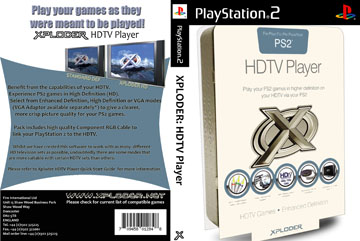
PS2 How to use Xploder HDTV Player with OPL

SGGG2

Forum Noob
Requires an original retail disc. Should work with an ESR patched Xploder disc, but I can't test this as my drive's dying.

Launch Xploder disc from "Lauch Disc".
Choose the desired resolution.
Eject Xploder, leave the tray empty, close it, and hit "Start".
After failing to launch, you'll be back in the Xploder menu.
Hit "Start" again, the PS2 will reboot into system menu with the resolution active.

Launch OPL v0.9 **without** built in GSM, version 1 **with** GSM hangs even when GSM is set to "Off".
select "Game Options" and enable "Mode 1 = On" (enables accurate disc read speed)

The game will boot with resolution settings active! IGR works, so you only need to do the boot process once as long as it's active.

The ELF version of Xploder hangs on "Starting Game" and the ISO version hangs on a white screen in OPL.

Please post any findings you may have.
 
If your optical drive is healthy, you can use the ELF version of the Xploder HDTV, and then burn a ule or opl as a startup disk, It is more convenient to use it like this
You need a version of 0.9.3 or below, and then enable the mode 7. Very few versions may require mode 1 to be enabled or both modes 1 and 7 to be enabled simultaneously
In addition, I want to say that the 480p effect of the Xploder HDTV is much better than the GSM, but it seems that not many people have noticed this software
 
Does the startup disk method work with softmodded systems? The best way would be with an ISO version, to circumvent the optical drive completely.

In my testing with OPL 0.9, all games require mode 1 enabled or they won't boot. Xploder's main advantage over GSM is 480p quality, field rendering games in particular. It generally employs some sort of line offset trick, which gives a progressive looking image with some vertical shimmering. GSM knocks the image down to 240p with field rendering games. Regardless, the more options the better!
 
I'm not sure if it works on ESR. Is your optical drive unable to even read CDs? I have some doubts about the feasibility of completely bypassing the optical drive

You can try the 0.9.3 official release version and enable mode 7
 
Has anybody been able to successfully convert the Xploder HDTV iso to an .elf executable? The iso is available on coolrom.com though it extracts into a "crazytaxi" slus file i can confirm its the iso.
 
Let me start from the beginning.
ps2-exploderhdtv-thumb.jpg

Xploder HDTV is a copyright software.

Somewhere an executable elf has been released, but as I mentioned before it is a copyright software.
 
Has anybody been able to successfully convert the Xploder HDTV iso to an .elf executable? The iso is available on coolrom.com though it extracts into a "crazytaxi" slus file i can confirm its the iso.

you might be able to copy the elf from a disc image, but I dunno. I know this can be done with codebreaker. in fact, codebreaker is only 3MBs iirc, so it can fit on a memory card. I'm pretty sure I bought this software once, a very long time ago, but I don't remember if I ever messed with it. I was probably one of the earliest adopters of hdtv's back in the early 2000s, I think, when my 32" lcd cost $3,600 or so, so I wanted to make the most of it.
 
yeah, someone may own the license to said product, even if the company that originally made it went bankrupt. the only exception to that is if the product, game, movie, etc. is part of the public domain, I believe.
 

Similar threads

Back
Top