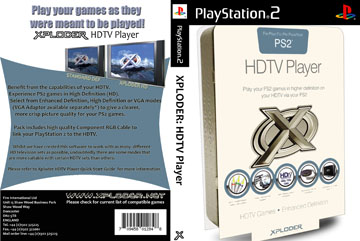
Requires an original retail disc. Should work with an ESR patched Xploder disc, but I can't test this as my drive's dying.
Launch Xploder disc from "Lauch Disc".
Choose the desired resolution.
Eject Xploder, leave the tray empty, close it, and hit "Start".
After failing to launch, you'll be back in the Xploder menu.
Hit "Start" again, the PS2 will reboot into system menu with the resolution active.
Launch OPL v0.9 **without** built in GSM, version 1 **with** GSM hangs even when GSM is set to "Off".
select "Game Options" and enable "Mode 1 = On" (enables accurate disc read speed)
The game will boot with resolution settings active! IGR works, so you only need to do the boot process once as long as it's active.
The ELF version of Xploder hangs on "Starting Game" and the ISO version hangs on a white screen in OPL.
Please post any findings you may have.
Launch Xploder disc from "Lauch Disc".
Choose the desired resolution.
Eject Xploder, leave the tray empty, close it, and hit "Start".
After failing to launch, you'll be back in the Xploder menu.
Hit "Start" again, the PS2 will reboot into system menu with the resolution active.
Launch OPL v0.9 **without** built in GSM, version 1 **with** GSM hangs even when GSM is set to "Off".
select "Game Options" and enable "Mode 1 = On" (enables accurate disc read speed)
The game will boot with resolution settings active! IGR works, so you only need to do the boot process once as long as it's active.
The ELF version of Xploder hangs on "Starting Game" and the ISO version hangs on a white screen in OPL.
Please post any findings you may have.