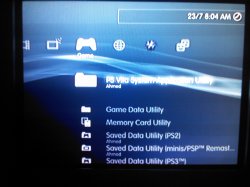
PS3 HAN Infinite Loading in XMB Menu

Sounds like there might of been an issue when you installed HAN toolbox ? Be sure to follow all steps.

Should be an easy fix, just Re-installing your firmware will bring back the XMB as it will replace the missing or corrupted files which is more then likely the issue. Which can been caused by a bad download of the installation files, or a bad install or it could be something else you might of did or tried to install? Either way its an easy fix, reinstall your firmware and you should be good to go.
I have a similar issue when we switch user accounts at the home xmb after i installed the exploit it freezes and loads forever instead of loading the other accounts xmb. Now the way to bypass this is to load the account as soon as the ps3 boots instead. any ideas?
 
Hi

@DeViL303 the category_game.xml at 29kb works very good, the XMB is faster but the singstar is still there, I guess it's something with my console, do you know if there is something else I could do?
If you have HAN Toolbox installed, use the File Explorer to browse to dev_hdd0/tmp/explore/ and press triangle on the xil2 folder and select unlink folder, then reboot, it might only be a temporary fix.
 
If you have HAN Toolbox installed, use the File Explorer to browse to dev_hdd0/tmp/explore/ and press triangle on the xil2 folder and select unlink folder, then reboot, it might only be a temporary fix.

It's not working my friend, maybe it's something with my super slim.

Regards
 
I have a super slim and was coming here to see if I was the only one with this problem and I guess not. Just installed the stripped down categorygame.xml file and all seems well now. big thanks to @DeViL303 for the fix. And a huge thanks to all in the scene coders, tester, all of you that write tutorials for the layman like myself. THANKS TO YOU ALL!!
 
It always seems to be the super slims effected worse by this, maybe they handle queries for paths that don't exist differently. Not sure.
 
Yay, additionally to the stripped XML I deleted the psp2 (vita), sdplus inside the ps3 savedata folder and psn option inside the package manager too.
But it kinda looks ugly when the first item of a column is selected... Do you know how to choose the "welcome" item?
 
Yay, additionally to the stripped XML I deleted the psp2 (vita), sdplus inside the ps3 savedata folder and psn option inside the package manager too.
But it kinda looks ugly when the first item of a column is selected... Do you know how to choose the "welcome" item?
You would need to start with the xml from han support files and strip that down, or add some stuff back to the stripped one, its related to the bit at the top that mentions "focus" , I took it out of the stripped one.

The psn option in package manager is used for PS1 packages too (maybe psp aswell), just so you know, if you install ps1 pkg, and it comes up with "please wait" for ages, then you will find the bubble in that psn section.
 
Last edited:
Hmm, good to know. But I only play PS2/3 games anyway :)

Unluckily, this didn't work...
Code:
<View id="root">
<Attributes>
            <Table key="seg_sdps3"> <!-- and <Table key="han_toolbox_xmb"> -->
                <Pair key="focus_detect"><String>enable</String></Pair> <!-- Tested with and without -->
                <Pair key="focus_priority"><String>-1</String></Pair>
            </Table>
</Attributes>
And due to a lack of time I won't be able to test it for the next two weeks.
 
Hmm, good to know. But I only play PS2/3 games anyway :)

Unluckily, this didn't work...
Code:
<View id="root">
<Attributes>
            <Table key="seg_sdps3"> <!-- and <Table key="han_toolbox_xmb"> -->
                <Pair key="focus_detect"><String>enable</String></Pair> <!-- Tested with and without -->
                <Pair key="focus_priority"><String>-1</String></Pair>
            </Table>
</Attributes>
And due to a lack of time I won't be able to test it for the next two weeks.
What im going to say is a bit too much to be tested in HAN because eventually could become in a long list of your "versions" until you can make it work, is better to try it in a cfw
If im going to tell this method is because that "focus_detect" and "focus_priority" are a bit unknown by now (as far i know and as far is documented in psdevwiki)

In short... the first thing needed to do is to delete all the "focus_priority"
The reason for this is because if you keep the original values some icons are going to be reordered using that values, and because we dont know well what each value does then is going to confuse you
Also, that <table keys> with the "focus_detect" and "focus_priority" are not critical at all, belongs to the <items> below, but that items are going to work anyway

The "focus_detect" works by moving the "cursor" (the position you move with the dualshock) to any icon that triggers an "active" event, this usually happens when you connect a device, better example of this is when you insert a bluray disc in the drive... the "focus_detect" moves the cursor automatically over the icon of the game. This is how i think it works, i have not tested it though
In other words... this "focus_detect" is pointless for what you want to do... so forget about it

The "focus_priority" is the one you need to do tests with it, for a first test i would copy one of the values found used in the official firmwares because we know for sure that are valid (taken from the ones i suggested you to delete)

Edit:
I was lurking several firmware versions to make lists of that values
Valid values found in OFW for "focus_priority" are: "0", "1", "2", "3", "4", "5", "6", "-46", "-47", "-48", "-49", "-50"
http://www.psdevwiki.com/ps3/XMBML_Coding#Attributes_.28Pairs.29

So go imagine... it looks like it follows 2 different "scales"... we have a serie of numbers that starts in 0 and increases in one unit each.... and another series that seems to start in -46 and decreases one unit each (hmmm, or it starts in -50 and increases one unit each ?, this seems a better definition)
So... dunno... but if some of you discover the mistery please explain it :P

 
Last edited:
Correction:
Code:
<Pair key="focus_priority"><String>-1</String></Pair>
This does work... in other categories (like category_network.xml) but not in Game.
I don't know what kind of black magic $ony used for the "boot categories" (Game & PSN)...
Besides, focus_priority has other values inside OFW too (e.g. -80, -1, -2, -3, -4, -5)
 
Correction:
Code:
<Pair key="focus_priority"><String>-1</String></Pair>
This does work... in other categories (like category_network.xml) but not in Game.
I don't know what kind of black magic $ony used for the "boot categories" (Game & PSN)...
Besides, focus_priority has other values inside OFW too (e.g. -80, -1, -2, -3, -4, -5)
Hmmm, right, im looking at it now, in 4.82 are also used -1, -2, -3, -4, -5... and there is a -80 used in category PSN that doesnt seems to follow other values, so the way i see it now is we have 3 scales:
-5, -4, -3, -2, -1, 0, 1, 2, 3, 4, 5, 6
-50, -49, -48, -47, -46
-80

I will add them to wiki, because all that ones are valid values

Btw, im reading again your message and im wondering if we had some misunderstanding
Yay, additionally to the stripped XML I deleted the psp2 (vita), sdplus inside the ps3 savedata folder and psn option inside the package manager too.
But it kinda looks ugly when the first item of a column is selected... Do you know how to choose the "welcome" item?
Can you post some image of how it looks ? (an screenshot, of take some image from google and photoshop it), i dont get why you said it looks ugly
And what you mean exactly with the "welcome item" ?
 
Last edited:
Just imo. It looks normal, but I don't like that the first item is selected (pic).
I would rather prefer an item in the middle like SDU (PS3), by default it's either Whats new or singstar.
"Welcome item" -> First item shown after system start
Somehow it works for almost every category except Game...
Don't know what $ony did there
 

Attachments

  • IMG_20130723_200348.jpg
    IMG_20130723_200348.jpg
    860.9 KB · Views: 405
There is another one related with priority, i have not mentioned it before because i cant imagine what it does, but is used for "seg_welcome" in category_game.xml
Code:
<Pair key="custom_priority"><String>game=-80</String></Pair>

In this example is the original, intended to use in "game", this can be used in other categories (replacing that "game" by "video", "tv", etc...), and always was found using value -80
 
Yes, I saw it too. Idk why but I didn't try it with this one. Maybe later...

Edit: Nope, doesn't work either
 
Last edited:
Wow, it works now...
Code:
            <Table key="seg_sdps3">
                <Pair key="focus_priority"><String>-1</String></Pair>
                <Pair key="custom_priority"><String>game=-80</String></Pair>
            </Table>
And done!
The trick was to use the new debug settings installer. /irony off
Honestly, as I said twice I don't know what $ony did there but "focus_priority" works fine with category_game_tool2.xml (DEX)
 
@DeViL303 take a look at this, yesterday i was looking at categoy_game.xml and i imagined a (dirty) way to separate that long lines for "src" in smaller chunks (based on how it works)
Is very usefull to understand what is searching for (using XMB database and conditionals), the code is fine (i dont think i missed anything) but i dont think is going to work like that, because all that "tabs" and linefeeds i added in between the quotes (m guessing the xml parser is going to catch them and is going to error, not sure though)
It was just a test for myself, im posting it here now because im about to delete it
https://pastebin.com/3MS5MpCp

There is a lot to discuss about how sony is making that queries, lol... but in short, i think is posible to reduce that queries in several different ways


Edit:
Almost forgot... if someone is interested you can see how works that "conditionals" here
http://www.psdevwiki.com/ps3/XMBML_Functions#Operators
And the queries to the XMB database here:
http://www.psdevwiki.com/ps3/XMB_database
 
New version, this one looks better, if you compare with the previous one i have splitted the last lines in a different way, and i used the quotes like if i was closing a code line, lol, still i think is not going to works like that (but maybe im wrong and it works, that could be nice)... but never minds, the purpose of making this was to show how it works (initially for me and now for whoever that wants to take a look), and this version is more explicit in that sense... so is a better "style" :)
https://pastebin.com/zfeTkWZD
 
Back
Top