
NEW METHOD - Much simpler!
This is a complete rewrite of my previous tool. Now you have a standalone DNS + HTTP server that:
Works on OFW (Official Firmware) - No HEN required!
Works on Linux/Mac/Windows/Android (Please confirm)
Works via Docker - Perfect for VPS deployment
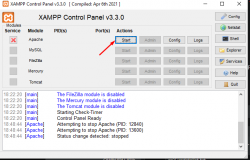
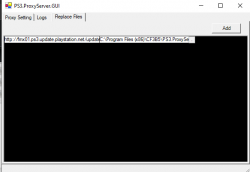
No need for XAMPP or ProxyServer.Gui
Auto-detects your network IP
Quick Start:
Configure your PS3:
1. Settings > Network Settings > Internet Connection Settings
2. Choose Custom setup
3. Select your connection (Wired/Wireless)
4. IP Address: Automatic
5. DNS Setting: Manual
6. Set Primary DNS and Secondary DNS to your server's IP
7. Save settings
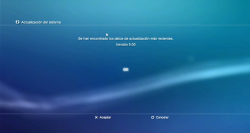
8. Settings > System Update > Update via Internet
Docker (VPS/Cloud):
Replace YOUR_SERVER_IP with:
- Your LAN IP (e.g., 192.168.1.100) for local deployment
- Your public IP for VPS deployment
Requirements:
- Java 17+ OR Docker
- PS3 HFW firmware PUP file
- Ports 53 (DNS) and 80 (HTTP) available
How it works:
1. Server runs DNS on port 53 and HTTP on port 80
2. PS3 queries for update domains (*.ps3.update.playstation.net)
3. Server redirects to your server's IP
4. PS3 downloads HFW from your server
5. Install HFW, then install HEN
GitHub Repository
This is a complete rewrite of my previous tool. Now you have a standalone DNS + HTTP server that:
Works on OFW (Official Firmware) - No HEN required!
Works on Linux/Mac/Windows/Android (Please confirm)
Works via Docker - Perfect for VPS deployment
No need for XAMPP or ProxyServer.Gui
Auto-detects your network IP
Quick Start:
Code:
  mkdir -p firmware
  curl -L -o firmware/PS3UPDAT.PUP \
    "https://github.com/PS3-Pro/Firmware-Updates/releases/download/HFW/Hybrid_Firmware.PUP"

  java -jar hfwserver-*.jar --verbose
Configure your PS3:
1. Settings > Network Settings > Internet Connection Settings
2. Choose Custom setup
3. Select your connection (Wired/Wireless)
4. IP Address: Automatic
5. DNS Setting: Manual
6. Set Primary DNS and Secondary DNS to your server's IP
7. Save settings
8. Settings > System Update > Update via Internet
Docker (VPS/Cloud):
Code:
docker run -d \
    --name ps3-hfw-server \
    --restart unless-stopped \
    -p 53:53/tcp \
    -p 53:53/udp \
    -p 80:80/tcp \
    -e LOCAL_IP=YOUR_SERVER_IP \
    --cap-add=NET_BIND_SERVICE \
    ghcr.io/pcamposu/ps3-hfw-update-server:latest
Replace YOUR_SERVER_IP with:
- Your LAN IP (e.g., 192.168.1.100) for local deployment
- Your public IP for VPS deployment
Requirements:
- Java 17+ OR Docker
- PS3 HFW firmware PUP file
- Ports 53 (DNS) and 80 (HTTP) available
How it works:
1. Server runs DNS on port 53 and HTTP on port 80
2. PS3 queries for update domains (*.ps3.update.playstation.net)
3. Server redirects to your server's IP
4. PS3 downloads HFW from your server
5. Install HFW, then install HEN
GitHub Repository
Attachments
Last edited:

 )
)
