

Latest Version Application: 3.46 <May 01, 2018>
Latest Version ActualizadorJLOJCH: 2.22 <May 01, 2018>
Lastest version JLojch Android: 2.18 <July 13, 2020>
Latest Version ActualizadorJLOJCH: 2.22 <May 01, 2018>
Lastest version JLojch Android: 2.18 <July 13, 2020>
Welcome friends, here I bring you the latest version of JLOJCH, with many changes, as well as support for a list of games compatible with Open PS2 Loader, ESR, USBExtreme/USBAdvance, PCSX2 and as always HDLoader/HDAdvance
What is JLOJCH? What to serve?
It is a java application, used to consult, add, modify and delete games from the list of compatible games:

order to have a fast and efficient access, and power among all keep updated lists all in one application, in one place all in one unified place for all people using different methods, forever without a single person has do it alone, if we do it all the better.
How to use all functions of the program?
To use all the application functions as: add games, modify, delete etc... you must register in the application, accessed from the Configuration Menu -> Register...
I can Use JLOJCH on my PC?
JLOJCH can be used on Windows or Linux or any operating system you have installed Java Version 6 or higher.
JLojch works properly on Windows, Linux, Max OS X, Debian and Solaris. You can view a full list of systems that have been tested JLojch in the next spoiler.
JLOJCH is tested and works fine on the following operating systems (does NOT mean it works in other versions):
-Microsoft Windows 2000 (any version)
-Microsoft Windows Me Millennium Edition (any version)
-Microsoft Windows XP Home Edition (any version)
-Microsoft Windows XP Professional SP3 (any version)
-Microsoft Windows Vista Enterprise (any version)
-Microsoft Windows Seven Professional (any version)
-Microsoft Windows Seven Ultimate (64 bit)
-Microsoft Windows 8
-Microsoft Windows 8.1
-Microsoft Windows 10
-Ubuntu 8.04 Hardy Heron (Hardy Heron)
-Ubuntu 8.10 Intrepid Ibex (Wild Goat Intrepid)
-Ubuntu 9.04 Jaunty Jackalope (Jackalope Alegre)
-Ubuntu 9.10 (Koala Karma)
-Ubuntu 10.04 Lucid Lynx (Lynx Lucid)
-Ubuntu 10.10 Maverick Meerkat
-Ubuntu 11.04 Natty Narwhal
-Ubuntu 11.10 Oneiric Ocelot
-Ubuntu 12.04 LTS Precise Pangolin
-Ubuntu 12.10 Quantal Quetzal
-Ubuntu 13.04 Raring Ringtail
-Ubuntu 13.10 Saucy Salamander
-Ubuntu 14.04 LTS Trusty Tahr
- Mac OS X 10.6 (Snow Leompard)
- Mac OS X 10.6.6 (Snow Leompard)
- Mac OS X 10.6.7 (Snow Leompard)
- Mac OS X 10.7: (Lion)
- Mac OS X 10.8: (Mountain Lion)
- Mac OS X 10.9: (Mavericks)
- Chrome OS Linux 1.0.626 RC (x86) Live CD
- Chrome OS Linux 1.0.626 RC (x86) USB Disk Image
- Chrome OS 0.9.576 RC Live CD
- Chrome OS 0.9.570 RC Live CD
- Chrome OS 0.8.552 beta Live CD
-Debian 6
- Solaris 10
- Solaris 11
-Microsoft Windows 2000 (any version)
-Microsoft Windows Me Millennium Edition (any version)
-Microsoft Windows XP Home Edition (any version)
-Microsoft Windows XP Professional SP3 (any version)
-Microsoft Windows Vista Enterprise (any version)
-Microsoft Windows Seven Professional (any version)
-Microsoft Windows Seven Ultimate (64 bit)
-Microsoft Windows 8
-Microsoft Windows 8.1
-Microsoft Windows 10
-Ubuntu 8.04 Hardy Heron (Hardy Heron)
-Ubuntu 8.10 Intrepid Ibex (Wild Goat Intrepid)
-Ubuntu 9.04 Jaunty Jackalope (Jackalope Alegre)
-Ubuntu 9.10 (Koala Karma)
-Ubuntu 10.04 Lucid Lynx (Lynx Lucid)
-Ubuntu 10.10 Maverick Meerkat
-Ubuntu 11.04 Natty Narwhal
-Ubuntu 11.10 Oneiric Ocelot
-Ubuntu 12.04 LTS Precise Pangolin
-Ubuntu 12.10 Quantal Quetzal
-Ubuntu 13.04 Raring Ringtail
-Ubuntu 13.10 Saucy Salamander
-Ubuntu 14.04 LTS Trusty Tahr
- Mac OS X 10.6 (Snow Leompard)
- Mac OS X 10.6.6 (Snow Leompard)
- Mac OS X 10.6.7 (Snow Leompard)
- Mac OS X 10.7: (Lion)
- Mac OS X 10.8: (Mountain Lion)
- Mac OS X 10.9: (Mavericks)
- Chrome OS Linux 1.0.626 RC (x86) Live CD
- Chrome OS Linux 1.0.626 RC (x86) USB Disk Image
- Chrome OS 0.9.576 RC Live CD
- Chrome OS 0.9.570 RC Live CD
- Chrome OS 0.8.552 beta Live CD
-Debian 6
- Solaris 10
- Solaris 11
Can I Use JLOJCH on my Mobile?

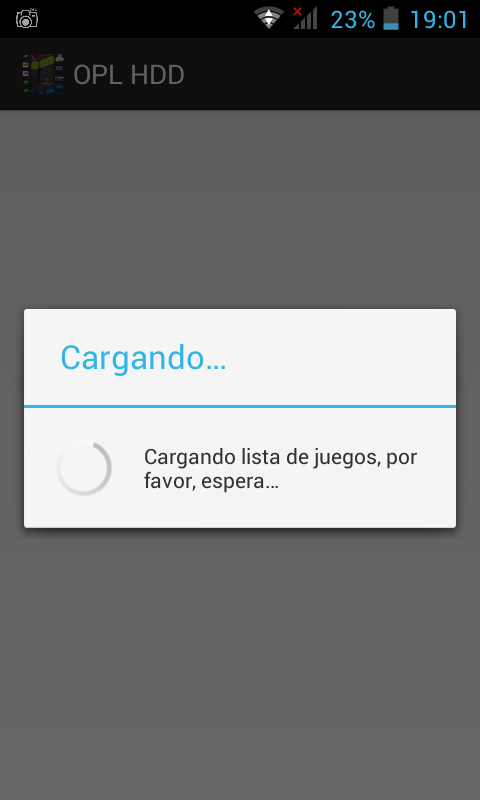
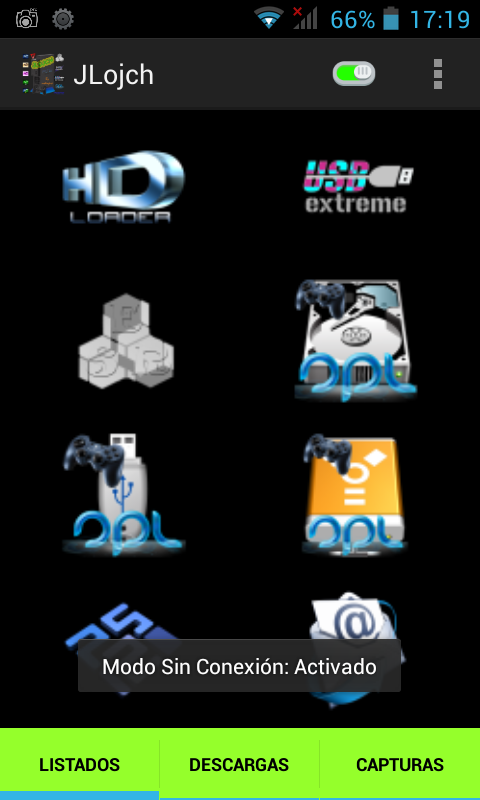
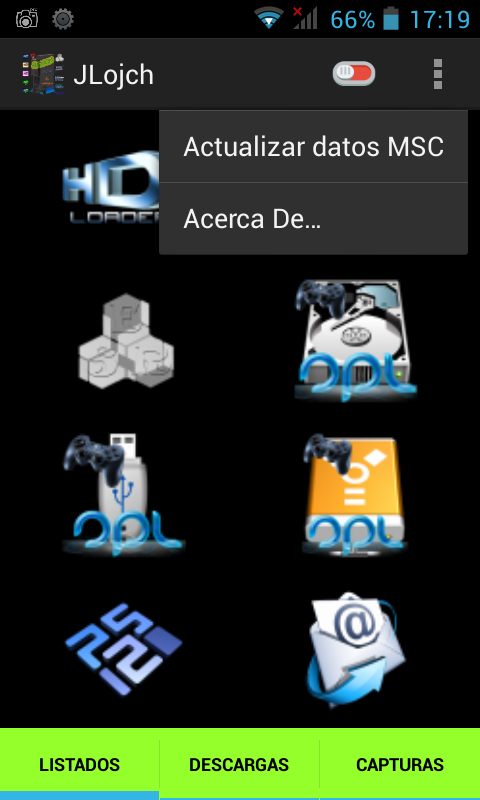
Yes, it was released a version of JLojch for Android, logically not have all the features that have the PC version, but if you check the basic functionality of listings HDLoader, USBExtreme, ESR, Open PS2 Loader and PCSX2.
This application is 100 % created from scratch by me. It has no limitation as some users tested in the previous beta version.
List of features of version 2.14:
- Support new devices
List of features of version 2.13:
- New: No Connection Mode.
- Bug fixes.
Features list of version 2.0 :
Complete remodeling of the application.
New features:
- New: Listings loaded in listview
- New: alphabet to find the games.
- New: Game detail
- New: Using the horizontal and vertical application.
- New: Display of charge.
- New: Remastering Images
- New: Home screen with sound.
- New: Fits perfectly to all devices.
Version 1.0 :
- Includes HDLoader , USBExtreme , ESR , OPL and PCSX2 listings .
- Includes Updater.
- Includes four languages : Spanish , English , French and German.
- For Tablet and Mobile
- To android 3.0 and above
- Support new devices
List of features of version 2.13:
- New: No Connection Mode.
- Bug fixes.
Features list of version 2.0 :
Complete remodeling of the application.
New features:
- New: Listings loaded in listview
- New: alphabet to find the games.
- New: Game detail
- New: Using the horizontal and vertical application.
- New: Display of charge.
- New: Remastering Images
- New: Home screen with sound.
- New: Fits perfectly to all devices.
Version 1.0 :
- Includes HDLoader , USBExtreme , ESR , OPL and PCSX2 listings .
- Includes Updater.
- Includes four languages : Spanish , English , French and German.
- For Tablet and Mobile
- To android 3.0 and above
I have tested this version on the following devices without any problem : Samsung Galaxy S3 , Sony Xperia L , Lg Optimus L5 II , HTC ONE SV, BlueStatks 0.8.7 ( Tablet ), Cubot GT 90. Xiaomi
It is the first official version of Android JLojch and my first application for this programming language , I hope I have as much acceptance as the PC version . You can comment to my future improvements or errors you find.


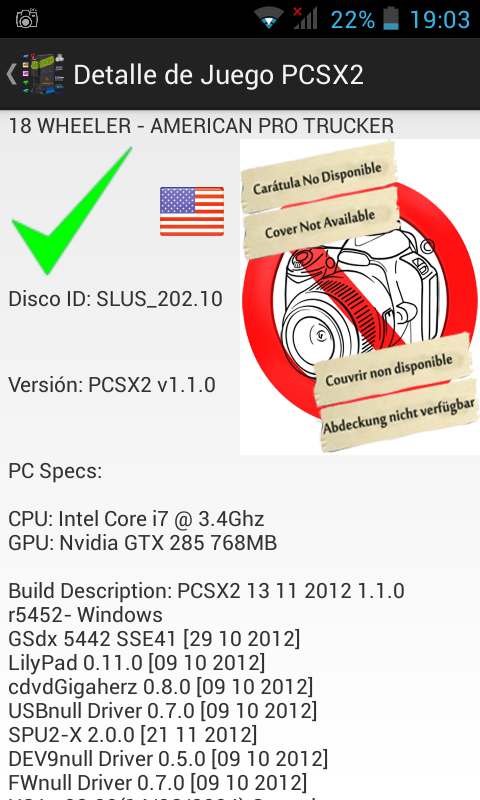
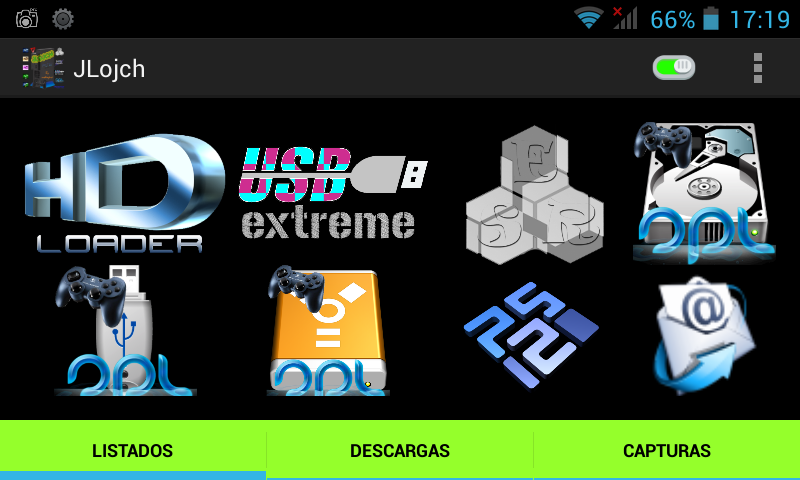
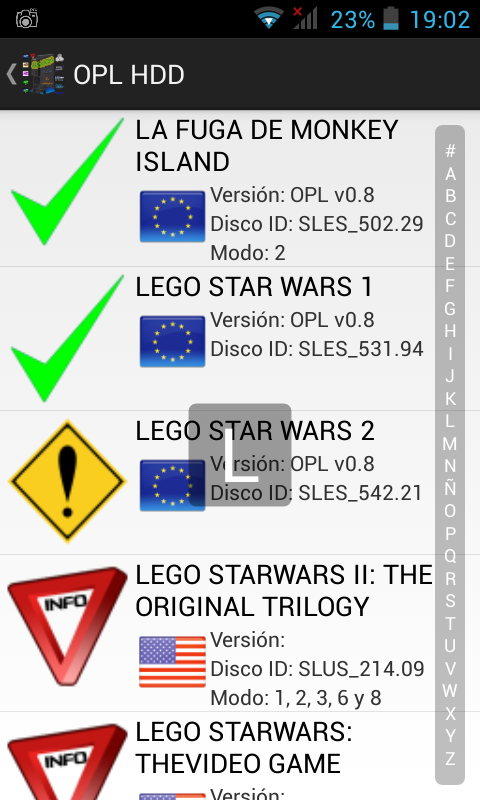
Treatment of versions, how is it a more modern and better version?
One of the common ways of numbering the versions of the programs is to segment the version number in three parts, as 9.99.99, but in our case we will do 9.99 as follows:
The first segment is the version number itself, which is changed when it comes to a thorough review of the program.
The second segment is the release number, which changes when you make a change of functionality in the program, but not so important as to be a version change. Also odd release numbers are unstable, whereas when you come to a stable version is changed to an even number.
Thus the nomenclature of the versions of this program is for example 1.01, 1.02, 1.50, 2.0 ...
where the first number shows the actual version and the two numbers below show some changes that the program has some new functionality and more ..
Version History
Here is a list with all versions of the program and things have been improving throughout the application development Emparan highest to lowest is the latest version of the original version:
History JLOJCH
JLojch history is available from the JLojch application, on the Help menu -> Version History.
Version 2.19:
- Change: Moved to new server
Version 2.18:
- Added: versioning JLojch for download.
- Update : logos Updater
- Fixed: JLojch did not run to complete the upgrade on routes they had spaces.
- Fixed: The path to failure JLojch.jar Running the Linux download .
Version 2.17:
- Changed the name of the download file to avoid problems with older versions of the updater
Version 2.16:
- Added : Improved update for that in case some program files remain obsolete the program automatically delete pear avoid problems
- Update: ActualizadorJLOJCH and prepared for the next version of JLOJCH 3.0 ( Coming Soon ! )
Version 2.15:
- Update: Sounds of the application
- Fixed : Change in obtaining the path in Linux so that files are downloaded to the correct folder where the user has the application
- Fixed : When you first start the updater if the language was not predefined in the application you showed him after the Splash screen now shows it to the top in order to choose the preferred language
Version 2.14:
- Added : Sound at startup and after downloading
Version 2.13 :
- Fixed Linux Failed to update the "ñ" character was the problem
Version 2.12:
- Changed Server Download
- Now more fluid iran downloads
Version 2.11 :
- Improved the progress bar, now grows depending on the bytes downloaded in total. no longer gets caught between 7 and 8 %. (Progress Bar )
- Deleting temporary files corrected .
Version 2.10 :
- Modified the updater to be compatible Tested only on Linux Ubuntu version 9.10
- Added messages Internationalization in News of the versions .
- Added new messages Languages
IMPORTANT for Linux - Users NOTE : For everything to work properly all the files and folders should be in / home / UserName
Ex: / home / nokiajavi / <Here files and folder>
Version 2.00 :
- Added Splash Screen
- Changing Structure of the code to make it faster and Effective
- Fixed Posts in Other Languages
- Added Posts in Other Languages
Version 1.01 :
- Fixed Languages
- Fixed Updater Module
Version 1.00:
- This is the First Version
- Change: Moved to new server
Version 2.18:
- Added: versioning JLojch for download.
- Update : logos Updater
- Fixed: JLojch did not run to complete the upgrade on routes they had spaces.
- Fixed: The path to failure JLojch.jar Running the Linux download .
Version 2.17:
- Changed the name of the download file to avoid problems with older versions of the updater
Version 2.16:
- Added : Improved update for that in case some program files remain obsolete the program automatically delete pear avoid problems
- Update: ActualizadorJLOJCH and prepared for the next version of JLOJCH 3.0 ( Coming Soon ! )
Version 2.15:
- Update: Sounds of the application
- Fixed : Change in obtaining the path in Linux so that files are downloaded to the correct folder where the user has the application
- Fixed : When you first start the updater if the language was not predefined in the application you showed him after the Splash screen now shows it to the top in order to choose the preferred language
Version 2.14:
- Added : Sound at startup and after downloading
Version 2.13 :
- Fixed Linux Failed to update the "ñ" character was the problem
Version 2.12:
- Changed Server Download
- Now more fluid iran downloads
Version 2.11 :
- Improved the progress bar, now grows depending on the bytes downloaded in total. no longer gets caught between 7 and 8 %. (Progress Bar )
- Deleting temporary files corrected .
Version 2.10 :
- Modified the updater to be compatible Tested only on Linux Ubuntu version 9.10
- Added messages Internationalization in News of the versions .
- Added new messages Languages
IMPORTANT for Linux - Users NOTE : For everything to work properly all the files and folders should be in / home / UserName
Ex: / home / nokiajavi / <Here files and folder>
Version 2.00 :
- Added Splash Screen
- Changing Structure of the code to make it faster and Effective
- Fixed Posts in Other Languages
- Added Posts in Other Languages
Version 1.01 :
- Fixed Languages
- Fixed Updater Module
Version 1.00:
- This is the First Version
Functions and usefulness of this application: (Let it offers and what can be done)
YOU CAN SEE ALL THE FEATURES OF JLOJCH FROM OWN APPLICATION JLOJCH.
Simply run JLojch, and press the F1 key, or in place, go to the Help menu -> Help:
- You can register in the application, this record will not have ever logging in to the program from the PC where you signed up he does just as well that you can add games to the list and edit, even delete and modify the games that you you have added to help keep the list updated.
- You can add game to the table in a simple and easy just You select the tab where you want to add the game, then pulsáis Actions menu-> Add Game or ctrl+A and typing the name and making a few clicks will have it added.
IMPORTANT: To change the state / HDLoader a game that is listed with the icon of Information, you must do the following (only with a list of HDLoader,Open PS2 Loader and PCSX2):
1. Select, Menu Actions -> Add Game (of course we must first select the tab for the list which we want to change the status of a game)
2. Fill fields with data from the game we want to modify, these data are the same as the game is on the list with the status information. Then select the new state.
3. Click Add and you should leave a message click to edit.
4. You will see a confirmation screen with new data from the game, and if everything is correct press will be modified and changed the game state.
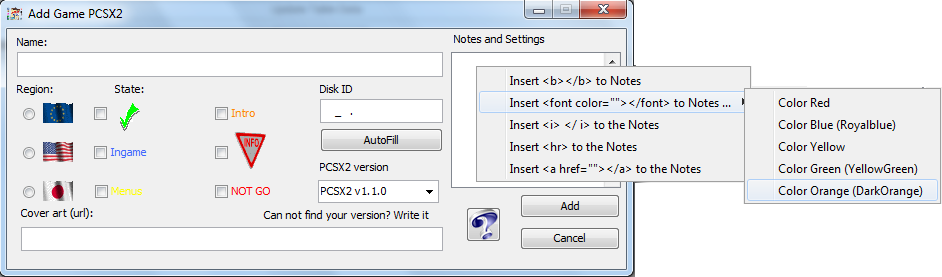
- Games Edit: It's a Semi-Automatic: If the program detects that you're adding the game is in the database and the field HDLoader / State is for information will give you the option to modify the game.
- Edit My Games to the Actions menu allows you to modify the games you have entered in the list, select a tab where you want to change any game and click Actions menu-> Edit My Games
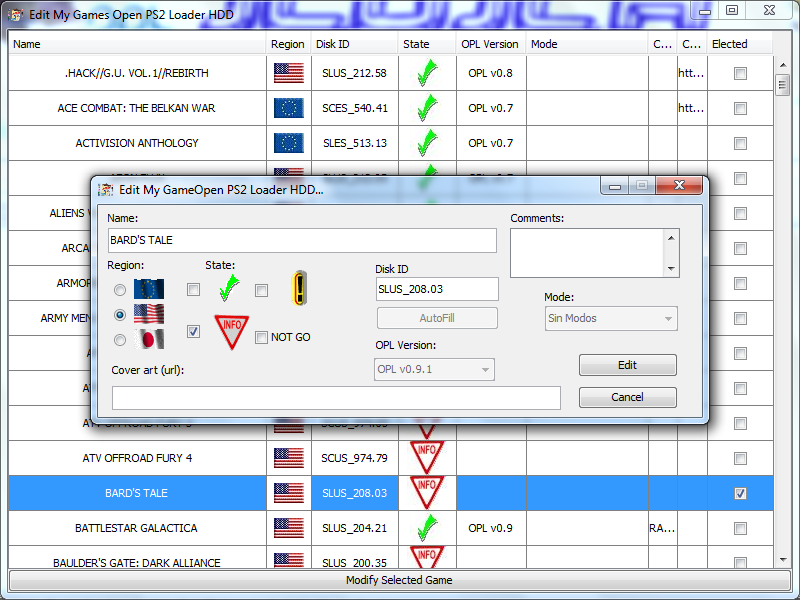
- Delete My Games to the Actions menu, lets you delete the games entered in the list, select a tab where you want to delete a game and press Menu Actions-> Delete My Games

- Viewer Notes and Configuration:
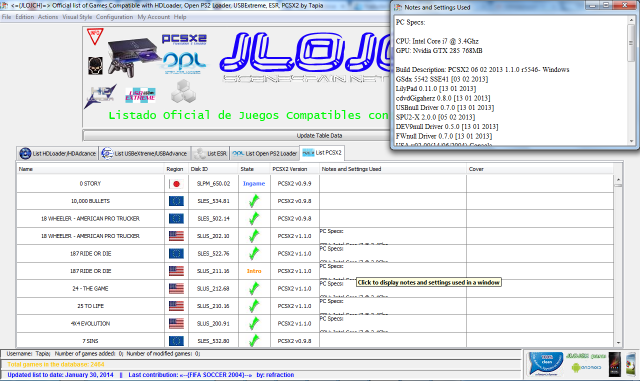
- Can do a very quick and easy search simply give to Edit-> search table and you start entering letters and Ian automatically filter the results in the table. The search supports all tables at the same time if you are also looking at a game and will you pass a table to another table the filter is applied to the new table automatically
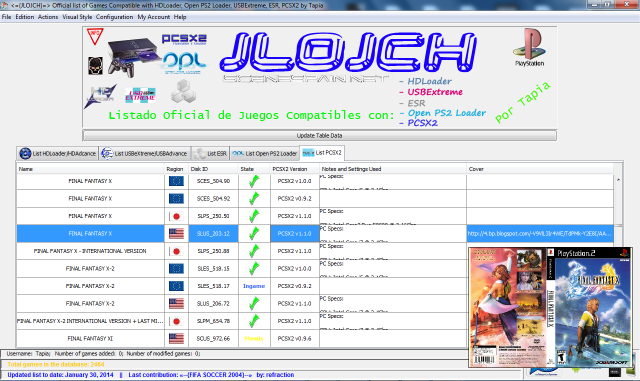
- Viewer covers. A thumbnail of the cover of the game will be.
- Updated Quick & Simple, you can check for updates in the application Help menu
- Report Errors or Instant Tips: here a screenshot:

- Can you show only the regions games you want. Go to Configurarion Menu -> Filter Results by Region -> Select the regions that you want to see.
- Contracting State Bar and the User Information List depending on the tab that you meet (and if you have loaded the table) will change the listing information automatically when equipment moves through the different tabs
- Login: you can log in from any computer in the application, if you are staying with a friend or another computer.
- Change of User: User can change whenever you want
- You can change the style of the application from a few accounts that are installed including the style of the OS.
- Multi-language support. It has 4 languages available, English, Spanish, French, German
- lot more ....
For any questions do not hesitate to lend to me here in a message written or private, improvements or suggestions are accepted you please stick to the application, even if you find any bugs or errors tango in translations of some items or something else let me know
Please insist that prove the name on the table before inserting a game anyway, the program detects duplicates and will not let you insert meteis worse if you tell a different letter as a new game and insert or seek the name game in Google to see that this well-written thank you very much everybody.
Here I show you a screenshot of the application:
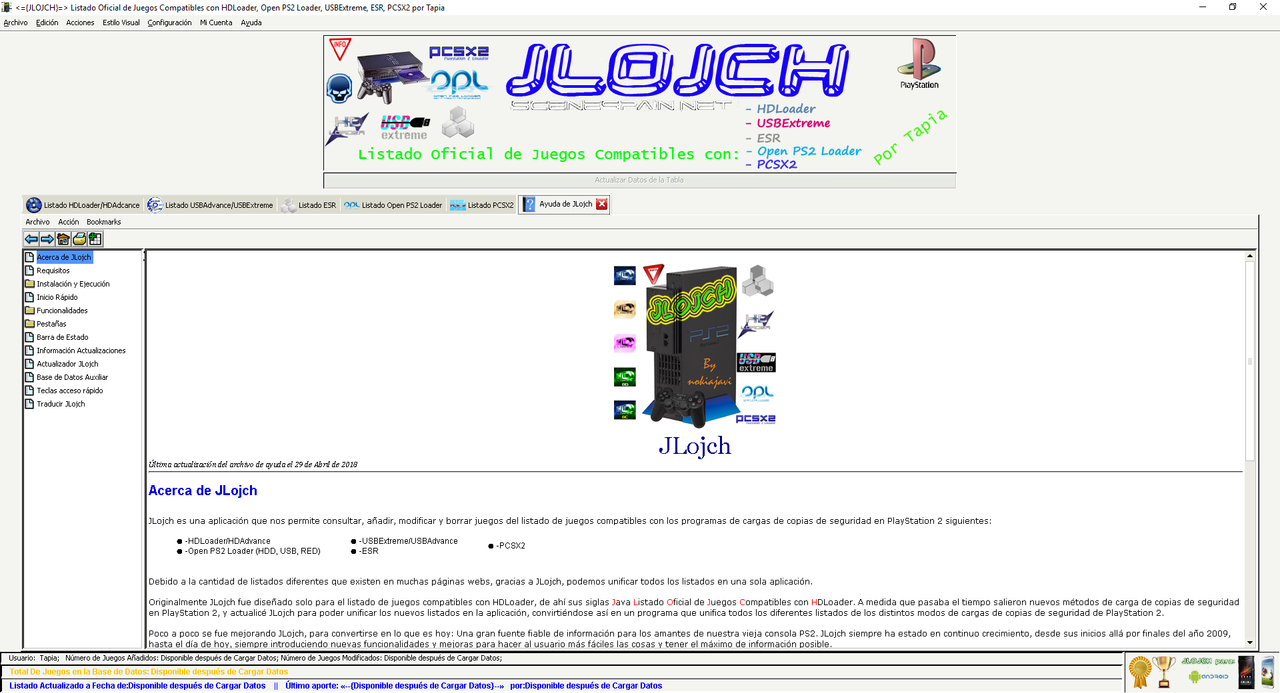
To run the application you just have to double click on the file Jlojch.jar
or do the following right-click the file and choose Jlojch.jar open with Java:

If you do not have this program click Choose Program ... seek x default java machine is in: C:\Program Files\Java\jre6\bin\javaw.exe
or
C:\Program Files\Java\jdk1.6.0_14\bin\javaw.exe
Depending on the version of java installed path is jr6 (for version 6) etc.
for linux users, if you say you can not find the main class while trying to run JLojch.jar or ActualizadoJLOJCH.jar, what you have to do is right click on JLojch.jar, then properties, and you are going to leave and check the option Execute: Allow executing file as program
With de Installer of JLojch, you can run JLojch from de desktop icon or .exe in windows.
or do the following right-click the file and choose Jlojch.jar open with Java:
If you do not have this program click Choose Program ... seek x default java machine is in: C:\Program Files\Java\jre6\bin\javaw.exe
or
C:\Program Files\Java\jdk1.6.0_14\bin\javaw.exe
Depending on the version of java installed path is jr6 (for version 6) etc.
for linux users, if you say you can not find the main class while trying to run JLojch.jar or ActualizadoJLOJCH.jar, what you have to do is right click on JLojch.jar, then properties, and you are going to leave and check the option Execute: Allow executing file as program
With de Installer of JLojch, you can run JLojch from de desktop icon or .exe in windows.
Well and here is the link to download the program:
__________________________________________________________________________________
Download Links:
JLOJCH OFFICIAL INSTALLER Lasted Version (Windows only or using Wine in Linux):
Author's Website from Github: Official JLojch Installer LAST VERSION (Windows only)
JLojch Portable LAST VERSION (Linux, Mac OS X, Solaris, Debian, Windows):
Author's Website From Github: JLojch Portable Last Version (All Operating Systems):
JLojch for Android:
If you find any FAILURE says me. THANKS.


