ManaGunZ

PS3 ManaGunZ - PS3 Backup Manager by Zar v1.41

file ---> properties
Appears a small window with 2 lines of (pointless imo) info:
Archive: 1 <----------------------- always 1 because you are looking at the properties of a single archive
Directories: 0 <----------------------- always 0 because you are looking at the properties of a single archive
Another small detail related with this @Zar (just a bit diffrent)

In any window of the filemanager (except "root device view"), and without any selected file or folder...
If you click options ---> properties
Appears another 2 lines of (pointless imo) info: "MD5" and "SHA1"

When doing this, the info that appears tells the total size of the folder and children folders, and number of files under that path included files on children paths, thats good, but the "MD5" and "SHA1" shows no info, so can be removed

---------------
I noticed by having a folder selected, and doing properties ---> create MD5/SHA1 ... managunz creates an .md5 or .sha1 file inside the folder containing all the hashes of the files inside the folder, this is a different feature, and works fine ;)


And a question i forgot... for the game covers (of all game formats PS3, PS2, PS1, PSP), which image formats are supported ?
I always use JPG... but i guess is supported PNG too ?... there is also some other image formats supported for covers ?
 
This completes the list of small details i wanted to suggest to you @Zar before the next managunz release
I have more ideas, but represents bigger changes, and i prefer to wait for the next managunz release to talk about them, when you have more time

izwRVyn.jpg

At the time of selecting "load config" and "add new command", appears at bottom the icon "START=create config" (this should be disabled while selecting)
This screen was still in development, you mentioned you was going to do some changes in it, if you do this problem is something you should consider
The way i see it... the icon at bottom with "START=create config" appears everywhere, and im suggesting to remove it under "some conditions"... but is more simple (and maybe better) to remove it completly in all conditions, and replace it by a text string at top with "save config"... so most at top could appear 3 text lines:
-Load CONFIG
-Add new command
-Save CONFIG

SCqu5LF.jpg

This "problem" happens everywhere in managunz, in the options that appears on "managunz general settings", inside the "game config" options, etc...
Is not a problem... but i think it will look better by adding it
 
about "X=select", pressing X in this case won't change anything. The only working button are Up / Down / circle .

the button X is used in the submenu of theme because I didn't want to load the theme every time I change the value.
 
about "X=select", pressing X in this case won't change anything. The only working button are Up / Down / circle .

the button X is used in the submenu of theme because I didn't want to load the theme every time I change the value.
Hmmm, ok i see, that confused me a bit because i was thinking the options that appears at bottom for all that "selector menus" was intended to show the same button mapping (up/down/cross/circle), like the theme selector
 
Greetings,

Quick question: are the 3D covers ('flow' interface) fully working (front/back case)? I wasn't able to make mine display the back side. Also, is there a specific resolution recommended, with and without the 3d option? currently using 357x500.

A couple bugs, some (or all) already mentioned previously:

- cover downloading does not work: a non-working/corrupted .png file gets downloaded for each game with the same size.
- Toying around in managunz with the 'flow' + 3d interface active will trigger a red column on the right side of the screen.
- Enabling 'game options' while scrolling with the 3d option active will automatically trigger the red column and make some of the game options disappear as you select them.

Since Managunz is packed with a lot of CONFIG files, why isn't the "load config" option always available for all games? or maybe I'm doing something wrong.

Thanks.
 
  • Like
Reactions: Zar
The 3d covers for psp ps3 and ps2 is just 1 file like this one http://www.thecoverproject.net/view.php?cover_id=13812

Ps1 cover use the front cover and the back like this : https://psxdatacenter.com/images/hires/P/0-9/SLES-03135/SLES-03135-B-ALL.html

Look the note 2 of the changelog 1.30 for the paths

There isn't any size recomanded. The v1.31 have a memory issue, so, it's better to not use big files.

If load Config doesn't appear, it means there isn't any config to load for this game.

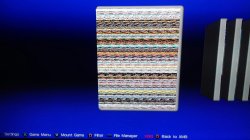
Thank you for your reply. Regarding the 3d covers: just like before, I've tried a couple full covers, including the one you have suggested and they all display a colorful fuzzy/pixelated mess but only on the front of the case; the back remains empty/white.

I've tried both ps2 and ps3 full covers with Managunz 1.31, .png and .jpg formats, all stored in the 3d folder located in "/dev_hdd0/game/MANAGUNZ0/USRDIR/covers/3D".

I'm going to give a try to managunz 1.30 and check if it still happens.

Update: same result, unfortunately.

Using rebug 4.81.2 cex.

Thanks!
 

Attachments

  • 3dfullcover.jpg
    3dfullcover.jpg
    3 MB · Views: 288
Last edited:
Now you are talking about covers and that "covers download" screen, this gives me room to report a detail i think is a bit confusing of that "covers download" screen

When an error appears on that screen (such when trying to download covers while the PS3 is offline), is hard to know which game is the "owner" of that error
Because in that screen appears one line for the game TITLE... and another line for the ERROR (such Error: httpSendRequest colored in red)
The point is are two different lines but you dont know if the error belongs to the title on top or under the error

The first solution i imagined was to add the ERROR in the same line than the TITLE... but this is not as good because the error lines are long, and the titles varies in lenght... so is a bit problematic and visually is not going to look very well

Second idea was to replace the error by some kind of checkmark (with size 15x15 units to use it "inline" with the TITLE texts), and locate this "checkmark" most at the left (to align all checkmarks)... but this is not good either because by doing it this way is not posible to see the error message fully

Third idea (winner imo) is to represent the errors in a way that represents visually a hierarchy, this way you know who is the owner of the error because the ERROR line is a "children" of another TITLE line, this way as example:

TITLE_1
TITLE_2
TITLE_3
---ERROR
TITLE_4

-----------------------
So basically.... im suggesting to displace the error lines a bit to the right
But i think this is not enought, because managunz fills that screen with lines "from bottom to top"
In a normal text document in most languages (except japanese) we fill documents "from top to bottom", so that simple trick of displacing the error messages trying to simulate a hierarchy only will work when ordered "from top to bottom"

Or alternativelly, create some shape in tiny3D (just a few lines) to build like a hierarchy tree located most at the left of the lines, something like this:

TITLE_1
TITLE_2
TITLE_3
ERROR
TITLE_4

In the fonts there are some special characters to build geometrical stuff like that, you can use fonts to fix this with just a character added before every error
 
Last edited:
Hey can you fix 480p option? No game is being displayed correctly after enabling 480p patch. We can see just half the screen horizontally in most of the cases.
 
Hey @Zar how change language in FileManager v1.31? I changed number STR_LANGCODE {\ x01} ENG to my language but that has not changed anything. Can I change it somewhere in the files because in the application itself there is no option to change language, I have crossed all the buttons?
 
Last edited:
  • Like
Reactions: Zar
good question i didn't think about this.
i'll add a button to change the langage in next update. With the current version u can copy the file from MANAGUNZ0/USRDIR/setting/setting.bin to FILEMANAG/USRDIR/setting/setting.bin
 
good question i didn't think about this.
i'll add a button to change the langage in next update. With the current version u can copy the file from MANAGUNZ0/USRDIR/setting/setting.bin to FILEMANAG/USRDIR/setting/setting.bin
Zar unfortunately, this method does not work :(
 
good question i didn't think about this.
i'll add a button to change the langage in next update. With the current version u can copy the file from MANAGUNZ0/USRDIR/setting/setting.bin to FILEMANAG/USRDIR/setting/setting.bin
And it would also be useful for some image support because after switching on, there is loading endlessly, a great file manager, simple gui windows, and the ability to change analog control analog left <-> analog right as in MM and the ability to change the wallpaper to such a standard PSN tower, as in ManaGunZ. Well done @Zar I was looking for it :D

Edit. @Zar I came up with the idea one can set the priority for the file manager just under the Install pacages tab and the sing star not to get lost in a large number of applications on the occasion that it is a meganger like in irisman?
 
Last edited:
good question i didn't think about this.
i'll add a button to change the langage in next update. With the current version u can copy the file from MANAGUNZ0/USRDIR/setting/setting.bin to FILEMANAG/USRDIR/setting/setting.bin
You can make the system language autodetection every time it boots, the same stuff you do in managunz at the first fresh install (without setting.bin file)

This way there is no need for you to add any button to "change language" in the interface of the standalone filemanager
 
I just checked, I removed the langage function from filemanager standalone, i'll just add it in next update. Also, I add a button to go in settings too (for standalone only).
 
I just checked, I removed the langage function from filemanager standalone, i'll just add it in next update. Also, I add a button to go in settings too (for standalone only).
@Zar Did you fixed the freezing issue in Managunz? Did you find what caused the error? Can you add the merge/copy option for 4+GB Ps2 games from external HDD in the next managunz release?
 
Did you fixed the freezing issue in Managunz? I hope so. I tested it with @sandungas. It's not perfect but it's better ;).
Did you find what caused the error? I'm not sure at 100% but i think it was using too much memory.
Can you add the merge/copy option for 4+GB Ps2 games from external HDD in the next managunz release? Yes.
 
Did you fixed the freezing issue in Managunz? I hope so. I tested it with @sandungas. It's not perfect but it's better ;).
Did you find what caused the error? I'm not sure at 100% but i think it was using too much memory.
Can you add the merge/copy option for 4+GB Ps2 games from external HDD in the next managunz release? Yes.
Zar I also noted a freezing error in file manager standalone. You can add copying the game folder, for example from GAMES as ISO file to PS3ISO like in mm, because converting to iso does not work after pressing, there is no reaction. Unpacking iso works.
 
Last edited:
Back
Top