PS3 Modifying SYSCON Fan settings (Better than Webman)

@Pacorretaco

Maybe I reduced the probabilities just a little haha. I didn't expect to see people actually using the modified syscon over webman, that's all. I mentioned collectors because they are the ones that want the console totally original without CFW and all, but didn't count actually skilled people with that matrix codes vision as you, sandungas, bguerville, etc, etc. It really hurts my eyes seeing hexa strings lol

What I wanted to pointout, as bguerville said, is that webman it's easier, a lot easier, you don't even need to get access to the syscon..

In my case, I only use webman on manual, it's a matter of taste/capabilities/laziness I think :D
 
That's one of the issues with it, "your console" will always change.
Year one, your temps will be low, and after a few years of use, the temps will be higher, naturally.
The SYSCON mod does not adapt to that, while webMAN does, by increasing fan speed.
Thats not true, syscon adjust the speed dinamically, if the thermal paste wears out syscon will use a faster speed, in the same way it happens if your ambient temperatures are different in between winter and summer, syscon is going to use higher speeds in summer

And btw, wen playing a game there are temperature peaks of a few degress up and down constantly in the RSX... is just we cant see them in webman because i takes temperature samples every 3 seconds or so and that temperature peaks can be faster than 3 seconds
If you want to set a hard maximum target temperature like webman does... You can do it... You can even make the machine shut down before it reaches whatever temperature you want. Including CPU, RSX "and" Southbridge. To a quarter of a degree Celsius. You can make the settings as crazy as you.
Yep, exactly, if someone really wants to prevent reaching an specific temperature it would be needed to reduce the values of the temperatures a lot
And good point about reducing the "trp" and "tshutdown", both things are failproof... lets say if we reduce them to 60ºC we are completly sure that temperature is not going to be exceeded ever

Webman (and all other custom fancontrol softwares) are not failproof, what they are doing is to configure the speed as "manual", and are doing an infinite loop to "read temperature" (and optionally change "fan speed") every 3 seconds to another "manual" mode
This means... if at some point webman crashes the last "manual" temperature is going to be used for the whole session. Is pretty much what happens when you do this sequence:
1) Boot PS3 from ambient (lets say ambient is 15ºC)
2) One minute later you are in main XMB with a temperature of 25ºC
3) Webman takes control of fan control and configures it to a "manual" speed proportional to 25ºC
4) You boot a PS2 classic
5) Webman is unloaded, and the last fan speed is kept inside syscon config as "manual" (with an static speed proportional to 25ºC)
6) You start playing the PS2 game... the temperature keeps increasing... but the fan doesnt increase speed because is in "manual"
7) The PS3 overheats up to 90ºC+, shutdowns, the BGA balls from CELL/RSX gets stressed, etc...
 
Last edited:
1) Boot PS3 from ambient (lets say ambient is 15ºC)
2) One minute later you are in main XMB with a temperature of 25ºC
3) Webman takes control of fan control and configures it to a "manual" speed proportional to 25ºC
4) You boot a PS2 classic
5) Webman is unloaded, and the last fan speed is kept inside syscon config as "manual" (with an static speed proportional to 25ºC)
6) You start playing the PS2 game... the temperature keeps increasing... but the fan doesnt increase speed because is in "manual"
7) The PS3 overheats up to 90ºC+, shutdowns, the BGA balls from CELL/RSX gets stressed, etc...

Question. Doesn't webman has a "PS2 fan mode" specially to play classics or PS2 discs? Or Am I missing something?

The fan mode that I use almost always is 35% set at manual, and more than that if we're on summer only, where temperatures are crap over here. Temps rarely want to go over 70ºC, where the average would be 65ºC with let say, 24ºC ambient temperature. I'm always watching for my temps :D

I've heard about that bug on webman when you want to play PS2 games you are mentioning, but I also heard about people having a lot of issues when playing PS2 games using the stock syscon curve. You know, when you have only black screen and you only can exit from the game and nothing else, or where you have lines glitches on screen, similar to RSX faults. Not that I'm saying the stock syscon curve is directly connected with these faults, but it could one of the paths for said faults.

Also, playing PS2 games on BCs, from what I saw, is pretty dangerous, that's why I don't recommend using it to play them. There's no real sensor for the EE+GS, right?

The solution would be to put the fan at 45% before entering in PS2 mode on webman, for example?
 
Hmmm, you are missing a detail, the only way for the "PS2 fan mode" of webman to be applyed is if you boot the PS2 game with webman
Lets say... if you boot the PS2 game with webman you are telling to him "hey, im going to boot a PS2 game" so webman does this process
1) Configure the fan with the static speed you selected for the "PS2 fan mode"
2) Boot the PS2 game
3) The PS2 emulator unloads webman

But in the sequence i mentioned is not used webman... so webman doesnt knows that you are booting a PS2 game... and as consequence the speed you selected in the "PS2 fan mode" option is ignored... and you enter in the PS2 mode with whatever speed was the last used in that infinite loop i mentioned that happens every 3 seconds
The point is... if you boot the PS2 game with any other backup manager (different than webman) or if your game is a proper "PS2 classic" (that doesnt needs any backup manager), then webman is not able to enable the "PS2 fan mode"

In your case you are using a different custom fancontrol mode with a static speed, so the speed is "locked" since the first minute you boot the PS3 (when webman takes control) and that speed is kept for the whole session... so the speed used when you enter in the emulated PS2 mode is exactly the same you had in the first minute you booted the PS3
Btw, i dont like this kind of configuration with an static speed, because in the practise is ignoring the temperature sensors... you know... is the same than removing the temperature sensors... or the same than disconnecting the fan from syscon completly and feeding it with an static voltage
 
Last edited:
Hmmm, you are missing a detail, the only way for the "PS2 fan mode" of webman to be applyed is if you boot the PS2 game with webman
Lets say... if you boot the PS2 game with webman you are telling to him "hey, im going to boot a PS2 game" so webman does this process
1) Configure the fan with the static speed you selected for the "PS2 fan mode"
2) Boot the PS2 game
3) The PS2 emulator unloads webman

But in the sequence i mentioned is not used webman... so webman doesnt knows that you are booting a PS2 game... and as consequence the speed you selected in the "PS2 fan mode" option is ignored... and you enter in the PS2 mode with whatever speed was the last used in that infinite loop i mentioned that happens every 3 seconds
The point is... if you boot the PS2 game with any other backup manager (different than webman) or if your game is a proper "PS2 classic" (that doesnt needs any backup manager), then webman is not able to enable the "PS2 fan mode"

In your case you are using a different custom fancontrol mode with a static speed, so the speed is "locked" since the first minute you boot the PS3 (when webman takes control) and that speed is kept for the whole session... so the speed used when you enter in the emulated PS2 mode is exactly the same you had in the first minute you booted the PS3
Btw, i dont like this kind of configuration with an static speed, because in the practise is ignoring the temperature sensors... you know... is the same than removing the temperature sensors... or the same than disconnecting the fan from syscon completly and feeding it with an static voltage
That's really interesting… I don't fully understand the temperature settings, so I normally just use whatever webman says. I also play a lot of ps2 games on my 2101a, so this kinda worries me now (I even wonder if that's what killed my cecha01, I was playing ps2 nonstop for a few months at this point! but i digress…)

What do you suggest in my situation @sandungas ? I've recently replaced the thermal paste on my slim, but the poor thing is still running a bit hot and I'm suspecting I need a delid. I'm rather scared of that process and I'm hoping I just need to configure my temps better.
 
That's really interesting… I don't fully understand the temperature settings, so I normally just use whatever webman says. I also play a lot of ps2 games on my 2101a, so this kinda worries me now (I even wonder if that's what killed my cecha01, I was playing ps2 nonstop for a few months at this point! but i digress…)

What do you suggest in my situation @sandungas ? I've recently replaced the thermal paste on my slim, but the poor thing is still running a bit hot and I'm suspecting I need a delid. I'm rather scared of that process and I'm hoping I just need to configure my temps better.
In general i would say the easyest and most failproof way to keep temperature under control is by investing 20$ to buy this
https://www.psx-place.com/threads/temps-after-delid.36003/#post-318168
Alternativelly... i would suggest to check this, the principle of how it works is the same, but it can be made for cheap
https://www.psx-place.com/threads/ps4-ps3-hardware-fan-accelerator.31345/
For you (and everyone playing around with syscon uart) the optimal solution would be to reconfigure the thermal config completly but there is not a "user friendly" way to do it because a single thermal config is composed by more than 100 individual values (around 165 as far i remember, depends of the thermal config format), but as a minimal i suggest to do this
https://www.psx-place.com/threads/syscon-fan-settings-coordinate-graphs.31188/page-11#post-320066

Take a fast read at that specific post to get the overal concept of what i was suggesting to do
The point is... in mullion syscons all the fan speeds are located contiguoslly so we can overwrite all the speeds with a single uart command, in mullions is very easy to do it (and to revert it incase you dont like the values you used)

And check also my previous posts in that thread... before that i was talking about it too and made a mini-tutorial for sherwoods... is the same concept but it was more tricky because in sherwoods the speed values are not contiguous
 
Last edited:
I think people are overestimating the difficulty of this thing...
Yes the thermal settings are comprised of a large amount of values and parameters. And this is a good thing because it is what gives so much room for adjustment.

But it doesnt mean it should be hard to do!
I provided my tables for people to copy very quickly and easily if they want to do it... They are structured in a way such that, you can literally copy my full batch of commands and drop it into the terminal... So of course there is a relatively "user friendly" way to do it.

The user only has to hit enter!

And I also provided another batch of commands in case they want to return to "default" for some reason... All in the same way, copy and paste...
 
For you (and everyone playing around with syscon uart) the optimal solution would be to reconfigure the thermal config completly but there is not a "user friendly" way to do it because a single thermal config is composed by more than 100 individual values (around 165 as far i remember, depends of the thermal config format), but as a minimal i suggest to do this
https://www.psx-place.com/threads/syscon-fan-settings-coordinate-graphs.31188/page-11#post-320066

Take a fast read at that specific post to get the overal concept of what i was suggesting to do
The point is... in mullion syscons all the fan speeds are located contiguoslly so we can overwrite all the speeds with a single uart command, in mullions is very easy to do it (and to revert it incase you dont like the values you used)
But of course everyone is encouraged to change the settings how they like, and maybe share and discuss those settings, try them around etc. Everything is harmless and reversible, and after all, That was the original idea of this thread...

For that, it is also not that difficult at all...
Especially in Mullion, with the "setini" commands, everything is displayed in a human readable way, and is very easy for everyone to see and change those values how they like, intuitively and without thinking too much.

So I don't recommend trying to be "lazy" and only change the "duty" hex addresses directly. Most importantly because with the "setini" commands, there is no need to deal with hex at all. So it is not really easier I think.
Secondly even then, I would prefer leaving the "duty" values alone, and changing the "Temp" values instead. Changing "duty" only seems a bit "brute" way, and we are not here to be brute I think hehehe. But sure it would also work.
 
What is not easy is to calculate the new "tempU" and "tempD" values, sony engineers was using a few strict rules to calculate them, actually a lot of them can be generated accuratelly by using simple math formulas.. but this details are the kind of thing you will realize after studying the official configs
I mentioned some of this "sony engineers favorite rules" somewhere in the forum before here and there, but i never explained it in detail
Is not rocket science anyway, but i dont expect much newcomers to realize about this details... so i consider is a lot more safer to modify the duty (speed) only and dont mess around with the "tempU" and tempD"
If i tell someone to modify the speeds only im sure that person is not going to make any mistake calculating the new speed values, because the only "rule" needed to follow is the next speed needs to be higher than the previous (and the last speed needs to be always FF), thats failproof in some sense, and is a real improvement over the officials made in a easy way :D
 
Last edited:
What is not easy is to calculate the new "tempU" and "tempD" values, sony engineers was using a few strict rules to calculate them, actually a lot of them can be generated accuratelly by using simple math formulas.. but this details are the kind of thing you will realize after studying the official configs
I mentioned some of this "sony engineers favorite rules" somewhere in the forum before here and there, but i never explained it in detail
Is not rocket science anyway, but i dont expect much newcomers to realize about this details... so i consider is a lot more safer to modify the duty (speed) only and dont mess around with the "tempU" and tempD"
If i tell someone to modify the speeds only im sure that person is not going to make any mistake calculating the new speed values, because the only "rule" needed to follow is the next speed needs to be higher than the previous (and the last speed needs to be always FF), thats failproof in some sense, and is a real improvement over the officials made in a easy way :D
Hmm, maybe now I am getting lost myself hahahaha.

Calculate what? I didnt use any math formula to calculate the TempU and TempD values... I just used common sense and real experimentation.
And I have great respect for Sony engineers but I think they didnt complicate so much themselves when doing this either...

(Some settings from the factory dont make too much sense... Sometimes for the same board with same components they put arbitrarily different settings, while other times they changed important hardware aspects and didnt bother to put accordingly different settings and just reused the old...)

And most importantly... The Syscon itself is smart and robust. It is designed in a fault-proof way such that even if you put absolutely wrong nonsense settings (like slower speed for higher temperatures) (or higher tempD than tempU) , nothing wrong will happen... It will just ignore that without harm really. I remember testing for curiosity.

In any case people can share their settings before flashing them to the EEPROM if they want validation from other people... But there is no need to be afraid really of making mistakes...

Not only that but it is also possible to write the changes temporarily on the fly, directly to volatile RAM in real time by simply using "set" commands instead of "setini" (the changes will take effect immediately but they will be discarded on power off and on)
This is the best way to experiment and fine tune to arrive at the best settings. Just try whatever parameters, silly or smart there is no harm...
 
Ohh, i didnt meant safe/unsafe in that sense, sorry i was not trying to scare anyone :D
I mean unsafe in the sense that some combination of values could be considered a mistake, and you will need to configure it again... but thats just an small annoyance
As you said, if there is some mistake syscon allows to overwrite it with a new thermal config, the syscon firmware is not going to "brick" even if we write at incorrect offsets because the firwmware is like "write protected" so is imposible to damage it
Btw, now we are talking about this... is worthy to advise everyone to do a syscon dump, there is an script specific to do it... just incase you write at an incorrect offset, we can fix it by restoring the dump

For the "sony engineers favorite rules"... i know they did some mistakes, and they left some garbage, if someone is curious about it try the uart command "tshutdown get 14" in a DIA-00x motherboard and get ready for the facepalm :D
But there are some rules they used that are fine, as example:

trp = tshutdown -1ºC
The highest value of tempU = tshutdown

Sony engineers was doing this in all the PS3 models
I dont want to discourage anyone in doing experiments, but it doesnt seems we are going to achieve any improvements by not following this rules
If we are going to design a thermal config from scratch is very easy to follow this 2 rules, is not a restriction and doesnt seems to be a "bad idea", we can stick to this 2 rules and still having 100% freedom to configure everything

Anyway... the point is we dont know the exact consequences derived from not following this 2 rules... so in the meantime the best we can do is to copy sony engineers about this 2 rules
 
Last edited:
Yes thermal config it's not very scary things, it just needs time to be understood before writing something to syscon . I just want to learn those for my knowledge purposes.
 
Ohh, i didnt meant safe/unsafe in that sense, sorry i was not trying to scare anyone :D
I mean unsafe in the sense that some combination of values could be considered a mistake, and you will need to configure it again... but thats just an small annoyance
As you said, if there is some mistake syscon allows to overwrite it with a new thermal config, the syscon firmware is not going to "brick" even if we write at incorrect offsets because the firwmware is like "write protected" so is imposible to damage it
Btw, now we are talking about this... is worthy to advise everyone to do a syscon dump, there is an script specific to do it... just incase you write at an incorrect offset, we can fix it by restoring the dump

For the "sony engineers favorite rules"... i know they did some mistakes, and they left some garbage, if someone is curious about it try the uart command "tshutdown get 14" in a DIA-00x motherboard and get ready for the facepalm :D
But there are some rules they used that are fine, as example:

trp = tshutdown -1ºC
The highest value of tempU = tshutdown

Sony engineers was doing this in all the PS3 models
I dont want to discourage anyone in doing experiments, but it doesnt seems we are going to achieve any improvements by not following this rules
If we are going to design a thermal config from scratch is very easy to follow this 2 rules, is not a restriction and doesnt seems to be a "bad idea", we can stick to this 2 rules and still having 100% freedom to configure everything

Anyway... the point is we dont know the exact consequences derived from not following this 2 rules... so in the meantime the best we can do is to copy sony engineers about this 2 rules
Aha, yes you are right.
At the beginning I instruct go make backup of thermal config area first of all.
But Especially on sherwood, it is good idea to make full EEPROM dump, just in case somebody writes to an address "outside" the thermal config area by user error. But this applies not just for this. Manually writing to hex addresses in general has some room for user error, so better be protected.

In Mullion however, this user error chance is zero because we have access to the "setini" commands, so there is no need to go manually writing to cryptic hex addresses

And interesting that you mention those "rules" when elaborating the settings yes. They are good to follow and mostly can fall into "common sense". Even if "not following" them doesnt necesarily mean danger. It is good to be aware and this is why this thread exists. So that we can improve the settings.

For example my settings were intuitively following the "tshutdown" rule without knowing the "rule" but at that time, I didnt know about the "trp" hmm. So I left it unchanged even if it probably makes sense to change it too.
After many months and testing, I havent found any negative or positive consecuences but next time I will add that command too.

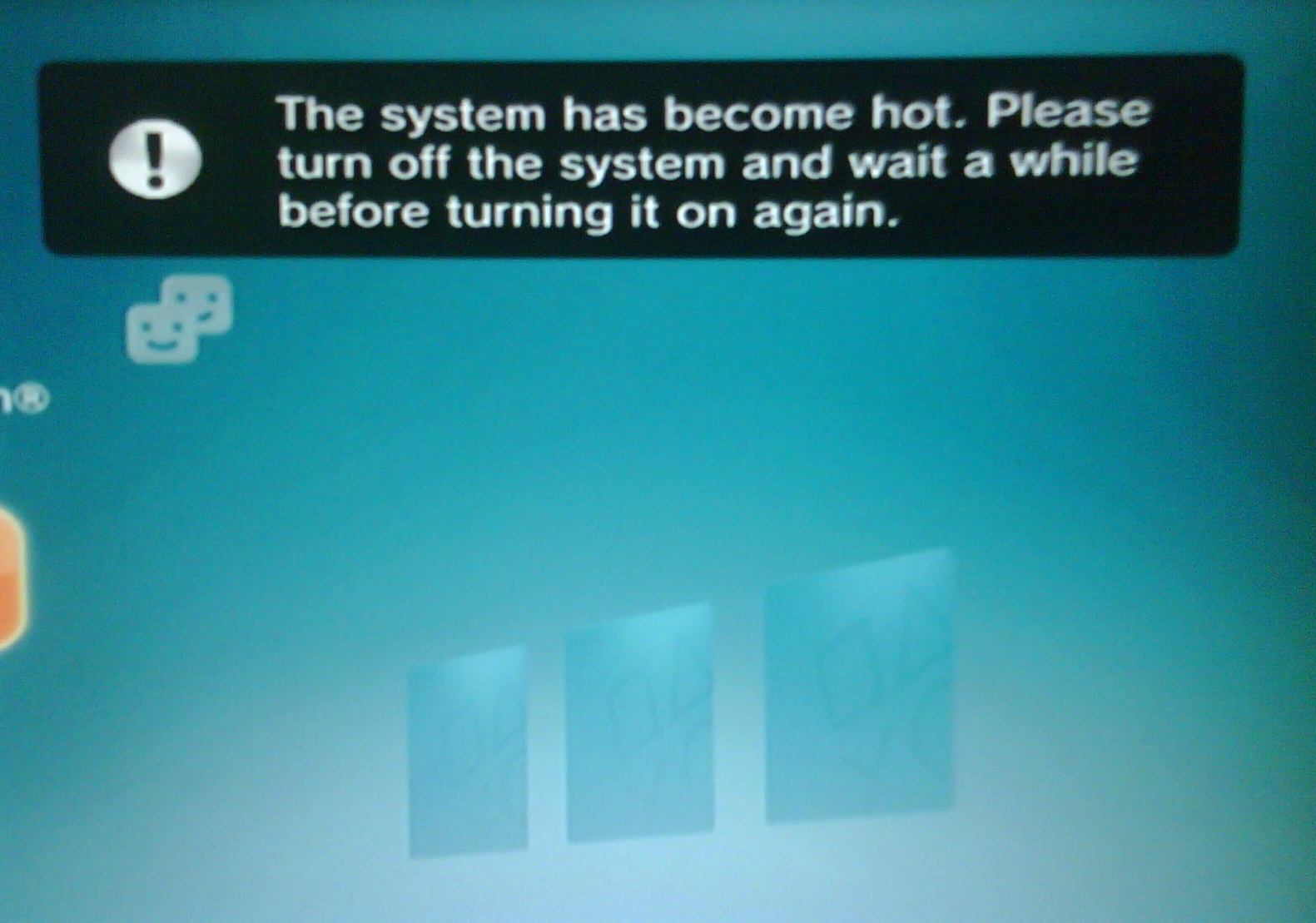
What does "trp" do anyway? Is it the notification that the "system is overheating" message right before safety shutdown?
 
I was wondering if the "trp" is the temperature that triggers the overheat warning notification, but i dont know
Ps3-overheat-msg.jpg


And i dont know in which order happens the things... maybe the warning inits a timer... and after a few seconds it shutdowns the PS3
Or maybe the warning appears, but the PS3 is not shutted down unless the temperature is increased +1ºC (so we fall in the tshutdown), this would mean there is no timer, it would also mean that there is a chance for the warning to appear but the PS3 not shutting down (lets say, the temperarture increases 0.5ºC over trp and suddenly decreases a lot so it never reachs "tshutdown")

Anyway... the problem of this "sony engineers favorite rule" is... when you reduce "tsutdown" you need to reduce also "trp" (to keep it 1ºC lower than tshutdown), otherway you are nerfing the trp

Lets say... if your factory tshutdown is 90ºC (so your trp is 89ºC) and you reduce tshutdown to 85ºC the result is your trp is higher than tshutdown (tshutdown=85, trp=89), so the syscon is going to ignore the trp
Is pretty much like removing the trp... but we still dont know what the trp does so i consider this is a mistake (made unintentionallly)

Dunno, the only way to be sure about what to do with the trp is do some some experiments... if someone wants to try, reduce the trp with "set" (in ram) to something very low, lets say... 50ºC and try to see if it appears the overheat notification in XMB
 
This is what sony engineers was trying to achieve, i was laughng a bit when i was writing it in other thread, pacoretaco improved it but im still thinking in it and loling a bit

3 guys in a van traveling from silicon valley to tijuana in a van, without stops
The van have 1 wheel and 1 accelerator pedal, and 3 individual seats in a row at front, they installed rails under the seats with servo motors to move the seats along the rails back and forth, to control the wheel and the accelerator pedal of the van
The brake pedal is not shared, every seat have a brake pedal that moves with it, so all the guys can break at all times, but only one of them can accelerate and drive
The seats also have some sensors to monitor the blood pressure, pulse, stress levels, etc... of the 3 guys, and everything is controlled by a raspberry, lol
The raspberry decides which seat is moved to front based in the stress levels of the guys, one of the guys gets excited when they are driving in highways, the other prefers mountain roads, and the other likes to drive offroad
The raspberry doesnt allows the van to stop, the speeds are predefined, the driver is the only who can increase speed (to the next predefined speed), but the speed is only decreased (to the previous predefined speed) if all them gets bored and press the brake pedals at the same time

Wel... if they repeat this travel several times with different configurations, at the end of the travel it could happen that one of the guys was driving 95% of the time, the other 5% and the other 0%... just because they configured the stress tresholds incorrectly in the raspberry
Thats wrong because it means one of the guys was taking a nap the whole travel and the other was smoking a joint... we are not using them, it would be pretty much like kicking them out of the van

What we need to achieve is at the end of the travel the results is each guy was driving the car 33% of the time... this would mean all the guys was alert and they was very close to take control
In other words... we need the 3 guys fighting with each other along the whole travel trying to take control of the van, lol
 
Last edited:
This is what sony engineers was trying to achieve, i was laughng a bit when i was writing it in other thread, pacoretaco improved it but im still thinking in it and loling a bit

3 guys in a van traveling from silicon valley to tijuana in a van, without stops
The van have 1 wheel and 1 accelerator pedal, and 3 individual seats in a row at front, they installed rails under the seats with servo motors to move the seats along the rails back and forth, to control the wheel and the accelerator pedal of the van
The brake pedal is not shared, every seat have a brake pedal that moves with it, so all the guys can break at all times, but only one of them can accelerate and drive
The seats also have some sensors to monitor the blood pressure, pulse, stress levels, etc... of the 3 guys, and everything is controlled by a raspberry, lol
The raspberry decides which seat is moved to front based in the stress levels of the guys, one of the guys gets excited when they are driving in highways, the other prefers mountain roads, and the other likes to drive offroad
The raspberry doesnt allows the van to stop, the speeds are predefined, the driver is the only who can increase speed (to the next predefined speed), but the speed is only decreased (to the previous predefined speed) if all them gets bored and press the brake pedals at the same time

Wel... if they repeat this travel several times with different configurations, at the end of the travel it could happen that one of the guys was driving 95% of the time, the other 5% and the other 0%... just because they configured the stress tresholds incorrectly in the raspberry
Thats wrong because it means one of the guys was taking a nap the whole travel and the other was smoking a joint... we are not using them, it would be pretty much like kicking them out of the van

What we need to achieve is at the end of the travel the results is each guy was driving the car 33% of the time... this would mean all the guys was alert and they was very close to take control
In other words... we need the 3 guys fighting with each other along the whole travel trying to take control of the van, lol
Hahahaha yes, the 3 drivers (CPU, RSX, SB) that are driving the van(/fan) speed.

All three drivers need to agree in order to slow down the speed and relax
But for accelerating the van, 1 driver is enough to do it!

Maybe because this van is going from Silicon Valley to Tijuana, while running away from police! (Heat)
Thats why in this case, higher speed is safer, and relaxing can be dangerous! (The heat can catch up if fan speed is low)

But not all 3 drivers need to have the same temperament.
It is true that one of them especially, is the most relaxed. Always in his corner, enjoying his cigar. (Southbridge). But this can be good because he is still a competent driver and will keep the car safe in case the other two mess up.
He doesnt have to be always on front, fighting for control.
Meanwhile CPU and RSX can fight for control without fear. Even if we modify one or even two of them wrong and make mistake, we are safe because at least SB is still there.

From Sony design, CPU is the main driver and RSX also seems a bit relegated to back seat. In theory this could make sense for a couple reasons:
CPU takes the most power and gets the hottest. And keeping the CPU alive is #1 priority as it holds the unique encryption keys etc...
But also important fact is that CPU is more predictable. It is always running and working at a similar rate and its temperature does not oscillate too much.
This is what makes CPU a great driver that can be trusted to drive wisely and smoothly.
I agree with Sony to give CPU the front seat.

However in the real world we can see that perhaps the RSX deserved a bit more attention. As it happens, The CPUs are normally surviving anyway, even if they are always running the hottest. On the other hand the RSX field endurance is not that high. (When actually is not necessarily running that hot at all in most cases by default)
We dont really know if this is actually very related or not to temperatures, but I think is sensible to bring the RSX closer to the front seat. But keeping a wider margin between RSX TempD and TempU to accomodate for its natural fluctuations (which may help explain its normally higher failure rate)

So in my fan curves, the CPU target temperatures are lowered a little, RSX are lowered a lot, and SB are left untouched.
 
Police = heat, lol nice comparison, it made me remember need for speed and GTA games :D
I have a new prototype, with 3 monkeys trained to drive in the MIT, 3 seats with anal probes, and a ford econoline (scooby doo tribute) with spikes in the rims, horns, and a giant razor blade under the hood, this way the humans can seat at the back and enjoy the travel. A mediaval slavery-powered backport of testa autopilot :D

Im not sure if all this comparisons are going to be good enought, but by now fits well, are intuitive and funny :D
If we think in the new PS3 models (that doesnt monitors the south bridge) it becomes more intuitive, because CELL and RSX are way higher than SB
Is a bit like if the SB is the monkey who prefers to drive offroad, most of the roads in between silicon valley and tijuana are highways or mountains (for CELL and RSX) so his probalities to drive are low, but we need him to drive 100% of the offroad sections... or at least to stay very alert in that sections
Btw, there is a setting (single byte) to disable the SB monitoring, i think this could be handy in the tests just to prevent SB to disturb our results... lets say... the SB monitoring is an extra that can be configured at the last step (after we configure CELL and RSX). I guess SB is the most tricky to configure

Btw @RIP-Felix when i wrote this yesterday i was not able to explain well what i meant with the sentence "who drives the car"
For the first tests we need to see the difference of temperatures in between CELL and RSX and to see which is the hottest... but to see "who drives the car" we need to compare that results with the tresholds of "tempU"
Taking some of the official settings from COK-001 from your post here

At "p3" CELL "tempU" is configured to 77ºC and RSX to 86ºC
So there are 11ºC of difference in the settings in this step... but whats the difference on real temperatures ?... that comparison is going to tell us who drives the car
Lets say... if at "p3" we realize CELL is at 73ºC and RSX is at 85ºC then is RSX who is going to drive the car at the next round

At different "p" steps this kind of sensivity varyes, in "p7" they configured CELL "tempU" 81ºC and RSX 90ºC
So there are 9ºC of difference in the settings in this step... but again we are in the same trouble... we dont know who drives the car unless we check the real temperatures to compare them with the settings

In other words... the fact that one of them is hotter than the others doesnt means the hottest is going to drive, because we can "nerf" him with the settings
Im not sure how much nerfed are the official configs thought
 
Interesting concepts.
You reminded me, I made another updated fan curve including the
Code:
trp
Settting and a bit of modification to the southbridge also.

(Southbridge may seem unnecesary but there may be special cases where the southbridge can actually run comparable or even hotter than RSX) (Such as frankenstein where it is 40nm instead of 90nm).
Or simply in PS2 mode where RSX is almost idle.

All tested and working fine, anyone can easily copy and try, or modify themselves to their taste

Cheers
 

Attachments

Last edited:

Similar threads

Back
Top