I'd like to request some support with my MX4SIO setup.
The first time I use the SD card (after setting it up on Windows) OPL detects it and the games run fine (tested Metal Slug Anthology and God Of War (DVD9) isos).
But the card corrupts when I shutdown/reboot the PS2.
And by corrupts I mean OPL doesn't detect it afterwards and when I plug it back on Windows it says it must be formatted in order to be used.
I'd appreciate any suggestions for things to change/test.
My setup:
PS2 PAL 90004
Original 8MB memory card as MC0
Latest FMCB and OPL (v1.2 - 1.1 has the same behavior)
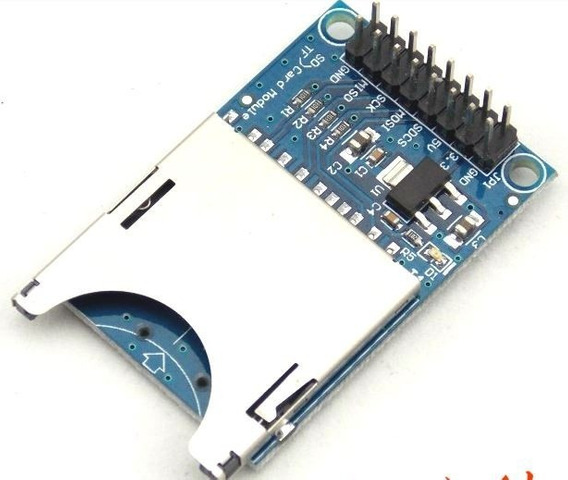
DIY MX4SIO adapter (image below) as MC1
SD cards: Kingston Canvas Select Plus 32GB, Patriot EP Series MICRO SDXC V30 A1 128GB (same behavior)
SD formatted with either GuiFormat (FAT 16KB sectors) or Windows 10 format (exFAT 64KB sectors)
Card prepared with OPL Manager (creates folders)
Games copied to SD with Windows (in DVD folder)
Then OPL Manager used to fix filenames (I don't download Art).
Then I run Deflaggler in case it requires defragging.

The first time I use the SD card (after setting it up on Windows) OPL detects it and the games run fine (tested Metal Slug Anthology and God Of War (DVD9) isos).
But the card corrupts when I shutdown/reboot the PS2.
And by corrupts I mean OPL doesn't detect it afterwards and when I plug it back on Windows it says it must be formatted in order to be used.
I'd appreciate any suggestions for things to change/test.
My setup:
PS2 PAL 90004
Original 8MB memory card as MC0
Latest FMCB and OPL (v1.2 - 1.1 has the same behavior)
DIY MX4SIO adapter (image below) as MC1
SD cards: Kingston Canvas Select Plus 32GB, Patriot EP Series MICRO SDXC V30 A1 128GB (same behavior)
SD formatted with either GuiFormat (FAT 16KB sectors) or Windows 10 format (exFAT 64KB sectors)
Card prepared with OPL Manager (creates folders)
Games copied to SD with Windows (in DVD folder)
Then OPL Manager used to fix filenames (I don't download Art).
Then I run Deflaggler in case it requires defragging.
Last edited:


 Pademu must be disabled. Tested Singstar 80's.