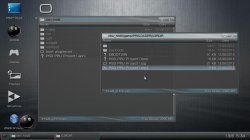
PS3 Mysis POC Plugin Update - v0.2.1.1

The proof of concept plugin by Mysis has been updated. If you are not familiar with this plugin it offers many features, one being the ability to record your gaming on your PS3. This update adds more game recording compatibility and introduces recording of PSP, MINIS and PS1 games. Other tweaks include using a custom memory container and the ability to switch between three quality settings allowing for different resolutions. These settings can be made using the d-pad directional buttons. Remember that this is a proof of concept so expect a few bugs until the developer has ironed them all out. For more info, videos and its initial release, be sure to check out this thread. There is more so continue reading.
mysis plugin.gif


POC Plugin 0.2.1.1:

Gameplay recording:
  • Alot more PS3 games recording now + PSP Games/Minis + PlayView + PS1 Games (via MM)
  • Switched from game memory container to custom 5-7 MB memory container
  • Added quality selection

Right Analog Stick:
  • Hold Up : high quality (MJPEG Encoder + 1280x720 Resolution), bigger file size (.avi),7 MB
  • Hold Left : quality (MJPEG Encoder + 640x368 Resolution), bigger file size (.avi), 5 MB
  • Hold Down : good quality (M4HD Encoder + 640x368 Resolution), smaller file size (.mp4),6 MB
  • Hold R3: Recording start
  • Press PS-Button: Recording Stop

(Default: High quality, change BEFORE start recording)

Note: Recording will stop and notify automatically after ps-button is pressed.

Added to R1-Button:
  • Dump current Disc Hash Key
  • Enable Secure File ID catcher

Note: secureFileId is caught once enabled and a savegame loaded afterwards.

It is not advised to use other plugins while recording! Feel free to report more tested games at: Editing Talk:Rec plugin - PS3 Developer wiki

bitsbubba said:
Just creating the folders work fine unless you rebuild database then you end up with a corrupt data icon on the XMB. So I created this GameData pkg that will give you the proper folder structure and a placeholder icon in the game data section of the XMB not to be affected by a database rebuild

Download

Edit2: also if you have already created the folder these will not change anything but give you the placeholder (so they're fine to install and won't effect the other files) be warned though if you delete it from GameData it will delete that folder and anything in it.

 
Last edited:
So I installed it and press L1, the button combo display shows up at the right, and if I push R3 up it says mpjeg and 1280x720 selected, but whenever I hold R3 down nothing happens or records, and if press R3 again or ps button there's no prompt that says stopped recording? Anyone know what's wrong?

And where do I access the video and image files to export to USB if they ever get saved?

Thanks in advance.
 
Last edited:
I'm pretty sure I already have that "dev_hdd0/game/PRXLOADER/USRDIR/" folder created, which is where I had to place the plugin.txt right?

Here's a screencap I took of that folder in my cobra: https://d.maxfile.ro/ggcqnpjkwl.png

Pressing R3 still doesn't record anything though. I'm on rebug 4.70.
 
This ppu... mp4 file is your record. But something is wrong, file is too small. You have cobra enabled? or you are starting plugin thru prx loader?
 
If cobra mode is enabled then, don't use prx loader. they both doing the same and probably make conflict. Instead rename plugins.txt to boot_plugins.txt and place that file in root of hdd. And check that path to plugin is correct in boot_plugins.txt
 
I tried that, renamed plugins.txt to boot_plugins.txt, copied it to root hdd0, then deleted plugins.txt from dev_hdd0/game/PRXLOADER/USRDIR/.

Here's screencap along with path in boot_plugins.txt
Screenshot_6.jpgScreenshot_5.png

Now when I go to xmb menu and don't start prxloader, it don't even let me see the mysis button menu when pressing L1. Doesn't record when holding R3 either.
 
You sure cobra is enabled in rebug toolbox?

Edit, also is good to disable webman for recording/using ppu plugin time.
 
Disabling webman give you better recording fps, but plugin should work even without this, weird..
[MENTION=96]worrorfight[/MENTION] if i remember good, you're make some movies for psx-place. Maybe you can help here.
 
Last edited:
The success of the recording depends of how much the game squeezes the ps3 (in other words... how many ram and cpu processing resources are available for the video record task)
It also depends of the codec (MJPEG is more efficient because is not compressed), and the resolution (480p is more efficient because the frame size is smaller)

So every time you try with a new game... for the first test record in MJPEG @ 480p
If that works then you can try with other record modes


Edit:
And if is the first time you are using the plugin, start testing with a simple game like minecraft, terraria, or something that doesnt devoures much resources
If you see the menu of the plugin in main XMB and the notification messages in top-right corner it means is working perfectlly
 
Last edited:
A friend figured out the problem. I was pressing R3 during gameplay thinking it works like on PS4, so I didn't know you had to enter XMB menu first, hold R3 to start recording, then exit out of XMB... lol

Big thanks to kozarovv and sandungas for the help and tips. :))
 
Does anyone know if this is suppose to work on CFW 4.78.2 REX COBRA?
I've transferred all the plugins and installed the mysis.pkg as well, enabled COBRA, I don't see any menu when I hit L1, and recording isn't working as well.

EDIT: Got the menu working, however when I start the recording, game and the console crash and freeze, I need to restart on the power button, which results in a file system restore on boot up. Have tried changing the quality as well, no luck, any help would be appreciated,

Thank you
 
Last edited:
[MENTION=6801]man[/MENTION]ji it doesn't work on all games, think it as something to do with memory also, think there was some thread with games tested while recording
 
EDIT: Got the menu working, however when I start the recording, game and the console crash and freeze, I need to restart on the power button, which results in a file system restore on boot up. Have tried changing the quality as well, no luck, any help would be appreciated,

Thank you

Try turn off webman nad (if exist) psn patch. This plugin is very free memory dependent.
 
Try turn off webman nad (if exist) psn patch. This plugin is very free memory dependent.

Already tried this, webman was disabled, and I was NOT using PSNpatch, I have it installed on the XMB, but didn't use it.
I simply opened a multiman game, and tried to record, it freezes every time, and doesn't save any output.
The first time it did this it saved an mp4 file of only 80B, after I deleted it and tried again, it stopped saving the output file

- - - Updated - - -

[MENTION=6801]man[/MENTION]ji it doesn't work on all games, think it as something to do with memory also, think there was some thread with games tested while recording

Alright thanks
 
Does it works with Webman and Rebug 4.81.2? after enabling this plugin i cant play almost any games, Only DMC 4 that i tested worked and starting the plugin worked.

Others like Bioshock, The last of us, Life is Strange after lauching the game, without even starting to record, it goes to Connect a PS Controller Black screen
 
Does it works with Webman and Rebug 4.81.2? after enabling this plugin i cant play almost any games, Only DMC 4 that i tested worked and starting the plugin worked.

Others like Bioshock, The last of us, Life is Strange after lauching the game, without even starting to record, it goes to Connect a PS Controller Black screen
The problem is not due to Rebug or even webman per se, but rather to the lack of resources needed to use the plugin AND run the game at the same time...

You should therefore unload any other plugin in memory before using videorec.sprx & use lower recording settings ie smaller frame sizes, even uncompressed video if required (MJPEG)...
Don't expect the plugin to work with the most resource hungry games like TLOUS even with the lowest possible settings....

FYI there are video_rec.sprx & videorec.sprx plugins already included in Rebug 4.81.x & webMAN-MOD updater, there is no point in replacing either of them with another poc version, because it would lead to wMM and XMB CFW Settings features not working correctly...
If you wanna use this poc, it must be done independently from wMM & XMB CFW Settings, without replacing their respective files.
 
Last edited:

Featured content

Trending content

Back
Top