PS2 Nano-/Travel-Routers: Portable, fast, comfortable and easy to use for streaming games!

If someone is interested in Travel-Routers and has the money to afford a very decent one, I have to point to the GL inet "Slate" GL-AR750S-Ext!

It has 128 MB RAM, 16MB NOR (internal), 128MB NAND (internal), MicroSD-Slot, USB2.0 and the cool Hybrid-FW from GLi combined with OpenWRT! :)

https://www.amazon.com/GL-iNet-GL-AR750S-Ext-pre-Installed-Cloudflare-Included/dp/B07GBXMBQF

It is 70$ however, but for what you get it is well worth it IMO!


That thing is awesome and has a lot of memory! It's quite future-proof, or maybe if someone wants, he/she can wait for a WiFi6-Version!
 
I picked up one of those GL iNet routers (GL-MT300n v2) for super cheap (£7 with £1 shipping).
BARGAIN!!!

Now I just need to learn how to use it lol.
Luckily I've spent the the past 2 weeks messing around with a new Asus router (home network much needed upgrade) which I flashed with MerlinWRT.

Originally was going to use it as a middle man between public wifi APs and my devices (with VPN client). Or as a VPN tunnel back to my home network so I can access my shares while I'm out and about.

Actually..... theres quite a few use cases for me. Now I have a home server setup.
 
I picked up one of those GL iNet routers (GL-MT300n v2) for super cheap (£7 with £1 shipping).
BARGAIN!!!

Now I just need to learn how to use it lol.
Luckily I've spent the the past 2 weeks messing around with a new Asus router (home network much needed upgrade) which I flashed with MerlinWRT.

Originally was going to use it as a middle man between public wifi APs and my devices (with VPN client). Or as a VPN tunnel back to my home network so I can access my shares while I'm out and about.

Actually..... theres quite a few use cases for me. Now I have a home server setup.

I think it's the exact same model a friend of mine bought a couple weeks ago. We used this guide for setting it up: https://www.ps2-home.com/forum/viewtopic.php?t=6610

The author missed a couple steps. Not so difficult to figure out btw, if you'are a little experienced about network sharing.
 
I think it's the exact same model a friend of mine bought a couple weeks ago. We used this guide for setting it up: https://www.ps2-home.com/forum/viewtopic.php?t=6610

The author missed a couple steps. Not so difficult to figure out btw, if you'are a little experienced about network sharing.

Unfortunately, ps2-home refuses connections from my VPN, their loss.
I'm actually quite good with networking, it's my passion. I didnt buy this specifically for ps2/ps3 netsvr, but I will certainly have a go
 
Unfortunately, ps2-home refuses connections from my VPN, their loss.
I'm actually quite good with networking, it's my passion. I didnt buy this specifically for ps2/ps3 netsvr, but I will certainly have a go

There.
I almost forgot I saved it this way (first time I used it for setting up my WT3020F). I even added the missing steps :D
 
There.
I almost forgot I saved it this way (first time I used it for setting up my WT3020F). I even added the missing steps :D

Thanks for sharing, buddy.
Please reference the original author of the guide though. Just out of respect for their work and time.
 
Thanks for sharing, buddy.
Please reference the original author of the guide though. Just out of respect for their work and time.

The guide is by LopoTRI

I copied the whole page, so you can read who's the author in the file itself btw.

If you already downloaded I think I'll remove it, since it's a Ps2-Home guide. So I won't keep it here unless the author approves (but I think he's not even subscribed here).
 
my friend is using that cheap RJ45 HDD enclosure kind of thing, its really cheap from aliexpress. The speed is not that stellar (3MB/sec on NTFS, around 8-10MB/sec on EXT4) but it should be more than good enough for streaming PS2 games through it.
 
^ this

https://www.aliexpress.com/item/32700131717.html


- works on 8tb hdd
- sata only 3.5inch desktop hdd, it also works with laptop drive but you have to use a 2.5 inch to 3.5inch bracket
- ethernet port is Auto-MDIX so you dont need a crossover cable. A standard straighthrough ethernet cable will work just fine.
- it also has wifi but its slow (WiFi N draft, acting as a AP mode, so you cant use it to connect to a existing wifi hotspot) around 4-5MB/sec transfer rate.
 
Hello

I use router from netgear CG3100D-28PAUS

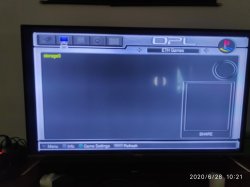
The harddrive detected but in opl list just storage 0

Please help me thanks
 

Attachments

  • IMG_20200628_102138.jpg
    IMG_20200628_102138.jpg
    3.5 MB · Views: 120
I'm having some trouble setting up a Mini/Travel router with OPL

I've got as far as inputting the IP address values and OPL doesn't return an error saying it couldn't reach the SMB server. So, it deffo connected. My mini router sees the Ps2 and assigns an IP address. When i access the shares from another device, the directory tree goes like this:
/GL-MT300N-V2/Basic data partition/(CD, DVD, POPs, etc)

So, i tried to set the ETH prefix as follows:
/GL-MT300N-V2/Basic data partition/

But there's a max character count and i can only type out:
/GL-MT300N-V2/Basic data parti

I can't change the share name/location, my travel router doesnt allow this...
 
I'm having some trouble setting up a Mini/Travel router with OPL

I've got as far as inputting the IP address values and OPL doesn't return an error saying it couldn't reach the SMB server. So, it deffo connected. My mini router sees the Ps2 and assigns an IP address. When i access the shares from another device, the directory tree goes like this:
/GL-MT300N-V2/Basic data partition/(CD, DVD, POPs, etc)

So, i tried to set the ETH prefix as follows:
/GL-MT300N-V2/Basic data partition/

But there's a max character count and i can only type out:
/GL-MT300N-V2/Basic data parti

I can't change the share name/location, my travel router doesnt allow this...

I think this is the same router a friend of mine has. You should be able to change the name directory if you firstly update OpenWRT software on the mini-router. We set it and all works perfectly, no need to set the ETH prefix-path
 
I think this is the same router a friend of mine has. You should be able to change the name directory if you firstly update OpenWRT software on the mini-router. We set it and all works perfectly, no need to set the ETH prefix-path

The only WRT firmware I've used is the Asus branded MerlinWRT. This firmware has everything I need built into it. While the standard openWRT is stripped of features.

I flashed openWRT but the webGUI doesn't have any options for file sharing. I guess I will have to manually install SMB through SSH.
 
The only WRT firmware I've used is the Asus branded MerlinWRT. This firmware has everything I need built into it. While the standard openWRT is stripped of features.

I flashed openWRT but the webGUI doesn't have any options for file sharing. I guess I will have to manually install SMB through SSH.

We used putty for setting a user (Ps2), smb (Ps2smb) and respective passwords. We followed the LopoTRI guide from Ps2-Home
 
Back
Top