Hello everyone, seeking your guidance.
I had a broken flex power cable and my fat PS3 was turning on and off randomly, not even loading the CFW. That is now fixed, but before realizing that was the issue, I thought the disk was bad and I connected it to my PC. I think I have initialized, can't remember if I chose MBR or GPT.
Then I said, OK, let's take a dump of this exact disk into a .VHDX (using HDD RAW Copy 1.20 app). I know, I should have used DMDE and a .bin file. All wrong!
My SSD is 120GB and I think (can't remember) that either I selected fixed size 150GB or dynamically expand for the .VHDX. Problem is now I have a 150GB .VHDX which doesn't fix back into my 120GB SSD.
I found Berion guides and I'm still unable to recover the data.
Does someone think I still have a chance to recover them or should I forget about it?
At some point I took the current SSD (after having that dump into the .VHDX) and wiped it with my PS3 Evilnat 4.92.
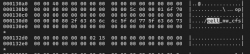
My intention was to check the first sector of that wiped drive, which I compared to the first sector of the .VHDX (after mounting) and the data was the same.
I didn't understand how an initialized drive could have the same info on first sector as the recently FS formatted SSD.
Last thing I've tried was using DMDE to copy all sectors from the .VHDX into the SSD, but only to cover all sectors until fit the 120G.
That didn't work either.
I think the main issue is that I dumped it into a .VHDX.
Any feedback is appreciated.
Thanks,
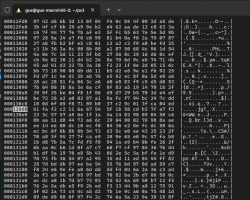
sharing these images, perhaps are helpful

and sorry to tag you @Berion , your opinion here is appreciated.
thanks,
@Berion I've tried your tools, this is what i get:
this is the content of apps dir
this is the content of the keys dir
my model is CECHA00
bs and ufs modules were compiled and loaded OK
i'm running ubuntu 24.04 on a late 2012 mac mini
here is the reporter output (some scripts i deleted them because my model is NAND)
by the way, I bought a 240GB SSD and did a sector by sector copy from the 157GB .VHDX into this new SSD.
all previous outputs are from this sector by sector copy into SSD. the SSD is connected as external usb disk into the ubuntu.
I had a broken flex power cable and my fat PS3 was turning on and off randomly, not even loading the CFW. That is now fixed, but before realizing that was the issue, I thought the disk was bad and I connected it to my PC. I think I have initialized, can't remember if I chose MBR or GPT.
Then I said, OK, let's take a dump of this exact disk into a .VHDX (using HDD RAW Copy 1.20 app). I know, I should have used DMDE and a .bin file. All wrong!
My SSD is 120GB and I think (can't remember) that either I selected fixed size 150GB or dynamically expand for the .VHDX. Problem is now I have a 150GB .VHDX which doesn't fix back into my 120GB SSD.
I found Berion guides and I'm still unable to recover the data.
Does someone think I still have a chance to recover them or should I forget about it?
At some point I took the current SSD (after having that dump into the .VHDX) and wiped it with my PS3 Evilnat 4.92.
My intention was to check the first sector of that wiped drive, which I compared to the first sector of the .VHDX (after mounting) and the data was the same.
I didn't understand how an initialized drive could have the same info on first sector as the recently FS formatted SSD.
Last thing I've tried was using DMDE to copy all sectors from the .VHDX into the SSD, but only to cover all sectors until fit the 120G.
That didn't work either.
I think the main issue is that I dumped it into a .VHDX.
Any feedback is appreciated.
Thanks,
sharing these images, perhaps are helpful
and sorry to tag you @Berion , your opinion here is appreciated.
thanks,
@Berion I've tried your tools, this is what i get:
Code:
PS3 HDD Mounter (Missing PS3PT) v1.0 by Berion
Script allows to mount UserData and 3rd VFlash partitions.

This script is only for people which overwritten PS3PT by MBR/GPT in Windows.
In other words: disk initialized by Windows.

Confirm root permissions everytime You will be asked for!


STEP 1: Devices
Choose your HDD from PS3 (type eg: /dev/sdx) from below device list:

MODEL                       SIZE NAME
                              4K /dev/loop0
                           63.8M /dev/loop1
                           63.8M /dev/loop2
                           73.9M /dev/loop3
                           66.8M /dev/loop4
                          246.3M /dev/loop5
                          246.4M /dev/loop6
                           73.9M /dev/loop7
                           11.1M /dev/loop8
                          505.1M /dev/loop9
                           11.1M /dev/loop10
                           91.7M /dev/loop11
                          618.3M /dev/loop12
                          290.8M /dev/loop13
                            516M /dev/loop14
                           10.8M /dev/loop15
                           10.8M /dev/loop16
                           49.3M /dev/loop17
                           50.8M /dev/loop18
                            568K /dev/loop19
                            576K /dev/loop20
                          227.3M /dev/loop21
                            210M /dev/loop22
                              0B /dev/loop90
APPLE SSD SM128E            113G /dev/sda
                            200M ├─/dev/sda1
                          112.8G └─/dev/sda2
APPLE HDD HTS541010A9E662 931.5G /dev/sdb
                          931.5G └─/dev/sdb1
EMTCE X150 240GB          223.6G /dev/sdd

/dev/sdd
Ok, so You've chose: "/dev/sdd".

Press any key to continue.

STEP 2: Mounting
Choose WISELY:
 1. Mount HDD came from Fat with NAND memory.
 2. Mount HDD came from Fat with NOR memory.
 3. Mount HDD came from Slim with NOR memory.

1

Choose sector of "dev_hdd0" partition:
 a. user defined LBA
 b. LBA 32

b

WARNING: Using default options for cipher (bswap16-ecb, key size 256 bits) that could be incompatible with older versions.
For plain mode, always use options --cipher, --key-size and if no keyfile is used, then also --hash.
WARNING: Device /dev/sdd already contains a 'dos' partition signature.

WARNING!
========
Detected device signature(s) on /dev/sdd. Proceeding further may damage existing data.

Are you sure? (Type 'yes' in capital letters): YES
mount: /home/gus/ps3/storage/hdd/dev_hdd0: wrong fs type, bad option, bad superblock on /dev/loop41, missing codepage or helper program, or other error.
       dmesg(1) may have more information after failed mount system call.
NAME
sdd
└─ps3hdd-bs
  └─ps3hdd

NAME   MOUNTPOINT
loop41
"/dev/loop41":
00000000  31 99 fd 04 bf 15 b8 45  b1 02 7b f1 51 1d bf 33  |1......E..{.Q..3|
00000010  20 93 70 ac a8 cb 72 89  a5 01 48 3e 7a 38 5b 67  | .p...r...H>z8[g|
00000020  92 cc 1e 9b 23 39 c4 16  22 4c ab 11 47 06 bc 3a  |....#9.."L..G..:|
00000030  be d8 ac 7d d6 de db 85  54 03 d2 f3 6d 8c 4c a2  |...}....T...m.L.|
00000040  c4 96 7c 53 be 66 08 d2  46 33 11 71 c3 71 d1 cb  |..|S.f..F3.q.q..|
00000050  1a a3 d2 cd 49 c2 7b 80  c1 f1 52 49 44 66 40 8f  |....I.{...RIDf@.|
00000060  25 5c 0d e9 f7 63 b8 99  38 80 14 0b f2 31 70 97  |%\...c..8....1p.|
00000070  2a 0b e0 52 b6 20 91 92  e5 cf 69 7e 2a c0 dc 93  |*..R. ....i~*...|
00000080  27 15 c9 f1 ed 99 1b 57  5c ec a8 4e 6e 00 ee c1  |'......W\..Nn...|
00000090  c5 ae f3 e3 cf 0c ee 75  99 83 0d 95 94 1f cd ce  |.......u........|
000000a0  93 fa 7e bd c2 59 b4 bb  7f 84 61 37 4e f4 c0 1d  |..~..Y....a7N...|
000000b0  07 84 17 90 53 91 26 95  3f b5 6c 93 04 7f c7 f9  |....S.&.?.l.....|
000000c0  a8 10 7a 61 68 a0 45 91  70 ab 72 0a ce 98 26 29  |..zah.E.p.r...&)|
000000d0  d9 85 cb 3e 23 31 38 ba  07 bf f7 19 98 d6 6d 5c  |...>#18.......m\|
000000e0  fa eb 45 80 15 59 18 38  6f 28 8b e7 15 b2 f5 ec  |..E..Y.8o(......|
000000f0  49 9b c0 90 5f 84 3e 64  1f 53 4e 7b af 3f 6a 8f  |I..._.>d.SN{.?j.|

All done. Press any key to exit.
gus@gus-macmini6-2:~/ps3$ lsblk
NAME        MAJ:MIN RM   SIZE RO TYPE  MOUNTPOINTS
loop0         7:0    0     4K  1 loop  /snap/bare/5
loop1         7:1    0  63.8M  1 loop  /snap/core20/2582
loop2         7:2    0  63.8M  1 loop  /snap/core20/2599
loop3         7:3    0  73.9M  1 loop  /snap/core22/2045
loop4         7:4    0  66.8M  1 loop  /snap/core24/1055
loop5         7:5    0 246.3M  1 loop  /snap/firefox/6700
loop6         7:6    0 246.4M  1 loop  /snap/firefox/6738
loop7         7:7    0  73.9M  1 loop  /snap/core22/2111
loop8         7:8    0  11.1M  1 loop  /snap/firmware-updater/167
loop9         7:9    0 505.1M  1 loop  /snap/gnome-42-2204/176
loop10        7:10   0  11.1M  1 loop  /snap/firmware-updater/147
loop11        7:11   0  91.7M  1 loop  /snap/gtk-common-themes/1535
loop12        7:12   0 618.3M  1 loop  /snap/gnome-46-2404/125
loop13        7:13   0 290.8M  1 loop  /snap/mesa-2404/912
loop14        7:14   0   516M  1 loop  /snap/gnome-42-2204/202
loop15        7:15   0  10.8M  1 loop  /snap/snap-store/1248
loop16        7:16   0  10.8M  1 loop  /snap/snap-store/1270
loop17        7:17   0  49.3M  1 loop  /snap/snapd/24792
loop18        7:18   0  50.8M  1 loop  /snap/snapd/25202
loop19        7:19   0   568K  1 loop  /snap/snapd-desktop-integration/253
loop20        7:20   0   576K  1 loop  /snap/snapd-desktop-integration/315
loop21        7:21   0 227.3M  1 loop  /snap/thunderbird/791
loop22        7:22   0   210M  1 loop  /snap/thunderbird/769
loop41        7:41   0 223.6G  1 loop
loop90        7:90   0     0B  0 loop
sda           8:0    0   113G  0 disk
├─sda1        8:1    0   200M  0 part  /boot/efi
└─sda2        8:2    0 112.8G  0 part  /
sdb           8:16   0 931.5G  0 disk
└─sdb1        8:17   0 931.5G  0 part  /home
sdd           8:48   0 223.6G  0 disk
└─ps3hdd-bs 252:0    0 223.6G  0 crypt
  └─ps3hdd  252:1    0 223.6G  0 crypt
this is the content of apps dir
Code:
./apps:
bswap16-ecb.ko  source  ufs.ko
this is the content of the keys dir
Code:
./keys:
ata_data_key.bin  ata_data_seed.bin  ata_key_1.bin  ata_key_2.bin  ata_key.bin  ata_tweak_key.bin  ata_tweak_seed.bin  eid_root_key.bin  encdec_data_key.bin  encdec_data_seed.bin  encdec_tweak_key.bin  encdec_tweak_seed.bin  flash_key.bin
my model is CECHA00
bs and ufs modules were compiled and loaded OK
i'm running ubuntu 24.04 on a late 2012 mac mini
here is the reporter output (some scripts i deleted them because my model is NAND)
Code:
PS3 Reporter v1.6 by Berion
Script helping troubleshooting.

Confirm root permissions everytime You will be asked for!


STEP 1: Devices
Choose your HDD from PS3 (type eg: /dev/sdx) from below device list:

MODEL                       SIZE NAME
                              4K /dev/loop0
                           63.8M /dev/loop1
                           63.8M /dev/loop2
                           73.9M /dev/loop3
                           66.8M /dev/loop4
                          246.3M /dev/loop5
                          246.4M /dev/loop6
                           73.9M /dev/loop7
                           11.1M /dev/loop8
                          505.1M /dev/loop9
                           11.1M /dev/loop10
                           91.7M /dev/loop11
                          618.3M /dev/loop12
                          290.8M /dev/loop13
                            516M /dev/loop14
                           10.8M /dev/loop15
                           10.8M /dev/loop16
                           49.3M /dev/loop17
                           50.8M /dev/loop18
                            568K /dev/loop19
                            576K /dev/loop20
                          227.3M /dev/loop21
                            210M /dev/loop22
                          223.6G /dev/loop41
                              0B /dev/loop90
APPLE SSD SM128E            113G /dev/sda
                            200M ├─/dev/sda1
                          112.8G └─/dev/sda2
APPLE HDD HTS541010A9E662 931.5G /dev/sdb
                          931.5G └─/dev/sdb1
EMTCE X150 240GB          223.6G /dev/sdd
                          223.6G └─/dev/mapper/ps3hdd-bs
                          223.6G   └─/dev/mapper/ps3hdd

/dev/sdd
Ok so You've chose: "/dev/sdd".

Done. Press any key to continue.

STEP 2: Reporting

System informations:
Operating System: Ubuntu 24.04.2 LTS
          Kernel: Linux 6.14.0-29-generic

Devices:
MODEL                       SIZE NAME
                              4K /dev/loop0
                           63.8M /dev/loop1
                           63.8M /dev/loop2
                           73.9M /dev/loop3
                           66.8M /dev/loop4
                          246.3M /dev/loop5
                          246.4M /dev/loop6
                           73.9M /dev/loop7
                           11.1M /dev/loop8
                          505.1M /dev/loop9
                           11.1M /dev/loop10
                           91.7M /dev/loop11
                          618.3M /dev/loop12
                          290.8M /dev/loop13
                            516M /dev/loop14
                           10.8M /dev/loop15
                           10.8M /dev/loop16
                           49.3M /dev/loop17
                           50.8M /dev/loop18
                            568K /dev/loop19
                            576K /dev/loop20
                          227.3M /dev/loop21
                            210M /dev/loop22
                          223.6G /dev/loop41
                              0B /dev/loop90
APPLE SSD SM128E            113G /dev/sda
                            200M ├─/dev/sda1
                          112.8G └─/dev/sda2
APPLE HDD HTS541010A9E662 931.5G /dev/sdb
                          931.5G └─/dev/sdb1
EMTCE X150 240GB          223.6G /dev/sdd
                          223.6G └─/dev/mapper/ps3hdd-bs
                          223.6G   └─/dev/mapper/ps3hdd

Mappers:
lrwxrwxrwx  1 root root       7 Sep  2 19:34 ps3hdd -> ../dm-1
lrwxrwxrwx  1 root root       7 Sep  2 19:34 ps3hdd-bs -> ../dm-0

Sectors preview:

mini dump from "/dev/sdd":
00000000  33 c0 8e d0 bc 00 7c 8e  c0 8e d8 be 00 7c bf 00  |3.....|......|..|
00000010  06 b9 00 02 fc f3 a4 50  68 1c 06 cb fb b9 04 00  |.......Ph.......|
00000020  bd be 07 80 7e 00 00 7c  0b 0f 85 0e 01 83 c5 10  |....~..|........|
00000030  e2 f1 cd 18 88 56 00 55  c6 46 11 05 c6 46 10 00  |.....V.U.F...F..|

mini dump from "/dev/mapper/ps3hdd-bs":
00000000  c0 33 d0 8e 00 bc 8e 7c  8e c0 be d8 7c 00 00 bf  |.3.....|....|...|
00000010  b9 06 02 00 f3 fc 50 a4  1c 68 cb 06 b9 fb 00 04  |......P..h......|
00000020  be bd 80 07 00 7e 7c 00  0f 0b 0e 85 83 01 10 c5  |.....~|.........|
00000030  f1 e2 18 cd 56 88 55 00  46 c6 05 11 46 c6 00 10  |....V.U.F...F...|

mini dump from "/dev/mapper/ps3hdd":
00000000  f4 3a 22 b1 61 69 fa 16  4a 15 2b c8 0b 22 ad e7  |.:".ai..J.+.."..|
00000010  cf 49 4e 5b 9f a4 77 ed  5d d2 05 34 08 ed 15 38  |.IN[..w.]..4...8|
00000020  f5 9e f6 28 a7 9d e1 fc  f6 c4 3f 17 b4 67 4e fb  |...(......?..gN.|
00000030  92 bc 90 62 04 c9 07 dc  0c 77 d7 6a cd 86 f9 8f  |...b.....w.j....|

mini dump from "/dev/mapper/ps3vflash":
hexdump: /dev/mapper/ps3vflash: No such file or directory
hexdump: all input file arguments failed
head: cannot open 'Unattended PS3 HDD Mounter (Fat-NOR).sh' for reading: No such file or directory
head: cannot open 'Unattended PS3 HDD Mounter (Fat-NOR, Read Only).sh' for reading: No such file or directory
head: cannot open 'Unattended PS3 HDD Mounter (Slim).sh' for reading: No such file or directory
head: cannot open 'Unattended PS3 HDD Mounter (Slim, Read Only).sh' for reading: No such file or directory
head: cannot open 'Unattended PS3 HDD Mounter (Fat-NOR).sh' for reading: No such file or directory
head: cannot open 'Unattended PS3 HDD Mounter (Fat-NOR, Read Only).sh' for reading: No such file or directory
head: cannot open 'Unattended PS3 HDD Mounter (Slim).sh' for reading: No such file or directory
head: cannot open 'Unattended PS3 HDD Mounter (Slim, Read Only).sh' for reading: No such file or directory

Scripts:
Activator Maker                          1.3
PS3 HDD & NAND Keygen                    2.1
PS3 HDD Backuper                         1.2
PS3 HDD Dumper                           1.3
PS3 HDD Expander                         0.8
PS3 HDD Mounter                          1.9
PS3 HDD Mounter (Read Only)                     1.9
PS3 HDD Mounter (Decrypted)                     1.0
PS3 HDD Mounter (Missing PS3PT)                 1.0
PS3 HDD Tasker                           1.7
PS3 HDD Umounter                         1.6
PS3 HDD Umounter (Decrypted)                    1.0
PS3 HDD Umounter (Missing PS3PT)                1.0
PS3 KO Manager                           1.2
PS3 LV1 & LV2 Crawler                    0.4
PS3 NAND Mounter                         0.8
PS3 NAND Umounter                        1.2
PS3 ODD Keygen                           0.9
Unattended PS3 HDD Mounter (Fat-NAND)           1.0

Unattended PS3 HDD Mounter (Fat-NAND, Read Only)        1.1


Unattended PS3 HDD Umounter                     1.2

Done. Press any key to exit.
by the way, I bought a 240GB SSD and did a sector by sector copy from the 157GB .VHDX into this new SSD.
all previous outputs are from this sector by sector copy into SSD. the SSD is connected as external usb disk into the ubuntu.
Last edited by a moderator: