PS3 HAN [OBSOLETE] [Tutorial] The Great PS3Xploit 3.0 HAN All In One Guide

Hi,
I have God of War Ascension ISO and it contains a "PS3_EXTRA" folder!
Could someone please tell me what purpose does it serve and how do I convert it?
The PS3_EXTRA folder is used in certain retail game releases on Bluray to offer additional content such as DLCs or even a full game.
Pkg files located in that folder should be npdrm content so, in theory, compatible with HAN once resigned.
 
The PS3_EXTRA folder is used in certain retail game releases on Bluray to offer additional content such as DLCs or even a full game.
Pkg files located in that folder should be npdrm content so, in theory, compatible with HAN once resigned.

Thank you for the help.
 
I'm following the guide and the ps3 backup itself was fine creating to pkg but the problem is the patch.

I'm getting

Code:
Creating PATCH.pkg
>> CAUTION:  The number of directories was restricted. (max:4096)
Registration error

same with trueancestor pkg repacker

Code:
[*] Packing Pkg. . .
[*] It will take a few minutes, please wait. . .
>> CAUTION:  The number of directories was restricted. (max: 4096)
Registration error.
[!] Packing Pkg is aborted.

Help? It's the gran turismo 6 update.
 
I'm following the guide and the ps3 backup itself was fine creating to pkg but the problem is the patch.

I'm getting

Code:
Creating PATCH.pkg
>> CAUTION:  The number of directories was restricted. (max:4096)
Registration error

same with trueancestor pkg repacker

Code:
[*] Packing Pkg. . .
[*] It will take a few minutes, please wait. . .
>> CAUTION:  The number of directories was restricted. (max: 4096)
Registration error.
[!] Packing Pkg is aborted.

Help? It's the gran turismo 6 update.
I am guessing that all pkg creation tools will give you the same error due to the standard limit in the number of directories a pkg should reference.
The problem comes from the way the game makers have organised their files.

Some users facing that issue may have found a way to solve it but it might be easier for you to divide the folder tree & create 2 pkg files manually using TA or ps3tools. Each pkg file would use the same param.sfo.
 
Any guides for those?
Guides for what? Games which conversion fails due to the number of folders? I dunno any. But there won't be many games like that, gran turismo is likely to be the ps3 game with the biggest amount of files & folders, I have always found it a pita to extract & to install.
 
Can't recall exact file amount, but I remember it doubled total amount of files/folders that I had on PS3 hdd. IIrc ~60000 files, hdd mbr killer :D
 
I guess there's no way to play my backup gran turismo 6 then, shame

Try using multiple packages; put up to 4096 files in the problematic folder of each package.

e.g. in first pkg you have USRDIR/BLAH/files 1-4096, second package install USRDIR/BLAH/files 4097-8192, etc.
 
Mode LastWriteTime Length Name
---- ------------- ------ ----
d----- 6/24/2018 12:49 PM FIXEDELF114
d----- 6/24/2018 12:26 PM PDIPFS
d----- 6/24/2018 12:28 PM TPPS-01.07
d----- 6/24/2018 12:31 PM TPPS-01.08
d----- 6/24/2018 12:32 PM TPPS-01.09
d----- 6/24/2018 12:40 PM TPPS-01.10
d----- 6/24/2018 12:40 PM TPPS-01.11
d----- 6/24/2018 12:45 PM TPPS-01.12
d----- 6/24/2018 12:45 PM TPPS-01.13
d----- 6/24/2018 12:46 PM TPPS-01.14
d----- 6/24/2018 12:47 PM TPPS-01.15
d----- 6/24/2018 12:48 PM TPPS-01.16
d----- 6/24/2018 12:48 PM TPPS-01.17
d----- 6/24/2018 12:48 PM TPPS-01.18
d----- 6/24/2018 12:49 PM TPPS-01.19
d----- 6/24/2018 12:49 PM TPPS-01.20
d----- 6/24/2018 12:49 PM TPPS-01.21
d----- 6/24/2018 12:49 PM TPPS-01.22
d----- 6/24/2018 12:49 PM UPDATENODEINFO
-a---- 6/24/2018 12:49 PM 165712 EBOOT.BIN
-a---- 6/24/2018 12:25 PM 9001952 EMAIN.SELF
-a---- 6/24/2018 12:49 PM 5 update.txt

This is the file structure of BCES01893\USRDIR, Up to TPPS-01.15, its 3900+ folders

Should I just chuck everything out then make it as pkg then put the rest back in and make another pkg is what you're saying?
 
Should I just chuck everything out then make it as pkg then put the rest back in and make another pkg is what you're saying?

Yes. In short: create smaller packages below the limitation of 4096 files. Each package is the continuation files of the previous.
 
Amazing tutorial, everything works pretty flawlessly, got PSX, PS2, PS3, and even SNES working. Only thing is, when I try to make a .pkg of Street Fighter Alpha 3, it hangs on the Playstation loading screen when trying to boot. I used the same method for Final Fantasy Tactics, and that worked perfectly. Any ideas? Maybe it's because my rip of SFA3 has 2 tracks, and I can only use the first, big one? Also I tried using a custom icon for it (Same with FFT) but the icon is just the swirling loading icon, FFT's works fine. I wonder if that has anything to do with it?

edit: i've now tried a bunch of games, Lunar, FF8, Breath of Fire, all work flawlessly, except Street Fighter Alpha 3, i've tried different ISO's, no dice. maybe this game just isn't compatible?

anyone got an idea why this one game doesn't work?
 
Hi, is there any compatibility issues with the Super Slim model (500GB)?
I'm at the beginning of the modding process and I'm already having a major issue: the Han installer fails.
After my first attempt I decided to use an usb dongle with a blinking led, formatted it in FAT32, and then I've unzipped thehan_supportfiles.zip into the root folder.

When I landed on the HAN Installer page, it informed me that I'm running the site on a compatible firmware (4.xx but I'm pretty sure that's not my case) so I promptly pressed "Initialize Han Installer", but after a couple of minutes, it fails when I reach 100%.
So I kept an eye on the dongle's led, wich never blinks when I'm running the installation process, so I've tried to switch the usb port from the site (/dev_usb000 etc.) but the problem persists.

Is there any compatibility issues that are not indicated at the beginning of the guide? Thanks.
 
Hi, is there any compatibility issues with the Super Slim model (500GB)?
I'm at the beginning of the modding process and I'm already having a major issue: the Han installer fails.
After my first attempt I decided to use an usb dongle with a blinking led, formatted it in FAT32, and then I've unzipped thehan_supportfiles.zip into the root folder.

When I landed on the HAN Installer page, it informed me that I'm running the site on a compatible firmware (4.xx but I'm pretty sure that's not my case) so I promptly pressed "Initialize Han Installer", but after a couple of minutes, it fails when I reach 100%.
So I kept an eye on the dongle's led, wich never blinks when I'm running the installation process, so I've tried to switch the usb port from the site (/dev_usb000 etc.) but the problem persists.

Is there any compatibility issues that are not indicated at the beginning of the guide? Thanks.
No compatibility issues with HAN, all console models are supported.

HAN only works on official firmware 4.82. Your console is on 4.82 otherwise all the buttons would get disabled on page load.

You need to follow our instructions for successful initialization ie set the browser homepage as "blank page" & create favourites (bookmarks) for the different exploit pages you need to use like the HAN installer.
Restart the browser & launch the appropriate favourite. After using an exploit, restart the browser if you need to run another one.
 
You need to follow our instructions for successful initialization ie set the browser homepage as "blank page" & create favourites (bookmarks) for the different exploit pages you need to use like the HAN installer.
Restart the browser & launch the appropriate favourite. After using an exploit, restart the browser if you need to run another one.​

Yeah, unfortunately the guide doesn't say that I need to set a blank page as the home screeen etc. etc.
Anyway thank you, I'll try when I go home,
 
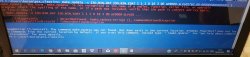
make_npdata -e ISO.BIN.DAT ISO.BIN.EDAT 1 1 1 0 16 3 00 UP9000-SLES01404_00-0000000000000001 5"


Need help here im getting error 20180629_141710.jpg
 
Back
Top