
You are using an out of date browser. It may not display this or other websites correctly.
You should upgrade or use an alternative browser.
You should upgrade or use an alternative browser.
PS2 [Open PS2 Loader] Game Bug Reports
- Thread starter jolek
- Start date

El_Patas
Member
@Carloss, i tested the game with the latest r1537.no mods...
i dont like the newer GUI and found some weird things (like the sparkles in GT3)
i even use OPL 0.8 because it works better with ultimate mortal kombat 3 (from MK armageddon)
try it yourself
Gran Turismo 3 (NTSC-U) (SCUS-97102) [v1.0]
Mode: Arcade
Car: Castrol Tom's Supra
Circuit: Trial Mountain
Original IDE Network Adapter
HDD IDE Maxtor 80GB
The intro do not have any stutter, it is not needed any Mode.
Sparkles are present, plays perfectly as always.
If it is not work for you maybe you have something wrong in your settings
or in your hardware, but it works fine.
Best regards.

RetroGamer90s
Member
So I tried Kingdom Hearts Final Mix English Patched with OPL
There seems to be a black screen error after you first fight Leon in Traverse Town. I tried both USB and HDD they both have the black screen.
Tried searching online and found that this issue does not have a fix yet. Does anyone have a fix for it ?
Here is the save file if anyone wants to try. Just exit the door and the fight will start. Just lose and after it cuts to the black screen, it will stay there. You will only hear the wind.
Tried the 0.9 speed too and still the same problem.
Best regards and appreciate your help
There seems to be a black screen error after you first fight Leon in Traverse Town. I tried both USB and HDD they both have the black screen.
Tried searching online and found that this issue does not have a fix yet. Does anyone have a fix for it ?
Here is the save file if anyone wants to try. Just exit the door and the fight will start. Just lose and after it cuts to the black screen, it will stay there. You will only hear the wind.
Tried the 0.9 speed too and still the same problem.
Best regards and appreciate your help
Attachments

Grahf
Member
Had this patch been tested on real hardware? A lot of fan-made translation patches work only under emulators.So I tried Kingdom Hearts Final Mix English Patched with OPL
There seems to be a black screen error after you first fight Leon in Traverse Town. I tried both USB and HDD they both have the black screen.
"0.9 speed"?Tried the 0.9 speed too and still the same problem.
in smb this game don't work, black screenSo I tried Kingdom Hearts Final Mix English Patched with OPL
There seems to be a black screen error after you first fight Leon in Traverse Town. I tried both USB and HDD they both have the black screen.
Tried searching online and found that this issue does not have a fix yet. Does anyone have a fix for it ?
Here is the save file if anyone wants to try. Just exit the door and the fight will start. Just lose and after it cuts to the black screen, it will stay there. You will only hear the wind.
Tried the 0.9 speed too and still the same problem.
Best regards and appreciate your help
El_Patas
Member
@RetroGamer90s, Reports cannot be accepted with translation patches or any type of patch, or anySo I tried Kingdom Hearts Final Mix English Patched with OPL
There seems to be a black screen error after you first fight Leon in Traverse Town. I tried both USB and HDD they both have the black screen.
Tried searching online and found that this issue does not have a fix yet. Does anyone have a fix for it?
Here is the save file if anyone wants to try. Just exit the door and the fight will start. Just lose and after it cuts to the black screen, it will stay there. You will only hear the wind.
Tried the 0.9 speed too and still the same problem.
Best regards and appreciate your help
modification no matter how small it may be, because of course they alter the original images of the
games and can cause problems.
Reports can only be accepted with original and clean images of the games, this is how it
should be, and how the compatibility lists were made so they are reliable.
Kingdom Hearts Final Mix (SLPS-25198) is in the compatibility list working fine with OPL 0.9.2 in all
the devices, HDD, SMS and USB, only the classic FMV video stutters in the case of USB:
http://sx.sytes.net/oplcl/games.aspx
Try the game but with a completely original and clean ISO, without any translation patch applied.
Best regards.
RetroGamer90s
Member
@Grahf and @El_Patas I just tried with clean ISO of KHFM and it got passed the black screen and worked. Thank you both for the information.
Still I would like to try the English translation using burned DVD on the PS2 to check if will freeze again. Unfortunately my DVD burner broke so I can't test it.
I went ahead and tried my save of the English translation with PCSX2 and the cutscene worked.
Regarding the 0.9 OPL question, I was referring to the 900K speed version to test if it will effect it. as it fixed some games.
Best regards
Still I would like to try the English translation using burned DVD on the PS2 to check if will freeze again. Unfortunately my DVD burner broke so I can't test it.
I went ahead and tried my save of the English translation with PCSX2 and the cutscene worked.
Regarding the 0.9 OPL question, I was referring to the 900K speed version to test if it will effect it. as it fixed some games.
Best regards
Grahf
Member
Yeah, what happened to that? It fixes the Phantasy Star game, but I don't see it being added to the official build in any capacity. Kind of a waste, if you ask me. I hope we can get this as a compatibility mode.Regarding the 0.9 OPL question, I was referring to the 900K speed version to test if it will effect it. as it fixed some games.
That's because these patches are usually made under emulators and tested to work with them. Real hardware is often ignored or "assumed" to work.I went ahead and tried my save of the English translation with PCSX2 and the cutscene worked.

dorian_d
Forum Noob
Tom Clancy's Splinter Cell (SLUS_206.52) NTSC
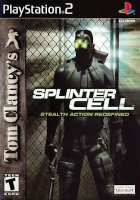
My setup: PS2 SCPH 30001 | Official Sony PlayStation Network Adapter | 160GB Seagate IDE Hard Disk Drive | Official Sony 8MB Memory Card | Official Sony Playstation 2 Component Cables with my OSSC (open source scan converter) | Using the latest OPL Beta Build and latest 0.9.3 from Github ( https://github.com/ps2homebrew/Open-PS2-Loader/releases/tag/latest https://github.com/ps2homebrew/Open-PS2-Loader/releases/tag/0.9.3 )
I'm playing this game from the internal HDD. I also made sure UlaunchELF formatted my HDD and I used HDL Dump Helper GUI v2 as with a USB to IDE adapter. All my other games I have installed do not exhibit this issue from my time/testing.
I have also made sure the MD5 Checksum matches that were on redump website which is valid. MD5 NTSC: b90430e623541f6a18f3094fb249cdff
To the meat and potatoes of the matter-
So this game seems to have a bug when playing with any version of OPL that I have tested (mainly the beta dev build and 0.9.3 stable build) after any 5 loading screens the game will just upright freeze. I will link a dropbox download that displays what happens with the debug colours enabled.
I can also get the game to freeze every single time if I happen to access the Credits in the main menu of the game or the special movie bonuses section. After 5 times watching the credits or bonus video sections on the 6th attempt it will hang and freeze. With debug colours enabled when the game freezes it is a yellow-ish colour.
I do have anomaly that if I use 0.9.2 stable build (yes 0.9.2 build) which is older I can get about 10 loading screens with no problems, but the 11th attempt it will just outright hang/freeze. When I enabled debug colours for 0.9.2 when the screen would freeze it will display a dark blue.
When starting a brand new game there is a Training Mission which will work flawlessly. Now when you get the second level called "The Police Station" that level is broken up into chunks. Each chunk requires the game to load a new area, and after the third or so load the game will just outright freeze. Here is the kicker; If you decided to load my game save and start the Police Station mission from the get go you can beat the level in its entirety but will end up freezing to load the next actual mission/cutscene. You can see it in this video here: https://www.dropbox.com/s/vepvcezhzwttfoq/splintercell video for El_Patas.zip?dl=0
I have also tried using SMB and USB but they have their own issues with this game (super dark loading screens, cutscenes don't seem to play and are automatically skipped)
All the info above I tested this game with no modes enabled. When I tried using modes like 1, 2, and 6 I had no better luck or progression. I tried other modes and slowing the HDD read speeds but to no avail.
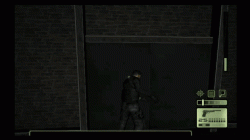
I attached a gif image of the problem and my game saves if anyone wants to have a look.
If there is any other information you need please let me know. I would love to find a way to get this game to run off the HDD.
Thanks!
My setup: PS2 SCPH 30001 | Official Sony PlayStation Network Adapter | 160GB Seagate IDE Hard Disk Drive | Official Sony 8MB Memory Card | Official Sony Playstation 2 Component Cables with my OSSC (open source scan converter) | Using the latest OPL Beta Build and latest 0.9.3 from Github ( https://github.com/ps2homebrew/Open-PS2-Loader/releases/tag/latest https://github.com/ps2homebrew/Open-PS2-Loader/releases/tag/0.9.3 )
I'm playing this game from the internal HDD. I also made sure UlaunchELF formatted my HDD and I used HDL Dump Helper GUI v2 as with a USB to IDE adapter. All my other games I have installed do not exhibit this issue from my time/testing.
I have also made sure the MD5 Checksum matches that were on redump website which is valid. MD5 NTSC: b90430e623541f6a18f3094fb249cdff
To the meat and potatoes of the matter-
So this game seems to have a bug when playing with any version of OPL that I have tested (mainly the beta dev build and 0.9.3 stable build) after any 5 loading screens the game will just upright freeze. I will link a dropbox download that displays what happens with the debug colours enabled.
I can also get the game to freeze every single time if I happen to access the Credits in the main menu of the game or the special movie bonuses section. After 5 times watching the credits or bonus video sections on the 6th attempt it will hang and freeze. With debug colours enabled when the game freezes it is a yellow-ish colour.
I do have anomaly that if I use 0.9.2 stable build (yes 0.9.2 build) which is older I can get about 10 loading screens with no problems, but the 11th attempt it will just outright hang/freeze. When I enabled debug colours for 0.9.2 when the screen would freeze it will display a dark blue.
When starting a brand new game there is a Training Mission which will work flawlessly. Now when you get the second level called "The Police Station" that level is broken up into chunks. Each chunk requires the game to load a new area, and after the third or so load the game will just outright freeze. Here is the kicker; If you decided to load my game save and start the Police Station mission from the get go you can beat the level in its entirety but will end up freezing to load the next actual mission/cutscene. You can see it in this video here: https://www.dropbox.com/s/vepvcezhzwttfoq/splintercell video for El_Patas.zip?dl=0
I have also tried using SMB and USB but they have their own issues with this game (super dark loading screens, cutscenes don't seem to play and are automatically skipped)
All the info above I tested this game with no modes enabled. When I tried using modes like 1, 2, and 6 I had no better luck or progression. I tried other modes and slowing the HDD read speeds but to no avail.
I attached a gif image of the problem and my game saves if anyone wants to have a look.
If there is any other information you need please let me know. I would love to find a way to get this game to run off the HDD.
Thanks!
Attachments
El_Patas
Member
@dorian_d, thank you for your report, i tested the game with the internal HDD, and yes, it freezesTom Clancy's Splinter Cell (SLUS_206.52) NTSC
My setup: PS2 SCPH 30001 | Official Sony PlayStation Network Adapter | 160GB Seagate IDE Hard Disk Drive | Official Sony 8MB Memory Card | Official Sony Playstation 2 Component Cables with my OSSC (open source scan converter) | Using the latest OPL Beta Build and latest 0.9.3 from Github ( https://github.com/ps2homebrew/Open-PS2-Loader/releases/tag/latest https://github.com/ps2homebrew/Open-PS2-Loader/releases/tag/0.9.3 )
I'm playing this game from the internal HDD. I also made sure UlaunchELF formatted my HDD and I used HDL Dump Helper GUI v2 as with a USB to IDE adapter. All my other games I have installed do not exhibit this issue from my time/testing.
I have also made sure the MD5 Checksum matches that were on redump website which is valid. MD5 NTSC: b90430e623541f6a18f3094fb249cdff
To the meat and potatoes of the matter-
So this game seems to have a bug when playing with any version of OPL that I have tested (mainly the beta dev build and 0.9.3 stable build) after any 5 loading screens the game will just upright freeze. I will link a dropbox download that displays what happens with the debug colours enabled.
I can also get the game to freeze every single time if I happen to access the Credits in the main menu of the game or the special movie bonuses section. After 5 times watching the credits or bonus video sections on the 6th attempt it will hang and freeze. With debug colours enabled when the game freezes it is a yellow-ish colour.
I do have anomaly that if I use 0.9.2 stable build (yes 0.9.2 build) which is older I can get about 10 loading screens with no problems, but the 11th attempt it will just outright hang/freeze. When I enabled debug colours for 0.9.2 when the screen would freeze it will display a dark blue.
When starting a brand new game there is a Training Mission which will work flawlessly. Now when you get the second level called "The Police Station" that level is broken up into chunks. Each chunk requires the game to load a new area, and after the third or so load the game will just outright freeze. Here is the kicker; If you decided to load my game save and start the Police Station mission from the get go you can beat the level in its entirety but will end up freezing to load the next actual mission/cutscene. You can see it in this video here: https://www.dropbox.com/s/vepvcezhzwttfoq/splintercell video for El_Patas.zip?dl=0
I have also tried using SMB and USB but they have their own issues with this game (super dark loading screens, cutscenes don't seem to play and are automatically skipped)
All the info above I tested this game with no modes enabled. When I tried using modes like 1, 2, and 6 I had no better luck or progression. I tried other modes and slowing the HDD read speeds but to no avail.
I attached a gif image of the problem and my game saves if anyone wants to have a look.
If there is any other information you need please let me know. I would love to find a way to get this game to run off the HDD.
Thanks!
when the credits are loaded 5 or 6 times in a row.
According with this thread:
https://www.psx-place.com/threads/open-ps2-loader-v0-9-3.13415/page-4#post-130130
The user @jolek said that with the Beta r1086 Splinter Cell through USB (PAL version) let him to go to 2nd training mission
(previously it hangs at loading screen).
Please try the PAL (SLES_514.66) version of the game with USB and Beta r1086.
Best regards.
Attachments

jolek
Senior Member
@dorian_d as for problem with in-game reboots, similar problems has been posted here:
https://github.com/ps2homebrew/Open-PS2-Loader/issues/231.
Thanks for additional report.
Maybe someday also this game can be fixed.
I can test this game during weekend.
Unfortunately I only have got PAL version.
@El_Patasfrom what I remember .ul format (USBExtreme format support) was fixed in that build,
that is why this game should be playable.
Training should be split into 2 or 3 parts.
However I haven't done more extensive tests, because I remember that I have ended this game very long ago from disc.
https://github.com/ps2homebrew/Open-PS2-Loader/issues/231.
Thanks for additional report.
Maybe someday also this game can be fixed.
I can test this game during weekend.
Unfortunately I only have got PAL version.
@El_Patas
that is why this game should be playable.
Training should be split into 2 or 3 parts.
However I haven't done more extensive tests, because I remember that I have ended this game very long ago from disc.
Reason for editing: bad memory
Last edited:
El_Patas
Member
@jolek, ah, usb extreme, not iso format.
Mmm, in this case this was a different problem, i don't think that can help to much, but well, he can try to load
the game with USB extreme format for check it and be sure, and for confirm that USB has the same problem
in both formats like on the internal HDD.
Also he could start to try compatibility modes, 1+6 for example.
I don't have to much hopes in compatibility modes, unfortunately this looks another game which needs
debugging, but well is needed to try the modes.
And try later some different speed reads of Mode 1.
Best regards.
Mmm, in this case this was a different problem, i don't think that can help to much, but well, he can try to load
the game with USB extreme format for check it and be sure, and for confirm that USB has the same problem
in both formats like on the internal HDD.
Also he could start to try compatibility modes, 1+6 for example.
I don't have to much hopes in compatibility modes, unfortunately this looks another game which needs
debugging, but well is needed to try the modes.
And try later some different speed reads of Mode 1.
Best regards.
jolek
Senior Member
@El_Patas sorry for confusion that I have made...
This game takes 3622600704 (PAL) or 2835382272 (NTSC-U\C) bytes,
so there is no need to slice it into USB extreme (.ul).
It was really long time ago, after reading it a bit:
- SP193 made some kind of a new USB driver
- fix for USB extreme format was added (SP193)
Once again sorry for confusion.
Thanks for links.
This game takes 3622600704 (PAL) or 2835382272 (NTSC-U\C) bytes,
so there is no need to slice it into USB extreme (.ul).
It was really long time ago, after reading it a bit:
- SP193 made some kind of a new USB driver
- fix for USB extreme format was added (SP193)
Once again sorry for confusion.
Thanks for links.
El_Patas
Member
@jolek, do you mean that what was fixed is only the UL format itself.
Then it is the new introduced USB driver what improved pass the training mission through USB?
I tested the credits 10 times consecutively in a row with OPL 0.8 and internal HDD,
and the credits not freezed at the six time.
I did the same with OPL 0.9 and i got a freeze in the tenth time, but the freeze has left the screen completely
black without showing the text of "Loading" at the bottom right, i don't know if this freeze was caused by
the problem or if it was an occasional freeze.
@dorian_d, please try the game with internal HDD without any Modes and with the default speed of UDMA 4.
Try it with OPL 0.8 and OPL 0.9 for test the freeze in the Police Station showed in your video.
Best regards.
Then it is the new introduced USB driver what improved pass the training mission through USB?
I tested the credits 10 times consecutively in a row with OPL 0.8 and internal HDD,
and the credits not freezed at the six time.
I did the same with OPL 0.9 and i got a freeze in the tenth time, but the freeze has left the screen completely
black without showing the text of "Loading" at the bottom right, i don't know if this freeze was caused by
the problem or if it was an occasional freeze.
@dorian_d, please try the game with internal HDD without any Modes and with the default speed of UDMA 4.
Try it with OPL 0.8 and OPL 0.9 for test the freeze in the Police Station showed in your video.
Best regards.
Attachments
Last edited:
dorian_d
Forum Noob
@dorian_d, please try the game with internal HDD without any Modes and with the default speed of UDMA 4.
Try it with OPL 0.8 and OPL 0.9 for test the freeze in the Police Station showed in your video.
Hi El_Patas.
I followed your instructions and I was able to complete the Police Station and it loaded the next cutscene/mission with both OPLs that you linked me.
However here is something interesting. If I load the credits 10 times it will be fine, but going for the 11th time I get a full bluescreen. This was testing with OPL 0.8 | With 0.9 it was just a black screen on the 11th time.
I appreciate your guys help in this matter.

El_Patas
Member
@dorian_d, it is so trange...with both OPL 0.8 and OPL 0.9 passes the freeze of Police Station,Hi El_Patas.
I followed your instructions and I was able to complete the Police Station and it loaded the next cutscene/mission with both OPLs that you linked me.
However here is something interesting. If I load the credits 10 times it will be fine, but going for the 11th time I get a full bluescreen. This was testing with OPL 0.8 | With 0.9 it was just a black screen on the 11th time.
I appreciate your guys help in this matter.
but they freeze with the credits loading them in the 11th time and with different crash screen...
With the OPL 0.9.2 it freezes always for sure in the freeze of the Police Station right?
You said me that threre is other freezes in different conditions, starting the game from scratch
when selecting some mission or something like this...
This other freezes works fine also with OPL 0.8 and OPL 0.9?
Although is so rare, i will see if the in-game freezes are all separated from
the one of the credits.
Best regards.
try 0.7 opl very old OPL.
Splinter Cell games on OPL have some problems for run well for example
with gameStar HDD adapter Splinter Cell: Pandora Tomorrow, Splinter Cell: Chaos Theory and Splinter Cell: Double Agent
Dont boot only Splinter Cell: Double Agent boot on gameStar adapter with OPL 0.7
so I think these games have some bug with opl
for example with Original HDD adapter they all BOOT
Splinter Cell games on OPL have some problems for run well for example
with gameStar HDD adapter Splinter Cell: Pandora Tomorrow, Splinter Cell: Chaos Theory and Splinter Cell: Double Agent
Dont boot only Splinter Cell: Double Agent boot on gameStar adapter with OPL 0.7
so I think these games have some bug with opl
for example with Original HDD adapter they all BOOT
dorian_d
Forum Noob
I started a brand new game with OPL 0.8 and got further but the game froze on a loading screen in the Oil Refinery Mission which is the 4th mission in the story (about 10 loading screens from new game to Oil Refinery). I believe it was the second loading screen in this Oil Refinery when it froze. So basically I can start a brand new game file and get to this point and it will just freeze. Picture attached below.
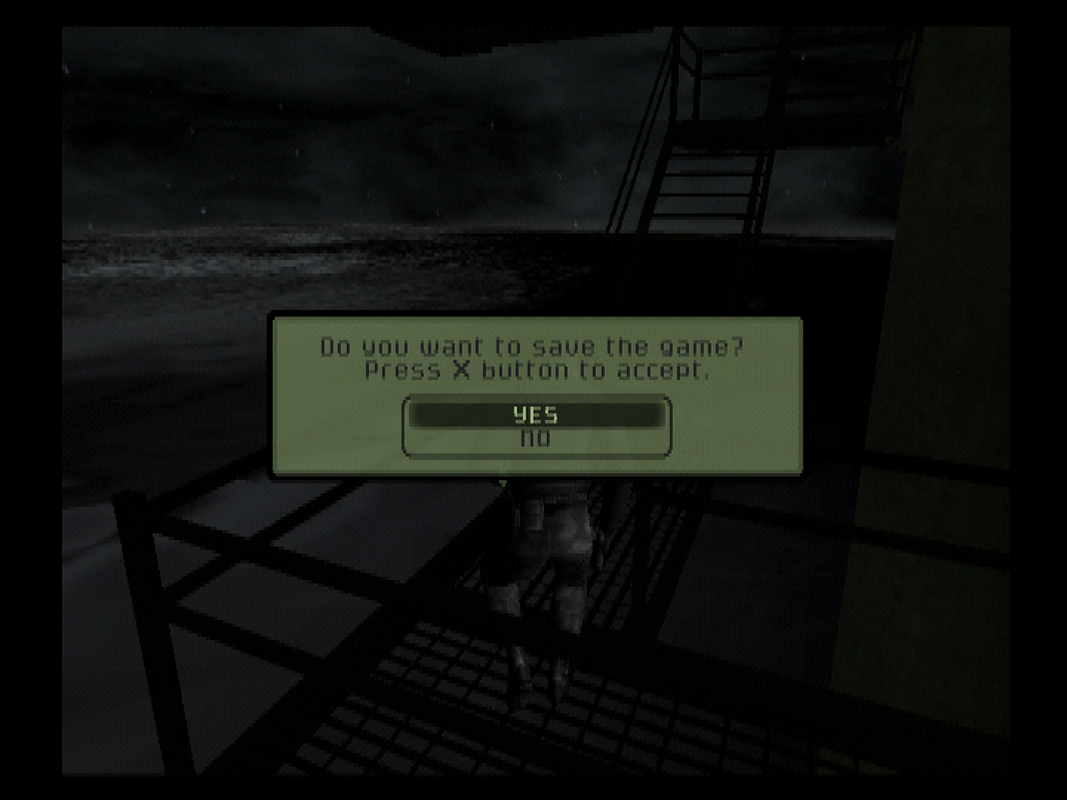
With the screenshot above after saving or not the screen will just go full blue. It seems that after 10 successful loading screens it will just hang/freeze no matter what on the 11th loading screen. This happens whether it be the credits or loading the next area in mission.
With OPL 0.9.2 I seem to have the same results as with OPL 0.8 and 0.9 and I can beat the Police Station.
With OPL 0.9.3 or latest dev build it will always freeze when I get the mission complete in The Police Station mission.
Long story short OPL 0.8 0.9 and 0.9.2 the game will accept 10 loading screens and the 11th loading screen will freeze. OPL 0.9.3 or dev latest dev build it will accept 5 loading screens but the 6th seems to freeze.
From what I can tell the game will just freeze and the loading the credits screen is the easiest way to trigger this issue but I have no idea if the freezes on credits is the samething during game but they seem to freeze at the same amount attempts I listed above.
With the screenshot above after saving or not the screen will just go full blue. It seems that after 10 successful loading screens it will just hang/freeze no matter what on the 11th loading screen. This happens whether it be the credits or loading the next area in mission.
With OPL 0.9.2 I seem to have the same results as with OPL 0.8 and 0.9 and I can beat the Police Station.
With OPL 0.9.3 or latest dev build it will always freeze when I get the mission complete in The Police Station mission.
Long story short OPL 0.8 0.9 and 0.9.2 the game will accept 10 loading screens and the 11th loading screen will freeze. OPL 0.9.3 or dev latest dev build it will accept 5 loading screens but the 6th seems to freeze.
From what I can tell the game will just freeze and the loading the credits screen is the easiest way to trigger this issue but I have no idea if the freezes on credits is the samething during game but they seem to freeze at the same amount attempts I listed above.
Similar threads
-
PS2 Problems Launching "Buzz! The Big Quiz (Europe) (v2.00)" via OPL through sd2psx (PSxMemCard Gen2)
- Started by SawJig511
- Replies: 7
-
-
 PS2 [POC/Outdated] unofficial Open PS2 Loader (uOPL)
- Started by Ripto
- Replies: 58
-
