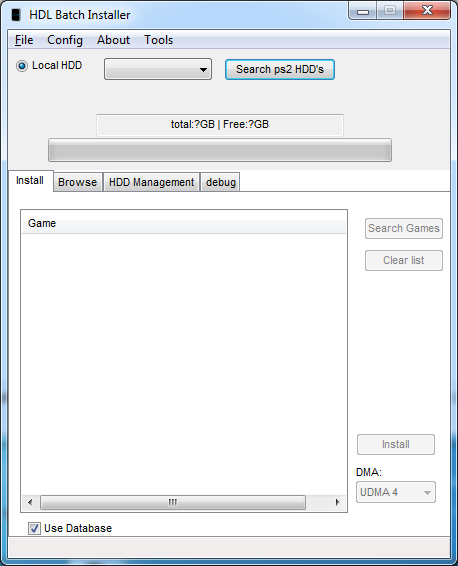
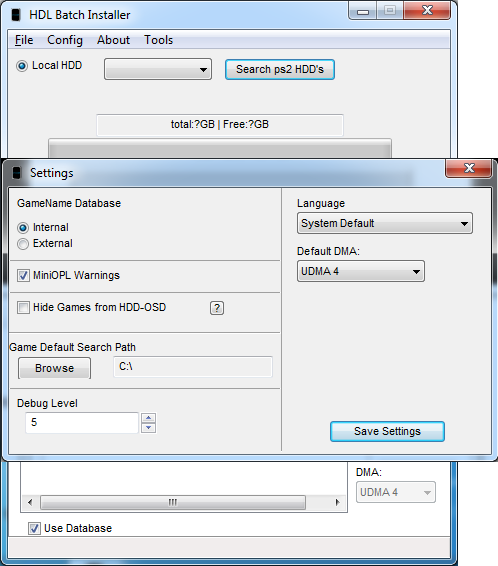
No linux version sorry. Give it a try with Wine?
Yes, I tried but it doesn't work.
I have this error:
-----------------
002a:err:module:import_dll Library fwpkclnt.sys (which is needed by L"C:\\windows\\system32\\drivers\\idmwfp.sys") not found
002a:err:module:import_dll Library NETIO.SYS (which is needed by L"C:\\windows\\system32\\drivers\\idmwfp.sys") not found
002a:err:ntoskrnl:ZwLoadDriver failed to create driver L"\\Registry\\Machine\\System\\CurrentControlSet\\Services\\IDMWFP": c0000142
Unhandled Exception:
System.InvalidOperationException: WinForms_SeeInnerException ---> System.TimeZoneNotFoundException: Exception of type 'System.TimeZoneNotFoundException' was thrown.
at System.TimeZoneInfo.FindSystemTimeZoneById (System.String id) [0x00039] in <773ec02b42f74a918ccd74911c8063c9>:0
at System.TimeZoneInfo.CreateLocal () [0x00018] in <773ec02b42f74a918ccd74911c8063c9>:0
at System.TimeZoneInfo.get_Local () [0x00009] in <773ec02b42f74a918ccd74911c8063c9>:0
at System.TimeZoneInfo.GetDateTimeNowUtcOffsetFromUtc (System.DateTime time, System.Boolean& isAmbiguousLocalDst) [0x00000] in <773ec02b42f74a918ccd74911c8063c9>:0
at System.DateTime.get_Now () [0x00008] in <773ec02b42f74a918ccd74911c8063c9>:0
at System.Windows.Forms.TextBoxBase..ctor () [0x000e8] in <dfcf5e19b3744f6abc3507fe9dffa1dd>:0
at System.Windows.Forms.TextBox..ctor () [0x00012] in <dfcf5e19b3744f6abc3507fe9dffa1dd>:0
at (wrapper remoting-invoke-with-check) System.Windows.Forms.TextBox:.ctor ()
at OPL_Manager.OPLM_Main.InitializeComponent () [0x00220] in <4825f458a1d846f2bc44eaa9ca455f0c>:0
at OPL_Manager.OPLM_Main..ctor () [0x00266] in <4825f458a1d846f2bc44eaa9ca455f0c>:0
at (wrapper managed-to-native) System.Reflection.MonoCMethod:InternalInvoke (System.Reflection.MonoCMethod,object,object[],System.Exception&)
at System.Reflection.MonoCMethod.InternalInvoke (System.Object obj, System.Object[] parameters) [0x00002] in <773ec02b42f74a918ccd74911c8063c9>:0
--- End of inner exception stack trace ---
at OPL_Manager.My.MyProject+MyForms.Create__Instance__[T] (T Instance) [0x000bf] in <4825f458a1d846f2bc44eaa9ca455f0c>:0
at OPL_Manager.My.MyProject+MyForms.get_OPLM_Main () [0x00000] in <4825f458a1d846f2bc44eaa9ca455f0c>:0
at OPL_Manager.My.MyApplication.OnCreateMainForm () [0x00006] in <4825f458a1d846f2bc44eaa9ca455f0c>:0
at Microsoft.VisualBasic.ApplicationServices.WindowsFormsApplicationBase.OnRun () [0x00010] in <cec1c47df2ab404cbef304aeea2cc553>:0
at Microsoft.VisualBasic.ApplicationServices.WindowsFormsApplicationBase.Run (System.String[] commandLine) [0x00001] in <cec1c47df2ab404cbef304aeea2cc553>:0
at OPL_Manager.My.MyApplication.Main (System.String[] Args) [0x0000f] in <4825f458a1d846f2bc44eaa9ca455f0c>:0
[ERROR] FATAL UNHANDLED EXCEPTION: System.InvalidOperationException: WinForms_SeeInnerException ---> System.TimeZoneNotFoundException: Exception of type 'System.TimeZoneNotFoundException' was thrown.
at System.TimeZoneInfo.FindSystemTimeZoneById (System.String id) [0x00039] in <773ec02b42f74a918ccd74911c8063c9>:0
at System.TimeZoneInfo.CreateLocal () [0x00018] in <773ec02b42f74a918ccd74911c8063c9>:0
at System.TimeZoneInfo.get_Local () [0x00009] in <773ec02b42f74a918ccd74911c8063c9>:0
at System.TimeZoneInfo.GetDateTimeNowUtcOffsetFromUtc (System.DateTime time, System.Boolean& isAmbiguousLocalDst) [0x00000] in <773ec02b42f74a918ccd74911c8063c9>:0
at System.DateTime.get_Now () [0x00008] in <773ec02b42f74a918ccd74911c8063c9>:0
at System.Windows.Forms.TextBoxBase..ctor () [0x000e8] in <dfcf5e19b3744f6abc3507fe9dffa1dd>:0
at System.Windows.Forms.TextBox..ctor () [0x00012] in <dfcf5e19b3744f6abc3507fe9dffa1dd>:0
at (wrapper remoting-invoke-with-check) System.Windows.Forms.TextBox:.ctor ()
at OPL_Manager.OPLM_Main.InitializeComponent () [0x00220] in <4825f458a1d846f2bc44eaa9ca455f0c>:0
at OPL_Manager.OPLM_Main..ctor () [0x00266] in <4825f458a1d846f2bc44eaa9ca455f0c>:0
at (wrapper managed-to-native) System.Reflection.MonoCMethod:InternalInvoke (System.Reflection.MonoCMethod,object,object[],System.Exception&)
at System.Reflection.MonoCMethod.InternalInvoke (System.Object obj, System.Object[] parameters) [0x00002] in <773ec02b42f74a918ccd74911c8063c9>:0
--- End of inner exception stack trace ---
at OPL_Manager.My.MyProject+MyForms.Create__Instance__[T] (T Instance) [0x000bf] in <4825f458a1d846f2bc44eaa9ca455f0c>:0
at OPL_Manager.My.MyProject+MyForms.get_OPLM_Main () [0x00000] in <4825f458a1d846f2bc44eaa9ca455f0c>:0
at OPL_Manager.My.MyApplication.OnCreateMainForm () [0x00006] in <4825f458a1d846f2bc44eaa9ca455f0c>:0
at Microsoft.VisualBasic.ApplicationServices.WindowsFormsApplicationBase.OnRun () [0x00010] in <cec1c47df2ab404cbef304aeea2cc553>:0
at Microsoft.VisualBasic.ApplicationServices.WindowsFormsApplicationBase.Run (System.String[] commandLine) [0x00001] in <cec1c47df2ab404cbef304aeea2cc553>:0
at OPL_Manager.My.MyApplication.Main (System.String[] Args) [0x0000f] in <4825f458a1d846f2bc44eaa9ca455f0c>:0
-----------------
Any suggestion?
Thanks in advanced