OPL Manager - Tool to manage your games!

PS2 OPL Manager - Tool to manage your games! 24

Hi,
But the ART is correct right?

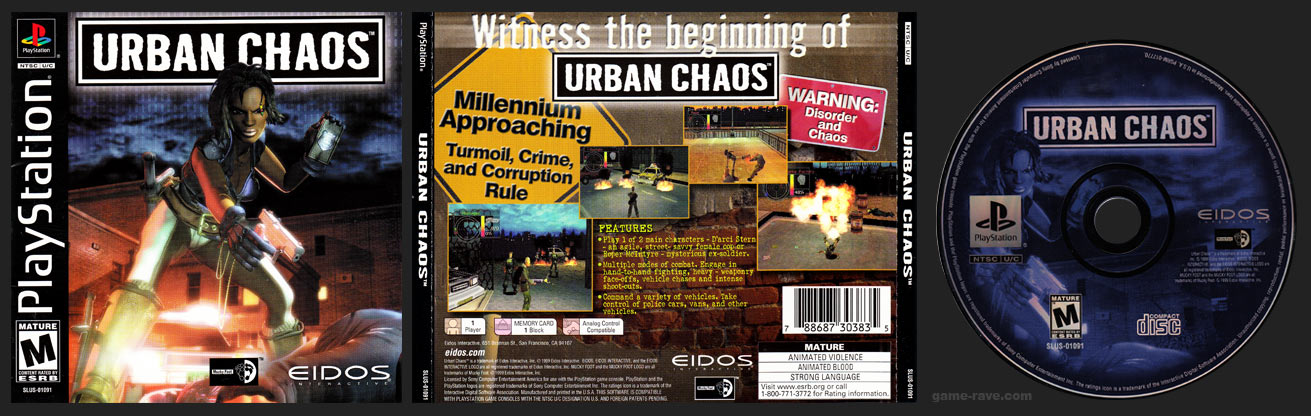
No. SLUS_010.19 is Urban Chaos USA. I don't know about Threads of Fate. If it is correct on redump.org, then it is a case of same ID on 2 different games. It should be verified.
As for Urban Chaos as I said, it is wrong on redump.org, the game ID is SLUS_010.19


About SLUS_011.42, indeed they are incorrect, feel free to report the existing arts and offer replacements if you have them

Ok. I'll replace the wrong ones (the BG, SCR and SCR2 are good).
 
I uploaded Urban Chaos ARTS I made for the PAL version for avoiding mistakes (since there were only COV and LGO on database).

I also shared some other ARTS for a couple games I was adding to an HDD at the moment (the Strider ones and I also made better covers for italian FFIX. It had the same ICO for all 4 CDs and the same background, that was also badly stretched...).

I made a bunch of cover arts in the past but I don't have much time for renaming them (because I manually named them according to Ps1 game names I start as apps. I have all of them named like "CRASH1.ELF_BG.jpg" etc...).
 
But it seems it was a misprint in the case only? The actual executable file has the correct id as far as i understand it?

The other way around:

PSX-Urban-Chaos-Retail-Release.jpg


UCF.png
 
Hey y'all, hate to bump suddenly, but I'm wondering if any of you guys are having trouble today connect to the Art database for OPL Manager? Just like 2 weeks ago, I used OPL Manager without issue, but now when I want to do some Art downloads, it gives the message:
"Failed to get a reply from the server!"
I doubled checked the OPL Manager website, and it seems I'm perfectly able to connect to it via web browser, but the application itself seems to not be able to. I do have the latest version and have tried opening it as admin.

Any help would be appreciated, thanks!
 
I'm getting this @danielb which I've had before and it usually starts working again after a few hours.

I can load OPL Manager but can't do anything else (obviously).

I'm on Windows 7, but it's worked fine up until today.
 

Attachments

  • OPL_ERROR.PNG
    OPL_ERROR.PNG
    23.3 KB · Views: 48
  • Like
Reactions: TnA
The last time I used this program, it downloads the art from a server or you can click in the folder icon and add it yourself
But I would like to see if its possible to link my art folder to the program so it search the exact art the game needs
 
Hi,

I am using OPL Manager 22.3 to add my PS1 and PS2 games to get them ready to add to a new SSD and I noticed today that my PS1 games i entered into the /POPS directory are not showing up in the Home tab. The POPS checkbox is checked and my PS1 games are still in the POPS directory but nothing is showing. The POPS have been showing up correctly along with the correct ART files as of a few hours ago. There are no issues the PS2 games, only the PS1 games.

Is there a setting that may have gotten changes by accident on my end that would be causing the POPS to not show in OPL Manager? Please let me know if you need any other information.

Thanks in advance!!
 

Similar threads

Back
Top