dellmas
Forum Noob
Initial question, what version of OPL is PFSBM catering to?
I bought a ps2 mem card already setup with freemcboot. It came with OPL v1.1.0 and OPL 10th anniversary. Messing around with it I see 10th anniversary uses +OPL dir and v1.1.0 uses __common/OPL.
1.1.0 displays all the ps1 VCD files in apps as does 10th anniversary if I copy the folder with the game elf in its dir. However, 10th anniversary OPL has a section called PS1 Games. What folder structure does it look for so they display under PS1 Games?
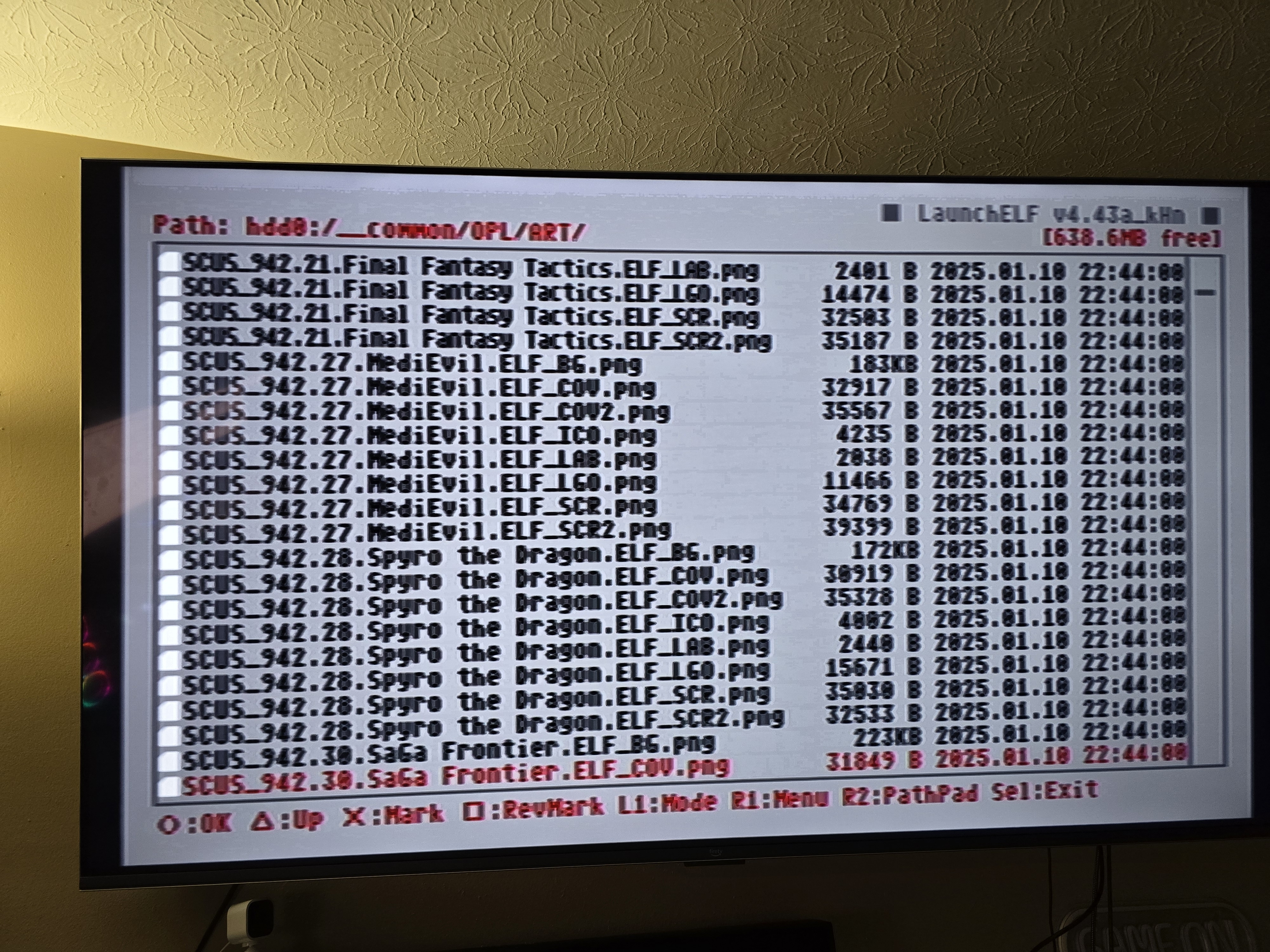
I have a 2TB HDD with adapter in a fat ps2. Formatted with PFSBM and used it to install the games/art, I'm just unsure what exact version OPL it's catering to. Given 1.1.0 loads all the games under APPS it seems to be compatible but artwork for all games are under __common/OPL/ART but not a single image displays on either version.
If at all possible I'd like the ps1 games to load under the PS1 Games section with artwork on OPL 10th anniversary. If I need a completely different version and to stick with the APPS folder it'll do given artwork displays. I'm just not the biggest fan of using the APPS folder.
Any help is seriously appreciated.
I bought a ps2 mem card already setup with freemcboot. It came with OPL v1.1.0 and OPL 10th anniversary. Messing around with it I see 10th anniversary uses +OPL dir and v1.1.0 uses __common/OPL.
1.1.0 displays all the ps1 VCD files in apps as does 10th anniversary if I copy the folder with the game elf in its dir. However, 10th anniversary OPL has a section called PS1 Games. What folder structure does it look for so they display under PS1 Games?
I have a 2TB HDD with adapter in a fat ps2. Formatted with PFSBM and used it to install the games/art, I'm just unsure what exact version OPL it's catering to. Given 1.1.0 loads all the games under APPS it seems to be compatible but artwork for all games are under __common/OPL/ART but not a single image displays on either version.
If at all possible I'd like the ps1 games to load under the PS1 Games section with artwork on OPL 10th anniversary. If I need a completely different version and to stick with the APPS folder it'll do given artwork displays. I'm just not the biggest fan of using the APPS folder.
Any help is seriously appreciated.