OPL won’t start

Vedant

Forum Noob
Hello there,
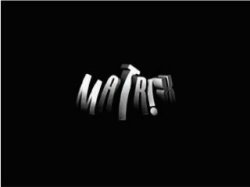
I'm trying to start my PS2 but the screen just shows MATRIX(my mod chip maybe) and then goes black. I plugged my hard drive into usbutil and it showed the games were present. Have I messed something with the matrix menu configuration or is it something else.Please help me out! My PS2 version is SCPH-90004 and I'm using OPL v9.
 
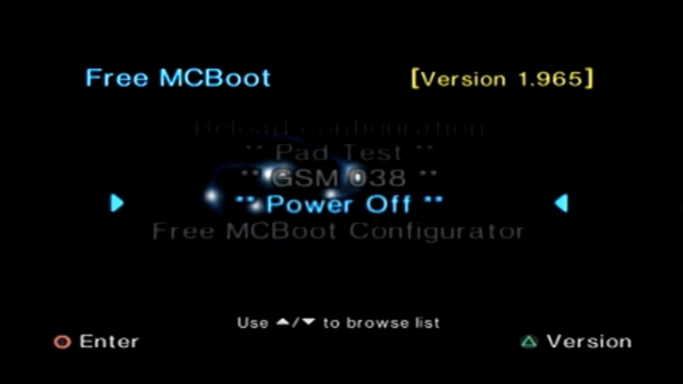
Do you have FMCB on memory card?
FMCB-19651.jpg

If you have FMCB, what version do you have?

Can you turn on your console without memory card?
Does your console without a memory card starts normally?
 
Do you have FMCB on memory card?
FMCB-19651.jpg

If you have FMCB, what version do you have?

Well it doesn't exactly give me an interface like in that image you put, my mc has got some corrupted files and a boot directory. The guy who installed them told me to not delete them. When memory card is inserted the OPL interface comes right away.

Can you turn on your console without memory card?

Yes but my hdd won't be accessed and my disc would start.

Does your console without a memory card starts normally?

Yes Perfectly normal.
 
Last edited by a moderator:
While boot try to press and hold one of these buttons:
- :but x:
- :but square:
- :but tri:
- :but cir:
- :but select:
- :but r1:

Try to test them all, if nothing is assigned for example :but x:,
you should be able to enter "FMCB menu".

After you enter FMCB, write which version do you have.


If none of these buttons work, press and hold :but start: while boot.
You should be able to enter FMCB Configurator.
Enter E1 Launch keys -> change Auto to OSDSYS by pressing :but select:.
Save settings, and reboot console.
After you enter FMCB, write which version do you have.

Some version of FMCB have problems with a modchip.
Different version of FMCB might helps.
 
While boot try to press and hold one of these buttons:
- :but x::
- :but square::
- :but tri::
- :but cir:
- :but select:
- :but r1:

Try to test them all, if nothing is assigned for example :but x:,
you should be able to enter "FMCB menu".
None of them work either they straightaway start the disc or lead to a black screen.
After you enter FMCB, write which version do you have.


If none of these buttons work, press and hold :but start: while boot.
You should be able to enter FMCB Configurator.
Enter E1 Launch keys -> change Auto to OSDSYS by pressing :but select:.
Save settings, and reboot console.
After you enter FMCB, write which version do you have.

Some version of FMCB have problems with a modchip.
Different version of FMCB might helps.

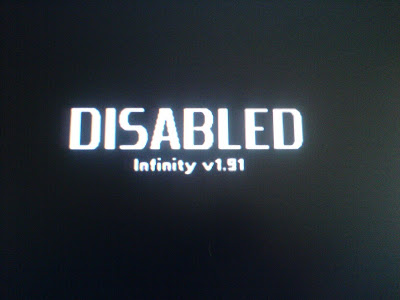
When I press start it says "DISABLED" in the same font as the "Playstation 2" appears before starting the game with the same music.
 
@TnA are you sure it is a good idea?
I mean currently he have a problem with launching OPL.
I doubt that FMCB will work without a problem on his console...

Or maybe at least he can try FMCB 1.953 or even 1.8b instead of 1.966?
 
The main reason why I ask is that he has SCPH-90004 with Matrix Infinity.
I'm not sure if someone ever made "genuine" modchip for these consoles...

Most if not all were clones, and you know how compatible they can be with FMCB...
As you said FMCB brings some benefits, but on consoles with incompatible modchips it can be a pain in the a**.
 
Last edited:
True! There were only clones made for the model specifically, but at least the MI was made compatible with an additional resistor AFAIR.

1.95 usually works almost everywhere AFAIR.
 
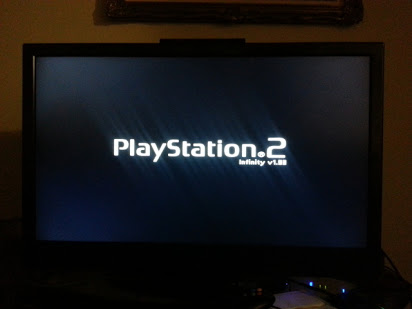
@Vedant, so while your console boots you see this picture:
image1.jpg


When you hold :but start: you see this picture:
dsc01734.jpg


What about FMCB logo at boot:
fmcb-logo.png

Did you see it?
 
@Vedant, so while your console boots you see this picture:
image1.jpg


When you hold :but start: you see this picture:
dsc01734.jpg


What about FMCB logo at boot:
fmcb-logo.png

Did you see it?
When my console boots I see
701CB7B2-AA4F-4033-A740-017B61D332CF.jpeg
If my memory card is plugged in I see
034E7445-4FEF-4C38-B3E4-D2881C9FECF0.jpeg
If I remove the memory card and start the console then I see that image you inserted "PLAYSTATION 2 Infinity v1.91"and the disc starts reading .
So there is no fmcb screen on my ps2 boot .Yes ,after pressing start it says DISABLED.
Sorry for replying so late, I had some guests over lately.
 
Back
Top