
You are using an out of date browser. It may not display this or other websites correctly.
You should upgrade or use an alternative browser.
You should upgrade or use an alternative browser.
PS3 Project RSX Boost: Overclock your Retail PS3 RSX Speeds (ps3 cfw only)

cha0shacker
Member
Did you see my PM, Luan?@Mitsu™ can you make a 850/1025 EvilNat PeX Beta 10 ?


cha0shacker
Member
Is there a repository with OC firmwares based on Beta 10 yet?
Okay, my 21xxx series ( i need to check if the shell is the original one) started crashing (image freeze with playing sound) at 850/1025 MHz, although it was working fine before. I found that the issue occurs when the GPU reaches 71ºC, so I set my dynamic cooler to a maximum temperature of 68ºC, and now it's working well.
I performed the same test on my 251xx, which was stable at 850/1225 MHz without any issues at any temperature. I let it reach critical temperatures for testing and overclocked it back to 900 MHz. The same issue occurred; I initially didn't realize it was temperature-related, but it seems to be lower for this one. As soon as it reaches 70ºC, it freezes (image freeze with playing sound). I tried again at 950 MHz, and it worked fine at this temperature. (< 70C)
I might try overclocking to 1000 MHz core. When I tested it, the same issue happened, instant image freeze in RSX-demanding games with playing sound. Unfortunately, I don't have a 1000 MHz core FW anymor eto test at lower temperatures. I might first replace the thermal pad, which has never been replaced, and try again. However, I don't expect it to work without a voltage mod.
I performed the same test on my 251xx, which was stable at 850/1225 MHz without any issues at any temperature. I let it reach critical temperatures for testing and overclocked it back to 900 MHz. The same issue occurred; I initially didn't realize it was temperature-related, but it seems to be lower for this one. As soon as it reaches 70ºC, it freezes (image freeze with playing sound). I tried again at 950 MHz, and it worked fine at this temperature. (< 70C)
I might try overclocking to 1000 MHz core. When I tested it, the same issue happened, instant image freeze in RSX-demanding games with playing sound. Unfortunately, I don't have a 1000 MHz core FW anymor eto test at lower temperatures. I might first replace the thermal pad, which has never been replaced, and try again. However, I don't expect it to work without a voltage mod.
Last edited:
cha0shacker
Member
That memory speed is insane.Okay, my 21xxx series ( i need to check if the shell is the original one) started crashing (image freeze with playing sound) at 850/1025 MHz, although it was working fine before. I found that the issue occurs when the GPU reaches 71ºC, so I set my dynamic cooler to a maximum temperature of 68ºC, and now it's working well.
I performed the same test on my 251xx, which was stable at 850/1225 MHz without any issues at any temperature. I let it reach critical temperatures for testing and overclocked it back to 900 MHz. The same issue occurred; I initially didn't realize it was temperature-related, but it seems to be lower for this one. As soon as it reaches 70ºC, it freezes (image freeze with playing sound). I tried again at 950 MHz, and it worked fine at this temperature. (< 70C)
I might try overclocking to 1000 MHz core. When I tested it, the same issue happened, instant image freeze in RSX-demanding games with playing sound. Unfortunately, I don't have a 1000 MHz core FW anymor eto test at lower temperatures. I might first replace the thermal pad, which has never been replaced, and try again. However, I don't expect it to work without a voltage mod.
I've send you my LV1 dump per PM now.
cha0shacker
Member
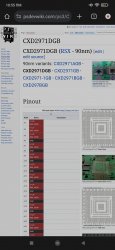
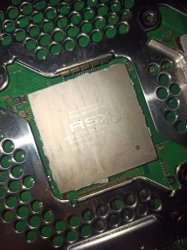
What do you mean? 2971DGB is the one you have.Isn't weird that my 90nm model isn't here?
It says ps3 CXD2970dGB rather then 71 is this misprint?What do you mean? 2971DGB is the one you have.
cha0shacker
Member
Where do you see that?It says ps3 CXD2970dGB rather then 71 is this misprint?
Attachments


Mitsu™
Senior Member
The same thing happens with my 2504A (CXD5300CGB). 850MHz core is stable only if the GPU temperature stays ≤70°C. If it exceeds this limit, the console freezes. There's another heat-related step before an eventual brick :Okay, my 21xxx series ( i need to check if the shell is the original one) started crashing (image freeze with playing sound) at 850/1025 MHz, although it was working fine before. I found that the issue occurs when the GPU reaches 71ºC, so I set my dynamic cooler to a maximum temperature of 68ºC, and now it's working well.
I performed the same test on my 251xx, which was stable at 850/1225 MHz without any issues at any temperature. I let it reach critical temperatures for testing and overclocked it back to 900 MHz. The same issue occurred; I initially didn't realize it was temperature-related, but it seems to be lower for this one. As soon as it reaches 70ºC, it freezes (image freeze with playing sound). I tried again at 950 MHz, and it worked fine at this temperature. (< 70C)
I might try overclocking to 1000 MHz core. When I tested it, the same issue happened, instant image freeze in RSX-demanding games with playing sound. Unfortunately, I don't have a 1000 MHz core FW anymor eto test at lower temperatures. I might first replace the thermal pad, which has never been replaced, and try again. However, I don't expect it to work without a voltage mod.
At 900MHz core, my PS3 boots without any artifacts, and I can start a game, but it freezes within minutes, even if the temperature is still in the 50°C range.
Another thing I've discovered : the VRAM is also heat-sensitive at higher OC frequencies. I didn't notice this before since my PS3 usually stays below 70°C, but after running some tests, I found that 1000MHz is only stable when the temperature is ≤70°C as well. Even at 500/1000, my PS3 will freeze if the GPU temperature goes above 70°C. Lowering the VRAM to 975MHz resolves this issue.
cha0shacker
Member
Can anybody create me a conservative 650/800 firmware based on beta 10?
Usually those clocks bring the majority of the speed boost.
Usually those clocks bring the majority of the speed boost.

ashura
Member
thanks a lot Mitsu for this test, its curious to see how the same temps are into your console, maybe mines can be different due to that it has only 64MB of ram idk if that may do a difference due to that its like i noticed when i used to do dex into this console, multiman was showing me a total remaining memory of 52mb with DEX-PEX and a total of 60mb available on CEX but everything else works fine so i will keep it on CEX so far, thanks again and i hope that you can try sniper elite 3, its a good game to do some performance testsOkay I'm super late, but I tried to compare the temperature between CEX and PEX and it doesn't seems to change anything on my 2504A.
On XMB after an hour : 53°C CELL / 55C RSX at 32% fan speed with both CEX and PEX at the same frequencies (700/850) and ~22°C in my room.
In Crysis HD, at the beginning of the 4th mission after an hour : 61°C CELL / 69°C RSX at 32% fan speed with both CEX and PEX at the same frequencies (700/850). ~22°C in my room.
Still, my console's results aren't representative of all PS3s around. I'm really curious. I wonder what could be causing or explaining the difference you pointed out.
cha0shacker
Member
What does this say about my RSX:
rsx40 a01 500/650 vpe:ff shd:3f [N3T758-19:0:4:13:7:8:6:0:2][23:0:e:0:1:0:1][1:1:0]
It's from a frankie
rsx40 a01 500/650 vpe:ff shd:3f [N3T758-19:0:4:13:7:8:6:0:2][23:0:e:0:1:0:1][1:1:0]
It's from a frankie
Mitsu™
Senior Member
Not at all.Quick question is overclocking necessary for ps3 slim?
If framerate issues don't bother you much or you're playing games that already run smoothly, you don't need it. It's more of a bonus, an appreciable boost.
It can be night and day in some games thanks to this, though.
Still, you can absolutely enjoy your games without it. After all, back in the 7th generation, we were having fun with games as they were, whether the framerate was great or not :Y
For instance, GTA 4 has terrible FPS but remains a beloved game for a ton of players.
Ultimately, it's your choice whether to use it or not !
Last edited:
cha0shacker
Member
No. These are executed on the CPU or respective hardwareDoes it effect ps1 and ps2 games?

cool-username
Forum Noob
Haven't had the chance to sit and read the whole thread, so please forgive me if this has already been posted but:
I wanted to OC Rebug 4.48, but I was weary about flashing my only PS3 with FW that I modified myself using ps3mfw-builder. For testing, I installed the OC'ed FW in RPCS3 and it worked!
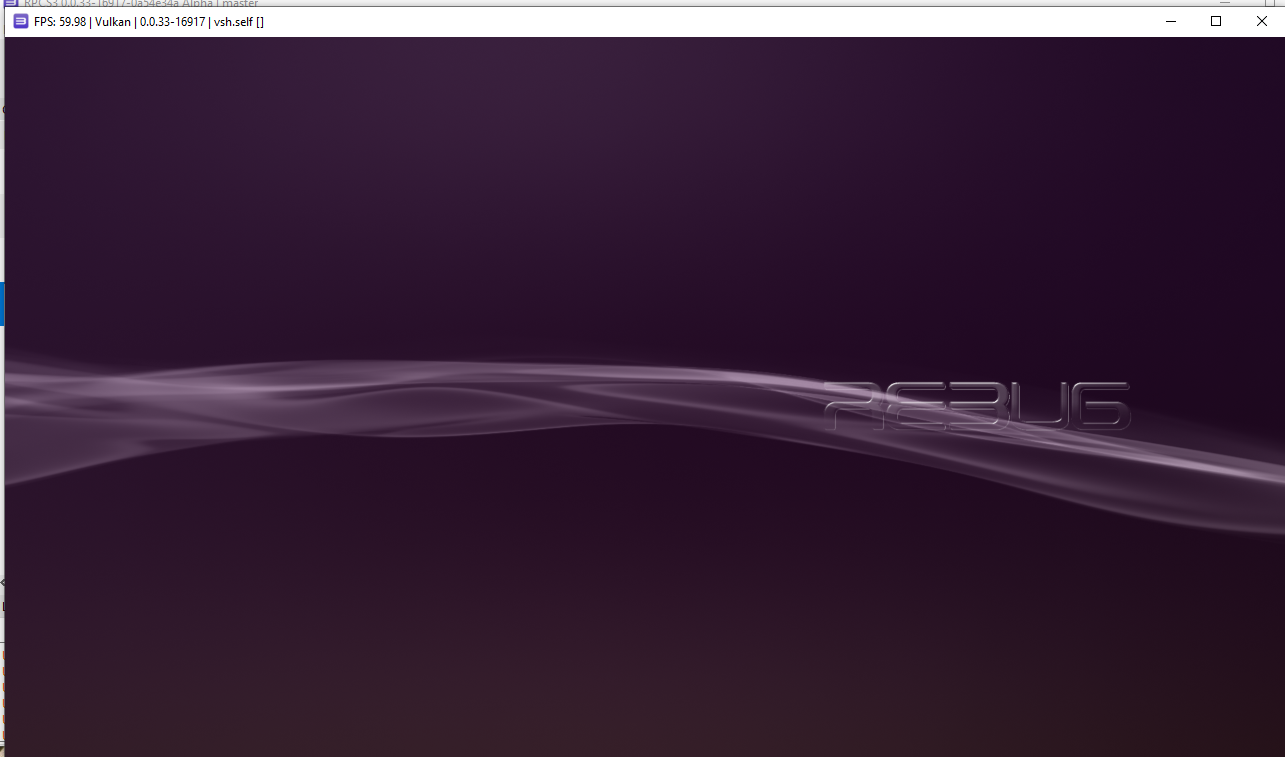
After verifying in RPCS3, I flashed the FW to my PS3 and it works great! Obviously this wont help you if your clock speeds are off, but it will help you ensure you have a sane build before flashing.
(Obligatory don't take my word as fact, use at your own risk, ymmv, etc etc)
I wanted to OC Rebug 4.48, but I was weary about flashing my only PS3 with FW that I modified myself using ps3mfw-builder. For testing, I installed the OC'ed FW in RPCS3 and it worked!
After verifying in RPCS3, I flashed the FW to my PS3 and it works great! Obviously this wont help you if your clock speeds are off, but it will help you ensure you have a sane build before flashing.
(Obligatory don't take my word as fact, use at your own risk, ymmv, etc etc)
Haven't had the chance to sit and read the whole thread, so please forgive me if this has already been posted but:
I wanted to OC Rebug 4.48, but I was weary about flashing my only PS3 with FW that I modified myself using ps3mfw-builder. For testing, I installed the OC'ed FW in RPCS3 and it worked!
After verifying in RPCS3, I flashed the FW to my PS3 and it works great! Obviously this wont help you if your clock speeds are off, but it will help you ensure you have a sane build before flashing.
(Obligatory don't take my word as fact, use at your own risk, ymmv, etc etc)
Unfortunately, testing the firmware on RPCS3 doesn't help at all, as it doesn't use ANY files from the coreOS, only dev_flash.
Similar threads
-
PS3 [Guide] Sourcing the right PS3 for the best Overclocking performance
- Started by M4N14C
- Replies: 1
-
 PS3 {CFW Release} 4.92.2 Evilnat Custom Firmware (w/ Cobra v8.5) - Includes: CEX/PEX/D-PEX) + noBD/BT
- Started by Evilnat
- Replies: 1
-

-
 PS3 PS3HEN w/ Linux & Overclocking Support? BadHTAB A hardware-software based hypervisor (lv1) exploit
- Started by STLcardsWS
- Replies: 52