
You are using an out of date browser. It may not display this or other websites correctly.
You should upgrade or use an alternative browser.
You should upgrade or use an alternative browser.
PS3 Project RSX Boost: Overclock your Retail PS3 RSX Speeds (ps3 cfw only)

Mitsu™
Senior Member
I'm currently at 400/525 on my 25** Slim.Guys , what's the lowest you could underclock a 90nm fat, without bricking it?
If you put 300/400 will it even start up?
At what numbers have you set it? The underclock
If I remember correctly, RIP-Felix or Nascar went as low as 300MHz core, though it was probably on a FrankenFAT with a 40nm RSX.
As for VRAM, I think you shouldn't go too low. There are probably higher risks of instability associated with it.
At 400/525, I can still play PS1 and PS2 games without any performance issues. No slowdowns on the XMB either. For PS3 games, there is an impact, depending on how much the game relies on the RSX.
I don't plan to keep it as low as 400/525 for PS3 games anyway, so it's not an issue.
It's perfect for PS1 and PS2 titles, though.
I'm not sure if I'll try going lower. Maybe just for the core.
For now, we don't have much information or many reports about RSX underclocking.
And that's perfectly understandable ! Overclocking is more exciting, more "hype", so it gets more attention.
Still, underclocking could be very interesting (and an easy fix) for preserving these old FAT models.
People will need to experiment (cautiously) on their own.
Actually, you can. You just need to modify the "01_patch_rsx_oc.tcl" file (in the tasks folder) and add any frequency you want.If you use mfw builder, it doesn't go that far down. Iirc, the lowest it goes is 400/550.
Any text editor can open it and allow you to edit it.
That's how I built a 400/525 PUP for myself.
Charles_n_town
Senior Member
it's not working for me:I'm currently at 400/525 on my 25** Slim.
If I remember correctly, RIP-Felix or Nascar went as low as 300MHz core, though it was probably on a FrankenFAT with a 40nm RSX.
As for VRAM, I think you shouldn't go too low. There are probably higher risks of instability associated with it.
At 400/525, I can still play PS1 and PS2 games without any performance issues. No slowdowns on the XMB either. For PS3 games, there is an impact, depending on how much the game relies on the RSX.
I don't plan to keep it as low as 400/525 for PS3 games anyway, so it's not an issue.
It's perfect for PS1 and PS2 titles, though.
I'm not sure if I'll try going lower. Maybe just for the core.
For now, we don't have much information or many reports about RSX underclocking.
And that's perfectly understandable ! Overclocking is more exciting, more "hype", so it gets more attention.
Still, underclocking could be very interesting (and an easy fix) for preserving these old FAT models.
People will need to experiment (cautiously) on their own.
Actually, you can. You just need to modify the "01_patch_rsx_oc.tcl" file (in the tasks folder) and add any frequency you want.
Any text editor can open it and allow you to edit it.
That's how I built a 400/525 PUP for myself.
that's how I have it set, but it's not picked up. it's almost as if it's cached somewhere, but I have no idea where. I tried looking for it in appdata, and I found nothing.
nm, I figured it out:
I ran out of space on my mediafire, free account, so please test: 300/400 - https://1fichier.com/?rw0jfrwazk6348h895zq
Last edited:
Mitsu™
Senior Member
Nice, glad it's working for you !nm, I figured it out:
View attachment 45187
I ran out of space on my mediafire, free account, so please test: 300/400 - https://1fichier.com/?rw0jfrwazk6348h895zq
And thanks for the file, though I won't try 400MHz (VRAM) for now. I still don't have a working E3 flasher on hand, so I'd rather not play Russian roulette.
I'm currently at 350/550, and everything seems to load fine. I haven't tried a PS3 game yet, since... well, obviously, it wouldn't run very well. But PS1/PS2 games don't seem to be affected, and the XMB is still as responsive as usual.

Charles_n_town
Senior Member
well, hopefully, someone can test. I made one just for you. it's not lower than what you have:

https://1fichier.com/?cwey782v31r72iv8bqct
https://1fichier.com/?cwey782v31r72iv8bqct
Last edited:
Mitsu™
Senior Member
Works as intended ! Well donewell, hopefully, someone can test. I made one just for you. it's not lower than what you have:
View attachment 45197
https://1fichier.com/?cwey782v31r72iv8bqct


Edit : I tried the first Uncharted at these frequencies and honestly, it doesn't even feel that bad. Maybe some small dips here and there when moving the camera, but it's still perfectly playable.
I'm impressed !
Last edited:
A bit late but another 65nm Phat L01 reporting in, can easily do 900mhz on the VRAM and 650 Core at v1.05, default voltage is measured at 1.1. 700mhz Core crashes during camera pan down load in, in GTA5.
Will be running 600mhz at v0.96 core and 850mhz VRAM for 24/7 operation.
Will be running 600mhz at v0.96 core and 850mhz VRAM for 24/7 operation.
Charles_n_town
Senior Member
Works as intended ! Well done
Edit : I tried the first Uncharted at these frequencies and honestly, it doesn't even feel that bad. Maybe some small dips here and there when moving the camera, but it's still perfectly playable.
I'm impressed !
thanks for testing. I just got done compiling all the homebrew from the ps5 websrv. it took about two hours or longer.
Mitsu™
Senior Member
There's no universal optimal fan curve.what's the optimal fan curve? and how do I set it? I can only see presets with evilnat
Long story short: each user has a different environment with varying temperatures, etc.
It also depends on the time of year.
And more importantly, it varies between PS3 units, even among the same models.
Now, there are two solutions:
- WebmanMod. This is the most accessible option and it works great for the vast majority of PS3 users, myself included.
You have various settings here : you can choose a minimum and maximum fan speed (the maximum can't be set below 40%), a temperature target (68°C by default), and WebmanMod automatically adjusts the fan speed to keep it within your chosen limit.
It's up to you to find the settings that suit you and your PS3 best.
- Modifying the syscon fan curve. This is a less straightforward method that some users prefer over WebmanMod.
Personally, I don't see the need to mess with it since WebmanMod is already highly customizable and works perfectly for me.
It doesn't impact performance or anything like that and always runs in the background without using a lot of resources.
But why not, it's a matter of preference after all. If you're interested in modifying the syscon fan curve, check out this topic :
https://www.psx-place.com/threads/modifying-syscon-fan-settings-better-than-webman.34626/
The first Crysis (also known as "Crysis HD", or "The Test" here) is your friend !Anyone know any good games/spots to test for artefacts? Like ones that would heavily tax the RSX?
My favorite spot to test is at the beginning of the fourth mission. Just stand still in the water, looking at the explosions. You can even leave the controller alone (just make sure it doesn't disconnect, or the pause menu will pop up).
Let the RSX reach 70-75°C to ensure your OC is stable ! If it's not, you might notice artifacts, or the system could completely freeze.
Now, the tricky part is... that both a core frequency or VRAM frequency that's too high can cause a freeze once the RSX reach/exceeds 70°C. I discovered this through testing, so it takes time.

Lana
Member
The first Crysis (also known as "Crysis HD", or "The Test" here) is your friend !
My favorite spot to test is at the beginning of the fourth mission. Just stand still in the water, looking at the explosions. You can even leave the controller alone (just make sure it doesn't disconnect, or the pause menu will pop up).
Let the RSX reach 70-75°C to ensure your OC is stable ! If it's not, you might notice artifacts, or the system could completely freeze.
Now, the tricky part is... that both a core frequency or VRAM frequency that's too high can cause a freeze once the RSX reach/exceeds 70°C. I discovered this through testing, so it takes time.
OMG you're a godsend, this was super helpful. I'm getting artifacts galore on my 2101B @ 700/850mhz... I guess not all 40nm RSX are made equal.
It was much worse than camera can pick up, was just constant popping and it was barely a few minutes in. Prior to this I ran like 10 games including killzone 3 and there wasn't a single anomaly.
Do you know if this is more indicative of core or vram? I'm probs gonna revert back to 600/750mhz and redo this test
Last edited:
Mitsu™
Senior Member
Indeed, many 21** models can't handle 700/850. It's possible for them, but far from guaranteed.OMG you're a godsend, this was super helpful. I'm getting artifacts galore on my 2101B @ 700/850mhz... I guess not all 40nm RSX are made equal.
View attachment 45215
It was much worse than camera can pick up, was just constant popping and it was barely a few minutes in. Prior to this I ran like 10 games including killzone 3 and there wasn't a single anomaly.
Do you know if this is more indicative of core or vram? I'm probs gonna revert back to 600/750mhz and redo this test
My guess is that these early 40nm RSX revisions are leftover 65nm RSX chips Sony still had in stock.
That's probably also why the production window for the 21** series was so short.
I think artifacts are more likely caused by the VRAM frequency being too high, so that's the first thing I'd lower. Try 700/800. Or if you really want to be sure, go down to 700/650.
If you still notice artifacts after that, then the core frequency is likely the issue.
Panagiotis5373
Member
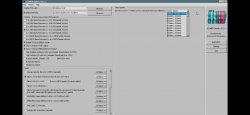
Lana
Member
Yep looks like core freq is the culprit - did 4 test with 600/750, 650/800, artifacts at 700/800, settled on 650/850 and everything is pretty much stable. Funny how that extra 50mhz can make such a difference, but yeah you're right it behaves very similar to 2000 models. Not a dealbreaker tho coz I quite like the 21xx models over later revisions since it's better built (heatsink, wifi LEDs etc.)Indeed, many 21** models can't handle 700/850. It's possible for them, but far from guaranteed.
My guess is that these early 40nm RSX revisions are leftover 65nm RSX chips Sony still had in stock.
That's probably also why the production window for the 21** series was so short.
I think artifacts are more likely caused by the VRAM frequency being too high, so that's the first thing I'd lower. Try 700/800. Or if you really want to be sure, go down to 700/650.
If you still notice artifacts after that, then the core frequency is likely the issue.
Btw I love your yt vids, are you planning to test anymore games?
Charles_n_town
Senior Member
You need to add it to the RSX task yourself. Just copy one of the premade ones and change the two offsets under "replace."Does anyone know how can i make 300/650 I don't se this kind of frequencys
Panagiotis5373
Member
Nah this seems confusing better staying on the normal clocks 
Charles_n_town
Senior Member
You need to add it to the RSX task yourself. Just copy one of the premade ones and change the two offsets under "replace."
https://1fichier.com/?5ggfif7vfq1fr6egomtp
let me know how it works out for you.
Lana
Member
what model do you have? have you tried evilnat's built-in OC at least?Nah this seems confusing better staying on the normal clocks
Panagiotis5373
Member
Is giving the same values 500/650 is this normal right?View attachment 45217
https://1fichier.com/?5ggfif7vfq1fr6egomtp
let me know how it works out for you.
Is a slim with the 40nmwhat model do you have? have you tried evilnat's built-in OC at least?
Attachments
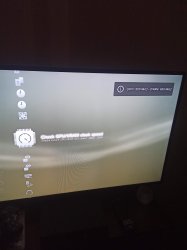
Last edited by a moderator:
Charles_n_town
Senior Member
https://1fichier.com/?yfebcpn6tf3vby3sjfn9
try this one. if it still doesn't work, I'm not sure what's wrong.
try this one. if it still doesn't work, I'm not sure what's wrong.
Similar threads
-
PS3 [Guide] Sourcing the right PS3 for the best Overclocking performance
- Started by M4N14C
- Replies: 1
-
 PS3 {CFW Release} 4.92.2 Evilnat Custom Firmware (w/ Cobra v8.5) - Includes: CEX/PEX/D-PEX) + noBD/BT
- Started by Evilnat
- Replies: 1
-

-
 PS3 PS3HEN w/ Linux & Overclocking Support? BadHTAB A hardware-software based hypervisor (lv1) exploit
- Started by STLcardsWS
- Replies: 52