
I'm not sure what I'm doing wrong. I can't get my ps2 games to work on my ps3.
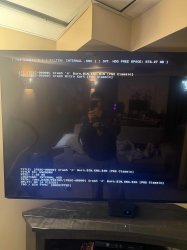
I open the ps2 classics manager and I open the game list i get a error: an unexpected error occurred while copying files(s).
also when first loading the app i get a warning: you have not created "mc1 an d Mc2" from xmb (memory card utility). the vme auto-decrypt / auto-export feature will not be used until you have created them.
I did make a memory card and i did select it.. it's set to 1.
I've tried just playing the ISO. I've tried covering the ISO on the ps3 to ps2 classic format.
On my PC I've thrown the original ISO in ps3 ps2 classics 2.2.3 and converting it then fttp it over to the ps3.
I've re installed place holder. I'm just not sure what to do.
What i got installed
CFW Release} 4.92.2 Evilnat Custom Firmware (w/ Cobra v8.5)
been trying to get this to work for days.
Just found out and downloaded IRISMAN_4.91.2.
iso are in the ps2iso works great
i did use multiman to make a ps2 classic game and moved it to
dev_hdd0/game folder
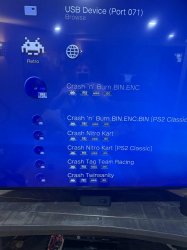
And i got it to play. But it doesn't show in PS2 Classics Manager Update v1.02
Not sure what I did wrong...
My question is what is the best way to load and play my ps2 games
Also my ps3 games
I open the ps2 classics manager and I open the game list i get a error: an unexpected error occurred while copying files(s).
also when first loading the app i get a warning: you have not created "mc1 an d Mc2" from xmb (memory card utility). the vme auto-decrypt / auto-export feature will not be used until you have created them.
I did make a memory card and i did select it.. it's set to 1.
I've tried just playing the ISO. I've tried covering the ISO on the ps3 to ps2 classic format.
On my PC I've thrown the original ISO in ps3 ps2 classics 2.2.3 and converting it then fttp it over to the ps3.
I've re installed place holder. I'm just not sure what to do.
What i got installed
| PS2 Classics Manager (Update) | v1.02 |
| multiMAN MOD | v4.91 |
| PS2 ISO Launcher | v1.03 |
CFW Release} 4.92.2 Evilnat Custom Firmware (w/ Cobra v8.5)
been trying to get this to work for days.
Just found out and downloaded IRISMAN_4.91.2.
iso are in the ps2iso works great
i did use multiman to make a ps2 classic game and moved it to
dev_hdd0/game folder
And i got it to play. But it doesn't show in PS2 Classics Manager Update v1.02
Not sure what I did wrong...
My question is what is the best way to load and play my ps2 games
Also my ps3 games
Attachments
Last edited by a moderator: