gamerman 5000
Developer
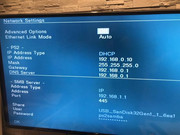
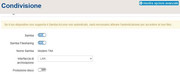
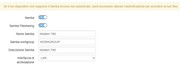
It appears your router isn't assigning a name to anything other than the shared folder on your USB device.
This way, everything is working correctly.
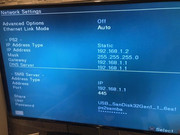
Let's rule out a possible DHCP configuration issue with your router and try manually assigning an IP address to the PS2.
Do the following:
1. Open OPL and go to the network settings.
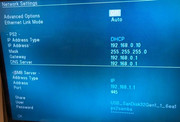
2. Configure the following parameters:
IP Address Type Static
IP Address 192.168.1.2
Mask 255.255.255.0
Gateway 192.168.1.1
DNS Server 192.168.1.1
Save the changes and check if the games are listed in OPL.
This way, everything is working correctly.
Let's rule out a possible DHCP configuration issue with your router and try manually assigning an IP address to the PS2.
Do the following:
1. Open OPL and go to the network settings.
2. Configure the following parameters:
IP Address Type Static
IP Address 192.168.1.2
Mask 255.255.255.0
Gateway 192.168.1.1
DNS Server 192.168.1.1
Save the changes and check if the games are listed in OPL.
 Your case has become a real challenge, which makes it even more exciting.