This is itShow me the contents of HWC-PSX

You are using an out of date browser. It may not display this or other websites correctly.
You should upgrade or use an alternative browser.
You should upgrade or use an alternative browser.

PS2 PS2SX 1.3e
- Thread starter HWNJ
- Start date
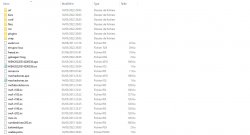

Show me the PS2SX settings tab
Attachments

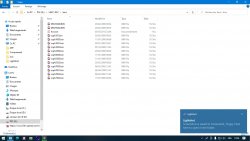
Show me the PS2SX settings tab
Attachments
-
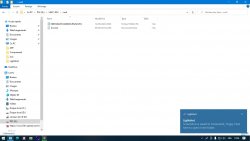 Screenshot_76.jpg211.7 KB · Views: 108
 -
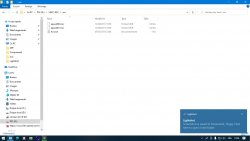 Screenshot_78.jpg214.8 KB · Views: 105
 -
 Screenshot_77.jpg220.4 KB · Views: 110
 -
 Screenshot_79.jpg226.5 KB · Views: 102
 -
 Screenshot_80.jpg164.9 KB · Views: 96
 -
 Screenshot_74.jpg28.8 KB · Views: 103
 -
 Screenshot_75.jpg305.3 KB · Views: 102
 -
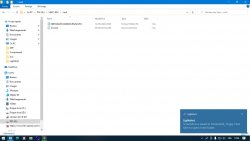 Screenshot_76.jpg211.7 KB · Views: 104
 -
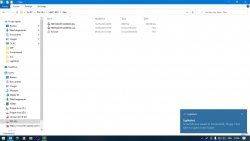 Screenshot_77.jpg220.4 KB · Views: 100
 -
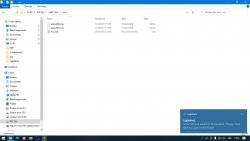 Screenshot_78.jpg214.8 KB · Views: 94
 -
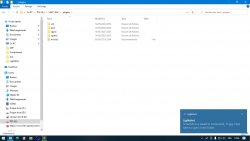 Screenshot_79.jpg226.5 KB · Views: 113
 -
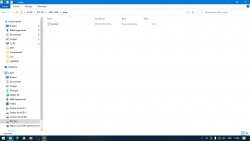 Screenshot_80.jpg164.9 KB · Views: 104
That's the Windows explorer showing the contents of the HWC-PSX subfolders
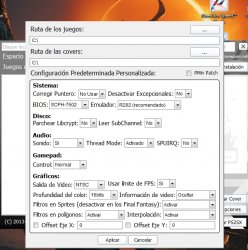
What I am asking you is to show me the settings tab in PS2SX
Settings tab:
View attachment 37179
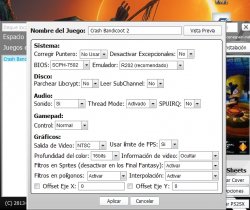
Game's settings tab:
View attachment 37180
Attachments

HWNJ
Developer
Try changing Emulador to R198, then click Aplicar and the Finalizar instalación in the game's settings.

Also, next time, use software's default settings, just in case the user general defined ones are "incorrectly stored" which might be fixed by just changing a setting and saving and then restoring it back
Also, next time, use software's default settings, just in case the user general defined ones are "incorrectly stored" which might be fixed by just changing a setting and saving and then restoring it back
Still the same issueTry changing Emulador to R198, then click Aplicar and the Finalizar instalación in the game's settings.
Also, next time, use software's default settings, just in case the user general defined ones are "incorrectly stored" which might be fixed by just changing a setting and saving and then restoring it back

HWNJ
Developer
HWNJ updated PS2SX with a new update entry:
New download link!
Read the rest of this update entry...
New download link!
New download link, now from Google Drive!
Read the rest of this update entry...

TheWizWiki
Formely "CYB3R18"
Hi, I have tried to use the tool but without much success. I have also switched to R198 and I still get the Unknow command message.

TheWizWiki
Formely "CYB3R18"
AddedContact me at Discord. I'm seriously trying to understand why that happens to others and not to me. Also, I've made a rewrite of the code I will really like others to test and see if it fixed the problem.
Discord ID: ChelseaFantasy#9972
HWNJ
Developer
PS2SX gets an English version and fixes bugs from eight years ago.
Version 1.3e
-Fixed a regression
Version 1.3dr2
-Added two missing lines of code in the English build
Version 1.3d
-Better memory management
-Metadata fixes
Version 1.3c
-Proper English translation (I think)
-More fixes in the Spanish version
-Properly corrected the configuration error (I think)
-Added POPSY-X
Version 1.3b
-Added an English translation
-Typofixes in the Spanish version
-An attempt to fix the setting not being properly applied issue
-Added the XEB+ integration
To everyone who had issues with the previous PS2SX release: Please, test the new version and report.
Be sure to first delete the PS2SX folder from your C:\ drive and to delete the HWC-PSX folder from your USB device.
Version 1.3e
-Fixed a regression
Version 1.3dr2
-Added two missing lines of code in the English build
Version 1.3d
-Better memory management
-Metadata fixes
Version 1.3c
-Proper English translation (I think)
-More fixes in the Spanish version
-Properly corrected the configuration error (I think)
-Added POPSY-X
Version 1.3b
-Added an English translation
-Typofixes in the Spanish version
-An attempt to fix the setting not being properly applied issue
-Added the XEB+ integration
To everyone who had issues with the previous PS2SX release: Please, test the new version and report.
Be sure to first delete the PS2SX folder from your C:\ drive and to delete the HWC-PSX folder from your USB device.
Last edited by a moderator:
TheWizWiki
Formely "CYB3R18"
Version 1.3e works perfect for me.
Nice job
Nice job
MrRussellgro
Member
This looks really cool! Can I also install this into my HDD?
HWNJ
Developer
Works only via USB. So, internal HDD is out of the table.This looks really cool! Can I also install this into my HDD?
MrRussellgro
Member
Thanks though.Works only via USB. So, internal HDD is out of the table.

HWNJ
Developer
Here's a compatibility list made by @AlgolSorry to bother, but how much does it feal like original ps1 hardware? There's a compatibility list?
https://docs.google.com/spreadsheets/u/0/d/1Dhkc6Q4Rrq8INVcYuFlAVT0atAKTgqaIL8MBh0_CYK8/edit?pli=1
This doesn't feel "proper", but it's an alternative way to play these games.


