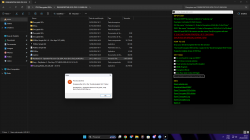
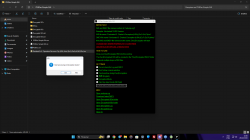
I just want to share with community an useful tool for PS3 called PS3Dec Simple GUI. I noticed that nobody here was aware of this one. It is a Graphic Interface to PS3Dec allowing users to decrypt isos in Redump standard naming without using the annoying command line. What you have to do is simply extract the folder contained in the package inside your Programs folder and create a desktop shortcut to the file called "PS3Dec Simple GUI.exe" and another desktop shortcut to "Decrypted ISOs" folder contained in the extracted folder. You can thus start PS3Dec Simple GUI from the shortcut, then drag and drop a single iso o multiple isos on PS3Dec Simple GUI window, the tool process the file(s) and once finished you can open the shortcut to Decrypted ISOs where you can find the decrypted iso(s). Of course you have to provide the tool encrypted isos generated from homebrew such as ManaGunz or software MPF that match redump hashes to prevent mess, there is no hash control on the input files but the tool is simple and fast. With this tool we can store our games in iso encypted format on our hard drives, and decrypt them quickly to transfer them on the consoles. The only lack of this tool is the ability to use the encrypt function to revert the process, maybe the unknown author could add it in the future...who knows...or maybe create a twin tool named PS3Enc Simple GUI... We only have to wait and see what happens.
I don't know who developed this tool but the only page where I found info is from YouTube:
In YouTube page you can find the MediaFire link to the package:
https://www.mediafire.com/file/9q7edpah945hlsq/PS3Dec_Simple_GUI_v1.16.rar
Since this tool is not updated, i repacked the tool with latest DKeys available at 04-07-2023, modified the configuration file to use English and hide CLI, then included the library to make it work without much trouble, just to be more user friendly. I don't want to steal the credits from the unknown creator, just to let you all know that this tool is out. You can find the updated package below in the attached files.
I don't know who developed this tool but the only page where I found info is from YouTube:
In YouTube page you can find the MediaFire link to the package:
https://www.mediafire.com/file/9q7edpah945hlsq/PS3Dec_Simple_GUI_v1.16.rar
Since this tool is not updated, i repacked the tool with latest DKeys available at 04-07-2023, modified the configuration file to use English and hide CLI, then included the library to make it work without much trouble, just to be more user friendly. I don't want to steal the credits from the unknown creator, just to let you all know that this tool is out. You can find the updated package below in the attached files.