UPDATE v1.01/.02 have been released v2.0 has been released v3.0.1 has been released
.
Original Thread See Link above for Updated PS3HEN v2.xxx ^

Huge news for nonCFW compatible
PS3 Models (
SuperSlims and late Slim Models) as anonymous developer's have dropped a huge bombshell with the release of PS3HEN. Just recently we seen the release of HFW (Hybrid Firmware) for the PS3, proving once again that the development scene is still alive and kicking to bring a new window of exploration to 4.84 by bringing back a patched webkit (from 4.82) in a rather clever approach. Which restored the PS3Xploit Tools for 4.84 for both Custom Firmware Compatible Models (for CFW installs) and for nonCFW models that utilized the less powerful etHANel (aka HAN) exploit that with today's news will be an obsolete hack with the emergence of the PlayStation3 first HEN or otherwise known as a Homebrew ENabler. So, yes that means SuperSlim Console's and late Slims PS3 Models (aka nonCFW models) can now FINALLY enjoy PS3 Homebrew at last, but that is not all this PS3HEN release brings to the table. As there is a number of CFW patches / features that come along for the ride as well, while not on quite par with CFW functionality completely it does provide a number of functions that is very exciting and very close to a CFW experience (especially with homebrew support)..Some additional features include things like Boot-Plugin Support, BDISO Support, Cinavia patches are just a few of the features/patches you can see outlined in the release notes:

PS3HEN4444.jpg

This has been a long journey for the SuperSlim's/late slims who were left on the outside of the community for a very long time and then finally got an introduction to hacks with the HAN exploit and now with a more powerful HEN that has now emerged finally there will be plenty of new possibilities.

  • UPDATED v1.01 /.02 Released
    1.0.1

    • Renamed stackframe_v11.bin to stackframe.bin
    • Added boot_plugins_nocobra.txt
    • Added USB and HDD offline packages
    • HAN-signed PS3HENtai package
    1.0.2
    • Fixed missing "Enable HEN" icon while CFW files are being used, with new USB and HDD offline packages

    PS3HEN
    A Powerful Homebrew ENabler (HEN) for nonCFW compatible PS3 Models
    .​

    What is HEN?:
    • HEN stands for Homebrew ENabler. it also consists of many more new functions relatively close to a Custom Firmware (CFW)

    How does it work?:
    • Install HAN Enabler. Copy PS3HEN.BIN, HENTAI.pkg and stackframe.bin(READ:rename) to /dev_usb000 and run the HTML.
    • Once done, go to Package manager and install the HENTAI.pkg and reboot console
    • From now on to enable HEN simply use usb000 stackframe.bin and PS3HEN.BIN and run html...HEN ENABLED!

    Noob Friendly Instructions (Added by psx-place.com thanks @Louay)
    • Install HFW 4.84.2 (Found here) from Official firmware 4.84
    • Then use HAN Installer to get Package Manger in XMB Game colmun
    • Copy the 2 BINs (PS3HEN.bin + stackframe.bin) from download file (of PS3HEN v1.0.0) along with HENTAI.pkg to root of USB
    • Install the HENTAI PKG via Package Manager on the XMB
    • Use HEN Enabler @ **ps3xploit.com >Domain no Longer owned by team** (ps3xploit.me =new) website (there is offline see @esc0rtd3w twitter post or next tab)
    • Now HEN is Enabled launch your chosen homebrew and run if it give you 80010017 then re use HEN Enabler cause it didn't activate properly

    FEATURES (as of v1.00):
    .
    • ManaGunz backup manager works best for jb rips(ISO not supported)!
    • MULTIMAN works too but compatibility is not the same.
    • PSXISO Support is there!!!!
    • BD/DVD Region patches
    • BDISO support(stutter with xmb, use showtime)
    • BOOT-PLUGINS WORK location "/dev_usb000/boot_plugins_nocobra.txt"(Use webman original one and not the mod one. also disable content scan on boot in settings)
    • Discless games work with disc icon!
    • Syscall 6 added
    • Syscall 7 added (address>0x8000000000352230) and disabled overwriting syscall 0->15
    • Syscall 15 added
    • Syscall 8 opcodes added for detection HEN and for advanced lv2 poke(read DEVELOPER SECTION)
    • Whole kernel memory RWX (execute kernel payload like this at high locations or hook syscalls etc)
    • PS3MAPI support for modding
    • Debug PKG install
    • Homebrew resigned for 3.55 and less support!
    • Homebrew Root Flags enabled!
    • HAN PKG insall support
    • PSN Connectivity
    • All process executed after HEN have rwx permissions!
    • HAN Enabled by default!
    CFW PATCHES RUNNING ON PS3HEN:
    • CFW settings
    • Retail/DEBUG pkg installation
    • Unlink to Delete
    • Remote play with PC
    • Download debug pkg on retail
    • Remote play ignores SFO check
    • Cinavia protection
    • videoplayer_plugin
    • DVD region check (not cracking RCE)
    • REBUG themed RCO & XML
    • AIO copy

    NOTES:
    • if you get error 80010017 launching homebrew that simply means HEN failure, restart console and try again!(restart is important!)
    • also try deleting cache, browsing data, cookies and the likes from browser, make the exploit page the home page
    • Added by psx-place (via @esc0rtd3w) -msg source
    • without boot_plugins_nocobra.txt file on usb000 it wont load WebMan at /dev_hdd0/plugins/webftp_server.sprx (/boot_plugins_nocobra.txt/file) Note: its actually not a problem or an issue. it prevents bad plugins from running
    • Added by psx-place (via @habib) - msg Source
      Error Code 80028f22 occurs with trying to launch currently unsupported ISO games (ps3)
    • Added by psx-place (via @habib)
      Black screen occurs on homebrew when not re-signed or rarely occurs for no reason (hen failure)

    DEVELOPERS:
    • #define SYSCALL8_OPCODE_IS_HEN 0x1337
    • using this if return 0x1337 its hen
    • ADVANCED POKE:syscall8(0x7003, addr, value);
    • this allows poking any location in lv2 memory BUT you have to restore original value before exiting to another application or exiting to xmb.USE WISELY OTHERWISE PS3 SHUTS DOWN
    • BDMIRROR:Managunz FTW!(please use Cobra payload because by default its MULTIMAN)
    • NOTE:mounting dev_blind will actually mount dev_flash. change files directly from dev_flash instead or hdd0/plugins/CFW/
    • Kernel Mode returns 0x53434500 on success to user webkit 0x8a000000. its good to measure HEN success. right now hen is already close to or is 100%


    WARNINGS

    • DO NOT UNDER ANY CIRCUMSTANCES ENABLE FSM (Factory Service Mode) ON A PS3 WITH PS3HEN! - Source
    • CONNECTION TO PSN SHOULD BE DONE AT YOUR OWN RISK. DISABLING CFW SYSCALLS MAY NOT HIDE YOUR HEN WHILE ON PSN (a popular method used by CFW user's may not be suited for PS3HEN user's)
    • DO NOT INSTALL CCAPI (ControlConsole API)

  • Apps / Utilities / Tools updated for PS3HEN Support (if needed)
    .

  • F.A.Q.
    This section has been added by psx-place.com

    Q.) What is the differences between PS3HEN & Custom Firmware?

    A.) (via habib) So, the limitations of hen
    1.resigning is needed of homebrews!
    2.some homebrews need updates to support(READ:Readme)
    3.erk dumper or tools such as IDPSet are not possible
    4.ps3 iso are not possible
    5.(could be fixed with some reversing) NPDRM paid licenses won't work if not signed with HAN key(tools such as reactpsn need update or fix in hen needed)
    6.(BUG)since NPDRM paid licenses won't work when HEN enabled(thus HAN with it), original paid content won't work without resign or when hen enabled
    7.its just not permenant like CFW​

UPDATED v3.0.1
SEE: PS3HEN v3.0.1

See the (Work In Progress) PS3 Starter Guide for PS3 HEN user's
We will be adding alot of content to over the next days >>> LINK <<<
 
Last edited by a moderator:
One more question...we have a .pkg containing DLC, and despite Enabling HEN, the install of it keeps failing. Any ideas on if DLC .pkg files work?
 
Something I've noticed is that when starting multiman, irisman, or managunz, and mounting games, oftentimes I'll end up stuck on either a black screen, or the PS3 ribbon sparkles will appear but nothing else. I was told that it was because the managers have not been updated for HEN yet, but this is true even on the version of IRISman that is supposed to be updated for HEN. I feel like I'm doing something wrong.
 
I have tried to install Irisman, weman, multiman, none of them works. Irisman doesnt displas the options menu when I press Start, webman creates an empty option in the games menu witha folder icon, and multiman ran the first time, after that it freezes on start every time. Also, I have noticed random freezes exiting Irisman. Can somebody tell me whats happening?
 
I tried to use SEN Enabler since some guy told that it was working. When it asked for reboot, my PS3 froze and now it gives black screen. I have access to recovery, what do I try to do ?
 
I'm not sure. I do know it's not recommended for use with CFW due to more effective, up to date methods used implemented in PSNpatch and SEN Enabler. With that said, no good can come of trying to use any of them with HEN in an effort to be online safely as there's a likely chance it would have the opposite effect.

I don't recall seeing many - if any - bans from signing on while using HAN - on 4.82 using a proxy server or more recently on 4.84. It is your 'safest' bet to get online, and I say 'safest' because nobody truly knows what Sony can detect when a user is signed in to PSN, or what's the limit so to speak before they issue an account and/or console ban.
I played online on 4.82 and didn't get banned with HAN signed games obviously, played games like BO2 with DLC's, Destiny, BF Hardline etc.
 
@STLcardsWS The steps is not very detailed see those
  • 1. OFW 4.84
  • 2. HFW 4.84-2
  • 3. HAN
  • 4. HEN
•Install HFW 4.84.2 from Official firmware 4.82/4.84
(make sure that your PS3 read disc before to be sure that your BD Drive is working cause if it is not you will get 8002F14E to fix this problem BD Drive must be replaced and remarried to PS3 Motherboard and this is only for CFW Compatible consoles for bad luck)
•Then use HAN Installer to get Package Manger in XMB Game colmun
•Download the latest version PS3HEN which is v1.0.2 : https://t.co/67KjKITCGq
•Copy the 2 BINs (PS3HEN.bin + stackframe.bin) from download file (of PS3HEN v1.0.2) along with PS3HENTAI_signed.pkg & HEN_Offline_Installer_HDD_signed.pkg to root of USB
•Put http://**ps3xploit.com >Domain no L...ploit.me =new)/hen/blind/han_flash_mount.html as your home page in PS3 Web Browser So Now this tool will Enable HAN and mount dev_flash to dev_blind so you will have write permissions on flash
•Install the HENTAI PKG via Package Manager on the XMB
•Copy HEN_Offline_Installer_HDD_signed.pkg from extracted PS3HEN v1.0.2.to USB Root install it
•Reboot your PS3 you will have a new tool named Enable HEN under Playstation Store Red Icon like in REBUG CFW and xmb will take effect like in REBUG from Blue Official Icons to Red REBUG Icons proving that the HENTAI pkg installed succeffully
•Now Enable HEN from game column (it is offline and without need for usb all from HDD) ,launch your chosen homebrew and run if it give you 80010017 then reclick HEN Enabler cause it didn't activate properly

Once the first 3 steps are done, then we procced to HEN:
Download HEN_V1.0.0 (after extract rename stackframe_v11.bin to stackframe.bin) or
Download HEN_V1.0.2 (see @esc0rtd3w post in twitter https://t.co/67KjKITCGq)

So, it should be like this:
Before you start!
Compatible for PS3 HFW 4.84 (Especialy noCFW Compatible Models aka Some 2k5 Slim,3k Slim,4k Super Slim )
Do not enable FSM (Factory Service Mode) on a PS3 with PS3HEN!
Connecting to the PSN is at your own risk! Disabling Syscalls does not protect you when connected to PSN (a method commonly used by CFW users may not be suitable for PS3HEN users)
Do not install CCAPI (ControlConsole API)

The launch of backups will be via PS3_GAME folders and no ISO Support Yet!!!
Previously in OFW 4.84 and installed HFW 4.84-2. Go through HAN to take advantage of the HAN Toolbox that will be useful to you.
  • 1. Download PS3HEN_V1.0.2
  • 2. Unpack the archive at the root of your USB drive :
stackframe.bin
PS3HEN.bin
PS3HENTAI_signed.pkg
HEN_Offline_Installer_HDD_signed.pkg

NB: Put all the files!
  • 3. Insert your USB stick into the right port of your PS3
  • 4. Turn on your PS3
  • 5. Launch the PS3 web browser
NB: Erase cache, cookies etc.
  • 6. Go to **ps3xploit.com >Domain no Longer owned by team** (ps3xploit.me =new)
  • 7. Navigate to the PS3HEN tab
  • 8. Choose Enable HAN PKG Blind
NB: A page opens. Accept when asked. Once done, close the browser.
  • 9. Back to the XMB
  • 9.1. Go to Game
  • 9.2. Then in PKG Managers
  • 9.3. Then in PKG file installation
  • 9.4. And in Standard
  • 9.5. Choose PS3HENTAI_signed.pkg
NB: The installation starts. Let the process finish!
  • 10. Back to the XMB
  • 10.1. Go to Game
  • 10.2. Then in PKG Manager
  • 10.3. Then in PKG file installation
  • 10.4. And in Standard
  • 10.5. Choose HEN_Offline_Installer_HDD_signed.pkg
NB: The installation starts. Let the process finish!
  • 11. Reboot your PS3
  • 11.1. Navigate to Game Column in XMB
  • 11.2. Then in PKG Manager
  • 11.3. Then in PKG file installation
  • 11.4. And in Standard
  • 11.5. Choose your homebrew
NB: If the installation starts. Let the process finish! If you have error 80029567, restart the PS3
Following error 80029567, when installing homebrews pkg (80029567 is for Debug PKGs,80029566 is for HAN Signed PKGs)
  • 1. From the XMB, go to Game
  • 1.1. Go to HAN Toolbox
  • 1.2. Choose Enable Debug pkg Offline...
or use
  • Enable HEN [All packages will install (Retail, Debug, HAN)]
" So there is no need to Enable HAN or Debug PKG Separatly or one at time cause the patch is applied to the same Adress in Memory"
NB: A page opens. Let finish and leave!
  • 2. Go back to the XMB, go to Game
  • 2.1. Then in PKG Manager
  • 2.2. Then in PKG file installation
  • 2.3. And in Standard
  • 2.4. Choose your homebrew
NB: The installation starts. Let the process finish! Make an installation of all desired pkg homebrews
  • 3. If you launch your tools, you will get an error 80010017, this is normal. (meaning can't run unofficial signed app)
  • 3.1. Go to Game
  • 3.2. Choose Enable HEN
NB: Let the process finish and exit!
  • 4. Enjoy your homebrew compatible strictly!
Compatible tools :

■ Backup managers :
  • ManaGunZ (setting up COBRA as a payload see the 5th option when you click Triangle on Game Icon and click on BDMIRROR)
  • irisMAN
  • multiMAN
  • webMan
  • webMan Mod & sMAN
■ Emulators:
  • RetroArch
■ Modified Executable Files,Modules :
  • Mod Menu(SPRX) need to be resigned to 3.55!!!

■ And others... ;)

***In case you have blackscreen launching Homebrew,noPSN Apps,Games,Mod Menu for Games,Modified Eboot for Translation/Language use this resigner to resign your Eboots/SPRX to 3.55 that have Valid ECDSA Signature (ESSSE RESIGNER v4.5.4) :
https://mega.nz/#!wpBWSZ6a!6zMi5rK3VJwr0fbvlnv_L3FJyhky4GTlcrKWhVJSYTA

or Use this simplified Resigner i remove uneeded stuff i forget to post it yestarday :
https://mega.nz/#!x08C0Ahb!e-sZK0hxFntoIYYgfZSTTvF4CHE2hLekf3NgRUL6vqY

If I forgot steps or if they are not detailed enough. do not hesitate to send me pm or mark me in post to complete this :)

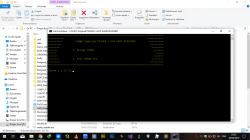
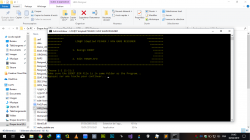
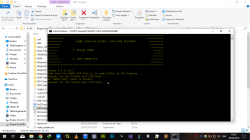
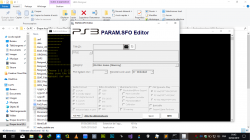
Capture d’écran (2609).png Capture d’écran (2610).png Capture d’écran (2611).png Capture d’écran (2612).png Capture d’écran (2613).png Capture d’écran (2614).png Capture d’écran (2615).png
 
Last edited by a moderator:
I have tried to install Irisman, weman, multiman, none of them works. Irisman doesnt displas the options menu when I press Start, webman creates an empty option in the games menu witha folder icon, and multiman ran the first time, after that it freezes on start every time. Also, I have noticed random freezes exiting Irisman. Can somebody tell me whats happening?
I've Tested MultiMAN and ManaGunZ and both work, don't try "Scanning" option on MM tho. tried making a backup of Bleach that I got from a friend cuz I didn't had the disc (I mean, all my disc games have updates, so I couldn't test the ones that didn't work before so I borrowed a disc game from my friend) and the console did it no prob, then tried mounting the backup and it works flawlessly BUTT! in cases like Bleach and maybe the one u are trying you need to mount the game with Select + X instead of just pressing X (in MultiMan's case) you should try that.
 
BTW, my only problem is I can't manage to get FileZilla to work like it should, managed to transfer files back and forward using MM and connecting the console & my pc with the IP aaand using Window's File Explorer but for some reason you can't just copy/paste a huge junk or files or a complete game for example because the connection "expires" you have to kinda copy/paste it each folder individually or something, that's like... really annoying
 
BTW, my only problem is I can't manage to get FileZilla to work like it should, managed to transfer files back and forward using MM and connecting the console & my pc with the IP aaand using Window's File Explorer but for some reason you can't just copy/paste a huge junk or files or a complete game for example because the connection "expires" you have to kinda copy/paste it each folder individually or something, that's like... really annoying
i know this i have it many years ago when you have games that have many small size files it will stop transfering file and say failed with red color in the log in top window of FilleZilla just use FlashFXP and you problem should be solved normaly :) ;)
 
@STLcardsWS The steps is not very detailed see those
  • 1. OFW 4.84
  • 2. HFW 4.84-2
  • 3. HAN
  • 4. HEN
Once the first 3 steps are done, then we procced to HEN:
Download HEN_V1.0.0 (after extract rename stackframe_v11.bin to stackframe.bin) or
Download HEN_V1.0.2 (see @esc0rtd3w post in twitter https://t.co/67KjKITCGq)

So, it should be like this:
Before you start!
Compatible for PS3 HFW 4.84 (Especialy noCFW Compatible Models aka Some 2k5 Slim,3k Slim,4k Super Slim )
Do not enable FSM (Factory Service Mode) on a PS3 with PS3HEN!
Connecting to the PSN is at your own risk! Disabling Syscalls does not protect you when connected to PSN (a method commonly used by CFW users may not be suitable for PS3HEN users)
Do not install CCAPI (ControlConsole API)

The launch of backups will be via PS3_GAME folders and no ISO Support Yet!!!
Previously in OFW 4.84 and installed HFW 4.84-2. Go through HAN to take advantage of the HAN Toolbox that will be useful to you.
  • 1. Download PS3HEN_V1.0.2
  • 2. Unpack the archive at the root of your USB drive :
stackframe.bin
PS3HEN.bin
PS3HENTAI_signed.pkg
HEN_Offline_Installer_HDD_signed.pkg

NB: Put all the files!
  • 3. Insert your USB stick into the right port of your PS3
  • 4. Turn on your PS3
  • 5. Launch the PS3 web browser
NB: Erase cache, cookies etc.
  • 6. Go to **ps3xploit.com >Domain no Longer owned by team** (ps3xploit.me =new)
  • 7. Navigate to the PS3HEN tab
  • 8. Choose Enable HAN PKG Blind
NB: A page opens. Accept when asked. Once done, close the browser.
  • 9. Back to the XMB
  • 9.1. Go to Game
  • 9.2. Then in PKG Managers
  • 9.3. Then in PKG file installation
  • 9.4. And in Standard
  • 9.5. Choose PS3HENTAI_signed.pkg
NB: The installation starts. Let the process finish!
  • 10. Back to the XMB
  • 10.1. Go to Game
  • 10.2. Then in PKG Manager
  • 10.3. Then in PKG file installation
  • 10.4. And in Standard
  • 10.5. Choose HEN_Offline_Installer_HDD_signed.pkg
NB: The installation starts. Let the process finish!
  • 11. Back to the XMB
  • 11.1. Go to Game
  • 11.2. Then in PKG Manager
  • 11.3. Then in PKG file installation
  • 11.4. And in Standard
  • 11.5. Choose your homebrew
NB: If the installation starts. Let the process finish! If you have error 80029567, restart the PS3
Following error 80029567, when installing homebrews pkg (8XXXXX67 is for Debug PKGs,8XXXXXX64 is for HAN Signed PKGs)
  • 1. From the XMB, go to Game
  • 1.1. Go to HAN Toolbox
  • 1.2. Choose Enable Debug pkg Offline...
NB: A page opens. Let finish and leave!
  • 2. Go back to the XMB, go to Game
  • 2.1. Then in PKG Manager
  • 2.2. Then in PKG file installation
  • 2.3. And in Standard
  • 2.4. Choose your homebrew
NB: The installation starts. Let the process finish! Make an installation of all desired pkg homebrews
  • 3. If you launch your tools, you will get an error 80010017, this is normal. (meaning can't run unofficial signed app)
  • 3.1. Go to Game
  • 3.2. Choose Enable HEN
NB: Let the process finish and exit!
  • 4. Enjoy your homebrew compatible strictly!
Compatible tools :

■ Backup managers :
  • ManaGunZ (setting up COBRA as a payload see the 5th option when you click Triangle on Game Icon and click on BDMIRROR)
  • irisMAN
  • multiMAN
  • webMan
  • webMan Mod & sMAN
■ Emulators:
  • RetroArch
■ Modified Executable Files,Modules :
  • Mod Menu(SPRX) need to be resigned to 3.55!!!

■ And others... ;)

***In case you have blackscreen launching Homebrew,noPSN Apps,Games,Mod Menu for Games,Modified Eboot for Translation/Language use this resigner to resign your Eboots/SPRX to 3.55 that have Valid ECDSA Signature (ESSSE RESIGNER v4.5.4) :
https://mega.nz/#!wpBWSZ6a!6zMi5rK3VJwr0fbvlnv_L3FJyhky4GTlcrKWhVJSYTA

If I forgot steps or if they are not detailed enough. do not hesitate to send me pm or mark me in post to complete this :)
You're doin' some godtier job there. Would you mind posting it on the Contributions thread ?
 
You're doin' some godtier job there. Would you mind posting it on the Contributions thread ?
I am not an admin or a moderator so i can't add to contribuations thread

Edit : i get confused i was thought you tell me about adding the third tab which F.A.Q hhh my mind is broken this night i read it as contribution Lol :)

i will add to contribuation thread hope it will not be considered a SPAM
 
Last edited:
BTW, my only problem is I can't manage to get FileZilla to work like it should, managed to transfer files back and forward using MM and connecting the console & my pc with the IP aaand using Window's File Explorer but for some reason you can't just copy/paste a huge junk or files or a complete game for example because the connection "expires" you have to kinda copy/paste it each folder individually or something, that's like... really annoying

Try this guide: https://www.psx-place.com/threads/guide-how-to-successfully-ftp-huge-amount-of-files.22434/
 

Featured content

Trending content

Back
Top