

tthousand
Moderator
PS5: The Ultimate FAQ
by Sid Shuman (via PlayStation Blog)
"Everything you want to know about PlayStation 5, all in one place."

by Sid Shuman (via PlayStation Blog)
"Everything you want to know about PlayStation 5, all in one place."
Welcome! It's time to share in-depth details about the PlayStation 5 hardware, the DualSense wireless controller, system features, software details, and much, much, much more.
This list of frequently asked questions is a work in progress, and we'll continue to chase questions and update information here as we get ready for launch later this month.
If you have additional questions, be sure to leave them in the comments below. But for now – please enjoy.
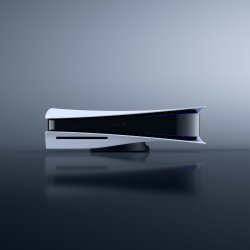
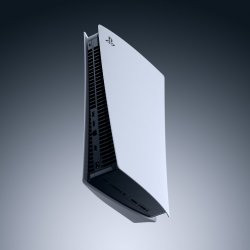
The Console Hardware | ||||||||||||||||||||||||||||||
|
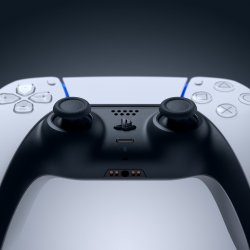
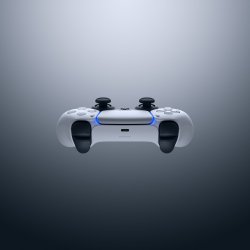



The DualSense Wireless Controller |
What are the differences between the DualSense wireless controller and the DualShock 4 wireless controller? The DualSense wireless controller elevates the way players engage with games. That's thanks to several immersive next-generation features, including haptic feedback technology and adaptive triggers. Both haptic feedback and adaptive triggers are designed to produce powerful tactile sensations that deepen player immersion and increase gaming interactivity. Learn more about the DualSense wireless controller here. What are the physical dimensions and weight for the DualSense wireless controller? The DualSense wireless controller measures approximately 160mm x 66mm x 106mm (width x height x depth), excluding the largest projection. It weighs approximately 280g. How does the DualSense wireless controller's haptic feedback technology work? Next-generation haptic feedback replaces traditional "rumble" features with dual actuators, offering a more immersive suite of powerful physical sensations. We expect that game developers will find many interesting and useful ways to tap into DualSense wireless controller's unique haptic capabilities, from deepening player immersion to communicating various gameplay states, and much more. Players will be able to reduce the effect or disable the feature if they prefer. How does the haptic feedback intensity of the DualSense wireless controller compare to the "rumble" feature from the DualShock 4 wireless controller? In the case of traditional "rumble" technology, two small motors spin in order to create a vibrating or shaking sensation that can increase immersion. The DualSense wireless controller's next-generation haptic technology uses dual actuators instead of motors, and the results are quicker, more precise, and far more tactile. These haptic effects can produce a far wider range of physical sensations, from gentle pulsing centered in a specific part of the controller, to more robust physical effects. When playing a PS4 game on PS5, the DualSense wireless controller's haptic effects will simulate the "rumble" effects of the DualShock 4 wireless controller. Players interested in experiencing the PS4 game's original "rumble" effects can use a DualShock 4 wireless controller to play PS4 games on their PS5. For games that require a front-facing lightbar, the DualShock 4 wireless controller is required. For the best PS VR experience on PS5 we recommend using a DualShock 4 wireless controller. Selected games may require PlayStation Move motion controllers or be compatible with the PlayStation VR Aim controller. Players will need to use a DualSense wireless controller to play PS5 games. What are in-game examples of the haptic feedback used by the DualSense wireless controller? Examples include the feeling of metal striking metal in Demon's Souls or feeling the texture of the surface Astro runs across in Astro's Playroom. There are plenty of other examples you can read here, straight from PS5 game developers. How do the adaptive triggers work? The new adaptive triggers – incorporated into the L2 and R2 buttons – can create powerful, real-time trigger effects that simulate your in-game actions. For example, a player could pull a bow string in a game and feel the resistance as the string grows taut. Or they could press the brake pedal in a driving game and feel the resistance as they steer around a tight curve. Read other examples here, straight from PS5 game developers. Developers can independently program the resistance of each trigger, so we're expecting to see some pretty creative implementations once PS5 launches! Players will be able to reduce or disable the trigger effects if they prefer. If a game doesn't use the feature, the L2 and R2 buttons behave similarly to the buttons on the DualShock 4 wireless controller. Does the DualSense wireless controller include a built-in speaker? Thanks to a higher sampling frequency and acoustic improvements, the DualSense wireless controller's integrated speaker produces clearer sounds than the DualShock 4 wireless controller. Over the years, game developers have used DualShock 4 wireless controller's speaker to boost immersion in creative ways, and we're excited to see them carry on that tradition with the DualSense wireless controller. Does the DualSense wireless controller include a built-in microphone? Yes, the DualSense wireless controller's integrated microphone array and built-in echo cancellation will enable players to quickly chat with friends without setting up a headset – ideal for jumping into a quick conversation with a friend. But if you're planning to chat for an extended period, you may want to have a headset handy. A mute button on the front of the DualSense wireless controller will allow users to toggle the mic on and off. A short button press will mute or unmute the controller mic, as well as the mic on a wired headset or USB headset, while a long press will mute the mic input as well as all PS5 audio output from your connected TV, speakers, or headset. Does the DualSense wireless controller have a headset jack? Yes, the DualSense wireless controller's integrated headset jack will allow players to plug in a headset, earbuds, or another compatible audio device, similar to PS4. Players can also connect a wired headset and chat with friends in multiplayer games. Will PS5 or the DualSense wireless controller support voice dictation? Yes, players will be able to use dictation features to type messages or enter phrases for search, using either the DualSense wireless controller's mic, or a headset mic. At launch, supported languages include Japanese, US English, UK English, Spanish, Latin American Spanish, French, Canadian French, Italian, and German. Does the DualSense wireless controller feature motion controls? Yes, the controller features an integrated six-axis motion sensing system (a three-axis gyroscope and a three-axis accelerometer). Does the touch pad on the DualSense wireless controller have any new capabilities? The touch pad is now slightly larger and easier for players to reach. The touch pad also features a light bar that can be used to show controller status and can display various colors to communicate gameplay status, similar to what you may have experienced with the DualShock 4 wireless controller. Does the DualSense wireless controller have a 'Share' button? Yes, the Create button is designed to build upon the success of our industry-first Share button. With the Create button, we're once again empowering players to create engaging gameplay content to share with the world, or just to enjoy for themselves. Watch our PS5 UX video to learn more about how the Create button works. Does the DualSense wireless controller have a light bar? Yes, the DualSense wireless controller features player-facing light bars. For PS4 games that require a forward-facing lightbar and are playable on PS5, players will need to use a DualShock 4 wireless controller for gameplay. For the best PS VR experience on PS5 we recommend using a DualShock 4 wireless controller. Selected games may require PlayStation Move motion controllers or be compatible with the PlayStation VR Aim controller. The light bars on the DualSense wireless controller lay to the right and left of the touch pad, and can display various colors to communicate gameplay status, similar to what you may have experienced with the DualShock 4 wireless controller. Below the touch pad, the player indicator will communicate which player you are — useful when playing locally with other people. Will the DualSense wireless controller have improved input latency compared to the DualShock 4 controller? Input latency has been optimized on the DualSense wireless controller compared to the DualShock 4 wireless controller. Will DualSense controller support any accessibility options? Yes, PS5 players will be able to reduce or disable the force of haptic feedback and adaptive triggers. Players can also remap buttons on the controller. And the DualSense wireless controller's integrated microphone allows for voice dictation features, making it easier for players to search for content with their voice. To learn more about other accessibility features available for PS5, read below. How do I charge the DualSense wireless controller? The DualSense wireless controller can be charged in two main ways. One is via the USB Type-C® port, which players can connect to PS5 (or a compatible charging device) using the included USB cable. Additionally, the DualSense Charging Station (sold separately) can charge up to two controllers simultaneously. How long will the DualSense controller last on a full charge? How long will it take to recharge? Under most conditions, battery life is expected to be similar to the DualShock 4 wireless controller. Recharging time when connected to PS5 or the DualSense Charging Station is estimated at approximately three hours. How many DualSense controllers can be connected to PS5 at any one time? Up to four DualSense controllers can be connected to one PS5 at a time. When playing with multiple players locally, the DualSense wireless controller's player indicator (located just under the touch pad) will communicate which player you are. Can I connect the DualSense wireless controller to my PS5 via a USB cable, and play it in a "wired" mode? Yes, the DualSense controller operates in a wireless mode using Bluetooth 5.1, or in a "wired" USB mode by connecting it directly to the PS5 using the included USB cable. Does the DualSense wireless controller come in black (or any other color)? In the future, other colors will become available. But there are no announcements to share at this time. Can I use the DualSense wireless controller with my PS4 console? The DualSense wireless controller is not compatible with the PS4 console. Can I use my existing DualShock 4 wireless controller with my PS5? For PS4 games played on PS5, players can use either the DualShock 4 wireless controller or the DualSense wireless controller. PS5 games will require use of the DualSense wireless controller, as they have been designed to take advantage of its immersive new features. For the best PS VR experience on PS5, we recommend using a DualShock 4 wireless controller. Select games may require PlayStation Move motion controllers or be compatible with the PlayStation VR Aim controller. The new HD Camera for PS5 is not compatible with PS VR. PS VR games will also require the PS Camera (PS4) and the PS camera adaptor. Click here for more information. Can I use the DualSense wireless controller with my PC? Remote Play on PC supports the DualSense wireless controller via a USB wired connection. Can I use third-party controllers, like the SCUF Vantage or Astro C40 TR, with PS5? Existing "specialty" controllers that are designed for and licensed for the PS4 console, such as steering wheel controllers and arcade fight sticks, will work on PS5 if the PS5 or PS4 game supports it. Licensed PS4 controllers with a standard gamepad formfactor, such as the SCUF Vantage and Astro C40 TR, will work with PS4 games played on PS5. They are not supported for playing PS5 games. How do I pair a DualSense wireless controller to PS5? Pairing is easy: just connect the DualSense wireless controller to PS5 using the included USB cable, and turn on the controller by pressing the PS button. What headsets are compatible with the DualSense wireless controller's headset jack? Headsets that can be connected via the headset jack are supported. |
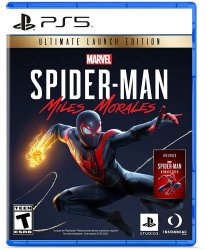

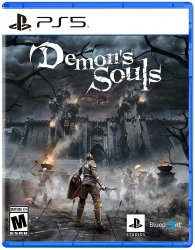

Games |
|
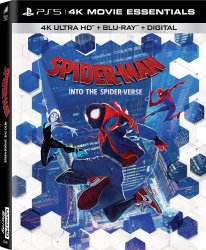




PS5 Blu-Ray Discs |
What video disc formats does the PS5 console support? The PS5 console version with a Blu-ray disc drive supports video playback from 4K Ultra HD Blu-ray Discs, standard Blu-rays, and DVDs. Please note that the PS5 Digital Edition console does not support any optical discs. Do PS5 game discs hold more data than PS4 discs? Yes. PS5 Blu-ray discs can store up to 100GB of game data, compared to the 50GB storage offered by PS4 Blu-ray discs. Will the PS5 console play PS4 Blu-ray discs? Yes, PS4 Blu-ray discs are compatible with the PS5 console, provided that the PS4 game is supported. Refer to this guide for more information on playing PS4 games on the PS5 console. Please note that the PS5 Digital Edition console does not support any optical discs. Does PS5 support 3D Blu-ray movies? No, 3D stereoscopic output is not supported on PS5. |


PS VR, Media Controller and Other PS5 Accessories |
|
PS VR, PS Camera, PS Move Controller, PS VR Aim Controller
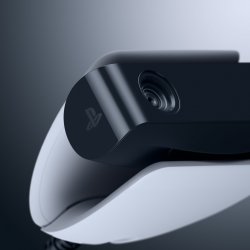
HD Camera
Media Remote
PS5 Headset and PS4 Headsets
Additional Peripheral Support
|
The PS5 UX and Apps |
|
PS5 User Experience
PS Store and Digital Content
Entertainment Apps
Party, Friends, and Network Features
Creating and Sharing Content
Other Questions
|


