
You are using an out of date browser. It may not display this or other websites correctly.
You should upgrade or use an alternative browser.
You should upgrade or use an alternative browser.
PS4 PSP-FPKG: PSP Compatibility on PS4 - User Submitted Test Results
- Thread starter STLcardsWS
- Start date

Stayhye
Senior Member
By the way does locoroco boot something that echochrome cant?
haven't had much time lately to test....
1321 Studio
Forum Noob
Hi, So I've started dumping textures of SMT: Persona and used the textures from the HD UI Texture pack for ppsspp in the texreplace folder. So good news is that the new textures fit perfectly and is not crashing the replace fpkg.
Here's my problem, In order for the new textures to not glitch out, the texture must be loaded to memory, resulting in multiple dumps of the same file. I simply copied multiple copies of the updated textures and renamed the copy after the original and placed it in the texreplace folder.(for example XXXXXXXX_81c353f7_128_128_0 for all protag bigger portraits, 'XXXXXXXX' being the random 8 Digit code the appears I guess when dumped from memory. Same with icons, Example - # 8dae17cc_XXXXXXXX_128_16_0 for controls2.png. And there would be like 10-20 copies within just the first hour of gameplay)
Is there any way to have texreplace pull from designated folders similar to ppsspp is what I'm asking?
Here's my problem, In order for the new textures to not glitch out, the texture must be loaded to memory, resulting in multiple dumps of the same file. I simply copied multiple copies of the updated textures and renamed the copy after the original and placed it in the texreplace folder.(for example XXXXXXXX_81c353f7_128_128_0 for all protag bigger portraits, 'XXXXXXXX' being the random 8 Digit code the appears I guess when dumped from memory. Same with icons, Example - # 8dae17cc_XXXXXXXX_128_16_0 for controls2.png. And there would be like 10-20 copies within just the first hour of gameplay)
Is there any way to have texreplace pull from designated folders similar to ppsspp is what I'm asking?

tehrzky
Member
Hi, So I've started dumping textures of SMT: Persona and used the textures from the HD UI Texture pack for ppsspp in the texreplace folder. So good news is that the new textures fit perfectly and is not crashing the replace fpkg.
Here's my problem, In order for the new textures to not glitch out, the texture must be loaded to memory, resulting in multiple dumps of the same file. I simply copied multiple copies of the updated textures and renamed the copy after the original and placed it in the texreplace folder.(for example XXXXXXXX_81c353f7_128_128_0 for all protag bigger portraits, 'XXXXXXXX' being the random 8 Digit code the appears I guess when dumped from memory. Same with icons, Example - # 8dae17cc_XXXXXXXX_128_16_0 for controls2.png. And there would be like 10-20 copies within just the first hour of gameplay)
Is there any way to have texreplace pull from designated folders similar to ppsspp is what I'm asking?
nice. did you turn off texsave?. can you show the config your using.?
1321 Studio
Forum Noob
Sure, more detailed info is on the original post: aHR0cHM6Ly93d3cucHN4LXBsYWNlLmNvbS90aHJlYWRzL3R1dG9yaWFsLXBzcGhkLXRleHR1cmUtZHVtcGluZy1hbmQtcmVwbGFjZW1lbnQuMzg3NzEvLg==
I used the config that came with the asset dumper and the locoroco midnight carnival emus.
Asset dumper:
#Echochrome (CUSA32644) PSPHD emulator patched to enable asset dumping (--texsave, --texmissingsave, --dumpaudio, --dumpvideos)
--ps4-trophies=0
--ps5-uds=0
--trophies=0
--image="data/USER_L0.IMG"
--antialias=SSAA4x
--multisaves=true
--notrophies=true
; Turns on texture dumping. Textures will be dumped to "/data/texdump" with this configuration.
--host="/data/"
--texsave="host0:texdump"
; The following asset dumping commands are also available in this patched emulator.
;--texmissingsave="host0:texdump"
;--dumpaudio="host0:audio"
;--dumpvideos="host0:videos"
ReplaceFiles (Texreplace config.)
#LocoRoco Midnight Carnival (CUSA32640) PSPHD emulator patched to fix flaky replacement texture loading
--ps4-trophies=0
--ps5-uds=0
--trophies=0
--image="data/USER_L0.IMG"
--antialias=SSAA4x
--multisaves=true
--notrophies=true
; This current configuration had the best results while testing GTA Chinatown Wars. - mexxpower
; Directory where replacement textures are stored. For testing purposes, you can use an external folder on your PS4, like "data/texreplace"
; If you want to bundle the replacement textures inside the pkg, set this to "/app0/texreplace" and
; put the textures inside the folder "texreplace" in the root of your pkg (same level as eboot.bin).
--replacement-texture-dir="/data/texreplace"
; This forces alpha blending to on for replaced textures.
; With this we can freely make use of a normal alpha channel on replacement textures
--replacementalpha=true
; This enables bilinear filtering on replaced textures. (This basically "smoothes" textures.)
--replacementfilter=true
; Enable the auto-resampler. Assumes textures in texreplace are at 8x resolution and resamples them at load.
; If enabled, scales textures to 4x of their original size, which lowers texture quality. Test and see what you think - mexxpower
--autoresampler=false
; Set replacement texture loading strategy.
; Values: launch, ondemandlz4
; Did not notice any change between the options. Might only be useful when mass-replacing textures. - mexxpower
--texloadmode=launch
; Set the number of threads used to load replacement textures.
; Default: 3
; I guess values should range from 1 to 6 - mexxpower
;--texloadcores=4
; Set texture chaching strategy.
; Values: drawbounds, drawboundsloco, patchworkheroes, locoroco2, rondo
; This completely broke rendering altogether in GTA Chinatown Wars. Might be useful, but use with caution! - mexxpower
;--texcachemode=drawbounds
; Turns on filtering of CLUT hashes to avoid repeat indexed textures
; Possible values: filter, full
; Setting this to filter made certain textures not load on GTA Chinatown Wars, setting it to full made no textures load. - mexxpower
;--texclutmode=filter
I used the config that came with the asset dumper and the locoroco midnight carnival emus.
Asset dumper:
#Echochrome (CUSA32644) PSPHD emulator patched to enable asset dumping (--texsave, --texmissingsave, --dumpaudio, --dumpvideos)
--ps4-trophies=0
--ps5-uds=0
--trophies=0
--image="data/USER_L0.IMG"
--antialias=SSAA4x
--multisaves=true
--notrophies=true
; Turns on texture dumping. Textures will be dumped to "/data/texdump" with this configuration.
--host="/data/"
--texsave="host0:texdump"
; The following asset dumping commands are also available in this patched emulator.
;--texmissingsave="host0:texdump"
;--dumpaudio="host0:audio"
;--dumpvideos="host0:videos"
ReplaceFiles (Texreplace config.)
#LocoRoco Midnight Carnival (CUSA32640) PSPHD emulator patched to fix flaky replacement texture loading
--ps4-trophies=0
--ps5-uds=0
--trophies=0
--image="data/USER_L0.IMG"
--antialias=SSAA4x
--multisaves=true
--notrophies=true
; This current configuration had the best results while testing GTA Chinatown Wars. - mexxpower
; Directory where replacement textures are stored. For testing purposes, you can use an external folder on your PS4, like "data/texreplace"
; If you want to bundle the replacement textures inside the pkg, set this to "/app0/texreplace" and
; put the textures inside the folder "texreplace" in the root of your pkg (same level as eboot.bin).
--replacement-texture-dir="/data/texreplace"
; This forces alpha blending to on for replaced textures.
; With this we can freely make use of a normal alpha channel on replacement textures
--replacementalpha=true
; This enables bilinear filtering on replaced textures. (This basically "smoothes" textures.)
--replacementfilter=true
; Enable the auto-resampler. Assumes textures in texreplace are at 8x resolution and resamples them at load.
; If enabled, scales textures to 4x of their original size, which lowers texture quality. Test and see what you think - mexxpower
--autoresampler=false
; Set replacement texture loading strategy.
; Values: launch, ondemandlz4
; Did not notice any change between the options. Might only be useful when mass-replacing textures. - mexxpower
--texloadmode=launch
; Set the number of threads used to load replacement textures.
; Default: 3
; I guess values should range from 1 to 6 - mexxpower
;--texloadcores=4
; Set texture chaching strategy.
; Values: drawbounds, drawboundsloco, patchworkheroes, locoroco2, rondo
; This completely broke rendering altogether in GTA Chinatown Wars. Might be useful, but use with caution! - mexxpower
;--texcachemode=drawbounds
; Turns on filtering of CLUT hashes to avoid repeat indexed textures
; Possible values: filter, full
; Setting this to filter made certain textures not load on GTA Chinatown Wars, setting it to full made no textures load. - mexxpower
;--texclutmode=filter

Vika23
Senior Member
Some new commands from last emu:
Code:
# SyphonFilterDarkMirror (all regions)

--texclutmode=filter

--bend-30hz-lock=1

--psp-right-stick-action=1
--psp-right-stick-deadzone-x=15
--psp-right-stick-deadzone-y=15
--psp-right-stick-deadzone-semicircle-arc=40

--app-volume=0.8

#Also

--force-native-aspect-ratio

--use-higher-precision-depth

--optimize-fb-self-resolves

--force-dsf-present

--setframebuf-auto-vblank-wait-threshold

--gpu-renderthread

--force-triangle-clip-off

--hack-use-sku-vms

--active-skutehrzky
Member
do we need a encrypted iso? looks like every iso i use is not working.
edit:
nvm, we still need to use modified eboot.bin.
tested games with new emu:
tales of eternia = its working now, with voice and sound. and especially the video/fmv is now working. most artifacts are also gone. but still fps drop. and i think we can fix this type of problem.
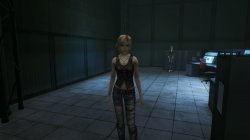
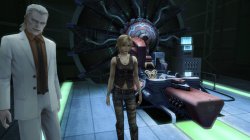
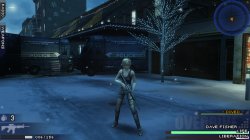
the 3rd birthday = also works. evertything works., but the voice (radio voice) is garbled, likes chipmunks
this one helps, to gain some fps
--adaptiveframeskip=9
data install also works, so any games that need data or save problem in the past can be played now (?)
edit:
nvm, we still need to use modified eboot.bin.
tested games with new emu:
tales of eternia = its working now, with voice and sound. and especially the video/fmv is now working. most artifacts are also gone. but still fps drop. and i think we can fix this type of problem.
the 3rd birthday = also works. evertything works., but the voice (radio voice) is garbled, likes chipmunks
this one helps, to gain some fps
--adaptiveframeskip=9
data install also works, so any games that need data or save problem in the past can be played now (?)
Last edited:
tehrzky
Member
#can gain massive fps, it also fixed tales of eternia slowdown on battle, idk the effects on 3rd birthday because i forgot what option did i use to pass the monster without freezing
--force-dsf-present=1
#most gfx can be fixed using this. the value i tested is lower than 20 , which cause battle transition to just go black when the random encounter happens on ToE. its just black then it battle. not freeze but missing transition. i dont know the max value.
--gpu-renderthread=20
#idk what is this, but when i tested its just go black screen nothing. 64-512 (+8)
--hle-audioout-chunk-size=84
#can cause black fmv , do not use in tales of eternia
--bend-30hz-lock=1
#show new option on emu settings, graphics. similar to ps1
--userui-settings-graphics=1
--force-dsf-present=1
#most gfx can be fixed using this. the value i tested is lower than 20 , which cause battle transition to just go black when the random encounter happens on ToE. its just black then it battle. not freeze but missing transition. i dont know the max value.
--gpu-renderthread=20
#idk what is this, but when i tested its just go black screen nothing. 64-512 (+8)
--hle-audioout-chunk-size=84
#can cause black fmv , do not use in tales of eternia
--bend-30hz-lock=1
#show new option on emu settings, graphics. similar to ps1
--userui-settings-graphics=1
Last edited:

Vika23
Senior Member
#can gain massive fps, it also fixed tales of eternia slowdown on battle, idk the effects on 3rd birthday because i forgot what option did i use to pass the monster without freezing
--force-dsf-present=1
#most gfx can be fixed using this. the value i tested is lower than 20 , which cause battle transition to just go black when the random encounter happens on ToE. its just black then it battle. not freeze but missing transition. i dont know the max value.
--gpu-renderthread=20
#idk what is this, but when i tested its just go black screen nothing. 64-512 (+8)
--hle-audioout-chunk-size=84
#can cause black fmv , do not use in tales of eternia
--bend-30hz-lock=1
#show new option on emu settings, graphics. similar to ps1
--userui-settings-graphics=1
I guess i know how you defeated freeze with monster in 3rd Bithday! I bet it remote back option of PSP emu! I tested it now, with default settings and got freeze few times when monster come close! Before with old emu, game freeze and crash alot, so it was unplayble! But now remote back option help it! I passed first chapter now!
Vika23
Senior Member
The 3rd Birthday. Short GamePlay & Freeze (Temp) FiX! (Syphon Filter Dark Mirror emu).
VIDEO
Well, now game looks very playble! I guess i will test some commands from @tehrzky and gain some more fps!
Now we have bugs like:
But also PSP games use L1 and R1 for Camera, maybe someone have idea how port Camera move for these buttons?
The 3rd Birthday use D-pad Up.Down,Left and Right buttons for Camera!
On psp to ps3 version key was:
But anyway game already looks playble and cutscenes also have a sound now!
VIDEO
Well, now game looks very playble! I guess i will test some commands from @tehrzky and gain some more fps!
Now we have bugs like:
- Bad Radio
- Ghosting effects on NPC and Aya
But also PSP games use L1 and R1 for Camera, maybe someone have idea how port Camera move for these buttons?
The 3rd Birthday use D-pad Up.Down,Left and Right buttons for Camera!
On psp to ps3 version key was:
Code:
ADDITIONAL_KEY_ASSIGN = 0000000047C6C544But anyway game already looks playble and cutscenes also have a sound now!
Attachments
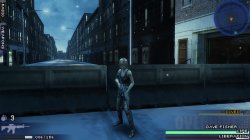
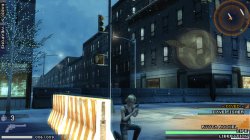
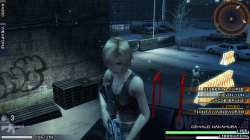
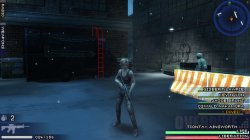
Last edited:
tehrzky
Member
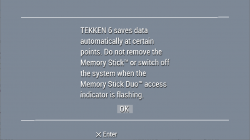
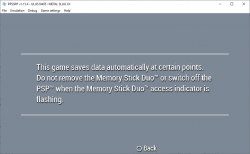
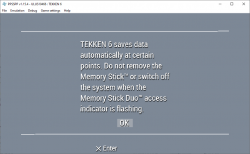
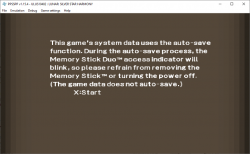
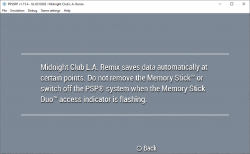
ok after some observation, any games that similar to this on first boot. is going to stuck.
unless we know how to use lua to skip this part. if not Tekken 6 from PSN will be the answer to this problem.
i been playing this --vms and --vms-dir but they only install data, and when you try to turn on the data install it will not recognize, but when you try to install again "its already installed" .
unless we know how to use lua to skip this part. if not Tekken 6 from PSN will be the answer to this problem.
i been playing this --vms and --vms-dir but they only install data, and when you try to turn on the data install it will not recognize, but when you try to install again "its already installed" .
Attachments
Vika23
Senior Member
you try tekken 6 only?ok after some observation, any games that similar to this on first boot. is going to stuck.
unless we know how to use lua to skip this part. if not Tekken 6 from PSN will be the answer to this problem.
i been playing this --vms and --vms-dir but they only install data, and when you try to turn on the data install it will not recognize, but when you try to install again "its already installed" .
tehrzky
Member
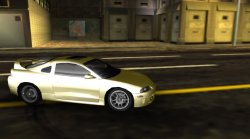
Metal Slug XX, Lunar, Tekken 6, Little Big Planet, Midnight Club LA Remix. = black screen.you try tekken 6 only?
you can check if the game has a MS check using ppsspp
but this Star Ocean Second Second Evolution, is having a problem even thought there is no memory stick/card check. after Square Enix logo then black screen, next should be a Opening Song FMV.
Vika23
Senior Member
Metal Slug XX, Lunar, Tekken 6, Little Big Planet, Midnight Club LA Remix. = black screen.
you can check if the game has a MS check using ppsspp
but this Star Ocean Second Second Evolution, is having a problem even thought there is no memory stick/card check. after Square Enix logo then black screen, next should be a Opening Song FMV.
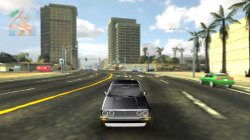
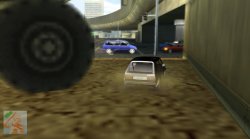
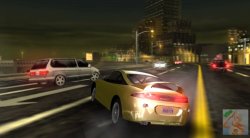
Midnight Club LA Remix was work with old emu!
Attachments
tehrzky
Member
yeah, afair old emu doesnt have this kind of problem. even the star ocean is able to go the first scene.Midnight Club LA Remix was work with old emu!
Vika23
Senior Member
do u know commands for fix black fmvs (black screen, but sound still appear) ?yeah, afair old emu doesnt have this kind of problem. even the star ocean is able to go the first scene.
tehrzky
Member
--bend-30hz-lockdo u know commands for fix black fmvs (black screen, but sound still appear) ?
turn this off for new emu.,
Similar threads
-
-
 PS3 Playing PlayStation Portable (PSP) games on your PS3
- Started by STLcardsWS
- Replies: 20
-

-
