No you will not be able to do that, the game be either all on the internal HDD or all on an external hdd. The only exception is when the game (disc) is on an external hdd and the "install" data/game updates are on the internal.
You might be able to "strip down" the size of the game so it will fit. The reason some games are so big is because of the amount of language files in the game for different languages.
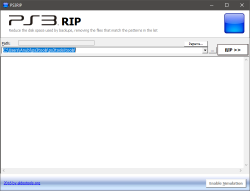
What you do is run your game through "PS3RIP" which is a tool to remove these types of files from a game and reduce the size, leaving only the language you want.
View attachment 23479 View attachment 23478
This tool is part of
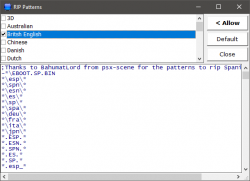
@aldostools PS3Tools Collection. Have you game in folder format> select the language(s) you want to keep > select allow > then run the tool... it will then rip all the files that do not match the language you have select and replace them with 0kb empty placeholder files so as to not break the game.
Before you run the tool properly you can select "enable Simulation" at the bottom and it will dry run the ripping process and tell you exactly how much space can be saved before you run the tool properly.