For those interested, the original OP posted his conclusion in another thread:
Bumping this since I solved a very similar issue inspired by the conversation above.
This is a lengthy post but since I'm unsure what steps fixed it I include pretty much everything, hoping it'll be helpful for someone.
tl;dr
- Made full disk image and wrote it to new disk - same issue
- Initilized the new disk - PS4 boots but all data lost
- Tried different combinations of partitions from the old disk and "clean" partitions from the initilized disk
- ????
- Wrote full disk image to new disk again - suddenly works
Doesn't make sense to me.
Both step 1 and 2 below failed the first time but were successful when tried later.
My only theory is that some flag in NVS or whatever got cleared along the way or some other black magic...
Here's the full version:
Background:
My PS4 fell down from the wall shelf to the couch while it was powered on. The power cable also got unplugged during the fall.
When starting it up again it started checking storage, but after 24% it stopped and said the PS4 could not start and asked me to insert USB to initialize the disk.
Rebooting into the
real Safe Mode, I tried:
- Update System Software: No errors but back at square one after reboot
- Restore Default Settings: SU-41336-7 error near 100%
- Rebuild Database: Console just rebooted and back to square one
Step 1: 1:1 copy of old disk
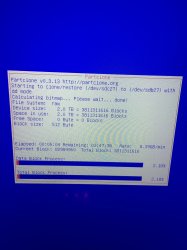
First I did an image file of the full disk in Ubuntu.
dd slowed down to ~1MB/s after a while, so I aborted and continued with ddrescue.
Used
ddrescue -O just in case that might help with slowdowns ("Close infile and then reopen it after every read error encountered during the copying phase").
Code:
sudo ddrescue -O -vvvv /dev/sdb /mnt/z/ddrescue.img /mnt/z/ddrescue.map
#Retry failed sectors
sudo ddrescue -O -vvvv -r 3 /dev/sdb /mnt/z/ddrescue.img /mnt/z/ddrescue.map
ddrescue only failed to read 2 sectors (8192 bytes) of the user data partition.
The resulting image was identical in size compared to the old disk, and partition table/partition types were also identical.
Then I wrote the full image to a new disk:
Code:
sudo ddrescue -f -vvvv /mnt/z/ddrescue.img /dev/sdb /mnt/z/ddrestore.map
Booting from the new disk resulted in the same problems as with the old disk.
Booting Safe Mode and selecting "6. Initialize PS4" made the console boot again, but obviously all data was lost.
Step 2: Initialised disk + partion 27 from old disk
I wrote the full image to the new disk again, followed by another init from Safe Mode.
(My new disk was not the same size as the old, so writing old image first kept partitions correct size after init)
I did a backup of all initialized partitions except parition 27 (user_data), for later use.
Then I copied only partition 27 from the original image:
Code:
#Mount image
sudo losetup -Pf /mnt/z/ddrescue.img
#Show mounted images, ex ddrescue.img = /dev/loop14
losetup
#Confirm mounted partitions show up correctly
sudo fdisk -l /dev/loop14
#Copy partition 27 to disk
sudo ddrescue -vvvv -f /dev/loop14p27 /dev/sdb27
PS4 failed to boot again, and in Safe Mode the only option available was to initialize (others were grayed out).
Step 3: Old disk image + clean partition 19
Then I copied all other old partitions except 19 (system_data):
PS4 booted into file system check, but was actually able to complete it and continue booting.
Settings were reset and user accounts were gone.
All applications/games/other files were also gone, but looking at Storage in the options it said ~800gb in use and ~100gb free.
Rebooted into Safe Mode and selected Rebuild Database:
Completed successfully.
After reboot all applications and screenshots were visible, but no save data.
PSN-applications failed to update (CE-32958-7) and launch (CE-38612-0) though.
I also tried to rewrite full old image to disk then write image of "clean" partition 19: Same exact result.
Step 4: Old disk image (modified in step 3) + partition 19 from old disk
By accident I then wrote old partition 19 to disk and to my surprise it booted:
Users were then restored but logged out, PSN apps worked but still no save data.
Logging in to PSN and rebuilding database didn't help.
Step 5: Old disk image + old partition 27 (modified in step 3-4)
Comparing active partitions to backup image: partition 13, 17, 19, 25, 29 differed. Others (except 27 obviously) were identical.
Writing these partitions to disk, ending up with user_data from previous step and other partitions from old disk:
Save created during troubleshooting was still there, but old saves still missing.
Forcing disk check by unplugging power while running or rebuilding database made no difference.
Step 6: Old disk image + old partition 19 (modified in step 5)
I kept the current partition 19, but overwrote all other partitions with old image:
Boots to disk check but completes.
Same as with last test: Save created during troubleshooting was still there, but old saves still missing.
Rebuild database: Old saves reappeared!
Step 7: 1:1 copy of old disk
So I had this theory that this should work:
Write full old image -> initialize + backup partition 19 -> write full old image again -> write initialized partition 19 -> boot PS4 past disk check -> write old partition 19
After completing only the first step I booted the PS4 to confirm it was not working, but it was!
It booted to disk check as before, but this time it completed:
System settings were reset. User accounts were still there but logged out from PSN.
All other data was still there: Saves, applications, screenshots...
Some saves for NHL 19 were corrupted, everything else was successfully backup to USB!
Step 8: Old physical disk
Trying to boot the old physical disk again:
Resetting settings reported CE-30005-8, that specific code might be new.
Other than that the issues were the same as from the start: can't get past disk check etc.
Since the disk still has bad sectors I guess this is expected.
Step 9: 1:1 copy of old disk
Same results as in step 7. Doing step 8 inbetween didn't break things.