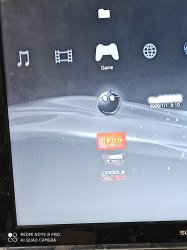
Red death screen

Ahmad essa

Forum Noob
Hi everyone
First I am sorry my English not very good So slow down with me .
I have a jailbreak ps3 fat I stuck on rogero downgrade 999 the problem when I try update file name get out from 999 to 3.55 nobd I get or any other update files I get red deth screen the only update file working is rogero downgrade the other keep give me red dead screen.. Anyone can help me plz. Thanks
 
Try reinstalling Rogero 3.55 noBD from FSM, if its results to an rsod, try using the rsod fix Lv2Diag.self file in fsm and reinstall again in fsm. If its still fail maybe your flash is bad.
 
Try reinstalling Rogero 3.55 noBD from FSM, if its results to an rsod, try using the rsod fix Lv2Diag.self file in fsm and reinstall again in fsm. If its still fail maybe your flash is bad.
Bad advice. You're risking a permanent RSOD at startup by updating to CFW while on FSM, it gets on a RSOD loop after update restart and your console is forever dead.
 
No, it will not, you can still try to install a no rsod 3.55 cfw from fsm. And if its show rsod after the rsod fix Lv2Diag.self then the flash is faulty anyway.
 
No, it will not, you can still try to install a no rsod 3.55 cfw from fsm

Do you even know what your talking about.... clearly not... and should stop giving out advise that could permanently damage a PS3. ANY Dev will tell you not to install a CFW while on FSM.

Also in Mysis's CFW Extras plugin do you think that under "Toggle Factory/Service Mode option" is in Capital Letters DO NOT install a CFW while in FSM is there for the fun of it....

No FSM CFW UPADTE.png


But I suppose you know better...

Also there was another user on here not long ago who did exactly what what you saying to do... they installed CFW in FSM and guess what...? Their PS3 is now a paperweight with permanent RSOD as it completely corrupted the VTRM regions.
 
This is an advice for noobs. I have fixed many PS3s and downgraded much more. Sometimes you need to install a CFW in FSM. Example: After Hardware downgrade you need to install a noBD FW, so are there any noBD OFWs available?

EDIT: If you are on 3.55 you are at safe side, you can always enter FSM with a dongle and try to repair the VTRM region from FSM, which I have advised already. If its not helps, than his flash is dead anyway.
 
Here are some files and tutorials I have gathered over the past few years.

3.55 RSOD CFW: https://mega.nz/#!TFgUkKZZ!srlNCzXGjvAmX63_j0lE__sHE0vk84Xt-4brx8IlX6g
This is an advice for noobs. I have fixed many PS3s and downgraded much more. Sometimes you need to install a CFW in FSM. Example: After Hardware downgrade you need to install a noBD FW, so are there any noBD OFWs available?

EDIT: If you are on 3.55 you are at safe side, you can always enter FSM with a dongle and try to repair the VTRM region from FSM, which I have advised already. If its not helps, than his flash is dead anyway.
So now I am on rogero3. 55 downgrade the ps3 work fine but if I but any other update it's be red death screen I try to install the update file you send it to me it's not work give error
 
Wait! If you can install packages, then first try to install and run the rsod fix pkg from the archive rsod_fix_final.zip I have attached before.
 
I can install pkg but nothing work and when I go to recovery mode he ask me for 9.99 I try many other update nothing work only if I but the nobd update ps3 it's work but after that he go to RSOD
 
First please do a NOR/NAND backup to a working FAT32 usb drive. I'm assuming you have a NOR console. Post the model beginning with CECH. You can do a backup of your flash using Multiman. Insert a working FAT32 drive in the most right USB port, in Multiman start the Filemanager, on the desktop open the Textfile in HEX Editor using the Circle button. In HEX editor press Select and then Start, choose Yes to export Flash.
 
Do you even know what your talking about.... clearly not... and should stop giving out advise that could permanently damage a PS3. ANY Dev will tell you not to install a CFW while on FSM.

Also in Mysis's CFW Extras plugin do you think that under "Toggle Factory/Service Mode option" is in Capital Letters DO NOT install a CFW while in FSM is there for the fun of it....

View attachment 22916

But I suppose you know better...

Also there was another user on here not long ago who did exactly what what you saying to do... they installed CFW in FSM and guess what...? Their PS3 is now a paperweight with permanent RSOD as it completely corrupted the VTRM regions.
On 3.55 and below it is ok to enter FSM and update FW, we have properly signed lv2_diag.self files to enter and exit FSM. After 3.55 the self for exiting FSM was revoked/blacklisted.
 
Last edited:
Bro I am on rogero downgrade I install multiman pkg it's only black screen nothing work my ps3 it's not jailbreak before

Rogero downgrader 999 is a CFW and you can install pkgs. So the ps3 is already "jailbreaked". If you put any disc into your disc drive, is the clock on the upper right corner spinning?
 
Rogero downgrader 999 is a CFW and you can install pkgs. So the ps3 is already "jailbreaked". If you put any disc into your disc drive, is the clock on the upper right corner spinning?
No nothing

On 3.55 and below it is ok to enter FSM and update FW, we have properly signed lv2_diag.self files to enter and exit FSM. After 3.55 the self for exiting FSM was revoked/blacklisted.
How I can get in FSM?

Rogero downgrader 999 is a CFW and you can install pkgs. So the ps3 is already "jailbreaked". If you put any disc into your disc drive, is the clock on the upper right corner spinning?
I have those pkg but nothing of them are working
 

Attachments

  • 1579935276260..jpg
    1579935276260..jpg
    1.2 MB · Views: 84
Last edited by a moderator:
If the clock isn't spinning on disc access, than your drive board is probably defect or not married. Without a drive board you can't start any applications. We need to be sure if you are really on 3.55 before we can enter FSM. For FSM you need an FSM dongle or a PSP.

Please send a photo of your system settings -> system information -> software version. If it is 9.99, then you are probably on 3.55.
 
Last edited:
Back
Top