[RELEASE] ps2_emu, gxemu and netemu modded by Kozarovv (FAN control, CELL/RSX Temps, FPS indicator)

PS3 [RELEASE] ps2_emu, gxemu and netemu modded by Kozarovv (FAN control, CELL/RSX Temps, FPS indicator) 12/04/2026

Hi all,
I'm presenting to the scene the newest versions of Kozarovv's modded ps2 emulators:
Keep in mind you still need Evilnat's CFW 4.92.2 or later for fan control functionality to work!
[tabs][/tabs]​

  • Features:
    • Temperatures reading in emulator menu
    • Temperatures reading in game (notification)
    • Temperatures readigs include South Bridge temperature
    • Fan control
    • Apply fan control mode from file at emulator start
    • Fixed certain PAL games black screen and signal lost
    • Enabled hidden config menu

    Controls in main menu:
    • Hold Square - Show current temperatures
    • Hold Square + Press Start - Switch between fan modes (Auto 60/65/70/75c / Syscon)
    • Hold Square + Press Select - Show current fan mode and speed
    • Hold Square + Press dpad Left - Set manual fan speed to 1% lower than current speed
    • Hold Square + Press dpad Right - Set manual fan speed to 1% higher than current speed
    • Hold Square + Press L1 - Set manual fan speed to 5% lower than current speed
    • Hold Square + Press R1 - Set manual fan speed to 5% higher than current speed
    Note: Manual speed adjustments are working only when fan mode is in Syscon Mode (it will switch to manual), or already in Manual Mode.

    Controls in game:
    • Hold Square + Select - Show notification with current temperatures

    Paths:
    • Emulator file ps2_emu.self - dev_flash/ps2emu/
    • Fan mode configuration file fan.bin - dev_hdd0/vm/em/

  • Features:
    • Temperatures reading in emulator menu
    • Temperatures reading in game (notification)
    • Temperatures readigs include South Bridge temperature
    • PS2 Fps readings (based on PS2 display registers writes)
    • Fan control
    • Apply fan control mode from file at emulator start
    • Overlay with temperatures and fps reading in game
    • Fixed Crazy Taxi Greatest Hits, game now boot properly
    • Modified BIOS with added X modules for increased homebrew compatibility (Added: XMCMAN, XSIO2MAN, XPADMAN, XMCSERV, XMTAPMAN, LIBSD)
    • Implemented custom per game config support thru external files (files available here: https://github.com/kamilb880/gxemu_custom_configs)

    Controls in main menu:
    • Hold Square - Show current temperatures and fps
    • Hold Square + Press Start - Switch between fan modes (Auto 60/65/70/75c / Syscon)
    • Hold Square + Press Select - Show current fan mode and speed
    • Hold Square + Press dpad Left - Set manual fan speed to 1% lower than current speed
    • Hold Square + Press dpad Right - Set manual fan speed to 1% higher than current speed
    • Hold Square + Press L1 - Set manual fan speed to 5% lower than current speed
    • Hold Square + Press R1 - Set manual fan speed to 5% higher than current speed
    Note: Manual speed adjustments are working only when fan mode is in Syscon Mode (it will switch to manual), or already in Manual Mode.

    Controls in game:
    • Hold Square + Select - Show notification with current temperatures and fps
    • Hold Circle + Select - Enable/Disable overlay with current temperatures and fps

    Paths:
    • Emulator file ps2_gxemu.self - dev_flash/ps2emu/
    • Fan mode configuration file fan.bin - dev_hdd0/vm/gx/
    • Per game config files XXXX_YYY.ZZ - dev_hdd0/vm/gx/

  • Features:
    • Temperatures reading in emulator menu (initially implemented by 3141card)
    • PS2 Fps readings (based on PS2 display registers writes)
    • Fan control
    • Apply fan control mode from file at emulator start
    • Enabled and modified hidden config menu
    • Modified BIOS with added X modules for increased homebrew compatibility (Added: XMCMAN, XSIO2MAN, XPADMAN, XMCSERV, XMTAPMAN, LIBSD)
    • PS button emulation for gamepads that are missing button or button is not working (more info: check in game controls list).
    • EE Overclocking/Undeclocking in Configration menu
    • Partial Antiblur in Configuration menu
    • New config commands for the EE OC/UC and Antiblur features
    • Properly Fixed Polish font (no need for additional external file)

    Controls in main menu:
    • Hold Square + Press Start - Switch between fan modes (Auto 60/65/70/75c / Syscon)
    • Hold Square + Press Select - Show current fan mode and speed
    • Hold Square + Press dpad Left - Set manual fan speed to 1% lower than current speed
    • Hold Square + Press dpad Right - Set manual fan speed to 1% higher than current speed
    • Hold Square + Press L1 - Set manual fan speed to 5% lower than current speed
    • Hold Square + Press R1 - Set manual fan speed to 5% higher than current speed
    Note: Manual speed adjustments are working only when fan mode is in Syscon Mode (it will switch to manual), or already in Manual Mode.

    Controls in game:
    • Hold dpad Left + Square + L1 + R1 for ~5 seconds to open the menu (for gamepads with broken PS button)

    Paths:
    • Emulator file ps2_netemu.self - dev_flash/ps2emu/
    • Fan mode configuration file fan.bin - dev_hdd0/vm/ne/

    New Config Commands:
    • 0x4F - Enable No Blur (command don't use parameters)
    • 0x4E - EE Cycles Manipulation (command use 32 bit parameter: 1 = -50%, 2 = -25%, 3 = +25%, 4 = +50%)

Here is the video with showcase of few described functionalities:


Let us know in comments if you find any inconveniences or bugs.

Enjoy!​
 
Last edited:
Any chance of getting softemu working on higher firmware or dual booting it alongside current cfw?
I don't know how you run two firmware versions.
 
AFAIK there is no active work done over softemu on PS3.
The only thing that has been done for it is to enable config compatibility via Cobra.
But this is pointless since RSX in nowhere near powerfull to efficiently emulate GS.
 
AFAIK there is no active work done over softemu on PS3.
The only thing that has been done for it is to enable config compatibility via Cobra.
But this is pointless since RSX in nowhere near powerfull to efficiently emulate GS.

Apparently it was included in firmwares 1.90 to 4.01, patched the last release 4.01 to run on 3.55 in factory mode.
 
Great work again. I have a question, and it would possibly be possible to set auto fan mode in Evilnat CFW and have it then be stored by the GXemu as standard?
 
Have you guys ever got a semi corrupt save by deleting or saving from the virtual OPL .VM2 with uLE or saving the settings file with OPL?

The memory card will display fine in the xmb but blank in uLE, Codebreaker sees the files an I can copy the contents back to a blank .VM2 an then that card will show up in uLE again with the same contents.

I'm not sure if uLE or OPL is destroying the ECC, I enabled MX4ISO too if that makes any difference, when the PS3 can't see the virtual memory card contents properly it double beeps an crashes when I try to launch a ELF from the memory card with uLE that was previously running fine, i've been using cdfs to copy files across to memory card.

Here's the .VM2 in question that won't mount in uLE, it has 3KB of hidden data even though I managed to delete everything off the card with Codebreaker, CheatDevice & the XMB.
Apollo sees the card as blank too.
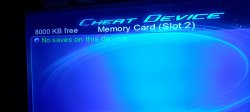
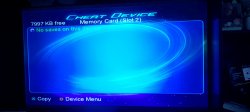
Freshly formatted card in CheatDevice vs this one.

https://www.mediafire.com/file/6b1vtjip9r17guw/OPL.VM2/file

Update:
I extracted the .vm2 save to folder with pcsx2.
The only file it ended up with was the superblock, I checked it in hexeditor against a previously made 8MB card & offset 150x - 160x had differences,
it looks like my build of OPL corrupts the memory card when you save the config file to mc0.
 

Attachments

  • IMG_20250627_182811.jpg
    IMG_20250627_182811.jpg
    1.4 MB · Views: 65
  • IMG_20250627_182527.jpg
    IMG_20250627_182527.jpg
    1.3 MB · Views: 66
Last edited by a moderator:
@XDeltaOne,
this functionality is still in development, we'll see if/when it will be available.

@Kevstah2004,
sorry, I've got no knowledge within this topic. Let's see if anyone else from the scene can say something more.

Since streamable showcase video of newly added functions to modded gxemu has been taken down and I'm not able to edit it any more, here is YT link to reupload:
www.youtube.com/watch?v=JrpRMhCjhBc
 
Last edited by a moderator:
have you ever thought of creating a launcher for totally backward compatible ps3s that would allow you to force NTSC on PAL titles in order to broaden their compatibility. I say this because via ps2_emu titles such as GTA Vice City PAL or Alone in The Dark PAL at a certain time remain on black screen preventing even closing the game by forcibly turning it off... I was able to get around this problem by using a version of OPL specifically for ps3 that allows me to use the GSM (just like it was a ps2) by forcing the title in 1080i at 60 Hz and restoring proper operation.
So my question is, would it be possible to create it directly as a homebrew instead of doing all that procedure by booting ISOs only from Ethernet instead of the ISOs that are in the ps3's internal hdd (dev_hdd0/PS2ISO)?
 
have you ever thought of creating a launcher for totally backward compatible ps3s that would allow you to force NTSC on PAL titles in order to broaden their compatibility. I say this because via ps2_emu titles such as GTA Vice City PAL or Alone in The Dark PAL at a certain time remain on black screen preventing even closing the game by forcibly turning it off... I was able to get around this problem by using a version of OPL specifically for ps3 that allows me to use the GSM (just like it was a ps2) by forcing the title in 1080i at 60 Hz and restoring proper operation.
So my question is, would it be possible to create it directly as a homebrew instead of doing all that procedure by booting ISOs only from Ethernet instead of the ISOs that are in the ps3's internal hdd (dev_hdd0/PS2ISO)?

Not sure but I did a few tests in pcsx2 yesterday an it throws a hissy fit when the region doesn't match, it doubles the resolution to an invalid resolution that won't display, almost as if it's using the higher interlaced values for progressive scan.
 
Not sure but I did a few tests in pcsx2 yesterday an it throws a hissy fit when the region doesn't match, it doubles the resolution to an invalid resolution that won't display, almost as if it's using the higher interlaced values for progressive scan.
I absolutely do not deny what you say and it is true! But it still manages to do something really important, which is to run the title that normally cannot be played. Maybe instead of using GSM you take advantage of the video output it natively offers since it is superior to a control intended for a ps2
 
I absolutely do not deny what you say and it is true! But it still manages to do something really important, which is to run the title that normally cannot be played. Maybe instead of using GSM you take advantage of the video output it natively offers since it is superior to a control intended for a ps2

Does strange stuff to the framebuffer also, the last app or game image doesn't get cleared so it displays the next app or game frame as a squashed half overlay over the last frame like split screen.
 
@Fanhais
It is still in progress.

Hi all,

We have new versions of modded gxemu and netemu released by Kozarovv.
A few words from the author himself about the release:

"The latest emulators introduce a single new feature: fan settings loading on PS2 game boot. Now, you can simply place the correct file into the folder, and the chosen fan mode will be enabled automatically. The file still needs to be edited manually, and there are no plans to add file saving to the emulator GUI, as it's a lot of work for something most users will set once and forget.

fan.bin layout:
byte[0] = is_auto_mode
byte[1] = max_temp_for_auto
byte[2] = manual_speed

If byte[0] is 0, manual_speed is used
if byte[0] is not 0, max_temp_for_auto is used (value 01 is recommended for future compatibility).
The file must be exactly 3 bytes, with unused values filled with 00 or FF. The release includes a file set to auto mode with a 65°C max temp.

Safety measures ensure incorrect values are clamped to safe ranges (60–75°C for auto, 21–80% for manual speed). Values are hexadecimal, e.g. 01 41 00 means auto mode with a 65°C limit (0x41 = 65).
The file allows setting max temp in range 60-75°C (3C-4B), thus make possible values which are normally unavailable in GUI like 63, 67, 72, etc.

Place the fan control file in dev_hdd0/vm/ne/<fan.bin> for netemu (create the 'ne' folder if needed) or dev_hdd0/vm/gx/<fan.bin> for gxemu (create the 'gx' folder if missing). These files can be overwritten by LV2 apps like Webman MOD, option to set auto fan speed can be added to Webman MOD when emulators prove to be stable.
Since fan control is critical feature, USE WITH CAUTION.

Fan features require firmware with a patched service manager, such as Evilnat 4.92.2.

What's next? I need to rewrite all my patches for netemu. While they work fine and should be safe to use, code quality is terrible. New features were added on top of ready to release code. Some changes were squeezed into the middle to add bugfixes, etc..
I need to backport notification hack from gxemu to netemu to enable ingame fps and temps display. Gxemu need some cleanup too, but it is much better in term of code quality.

Finally. I started work to enable fan control on ps2emu. It will take some time as every emulator have very different vuart implementations and additionally ps2emu is little bit short on code space.

Thanks to kamilb880 for testing and some cool ideas!"


have you ever thought of creating a launcher for totally backward compatible ps3s that would allow you to force NTSC on PAL titles in order to broaden their compatibility. I say this because via ps2_emu titles such as GTA Vice City PAL or Alone in The Dark PAL at a certain time remain on black screen preventing even closing the game by forcibly turning it off... I was able to get around this problem by using a version of OPL specifically for ps3 that allows me to use the GSM (just like it was a ps2) by forcing the title in 1080i at 60 Hz and restoring proper operation.
So my question is, would it be possible to create it directly as a homebrew instead of doing all that procedure by booting ISOs only from Ethernet instead of the ISOs that are in the ps3's internal hdd (dev_hdd0/PS2ISO)?

This case is still being investigated by Kozarovv. Stay tuned.
 

Attachments

Last edited by a moderator:
@Fanhais
It is still in progress.

Hi all,

We have new versions of modded gxemu and netemu released by Kozarovv.
A few words from the author himself about the release:

"The latest emulators introduce a single new feature: fan settings loading on PS2 game boot. Now, you can simply place the correct file into the folder, and the chosen fan mode will be enabled automatically. The file still needs to be edited manually, and there are no plans to add file saving to the emulator GUI, as it's a lot of work for something most users will set once and forget.

fan.bin layout:
byte[0] = is_auto_mode
byte[1] = max_temp_for_auto
byte[2] = manual_speed

If byte[0] is 0, manual_speed is used
if byte[0] is not 0, max_temp_for_auto is used (value 01 is recommended for future compatibility).
The file must be exactly 3 bytes, with unused values filled with 00 or FF. The release includes a file set to auto mode with a 65°C max temp.

Safety measures ensure incorrect values are clamped to safe ranges (60–75°C for auto, 21–80% for manual speed). Values are hexadecimal, e.g. 01 41 00 means auto mode with a 65°C limit (0x41 = 65).
The file allows setting max temp in range 60-75°C (3C-4B), thus make possible values which are normally unavailable in GUI like 63, 67, 72, etc.

Place the fan control file in dev_hdd0/vm/ne/<fan.bin> for netemu (create the 'ne' folder if needed) or dev_hdd0/vm/gx/<fan.bin> for gxemu (create the 'gx' folder if missing). These files can be overwritten by LV2 apps like Webman MOD, option to set auto fan speed can be added to Webman MOD when emulators prove to be stable.
Since fan control is critical feature, USE WITH CAUTION.

Fan features require firmware with a patched service manager, such as Evilnat 4.92.2.

What's next? I need to rewrite all my patches for netemu. While they work fine and should be safe to use, code quality is terrible. New features were added on top of ready to release code. Some changes were squeezed into the middle to add bugfixes, etc..
I need to backport notification hack from gxemu to netemu to enable ingame fps and temps display. Gxemu need some cleanup too, but it is much better in term of code quality.

Finally. I started work to enable fan control on ps2emu. It will take some time as every emulator have very different vuart implementations and additionally ps2emu is little bit short on code space.

Thanks to kamilb880 for testing and some cool ideas!"


This case is still being investigated by Kozarovv. Stay tuned.


Very nice that somebody is still working on these.
 
@Fanhais
It is still in progress.

Hi all,

We have new versions of modded gxemu and netemu released by Kozarovv.
A few words from the author himself about the release:

"The latest emulators introduce a single new feature: fan settings loading on PS2 game boot. Now, you can simply place the correct file into the folder, and the chosen fan mode will be enabled automatically. The file still needs to be edited manually, and there are no plans to add file saving to the emulator GUI, as it's a lot of work for something most users will set once and forget.

fan.bin layout:
byte[0] = is_auto_mode
byte[1] = max_temp_for_auto
byte[2] = manual_speed

If byte[0] is 0, manual_speed is used
if byte[0] is not 0, max_temp_for_auto is used (value 01 is recommended for future compatibility).
The file must be exactly 3 bytes, with unused values filled with 00 or FF. The release includes a file set to auto mode with a 65°C max temp.

Safety measures ensure incorrect values are clamped to safe ranges (60–75°C for auto, 21–80% for manual speed). Values are hexadecimal, e.g. 01 41 00 means auto mode with a 65°C limit (0x41 = 65).
The file allows setting max temp in range 60-75°C (3C-4B), thus make possible values which are normally unavailable in GUI like 63, 67, 72, etc.

Place the fan control file in dev_hdd0/vm/ne/<fan.bin> for netemu (create the 'ne' folder if needed) or dev_hdd0/vm/gx/<fan.bin> for gxemu (create the 'gx' folder if missing). These files can be overwritten by LV2 apps like Webman MOD, option to set auto fan speed can be added to Webman MOD when emulators prove to be stable.
Since fan control is critical feature, USE WITH CAUTION.

Fan features require firmware with a patched service manager, such as Evilnat 4.92.2.

What's next? I need to rewrite all my patches for netemu. While they work fine and should be safe to use, code quality is terrible. New features were added on top of ready to release code. Some changes were squeezed into the middle to add bugfixes, etc..
I need to backport notification hack from gxemu to netemu to enable ingame fps and temps display. Gxemu need some cleanup too, but it is much better in term of code quality.

Finally. I started work to enable fan control on ps2emu. It will take some time as every emulator have very different vuart implementations and additionally ps2emu is little bit short on code space.

Thanks to kamilb880 for testing and some cool ideas!"


This case is still being investigated by Kozarovv. Stay tuned.
nice updates and onother question games like WRC 1 has Softlock is possible to fix or just is an unfixable game ? Like Driv3r
 
Hi all,

We have new version of modded ps2_emu released by Kozarovv.
This time it includes long-awaited fix for some PAL games that were booting with blackscreen while using PS3 upscaler:

"Fixed an issue with PAL games when running with the upscaler enabled.

This was apparently a long standing bug, though I first heard about it sometime in 2025.
The emulator was tested on a few problematic PAL games and seems to be working fine.
The only issue encountered during testing was with the game Orphen: Scion of Sorcery.
After around 30 tests performed by kamilb880, we concluded the bug is random and doesn't seem related to the upscaler or my patch, but it's worth mentioning just in case.
The PAL version of Orphen: Scion of Sorcery can sometimes soft lock in the very first playable location after leaving the room. Since the game doesn't freeze internally and just fails to trigger a scripted event, this appears to be an emulation bug.

As always, more testing is needed to confirm full compatibility."


@Fanhais
Regadring WRC 1 Softlock on PAL version of the game using gxemu - Kozarovv will take a look at this issue. This is hard case, as PAL game differs A LOT from NTSC one under the hood, so configs from USA/JAP versions cannot be just ported. Keep checking my github kamilb880/gxemu_custom_configs if it appears some day.
 

Attachments

Hi all,

We have new version of modded ps2_emu released by Kozarovv.
This time it includes long-awaited fix for some PAL games that were booting with blackscreen while using PS3 upscaler:

"Fixed an issue with PAL games when running with the upscaler enabled.

This was apparently a long standing bug, though I first heard about it sometime in 2025.
The emulator was tested on a few problematic PAL games and seems to be working fine.
The only issue encountered during testing was with the game Orphen: Scion of Sorcery.
After around 30 tests performed by kamilb880, we concluded the bug is random and doesn't seem related to the upscaler or my patch, but it's worth mentioning just in case.
The PAL version of Orphen: Scion of Sorcery can sometimes soft lock in the very first playable location after leaving the room. Since the game doesn't freeze internally and just fails to trigger a scripted event, this appears to be an emulation bug.

As always, more testing is needed to confirm full compatibility."


@Fanhais
Regadring WRC 1 Softlock on PAL version of the game using gxemu - Kozarovv will take a look at this issue. This is hard case, as PAL game differs A LOT from NTSC one under the hood, so configs from USA/JAP versions cannot be just ported. Keep checking my github kamilb880/gxemu_custom_configs if it appears some day.
yeah is hard to fix maybe and some games has softlock in GXEMU if we (community) fix this issues will increase the compatibility of many games, but what was achieved until now is amazing
 
Hi all,

We have new version of modded ps2_emu released by Kozarovv.
This time it includes long-awaited fix for some PAL games that were booting with blackscreen while using PS3 upscaler:

"Fixed an issue with PAL games when running with the upscaler enabled.

This was apparently a long standing bug, though I first heard about it sometime in 2025.
The emulator was tested on a few problematic PAL games and seems to be working fine.
The only issue encountered during testing was with the game Orphen: Scion of Sorcery.
After around 30 tests performed by kamilb880, we concluded the bug is random and doesn't seem related to the upscaler or my patch, but it's worth mentioning just in case.
The PAL version of Orphen: Scion of Sorcery can sometimes soft lock in the very first playable location after leaving the room. Since the game doesn't freeze internally and just fails to trigger a scripted event, this appears to be an emulation bug.

As always, more testing is needed to confirm full compatibility."


@Fanhais
Regadring WRC 1 Softlock on PAL version of the game using gxemu - Kozarovv will take a look at this issue. This is hard case, as PAL game differs A LOT from NTSC one under the hood, so configs from USA/JAP versions cannot be just ported. Keep checking my github kamilb880/gxemu_custom_configs if it appears some day.

For the longest time, I thought it was unfixable. Thank you.
But I have a few questions.

1. Is it safe to just replace the file through an FTP app?
2. Does it fix the PAL softlocked black screen games or the ones that don't display TV signal?... Or both?
3. Could this negatively affect NTSC/NTSC-J games?

EDIT: Extra question. Not related to PAL but the NTSC version of Hitman Contracts only works with the upscaler ON, otherwise it's stuck on a black screen before reaching the menus. I was wondering if this is also a ps2_emu.self bug?
 
Back
Top