PS4 [Research]PS2 emulator configuration on PS4

Can you try this game with your config + this LUA?
Code:
apiRequest(1.0)
local eeObj = getEEObject()
local emuObj = getEmuObject()
local widescreen = function()
eeObj.WriteMem32(0x004738C0,0xD3400000)
end

emuObj.AddVsyncHook(widescreen)

Also i compiled some time ago list of MTVU issues, so maybe this will be helpful.
https://github.com/kozarovv/PS2-Configs/issues/9

I know that Second Sight is good candidate for test, game only wait for SIGNAL so it should work 100% fine now.
Still freezing while reading the progress graph
 
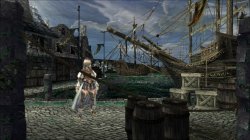
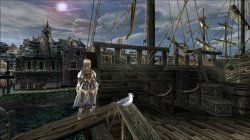
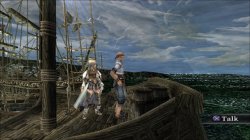
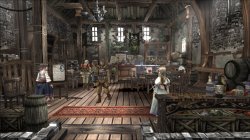
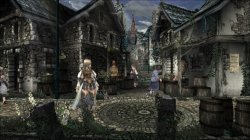
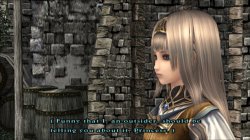
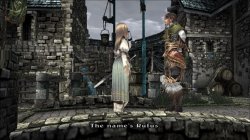
Valkyrie Profile 2: Silmeria.
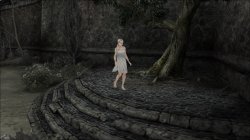
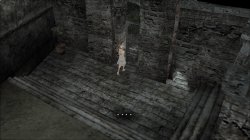
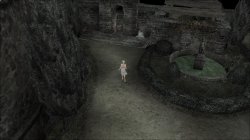
This is an amazing discovery, I applied it, but now I lack an emus that can run perfectly, no longer need --gs-upscale=Point and --gs-kernel-cl-up="up2x2simple" commands, it can run 2X2 . And it eliminates a lot of graphic errors and improves clarity.

Valkyrie Profile 2 - Silmeria_20201226112505.jpg Valkyrie Profile 2 - Silmeria_20201226112516.jpg
Valkyrie Profile 2 - Silmeria_20201226112528.jpg Valkyrie Profile 2 - Silmeria_20201226112553.jpg
Valkyrie Profile 2 - Silmeria_20201226112626.jpg Valkyrie Profile 2 - Silmeria_20201226112651.jpg
Valkyrie Profile 2 - Silmeria_20201226112707.jpg Valkyrie Profile 2 - Silmeria_20201226112752.jpg


Currently only JAKemu can run. After leaving the city, the screen is black when selecting a destination on the big map, but there is a sound, and I don't know how to fix it.
 
Last edited:
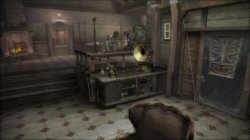
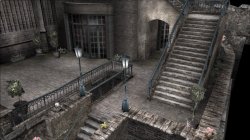
狂城丽影_20201225183106.jpg 狂城丽影_20201225184809.jpg 狂城丽影_20201225185333.jpg 狂城丽影_20201225185349.jpg 狂城丽影_20201225185403.jpg 狂城丽影_20201225185414.jpg 狂城丽影_20201225185513.jpg 狂城丽影_20201225185601.jpg 狂城丽影_20201225190257.jpg

Disabled the wrong colors and lighting and blur effects in the game, now it can run at full speed

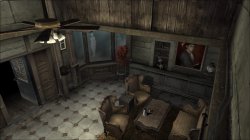
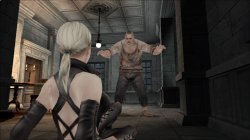
Haunting Ground

SLUS-21075
LUA
Code:
apiRequest(1.0)
local eeObj = getEEObject()
local emuObj = getEmuObject()

local patcher = function()

--Thanks to Maori-Jigglypuff for reversing this game, it looks like another new game
eeObj.WriteMem32(0x002673e0,0x27bdffC0)
eeObj.WriteMem32(0x002673e4,0x3c050047)
eeObj.WriteMem32(0x002673e8,0xFFBF0010)
eeObj.WriteMem32(0x002673ec,0x2403ffff)
eeObj.WriteMem32(0x002673f0,0x7FB00000)
eeObj.WriteMem32(0x002673f4,0x24A5D790)
eeObj.WriteMem32(0x002673f8,0xAFA30024)
eeObj.WriteMem32(0x002673fc,0xAFA50020)
eeObj.WriteMem32(0x00267400,0x3C04017F)
eeObj.WriteMem32(0x00267404,0x24905170)
eeObj.WriteMem32(0x00267408,0x8E050014)
eeObj.WriteMem32(0x0026740c,0x8E070018)
eeObj.WriteMem32(0x00267410,0x27A40020)
eeObj.WriteMem32(0x00267414,0x3C0EFFFF)
eeObj.WriteMem32(0x00267418,0x35CFFFFF)
eeObj.WriteMem32(0x0026741c,0x10AF0008)
eeObj.WriteMem32(0x00267420,0x24020001)
eeObj.WriteMem32(0x00267424,0x2C430001)
eeObj.WriteMem32(0x00267428,0x3C188024)
eeObj.WriteMem32(0x0026742c,0x37182424)
eeObj.WriteMem32(0x00267430,0x0303280B)
eeObj.WriteMem32(0x00267434,0x3C19C024)
eeObj.WriteMem32(0x00267438,0x37392424)
eeObj.WriteMem32(0x0026743c,0x0323280A)
eeObj.WriteMem32(0x00267440,0x0c09a650)
eeObj.WriteMem32(0x00267444,0x24060001)
eeObj.WriteMem32(0x00267448,0x00000000)
eeObj.WriteMem32(0x0026744c,0x00000000)
eeObj.WriteMem32(0x00267450,0x00000000)
eeObj.WriteMem32(0x00267454,0x00000000)
eeObj.WriteMem32(0x00267458,0x00000000)
eeObj.WriteMem32(0x0026745c,0x00000000)
eeObj.WriteMem32(0x00267460,0x00000000)
eeObj.WriteMem32(0x00267464,0x00000000)
eeObj.WriteMem32(0x00267468,0xDFBF0010)
eeObj.WriteMem32(0x0026746c,0x7BB00000)
eeObj.WriteMem32(0x00267470,0x03e00008)
eeObj.WriteMem32(0x00267474,0x27BD0040)
eeObj.WriteMem32(0x001b8d30,0x100000A8)
eeObj.WriteMem32(0x001b8fd4,0x24043f80)
eeObj.WriteMem32(0x001b8fd8,0x00042c00)
eeObj.WriteMem32(0x001b8fdc,0x34a60000)
eeObj.WriteMem32(0x001b8fe0,0x44860000)
eeObj.WriteMem32(0x001b8fe4,0x46000064)
eeObj.WriteMem32(0x001b8fe8,0x44070800)
eeObj.WriteMem32(0x001b8fec,0x00e01821)
eeObj.WriteMem32(0x001b8ff0,0x03E00008)
eeObj.WriteMem32(0x001b8ff4,0x0003100B)
eeObj.WriteMem32(0x002c6680,0x3c043f80)
eeObj.WriteMem32(0x002c6688,0x44840000)
eeObj.WriteMem32(0x002c668c,0x46000064)
eeObj.WriteMem32(0x002c6690,0x44020800)
eeObj.WriteMem32(0x002c6698,0x0002880b)
eeObj.WriteMem32(0x001faef4,0x3c024240)
eeObj.WriteMem32(0x001faef8,0x44820000)
eeObj.WriteMem32(0x001faefc,0x3c033f80)
eeObj.WriteMem32(0x001faf00,0x34630000)
eeObj.WriteMem32(0x001faf04,0xe7c00030)
eeObj.WriteMem32(0x001faf08,0xe7c00034)
eeObj.WriteMem32(0x001faf0c,0xe7c00038)
eeObj.WriteMem32(0x001faf10,0xafc3003c)
eeObj.WriteMem32(0x001fa80c,0x00000000)
eeObj.WriteMem32(0x001fa810,0x00000000)
eeObj.WriteMem32(0x001fa814,0x00000000)
eeObj.WriteMem32(0x001fa818,0x3C024240)
eeObj.WriteMem32(0x001fa81c,0x34420000)
eeObj.WriteMem32(0x001fa820,0x44820000)
eeObj.WriteMem32(0x001fa824,0xE6200030)
eeObj.WriteMem32(0x001fa828,0xE6200034)
eeObj.WriteMem32(0x001fa82c,0xE6200038)
eeObj.WriteMem32(0x001fa830,0x00000000)
eeObj.WriteMem32(0x001fa834,0x00000000)
eeObj.WriteMem32(0x001fa838,0x00000000)
eeObj.WriteMem32(0x001fa950,0x00000000)
eeObj.WriteMem32(0x001fa954,0x00000000)
eeObj.WriteMem32(0x001fa958,0x3C030000)
eeObj.WriteMem32(0x001fa95c,0x34630000)
eeObj.WriteMem32(0x001fa960,0x44830000)
eeObj.WriteMem32(0x001fa964,0xE6600000)
eeObj.WriteMem32(0x001fa968,0xE6600010)
eeObj.WriteMem32(0x001fa96c,0xE6600020)
eeObj.WriteMem32(0x001fa970,0xe6400000)
eeObj.WriteMem32(0x001fa974,0xe6400004)
eeObj.WriteMem32(0x001fa978,0xe6400008)
eeObj.WriteMem32(0x001fa97c,0x00000000)
eeObj.WriteMem32(0x001fa980,0x00000000)
eeObj.WriteMem32(0x001fa988,0x00000000)
eeObj.WriteMem32(0x001fac7c,0x3c024240)
eeObj.WriteMem32(0x001fac80,0x44820000)
eeObj.WriteMem32(0x001fac84,0xe7c00030)
eeObj.WriteMem32(0x001fac88,0xe7c00034)
eeObj.WriteMem32(0x001fac8c,0xe7c00038)
eeObj.WriteMem32(0x001faba8,0xAE000000)
eeObj.WriteMem32(0x001fabc0,0xAE000004)
eeObj.WriteMem32(0x001fabd8,0xAE000008)
eeObj.WriteMem32(0x001faaf0,0xAC400000)
eeObj.WriteMem32(0x001faaf4,0xAC400004)
eeObj.WriteMem32(0x001faaf8,0xAC400008)
eeObj.WriteMem32(0x0039cdf8,0x3C043F80)
eeObj.WriteMem32(0x0039cdfc,0x34850000)
eeObj.WriteMem32(0x0039ce00,0x44850000)
eeObj.WriteMem32(0x0039ce04,0x46000064)
eeObj.WriteMem32(0x0039ce08,0x44030800)
eeObj.WriteMem32(0x0039ce0c,0x0060100A)
eeObj.WriteMem32(0x0026b134,0x24020000)
eeObj.WriteMem32(0x001f9a48,0x24030000)
eeObj.WriteMem32(0x001f9a4c,0x2C620001)
eeObj.WriteMem32(0x001f9a50,0x0002180B)
eeObj.WriteMem32(0x001f9a54,0x14600017)
eeObj.WriteMem32(0x0021cf78,0x24020000)
eeObj.WriteMem32(0x002c9ea8,0x24030001)
eeObj.WriteMem32(0x0037E7D8,0x3C034300)
eeObj.WriteMem32(0x0037E830,0x3c030044)
eeObj.WriteMem32(0x0037E838,0x34634444)
eeObj.WriteMem32(0x0037ea80,0x3C034284)
eeObj.WriteMem32(0x0012d2dc,0x3C034280)
eeObj.WriteMem32(0x003877f8,0x34038050)
eeObj.WriteMem32(0x00387808,0x34675050)
eeObj.WriteMem32(0x001b77c4,0x3C1880F8)
eeObj.WriteMem32(0x001b77e4,0x3719F8F8)
eeObj.WriteMem32(0x001b77e8,0xFC790098)
end

emuObj.AddVsyncHook(patcher)


Haunting Ground

SLPM-65913
LUA
Code:
apiRequest(1.0)
local eeObj = getEEObject()
local emuObj = getEmuObject()

local patcher = function()

--Thanks to Maori-Jigglypuff for reversing this game, it looks like another new game
eeObj.WriteMem32(0x002673f4,0x24a5d790)
eeObj.WriteMem32(0x00267400,0x3c04017f)
eeObj.WriteMem32(0x00267404,0x24905170)
eeObj.WriteMem32(0x00267408,0x8e050014)
eeObj.WriteMem32(0x0026740c,0x8e070018)
eeObj.WriteMem32(0x00267410,0x27a40020)
eeObj.WriteMem32(0x00267414,0x3c0effff)
eeObj.WriteMem32(0x00267418,0x35cfffff)
eeObj.WriteMem32(0x0026741c,0x10af0008)
eeObj.WriteMem32(0x00267420,0x24020001)
eeObj.WriteMem32(0x00267424,0x2c430001)
eeObj.WriteMem32(0x00267428,0x3c188024)
eeObj.WriteMem32(0x0026742c,0x37182424)
eeObj.WriteMem32(0x00267430,0x0303280b)
eeObj.WriteMem32(0x00267434,0x3c19c024)
eeObj.WriteMem32(0x00267438,0x37392424)
eeObj.WriteMem32(0x0026743c,0x0323280a)
eeObj.WriteMem32(0x00267444,0x24060001)
eeObj.WriteMem32(0x00267448,0x00000000)
eeObj.WriteMem32(0x0026744c,0x00000000)
eeObj.WriteMem32(0x00267450,0x00000000)
eeObj.WriteMem32(0x00267454,0x00000000)
eeObj.WriteMem32(0x00267458,0x00000000)
eeObj.WriteMem32(0x0026745c,0x00000000)
eeObj.WriteMem32(0x00267460,0x00000000)
eeObj.WriteMem32(0x001b8d30,0x100000a8)
eeObj.WriteMem32(0x001b8fd4,0x24043f80)
eeObj.WriteMem32(0x001b8fd8,0x00042c00)
eeObj.WriteMem32(0x001b8fdc,0x34a60000)
eeObj.WriteMem32(0x001b8fe0,0x44860000)
eeObj.WriteMem32(0x001b8fe4,0x46000064)
eeObj.WriteMem32(0x001b8fe8,0x44070800)
eeObj.WriteMem32(0x001b8fec,0x00e01821)
eeObj.WriteMem32(0x001b8ff0,0x03E00008)
eeObj.WriteMem32(0x001b8ff4,0x0003100B)
eeObj.WriteMem32(0x002c6680,0x3c043f80)
eeObj.WriteMem32(0x002c6688,0x44840000)
eeObj.WriteMem32(0x002c668c,0x46000064)
eeObj.WriteMem32(0x002c6690,0x44020800)
eeObj.WriteMem32(0x002c6698,0x0002880b)
eeObj.WriteMem32(0x001faef4,0x3c024240)
eeObj.WriteMem32(0x001faef8,0x44820000)
eeObj.WriteMem32(0x001faefc,0x3c033f80)
eeObj.WriteMem32(0x001faf00,0x34630000)
eeObj.WriteMem32(0x001faf04,0xe7c00030)
eeObj.WriteMem32(0x001faf08,0xe7c00034)
eeObj.WriteMem32(0x001faf0c,0xe7c00038)
eeObj.WriteMem32(0x001faf10,0xafc3003c)
eeObj.WriteMem32(0x001fa80c,0x00000000)
eeObj.WriteMem32(0x001fa810,0x00000000)
eeObj.WriteMem32(0x001fa814,0x00000000)
eeObj.WriteMem32(0x001fa818,0x3C024240)
eeObj.WriteMem32(0x001fa81c,0x34420000)
eeObj.WriteMem32(0x001fa820,0x44820000)
eeObj.WriteMem32(0x001fa824,0xE6200030)
eeObj.WriteMem32(0x001fa828,0xE6200034)
eeObj.WriteMem32(0x001fa82c,0xE6200038)
eeObj.WriteMem32(0x001fa830,0x00000000)
eeObj.WriteMem32(0x001fa834,0x00000000)
eeObj.WriteMem32(0x001fa838,0x00000000)
eeObj.WriteMem32(0x001fa950,0x00000000)
eeObj.WriteMem32(0x001fa954,0x00000000)
eeObj.WriteMem32(0x001fa958,0x3C030000)
eeObj.WriteMem32(0x001fa95c,0x34630000)
eeObj.WriteMem32(0x001fa960,0x44830000)
eeObj.WriteMem32(0x001fa964,0xE6600000)
eeObj.WriteMem32(0x001fa968,0xE6600010)
eeObj.WriteMem32(0x001fa96c,0xE6600020)
eeObj.WriteMem32(0x001fa970,0xe6400000)
eeObj.WriteMem32(0x001fa974,0xe6400004)
eeObj.WriteMem32(0x001fa978,0xe6400008)
eeObj.WriteMem32(0x001fa97c,0x00000000)
eeObj.WriteMem32(0x001fa980,0x00000000)
eeObj.WriteMem32(0x001fa988,0x00000000)
eeObj.WriteMem32(0x001fac7c,0x3c024240)
eeObj.WriteMem32(0x001fac80,0x44820000)
eeObj.WriteMem32(0x001fac84,0xe7c00030)
eeObj.WriteMem32(0x001fac88,0xe7c00034)
eeObj.WriteMem32(0x001fac8c,0xe7c00038)
eeObj.WriteMem32(0x001faba8,0xAE000000)
eeObj.WriteMem32(0x001fabc0,0xAE000004)
eeObj.WriteMem32(0x001fabd8,0xAE000008)
eeObj.WriteMem32(0x001faaf0,0xAC400000)
eeObj.WriteMem32(0x001faaf4,0xAC400004)
eeObj.WriteMem32(0x001faaf8,0xAC400008)
eeObj.WriteMem32(0x0026b134,0x24020000)
eeObj.WriteMem32(0x001f9a48,0x24030000)
eeObj.WriteMem32(0x001f9a4c,0x2c620001)
eeObj.WriteMem32(0x001f9a50,0x0002180b)
eeObj.WriteMem32(0x0021cf78,0x24020000)
eeObj.WriteMem32(0x002c9ea8,0x24030001)
eeObj.WriteMem32(0x00386840,0x3c030044)
eeObj.WriteMem32(0x00386848,0x34634444)
eeObj.WriteMem32(0x00386a90,0x3c034284)
eeObj.WriteMem32(0x0012d2dc,0x3c034280)
eeObj.WriteMem32(0x0038f808,0x34038050)
eeObj.WriteMem32(0x0038f818,0x34675050)
eeObj.WriteMem32(0x0038f014,0x24030000)
eeObj.WriteMem32(0x001b77c4,0x3c1880f8)
eeObj.WriteMem32(0x001b77e4,0x3719f8f8)
eeObj.WriteMem32(0x001b77e8,0xfc790098)
end

emuObj.AddVsyncHook(patcher)

JAK emus only
 
Last edited:
Valkyrie Profile 2: Silmeria.
This is an amazing discovery, I applied it, but now I lack an emus that can run perfectly, no longer need --gs-upscale=Point and --gs-kernel-cl-up="up2x2simple" commands, it can run 2X2 . And it eliminates a lot of graphic errors and improves clarity. I will release the configuration later.

View attachment 29462 View attachment 29463
View attachment 29464 View attachment 29465
View attachment 29466 View attachment 29467
View attachment 29468 View attachment 29469


Currently only JAKemu can run. After leaving the city, the screen is black when selecting a destination on the big map, but there is a sound, and I don't know how to fix it.
Looks like you found out Maori-Jigglypuff patches :) He did nice job on some games.
 
Looks like you found out Maori-Jigglypuff patches :) He did nice job on some games.
Yes, I have applied his patch to many games, and the effect is amazing, but some patches are not supported. It takes a lot of time to test these patches, but it is not bad. I just want to know how to eliminate the white line on the wall, which can help GOD OF WAR and many games.:D
 
Well, this is @kozarovv's patch, I transplanted it, and the Mipmapping patch is no longer needed.;)


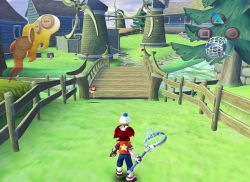
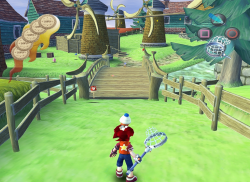
Ape Escape2 SCES-50885

LUA
Code:
apiRequest(1.0)
local eeObj = getEEObject()
local emuObj = getEmuObject()

local widescreen = function()

--Eliminate flickering texture and improve background color and clarity
eeObj.WriteMem32(0x0034E0E0,0x0000000)
end

emuObj.AddVsyncHook(widescreen)


Saru!Get You!2 SCPS-15025

LUA
Code:
apiRequest(1.0)
local eeObj = getEEObject()
local emuObj = getEmuObject()

local widescreen = function()

--Eliminate flickering texture and improve background color and clarity
eeObj.WriteMem32(0x00345300,0x00000000)
end

emuObj.AddVsyncHook(widescreen)


Ape Escape2 SLUS-20685

LUA
Code:
apiRequest(1.0)
local eeObj = getEEObject()
local emuObj = getEmuObject()

local widescreen = function()

--Eliminate flickering texture and improve background color and clarity
eeObj.WriteMem32(0x0034CE88,0x00000000)
end

emuObj.AddVsyncHook(widescreen)

pcsx2 2020-09-27 16-08-14.png pcsx2 2020-09-27 16-08-30.png
 
Last edited:
Burnout2: POI

LUA
SLPS-25351
Code:
apiRequest(0.1)    -- request version 0.1 API. Calling apiRequest() is mandatory.

-- SLPS_253.51 - Fix white parts
-- Major thanks to Maori-Jigglypuff for reversing that

eeInsnReplace(0x249378, 0xC6800D18, 0x3C014316)
eeInsnReplace(0x24938C, 0xE4400000, 0xAC410000)
eeInsnReplace(0x2633C4, 0xC7809700, 0x3C014316)
eeInsnReplace(0x2633D8, 0xE4400000, 0xAC410000)
eeInsnReplace(0x257278, 0x8F8297E4, 0x24020000)
 
Last edited:
So Burnout 3 and 4 (Revenge) are working great, but you have to select crash mode when you first boot up the game. In this mode there is no car selection and the game will always get past the loading screen. It seems that the car selection menu is working fine afterwards for all the other modes in both games. So some caching/loading textures into memory has to be done first to get the menu (and game) running. At least that's my understanding...;-)

In Burnout 5 (Dominator) you always have to enter the car selection menu (no crash mode). This will freeze.

Is there some lua or emu setting wizardry to get past the car selection menu in B5? Something to load into memory or something that can be patched adressing the car selection screen?

Thanks!
 
Tried to run THPS4+, specifically THUG
Directive --path-emulog does not work, it does not create a folder in /data/...
When changing --path-vmc to /data/vmc it creates a vmc folder in /data path.
The emulator log can only be found in /app_tmp when the application is running, but I don't have the permissions to download it via FTP.
I'll build a Dumper payload today and hopefully it will allow me to copy the logs.
I also noticed that the emulator creates sce_companion_httpd in the same /app_tmp folder. I will copy it as well, maybe I can get something out there. I assume that sce_companion_httpd is used for debugging or for remote emulator management.

Changing the directives in the emulator config did not give any results at all. Still freezes on the loading screen.
 
Tried to run THPS4+, specifically THUG
Directive --path-emulog does not work, it does not create a folder in /data/...
When changing --path-vmc to /data/vmc it creates a vmc folder in /data path.
The emulator log can only be found in /app_tmp when the application is running, but I don't have the permissions to download it via FTP.
I'll build a Dumper payload today and hopefully it will allow me to copy the logs.
I also noticed that the emulator creates sce_companion_httpd in the same /app_tmp folder. I will copy it as well, maybe I can get something out there. I assume that sce_companion_httpd is used for debugging or for remote emulator management.

Changing the directives in the emulator config did not give any results at all. Still freezes on the loading screen.
You can grab log using OLD mira + old HEN v1.8

Then connect via netcat to port 9998, and log will be printed directly yo your PC. Without HEN 1.8 you will miss all useful info..
 
You can grab log using OLD mira + old HEN v1.8

Then connect via netcat to port 9998, and log will be printed directly yo your PC. Without HEN 1.8 you will miss all useful info..
I was not able to dump these files inсlude log of emu. I made UART logs like you said.
The only difference is that SLUS20013 does "jVUexec [ 28.017sec] VU1 DataMem Mirror Total Pages Mapped = 64" after loading screen, but SLUS20731 does not and respectively hangs at this stage.
I'll try something else to get the emulator log.
 
I was not able to dump these files inсlude log of emu. I made UART logs like you said.
The only difference is that SLUS20013 does "jVUexec [ 28.017sec] VU1 DataMem Mirror Total Pages Mapped = 64" after loading screen, but SLUS20731 does not and respectively hangs at this stage.
I'll try something else to get the emulator log.
That's all that is printed to emulog then.
Edit: I dumped that file long time ago, and there is even less info than in user/kern print.
Edit2:

https://www.psx-place.com/threads/r...onfiguration-on-ps4.16131/page-18#post-129703
https://www.psx-place.com/threads/r...onfiguration-on-ps4.16131/page-29#post-137617
 
Btw. I looked into command that nifengyuexia found, and there seems to be available 5 VU1 modes that potentially can help, or at least give some hint that tony hawk games are VU1 issue. Maybe that will move THPS 4+ further.

--vu1=mode

mode can be:
  • interp
  • jit
  • trans
  • jit-sync
  • jit-async

For us most interesting should be interp as it should be most accurate (but slow af). jit or jit-async is default, but worth to test anyway. Actually all of them are worth to test.
 
Has anyone had any success with SLUS_204.80 (Virtua Tennis 2 / Sega Sports Tennis)?
Is just hangs after the PS2 boot logo. Tried different emu and clamping combinations to no avail.
We really need a decent Tennis game on this console beside Top Spin. BTW TS1 runs perfectly on Jakv2.

World Tour and AO Tennis are just terrible and I don't want to rely on my ancient Dreamcast anymore. ;-)
 
Btw. I looked into command that nifengyuexia found, and there seems to be available 5 VU1 modes that potentially can help, or at least give some hint that tony hawk games are VU1 issue. Maybe that will move THPS 4+ further.

--vu1=mode

mode can be:
  • interp
  • jit
  • trans
  • jit-sync
  • jit-async

For us most interesting should be interp as it should be most accurate (but slow af). jit or jit-async is default, but worth to test anyway. Actually all of them are worth to test.
interp - freeze on splash image of pkg, not loading ps2 logo animated splash (<118>abort [ 0.109sec] Unrecognized or missing parameter for 'vu1 micro cpu provider': interp)
jit - standart loading freeze
trans - standart loading freeze
jit-async - standart loading freeze

my config related to THPS3 but upscale, renderer is off:
--vu0-no-clamping=0
--vu1-no-clamping=0
--vu0-clamp-results=1
--vu1-clamp-results=1
--fpu-no-clamping=0
--cop2-no-clamping=0
--fpu-clamp-results=1
--cop2-clamp-results=1
--vu1=jit-sync
 

Similar threads

Back
Top