
Stayhye
Senior Member
Have you tested Chamber of Secrets? This game had some weird memcard issues (back in the day)...
I haven't, but it is on the list

Have you tested Chamber of Secrets? This game had some weird memcard issues (back in the day)...
Guys, pls dont ask about share emus here, @Coro will not happy about this, find another way...

--host-display-mode=16:9
--ps2-title-id=SLES-53755
--gs-uprender=2x2
--gs-upscale=edgesmooth
--force-pal-60hz=1
--cdvd-sector-read-cycles=4000
--ee-cycle-scalar=2.0local gpr = require("ee-gpr-alias")
apiRequest(0.1)
local eeObj = getEEObject()
local emuObj = getEmuObject()
local patcher = function()
--gameplay
eeObj.WriteMem32(0x007526FC,0x3c013f40)
eeObj.WriteMem32(0x00752700,0x44810000)
eeObj.WriteMem32(0x00752708,0x4600c602)
--FMV's fix
eeObj.WriteMem32(0x004448D0,0x00000000)
eeObj.WriteMem32(0x00776718,0x24056e40)
eeObj.WriteMem32(0x00776724,0x24072380)
--sps fix (by kozarovv)
eeObj.WriteMem32(0x00931280,0xFF7F8001)
--Stack-Pointer Values Changing Loop-based Control-System for enhanced
-- World and Characters Brightness without any bad additional Lights.
--[Characters (incl. Innocent Devils) true Shape and Skin will be revealed now]
--Disable also white Brigthness of the Blooms in Save-Procedure.(by Maori-Jigglypuff)
eeObj.WriteMem32(0x0041cce4,0x8e82007c)
eeObj.WriteMem32(0x0041ccf8,0x8c62000c)
eeObj.WriteMem32(0x0041cd00,0x8e82007c)
eeObj.WriteMem32(0x0041cd08,0x0c7fac40)
eeObj.WriteMem32(0x0041cd34,0x0c7fac40)
eeObj.WriteMem32(0x01feb100,0x0000482d)
eeObj.WriteMem32(0x01feb104,0x0220402d)
eeObj.WriteMem32(0x01feb108,0x2d2a0000)
eeObj.WriteMem32(0x01feb10c,0x394a0001)
eeObj.WriteMem32(0x01feb110,0x340b0002)
eeObj.WriteMem32(0x01feb114,0x0169582b)
eeObj.WriteMem32(0x01feb118,0x396b0001)
eeObj.WriteMem32(0x01feb11c,0x3c053fb0)
eeObj.WriteMem32(0x01feb120,0x514b0001)
eeObj.WriteMem32(0x01feb124,0xad050030)
eeObj.WriteMem32(0x01feb128,0x34060003)
eeObj.WriteMem32(0x01feb12c,0x11260003)
eeObj.WriteMem32(0x01feb130,0x00000000)
eeObj.WriteMem32(0x01feb134,0x1000000a)
eeObj.WriteMem32(0x01feb138,0x00000000)
eeObj.WriteMem32(0x01feb13c,0x3c073f80)
eeObj.WriteMem32(0x01feb140,0x10470006)
eeObj.WriteMem32(0x01feb144,0x00000000)
eeObj.WriteMem32(0x01feb148,0x3c074300)
eeObj.WriteMem32(0x01feb14c,0x10470003)
eeObj.WriteMem32(0x01feb150,0x00000000)
eeObj.WriteMem32(0x01feb154,0x10000002)
eeObj.WriteMem32(0x01feb158,0x00000000)
eeObj.WriteMem32(0x01feb15c,0xad070030)
eeObj.WriteMem32(0x01feb160,0x25290001)
eeObj.WriteMem32(0x01feb164,0x2d2b0004)
eeObj.WriteMem32(0x01feb168,0x1560ffe7)
eeObj.WriteMem32(0x01feb16c,0x25080004)
eeObj.WriteMem32(0x01feb170,0x03e00008)
eeObj.WriteMem32(0x01feb174,0x00000000)
eeObj.WriteMem32(0x0041ccc8,0x0c7fac5e)
eeObj.WriteMem32(0x01feb178,0x8fac0060)
eeObj.WriteMem32(0x01feb17c,0x340d0100)
eeObj.WriteMem32(0x01feb180,0x018d1824)
eeObj.WriteMem32(0x01feb184,0x50600001)
eeObj.WriteMem32(0x01feb188,0x7e800060)
eeObj.WriteMem32(0x01feb18c,0x340d0800)
eeObj.WriteMem32(0x01feb190,0x018d1824)
eeObj.WriteMem32(0x01feb194,0x50600001)
eeObj.WriteMem32(0x01feb198,0x7e800060)
eeObj.WriteMem32(0x01feb19c,0x340d0200)
eeObj.WriteMem32(0x01feb1a0,0x018d1824)
eeObj.WriteMem32(0x01feb1a4,0x50600001)
eeObj.WriteMem32(0x01feb1a8,0x7e800060)
eeObj.WriteMem32(0x01feb1ac,0x03e00008)
eeObj.WriteMem32(0x01feb1b0,0x24030003)
eeObj.WriteMem32(0x0041cdb0,0xae200040)
eeObj.WriteMem32(0x008c2264,0x1000000A)
eeObj.WriteMem32(0x0055749c,0x0c7fac6d)
eeObj.WriteMem32(0x01feb1b4,0x0200202D)
eeObj.WriteMem32(0x01feb1b8,0x10800004)
eeObj.WriteMem32(0x01feb1bc,0x00000000)
eeObj.WriteMem32(0x01feb1c0,0x8c830130)
eeObj.WriteMem32(0x01feb1c4,0x34630004)
eeObj.WriteMem32(0x01feb1c8,0xac830130)
eeObj.WriteMem32(0x01feb1cc,0x03E00008)
eeObj.WriteMem32(0x01feb1d0,0xC6200020)
eeObj.WriteMem32(0x004187bc,0x087fac80)
eeObj.WriteMem32(0x004187c0,0x00000000)
eeObj.WriteMem32(0x01feb200,0x3c0c4280)
eeObj.WriteMem32(0x01feb204,0x3c0d3f80)
eeObj.WriteMem32(0x01feb208,0x000c703c)
eeObj.WriteMem32(0x01feb20c,0x01cc7025)
eeObj.WriteMem32(0x01feb210,0x000d683c)
eeObj.WriteMem32(0x01feb214,0x01ac6825)
eeObj.WriteMem32(0x01feb218,0x71ae1488)
eeObj.WriteMem32(0x01feb21c,0x081061f1)
eeObj.WriteMem32(0x01feb220,0x7c620000)
eeObj.WriteMem32(0x0042a9d0,0x03E00008)
eeObj.WriteMem32(0x0042a9d4,0x00000000)
--[[Disable overall Fog Effect (by Maori-Jigglypuff)
eeObj.WriteMem32(0x00411c64,0xace10018)
eeObj.WriteMem32(0x00411c54,0xace0001c)
eeObj.WriteMem32(0x00411ce8,0x087fac8c)
eeObj.WriteMem32(0x00411cec,0x00000000)
eeObj.WriteMem32(0x01feb230,0x3c040002)
eeObj.WriteMem32(0x01feb234,0x3484ee00)
eeObj.WriteMem32(0x01feb238,0x0810473c)
eeObj.WriteMem32(0x01feb23c,0xac448658)
eeObj.WriteMem32(0x00411cf4,0xa0438bf2)--]]
emuObj.ThrottleMax()
end
emuObj.AddVsyncHook(patcher)Whom can ask?
anway depends what problem game have!

while boot or after menu?Hey Vika23. Black screen appears when starting Virtua Tennis 2 in NTSC version. is there a way? thank you and best regards
Thank you very much!Castlevania Curse of Darkness [SLES-53755]
Emu= JAK
--host-display-mode=16:9
--ps2-title-id=SLES-53755
--gs-uprender=2x2
--gs-upscale=edgesmooth
--rom="PS20220WD20050620.crack"
--force-pal-60hz=1
--cdvd-sector-read-cycles=4000
--ee-cycle-scalar=2.0
Lua:
local gpr = require("ee-gpr-alias")
apiRequest(0.1)
local eeObj = getEEObject()
local emuObj = getEmuObject()
local patcher = function()
--gameplay
eeObj.WriteMem32(0x007526FC,0x3c013f40)
eeObj.WriteMem32(0x00752700,0x44810000)
eeObj.WriteMem32(0x00752708,0x4600c602)
--FMV's fix
eeObj.WriteMem32(0x004448D0,0x00000000)
eeObj.WriteMem32(0x00776718,0x24056e40)
eeObj.WriteMem32(0x00776724,0x24072380)
--gfx fix
eeObj.WriteMem32(0x009313E0,0xC37f0000)
eeObj.WriteMem32(0x00931428,0xC37f0000)
emuObj.ThrottleMax()
end
emuObj.AddVsyncHook(patcher)
Indiana Jones and the Staff of Kings PS2toPS4 TestIndiana Jones and the Staff of Kings NTSC (SLUS21885)
CLI
Code:--gs-uprender=2x2 --gs-upscale=EdgeSmooth --host-display-mode=16:9 --cdvd-sector-read-cycles=2000
LUA
Code:-- Indiana Jones and the Staff of Kings NTSC -- Widescreen Hack by Arapapa -- emu jakxv2 local gpr = require("ee-gpr-alias") apiRequest(2.0) local eeObj = getEEObject() local emuObj = getEmuObject() local patcher = function() --16:9 eeObj.WriteMem32(0x001a3d40,0x3c033ec0) -- 3c033f00 --60 fps by asasega @PCSX2 forums eeObj.WriteMem32(0x201505B4,0x2C620000) emuObj.ThrottleMax() end emuObj.SetGsTitleFix( "forceSimpleFetch", "reserved", { texMode=1 } ) emuObj.SetGsTitleFix( "forceSimpleFetch", "reserved", { texMode=2 } ) emuObj.AddVsyncHook(patcher)
Fix for Disney's Piglet's Big Game (NTSC-U)
Used Jak v2 and the following in a config file:
--iop-cycle-scalar=2.0
--ee-cycle-scalar=2.0
--vu0-di-bits=0
--vu1-di-bits=0
Fixed missing characters, vertices, and textures. Now playable.
--fpu-no-clamping=0
--fpu-clamp-results=1
--vu0-no-clamping=0
--vu0-clamp-results=1
--vu1-no-clamping=0
--vu1-clamp-results=1
--cop2-no-clamping=0
--cop2-clamp-results=1while boot or after menu?
That cheat fix issue with cardHave you tested Chamber of Secrets? This game had some weird memcard issues (back in the day)...
//load game quickly
patch=1,EE,001f704c,word,1000000f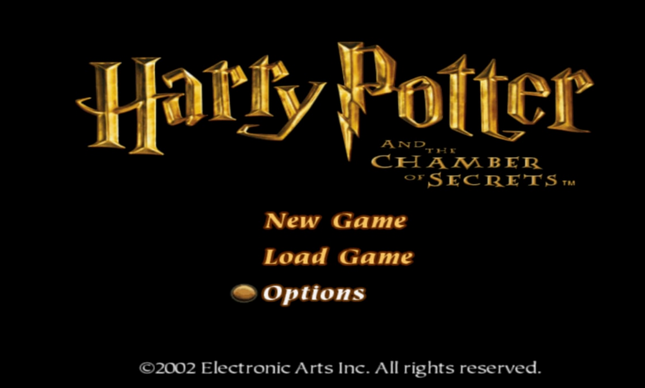
Have you tested Chamber of Secrets? This game had some weird memcard issues (back in the day)...

WIP Fix for Batman Begins NTSC
CLI
LUACode:--gs-uprender=2x2 --gs-upscale=edgesmooth --gs-kernel-cl-up="up2x2skipinterp" #fixes white lines around characters/objects --host-display-mode=16:9 --ee-cycle-scalar=0.6 --iop-cycle-scalar=1.5 #emu used=rogue v1 or v2
Code:-- Batman Begins NTSC -- 60fps by asasega @pcsx2 forums -- switch by @kugozx -- emu used=rogue v1 or v2 local gpr = require("ee-gpr-alias") apiRequest(0.1) local eeObj = getEEObject() local emuObj = getEmuObject() local patcher = function() --60fps switch by @kugozx local Speed_Switch = eeObj.ReadMem16(0x00448642) --title screen freeze fix?? but breaks FMVs if (Speed_Switch == 0xFBFD) then --Press L1+L3 Enabled 60 Fps eeObj.WriteMem32(0x00409BF8,0x0000003C) end if (Speed_Switch == 0xFBFB) then --Press L1+R3 Disabled 60 Fps eeObj.WriteMem32(0x00409BF8,0x0000001E) end end emuObj.AddVsyncHook(patcher)
Works great so far other than the FMVs run too fast(??). Tested a Little. Fix breaks FMVs for some reason?
-- Force MPEG movies to 30Hz to prevent stutters
local halfspeed = 0
local fixupMPEGsync1 = function()
    -- always capture this flag
    halfspeed = eeObj.ReadMem32(eeObj.GetGpr(gpr.gp) + 0x9c)
    local falseval = eeObj.GetGpr(gpr.s7)

    -- check if we're running a FMV
    if eeObj.GetGpr(gpr.v1) ~= falseval then
        -- pretend we're not and set 30hz to force and extra syncv()
        eeObj.SetGpr(gpr.v1, falseval) -- 3020801 = false
        eeObj.WriteMem32(eeObj.GetGpr(gpr.gp) + 0x9c, falseval + 4) -- 3020805 = true
    end
end

local fixupMPEGsync2 = function()
    -- restore half-speed flag
    eeObj.WriteMem32(eeObj.GetGpr(gpr.gp) + 0x9c, halfspeed)
end


eeOverlay.AddPostHook("drawable.main", 0x16c, 0x9c6302fc, fixupMPEGsync1)
eeOverlay.AddPostHook("drawable.main", 0x184, 0x8ef90173, fixupMPEGsync2)You don't need that patch in Kasai v1, when using --cdvd-sector-read-cycles=5000 in CLI. The EA/WB logo and FMV run without any issues. When you enter the main menu every entry (even Options) will crash the emu though.That cheat fix issue with card
Code://load game quickly patch=1,EE,001f704c,word,1000000f
But game still crash after pick new game!
niceYou don't need that patch in Kasai v1, when using --cdvd-sector-read-cycles=5000 in CLI. The EA/WB logo and FMV run without any issues. When you enter the main menu every entry (even Options) will crash the emu though.
