PS4 [Research]PS2 emulator configuration on PS4

I tried some of the clamping options and i'm currently trying --vu-xgkick-delay=0.58

Edit: --vu-xgkick-delay=0.58 didn't work,
also could the sps possibly be the patch's fault ? nopping the offset doesn't change anything on pcsx2 but who knows ? it's a different emulator

It is probably related to it. Also, could you explain what the patch is doing? What function is it patching?
 
It is probably related to it. Also, could you explain what the patch is doing? What function is it patching?
it's increasing the EE's clock speed at : ctc2 t0,vi07

Changing the cli value from 700 to 500 somehow reduces the sps slightly,
Edit: Anyways, I have no reason to believe this is what's causing the sps and missing gfx, I Believe that other values in that branch need the same command to be done to them in order for the gfx to be fixed

Edit 2: Now it's fully fixed https://www.psdevwiki.com/ps4/Talk:PS2_Classics_Emulator_Compatibility_List#Rayman_3:_Hoodlum_havoc
 
Last edited:
it's increasing the EE's clock speed at : ctc2 t0,vi07

Changing the cli value from 700 to 500 somehow reduces the sps slightly,
Edit: Anyways, I have no reason to believe this is what's causing the sps and missing gfx, I Believe that other values in that branch need the same command to be done to them in order for the gfx to be fixed

Edit 2: Now it's fully fixed https://www.psdevwiki.com/ps4/Talk:PS2_Classics_Emulator_Compatibility_List#Rayman_3:_Hoodlum_havoc

"Final cut" was with
Code:
--vu0-no-clamping=0
--vu1-no-clamping=0

That pair FiX much games with same clamp problems!:flustered:
 
Last edited:
it's increasing the EE's clock speed at : ctc2 t0,vi07

Changing the cli value from 700 to 500 somehow reduces the sps slightly,
Edit: Anyways, I have no reason to believe this is what's causing the sps and missing gfx, I Believe that other values in that branch need the same command to be done to them in order for the gfx to be fixed

Edit 2: Now it's fully fixed https://www.psdevwiki.com/ps4/Talk:PS2_Classics_Emulator_Compatibility_List#Rayman_3:_Hoodlum_havoc

Nice work! Thanks for fix
 
Offsets used in the US Rayman 3 config for PS3 emulator:
0x28A2FC, 0x28A4E8, 0x28A57C, 0x28A720, 0x28A810.
I Tried those to no avail, The Entire damn branch is CURSED. so i just added random lw and sw offsets from it and the graphics worked, As for the CTC2, only one fixed the game from being stuck
 
Last edited:
"Final cut" was with
Code:
--vu0-no-clamping=0
--vu1-no-clamping=0

That pair FiX much games with same clamp problems!:flustered:

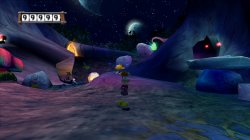
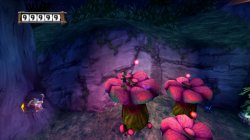
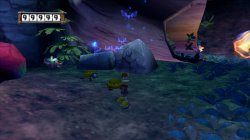
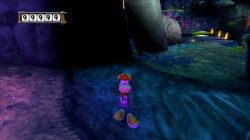
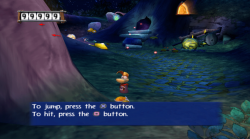
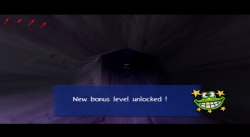
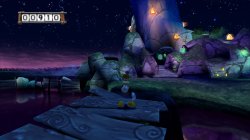
Rayman 3 Hoodlum Havoc. Before\\\After FiX Comparison!
VIDEO
 

Attachments

  • 01.jpg
    01.jpg
    696.2 KB · Views: 44
  • 02.jpg
    02.jpg
    743.4 KB · Views: 44
  • 03.jpg
    03.jpg
    727.1 KB · Views: 48
  • 04.jpg
    04.jpg
    606.3 KB · Views: 41
One more thing about Rayman 3: Hoodlum Havoc

In light areas of stages u can see thin dark vertical lines (i know not much users can't see, but i see)! it's more noticeble whle gameplay!

You can see in attached pic if looks deep!

FiX is
Code:
--gs-kernel-cl-up="up2x2skipinterp"

add to txt.

Edit:

Upload more better pic for show thin dark vertical lines!
 

Attachments

  • Rayman 3.png
    Rayman 3.png
    533.7 KB · Views: 51
  • 02.png
    02.png
    519.1 KB · Views: 54
Last edited:
Well now that rayman 3 is fixed, i wanted to lower the cli into a lua with just a few commands, But sadly the lua is crashing the game, Can anyone tell me what i'm doing wrong ?
Code:
apiRequest(0.1)
local eeObj       = getEEObject()
local EE = eeobj.AdvanceClock(500)
local EE2 = eeobj.AdvanceClock(0)
eeObj.AddpreHook(0x28A050, 0x27BDFF60, EE)
eeObj.AddPostHook(0x28A844, 0x0, EE2)
end
 
Well now that rayman 3 is fixed, i wanted to lower the cli into a lua with just a few commands, But sadly the lua is crashing the game, Can anyone tell me what i'm doing wrong ?
Code:
apiRequest(0.1)
local eeObj       = getEEObject()
local EE = eeobj.AdvanceClock(500)
local EE2 = eeobj.AdvanceClock(0)
eeObj.AddpreHook(0x28A050, 0x27BDFF60, EE)
eeObj.AddPostHook(0x28A844, 0x0, EE2)
end

Format of AddPre/PostHook looks something like this: (this is why your lua is crashing emu)

Code:
eeObj.AddPreHook(sceGsSyncPath_addr + 0x48, 0x30420100, function() frameskip.SpinWaitDelayHook(0x48, gpr.v0, 0x100) end)
eeObj.AddPreHook(sceGsSyncPath_addr + 0x88, 0x30420100, function() frameskip.SpinWaitDelayHook(0x88, gpr.v0, 0x100) end)
 
Last edited:
Well now that rayman 3 is fixed, i wanted to lower the cli into a lua with just a few commands, But sadly the lua is crashing the game, Can anyone tell me what i'm doing wrong ?
Code:
apiRequest(0.1)
local eeObj       = getEEObject()
local EE = eeobj.AdvanceClock(500)
local EE2 = eeobj.AdvanceClock(0)
eeObj.AddpreHook(0x28A050, 0x27BDFF60, EE)
eeObj.AddPostHook(0x28A844, 0x0, EE2)
end
Code:
-- Rayman 3 Hoodlum Havoc (NTSC)
-- emu used=KOF 2000

apiRequest(1.0)   

local gpr = require("ee-gpr-alias")

local eeObj = getEEObject()
local emuObj = getEmuObject()

-- Fix for thin vertical lines that separate screen picture, misallignment/tearing of screen during upscaling
-- psm= SCE_GS_PSMCT32 (0)
emuObj.SetGsTitleFix( "forceSimpleFetch",  "reserved", {psm=0} )
emuObj.SetGsTitleFix( "fetchFromCurrBuff", "reserved", {psm=0} )

local patcher = function()

--Max Score/Unlock Bonuses
eeObj.WriteMem32(0x211E7744,0x000F423F)

end

emuObj.AddVsyncHook(patcher)

Working lua with Kof 2000 emu!
 
Rayman 3 Hoodlum Havoc (SLES51222)

FiX for PAL!

Code:
--gs-kernel-cl-up="up2x2skipinterp"

--vu0-no-clamping=0
--vu1-no-clamping=0

--ee-hook=0x0028A408,AdvanceClock,,500

--ee-hook=0x0028A588,AdvanceClock,,500
--ee-hook=0x0028A584,AdvanceClock,,500
--ee-hook=0x0028A57C,AdvanceClock,,500
--ee-hook=0x0028A558,AdvanceClock,,500
--ee-hook=0x0028A554,AdvanceClock,,500
--ee-hook=0x0028A54C,AdvanceClock,,500
--ee-hook=0x0028A528,AdvanceClock,,500
--ee-hook=0x0028A524,AdvanceClock,,500
--ee-hook=0x0028A51C,AdvanceClock,,500
--ee-hook=0x0028A4F8,AdvanceClock,,500
--ee-hook=0x0028A4F4,AdvanceClock,,500
--ee-hook=0x0028A4EC,AdvanceClock,,500
--ee-hook=0x0028A4A8,AdvanceClock,,500
--ee-hook=0x0028A49C,AdvanceClock,,500
--ee-hook=0x0028A494,AdvanceClock,,500
--ee-hook=0x0028A48C,AdvanceClock,,500
--ee-hook=0x0028A47C,AdvanceClock,,500
--ee-hook=0x0028A478,AdvanceClock,,500
--ee-hook=0x0028A474,AdvanceClock,,500
--ee-hook=0x0028A230,AdvanceClock,,500
--ee-hook=0x0028A228,AdvanceClock,,500
--ee-hook=0x0028A220,AdvanceClock,,500
--ee-hook=0x0028A218,AdvanceClock,,500
--ee-hook=0x0028A210,AdvanceClock,,500
--ee-hook=0x0028A20C,AdvanceClock,,500
--ee-hook=0x0028A208,AdvanceClock,,500
--ee-hook=0x0028A1FC,AdvanceClock,,500
--ee-hook=0x0028A194,AdvanceClock,,500
--ee-hook=0x0028A160,AdvanceClock,,500
--ee-hook=0x0028A130,AdvanceClock,,500
--ee-hook=0x0028A124,AdvanceClock,,500
--ee-hook=0x0028A120,AdvanceClock,,500
--ee-hook=0x0028A118,AdvanceClock,,500
--ee-hook=0x0028A108,AdvanceClock,,500
--ee-hook=0x0028A0AC,AdvanceClock,,500
--ee-hook=0x0028A098,AdvanceClock,,500
--ee-hook=0x0028A084,AdvanceClock,,500
--ee-hook=0x0028A080,AdvanceClock,,500
--ee-hook=0x0028A078,AdvanceClock,,500
--ee-hook=0x00289F6C,AdvanceClock,,500
--ee-hook=0x00289F68,AdvanceClock,,500
--ee-hook=0x00289F64,AdvanceClock,,500
--ee-hook=0x00289F54,AdvanceClock,,500
--ee-hook=0x00289F4C,AdvanceClock,,500
--ee-hook=0x00289F30,AdvanceClock,,500

Thanks @Kugozx with porting as always!
 

Attachments

  • 001.jpg
    001.jpg
    637.8 KB · Views: 36
  • 002.jpg
    002.jpg
    754.4 KB · Views: 39
  • 003.jpg
    003.jpg
    496 KB · Views: 41
Last edited:
Format of AddPre/PostHook looks something like this: (this is why your lua is crashing emu)

Code:
eeObj.AddPreHook(sceGsSyncPath_addr + 0x48, 0x30420100, function() frameskip.SpinWaitDelayHook(0x48, gpr.v0, 0x100) end)
eeObj.AddPreHook(sceGsSyncPath_addr + 0x88, 0x30420100, function() frameskip.SpinWaitDelayHook(0x88, gpr.v0, 0x100) end)
I Thought it was a start offset + end offset command because of how it's named.
The eboot says the usage is
Code:
hash=0x%8x key=0x%x
 
Grand Theft Auto Anime Legend PS2toPS4 Test

FiX

Code:
--host-display-mode=16:9
--vu1-no-clamping=0

--vu0-const-prop=0
--vu1-const-prop=0

--cdvd-sector-read-cycles=2000
--mtap1=always

in txt.

Graphical bugs (Green lines near grass) - FiXed!
 
Rumble Roses (SLES-52535) Face and Heel Mod

CLI

Code:
--gs-uprender=2x2
--gs-upscale=edgesmooth

--host-display-mode=16:9
--cdvd-sector-read-cycles=5000


#emu used=aofa
LUA
Code:
-- Rumble Roses (PAL-M5) (SLES-52535) 
-- Widescreen hack by ElHecht (Font fix by Arapapa)
-- Face and Heel Mod
-- ported to ps4 lua by Stayhye
-- emu used=aofa

local gpr = require("ee-gpr-alias")

apiRequest(2.0)

local eeObj = getEEObject()
local emuObj = getEmuObject()

local patcher = function()
-- 16:9
eeObj.WriteMem32(0x00104084,0x3c013f40)
eeObj.WriteMem32(0x00104088,0x44810000)
eeObj.WriteMem32(0x00104090,0x4600c602)

--font fix
eeObj.WriteMem32(0x0030a55c,0x3c033f53) --3c033f8c
eeObj.WriteMem32(0x0030a560,0x34633333) --3463cccd


emuObj.ThrottleMax()
end

emuObj.AddVsyncHook(patcher)

No issues noticed
 
Starsky & Hutch (SLUS-20619)

CLI

Code:
--gs-uprender=2x2
--gs-upscale=edgesmooth

--host-display-mode=16:9
--host-vsync=1
--cdvd-sector-read-cycles=3000

#emu used=kof98um
LUA
Code:
-- Starsky & Hutch (U)(SLUS-20619)
-- Widescreen hack by Arapapa
-- ported to ps4 lua by Stayhye
-- emu used=kof98um

local gpr = require("ee-gpr-alias")

apiRequest(1.0)

local eeObj = getEEObject()
local emuObj = getEmuObject()

local patcher = function()
--Widescreen hack 16:9
--Zoom
eeObj.WriteMem32(0x00123e9c,0x3c033f2a) --3c033f00
--Y-Fov
--3f333333 3f333333
eeObj.WriteMem32(0x204D235C,0x3F066666) --3f333333
--All Seasons/All Episodes by Code Master
eeObj.WriteMem32(0x2051A138,0xFFFFFFFF)
eeObj.WriteMem32(0x2051A13C,0xFFFFFFFF)
eeObj.WriteMem32(0x2051A140,0xFFFFFFFF)
eeObj.WriteMem32(0x2051A144,0xFFFFFFFF)
eeObj.WriteMem32(0x0051A148,0xFFFFFFFF)
--Unlock All Free Roam by Code Master
eeObj.WriteMem32(0x0052D70D,0x00000001)
--Unlock All TV Specials by Code Master
eeObj.WriteMem32(0x0052D70E,0x00000001)
--Unlock All Locker Items by Code Master
eeObj.WriteMem32(0x0052D712,0x00000001)
--All Seasons by Code Master
eeObj.WriteMem32(0x2051A0EC,0x00060606)

--eeObj.Vu1MpgCycles(00)
emuObj.ThrottleMax()
end

emuObj.AddVsyncHook(patcher)

--emuObj.SetGsTitleFix( "forceSimpleFetch", "reserved", { texMode=1  } )
 
Contra™ Shattered Soldier® (NTSC)

CLI

Code:
--gs-uprender=2x2
--gs-upscale=EdgeSmooth

--host-display-mode=16:9

#emu used=rogue v2
LUA
Code:
-- Contra™ Shattered Soldier® NTSC
-- Widescreen Hack (16:9) by ElHecht
-- ported to ps4 lua by Stayhye
-- emu used=rogue v2

local gpr = require("ee-gpr-alias")

apiRequest(0.1)

local eeObj = getEEObject()
local emuObj = getEmuObject()

local patcher = function()
-- 16:9
eeObj.WriteMem32(0x005dbffc,0x3c013f40) --00000000 hor fov
eeObj.WriteMem32(0x005dc000,0x44810000) --00000000
eeObj.WriteMem32(0x005dc008,0x4600c602) --00000000
eeObj.WriteMem32(0x00677bf4,0x44d8aaab) -- 44a28000 increase enemy spawn point right
eeObj.WriteMem32(0x00677bf8,0xc4d8aaab) -- c4a28000 increase enemy spawn point left

--Infinite Credits
eeObj.WriteMem32(0x00912534,0x00630063)

--Infinite Lives P1
--eeObj.WriteMem32(0x009128C0,0x00630063)

end

emuObj.AddVsyncHook(patcher)

No Issues noticed. This game is difficult!! Your choice of infinite lives or credits.
 
Manhunt 2 (SLES-54819)

CLI

Code:
--gs-uprender=2x2
--gs-upscale=edgesmooth
--gs-kernel-cl="h2lpool"
--gs-kernel-cl-up="h2lpool2x2"
--gs-h2l-list-opt=1
--gs-h2l-accurate-hash=1
--gs-uv-shift-pointsampling=1
--gs-adaptive-frameskip=1
--gs-optimize-30fps=1

--cdvd-sector-read-cycles=3000
--idec-cycles-per-qwc=2000

--ee-block-validation=PageProt
--ee-cycle-scalar=0.85
--iop-cycle-scalar=0.9

#emu used=jakx v2
LUA
Code:
-- Manhunt 2 (SLES-54819)
-- enhancements by maori-jigglypuff
-- ported to PS4 by Stayhye
-- emu used=jakx v2

apiRequest(2.2)

local gpr       = require("ee-gpr-alias")
local cpr       = require("ee-cpr0-alias")
local hwaddr     = require("ee-hwaddr")

local emuObj      = getEmuObject()
local eeObj       = getEEObject()
local gsObj       = getGsObject()
local eeOverlay    = eeObj.getOverlayObject()
local iopObj  = getIOPObject()

local thresholdArea = 600   

emuObj.PadSetLightBar(0, 250, 111, 78)
emuObj.SetDisplayAspectWide()
gsObj.SetDeinterlaceShift(0) 

eeInsnReplace(0x003bb628, 0x30420003, 0x24020002) -- Force turn on Native Widescreen (Full boot passing) by Arapapa

local patcher = function()
-- Disable Noise Effect
eeObj.WriteMem32(0x00287138,0x34030000)
eeObj.WriteMem32(0x00287140,0x0003102B)
-- No flashing Color Effects in Killing Sequences
eeObj.WriteMem32(0x001d1240,0x34020000)
eeObj.WriteMem32(0x001d1244,0x0002202B)
-- No Blood Splatter on the Screen in Killing Sequences
eeObj.WriteMem32(0x001d12bc,0x34060001)
eeObj.WriteMem32(0x001d12c0,0x34050000)
eeObj.WriteMem32(0x001d12c4,0x00c51826)
eeObj.WriteMem32(0x001d12c8,0x0003102b)
--Kill Censorship Codes
--Fully Nonfiltered Gore Mode
eeObj.WriteMem32(0x205BCD60,0x00000000)
eeObj.WriteMem32(0x205BCD64,0x00000000)
eeObj.WriteMem32(0x005B21E8,0x00000000)
eeObj.WriteMem32(0x205BCD70,0x42C80000)
eeObj.WriteMem32(0x205BCD74,0x42C80000)
eeObj.WriteMem32(0x205BCD78,0x42C80000)

--misc codes
local pad_bits = emuObj.GetPad()

local UP     = pad_bits &  0x0010
local DOWN     = pad_bits &  0x0040
local LEFT     = pad_bits &  0x0080
local RIGHT     = pad_bits &  0x0020
local Triangle  = pad_bits &  0x1000
local Cross     = pad_bits &  0x4000
local Square  = pad_bits &  0x8000
local Circle    = pad_bits &  0x2000
local L1     = pad_bits &  0x0400
local L2     = pad_bits &  0x0100
local L3     = pad_bits &  0x0002
local R1     = pad_bits &  0x0800
local R2     = pad_bits &  0x0200
local R3     = pad_bits &  0x0004
local Select    = pad_bits &  0x0001
local Start     = pad_bits &  0x0008

if (Select ~= 0 and L3 ~= 0) then 
--Free Camera (Press: Select+L3=ON)
eeObj.WriteMem32(0x203FBD64,0x00000001)
end

if (Select ~= 0 and R3 ~= 0) then 
--Free Camera (Press: Select+R3=OFF)
eeObj.WriteMem32(0x203FBD64,0x00000000)
end

if (Select ~= 0 and DOWN ~= 0) then 
--Molasses Mode (Press: Select+Down=ON)
eeObj.WriteMem32(0x204BF194,0x00000001)
eeObj.WriteMem32(0x203F9198,0x00000005)
end
--Molasses Mode (Press: Select+Up=OFF)
if (Select ~= 0 and UP ~= 0) then 
eeObj.WriteMem32(0x204BF194,0x00000000)
end

if (Select ~= 0 and RIGHT ~= 0) then 
--Quicker Game (Press: Select+Right=ON)
eeObj.WriteMem32(0x204BF194,0x00000001)
eeObj.WriteMem32(0x203F9198,0x0000003c)
end
--Quicker Game (Press: Select+Up=OFF)
if (Select ~= 0 and UP ~= 0) then 
eeObj.WriteMem32(0x204BF194,0x00000000)
end

eeObj.Vu1MpgCycles(math.floor(900))
emuObj.ThrottleMax()
end

emuObj.AddVsyncHook(patcher)

Tested a little. Everything seems to be working correctly. Button trigger codes work as well.
 

Similar threads

Back
Top