PS4 [Research]PS2 emulator configuration on PS4

The addresses of:
1000000368
1000000308

Seem to be showing the current EE offsets that are being read. tested on Jakv2, untested on other emulators.

Code:
--Remove xgkick responsible for shadow packet.
eeObj.WriteMem32(0x2B1810,0x8000033c)

--pros. Fix bug, allow upscalling cons. No shadow.

Kozarovv sent me a fix to completely disable shadows. Largo should be totally fixed at this point.
 
Last edited:
Code:
--Remove xgkick responsible for shadow packet.
eeObj.WriteMem32(0x2B1810,0x8000033c)

Kozarovv sent me a fix to completely disable shadows. Largo should be totally fixed at this point.
That's really awesome!!
maybe you can ask him to also find a patch for Ratchet Up your arsenal SCUS_973.53 cause it gets stuck on this address 3D5F58 . and i can't find a way to contact him since everyone in the pcsx2 team thinks he's dead or something lol.

The instruction on the address is:
qmtc2 zero,vf00
 
Last edited:
Largo Winch - Empire Under Threat (E)(SLES-51093)

CLI
Code:
--gs-uprender=2x2
--gs-upscale=EdgeSmooth

--host-display-mode=16:9
--cdvd-sector-read-cycles=3000
--force-pal-60hz=1
--gs-kernel-cl="h2lpool"
--gs-kernel-cl-up="h2lpool2x2"
--vu0-no-clamping=0


#emu used=rotk v1
LUA
Code:
-- Largo Winch - Empire Under Threat (E)(SLES-51093)
-- Widescreen hack by Arapapa
-- Fix method by Kozarovv
-- ported to PS4 lua by Stayhye
-- emu used=rotk v1

local gpr = require("ee-gpr-alias")

apiRequest(0.1)

local eeObj = getEEObject()
local emuObj = getEmuObject()

local WS2 = function()
--16:9
--Zoom
eeObj.WriteMem32(0x0028029c,0x3c013f2f) --3c013f80
--Y-Fov
eeObj.WriteMem32(0x001abc40,0x08030000)

eeObj.WriteMem32(0x000c0000,0x46070a02)
eeObj.WriteMem32(0x000c0004,0x3c013fa6)
eeObj.WriteMem32(0x000c0008,0x4481f000)
eeObj.WriteMem32(0x000c000c,0x461e4202)
eeObj.WriteMem32(0x000c0010,0x0806af11)
----------------------------
--X-Fov (Needs render fix)
--eeObj.WriteMem32(0x001abb98,0x08030000)
--eeObj.WriteMem32(0x000c0000,0x24420050)
--eeObj.WriteMem32(0x000c0004,0x3c013f40)
--eeObj.WriteMem32(0x000c0008,0x4481f000)
--eeObj.WriteMem32(0x000c000c,0x461e4202)
--eeObj.WriteMem32(0x000c0010,0x0806aee7)
--Start microprograms manually instead of rely on timings.
--0x48c83000 >> ctc2 t0, $vi6
--eeObj.WriteMem32(0x00116d4c,0x4a0000b8)
eeObj.WriteMem32(0x00116e04,0x4a0000b8)
eeObj.WriteMem32(0x00116fe0,0x4a0000b8)
eeObj.WriteMem32(0x00117054,0x4a000938)
eeObj.WriteMem32(0x001170a4,0x4a000938)
eeObj.WriteMem32(0x001172ac,0x4a000938)
eeObj.WriteMem32(0x001172e4,0x4a000938)
eeObj.WriteMem32(0x00117470,0x4a000938)
eeObj.WriteMem32(0x001174ac,0x4a000938)
eeObj.WriteMem32(0x00117540,0x4a000938)
-- No need to loop here, just e-bit and wait for vcallms from EE.
eeObj.WriteMem32(0x00298f70,0x8000033c) -- 500607ff
eeObj.WriteMem32(0x00298f74,0x400002ff)
eeObj.WriteMem32(0x002990a0,0x8000033c)
eeObj.WriteMem32(0x002990a4,0x400002ff)
-- skip videos
--eeObj.WriteMem32(0x001f3938,0x24020001)
--Remove xgkick responsible for shadow packet.
eeObj.WriteMem32(0x2B1810,0x8000033c)

--pros. Fix bug, allow upscalling cons. No shadow.

emuObj.ThrottleMax()
end

emuObj.AddVsyncHook(WS2)

Complete fix.
 
Last edited:
The Legacy of Kain - Blood Omen 2

CLI
Code:
-- The Legacy of Kain - Blood Omen 2
-- Boot fix by Kozarovv
-- ported to PS4 lua
-- PS3 mipmapping fix converted
-- emu used=kof2000 v2

local gpr = require("ee-gpr-alias")

apiRequest(0.1)

local eeObj = getEEObject()
local emuObj = getEmuObject()

--emuObj.SetFormattedCard("blood.card")

local patcher = function()
eeObj.WriteMem32(0x002f4350,0x10000006)
--Widescreen
eeObj.WriteMem32(0x00312b08,0x3C013FE3)
eeObj.WriteMem32(0x00312b0c,0x34218E38)
--Black Borders Fix
eeObj.WriteMem32(0x002d443c,0x00000000)
--FMV Fix
eeObj.WriteMem32(0x002eb280,0x240575e0) --y-position
eeObj.WriteMem32(0x002eb298,0x240a1440) --y-scaling
-- Completely skip ridiculous debugger hook.
eeObj.WriteMem32(0x297DA8, 0x10000006)
eeObj.WriteMem32(0x297DA0, 0x00000000)

end

emuObj.AddVsyncHook(patcher)

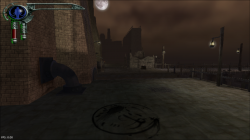
Finally works!! Thank you @kozarovv. The ENTIRE Legacy of Kain series is now playable on PS4!! YAY!

Thanks You!!
Nice Work! :encouragement:
 
Last edited:
@Stayhye

please help Blood Omen 2 - SLUS_200.24
Do You have a fix for boot :( JakV2 or RECVX emu?

IMG-20221228-224614.png
 
Gregory Horror Show

LUA

Code:
-- Gregory Horror Show
-- Boot Fix by ??
-- ported to PS4 lua by Stayhye
-- emu used=destroy all humans 2

local gpr = require("ee-gpr-alias")

apiRequest(0.1)

local eeObj = getEEObject()
local emuObj = getEmuObject()

-- Mask upper bits (irq?) (lw --> lh)
eeInsnReplace(0x1953f4, 0x8e050054, 0x86050054)

local patcher = function()
--eeObj.WriteMem32(0x00166000,0x3c023f40 -- hud fix (awkward transitions/thick font)
eeObj.WriteMem32(0x00166078,0x3c023f40) -- hor fov

emuObj.ThrottleMax()
end

emuObj.AddVsyncHook(patcher)

--math.random() + math.random(1, 99)

Total fix. Works great!!

good job

Can I know the setting of the NTSC-U version or NTSC-J version?
 
THUG 2 SLUS20965
In-complete fix.
Maybe someone can test it with different emulators ?? so far no luck on my side.
with this patch, we can get to the loading screen now!
Code:
--vu1=jit-sync

Code:
-- Credits to Kozarovv
apiRequest(0.1)
eeInsnReplace(0x001958A0, 0x12000086, 0x10000086)
eeInsnReplace(0x003F0FE8, 0x53400000, 0xD3400000)
--the patch for MTVU, but sadly causing a crash.
--eeInsnReplace(0x00194918, 0x0, 0x0803fff0)
--eeInsnReplace(0x000fffc4, 0x0, 0x24186000)
--eeInsnReplace(0x000fffc8, 0x0, 0x3c191200)
--eeInsnReplace(0x000fffcc, 0x0, 0x37391010)
--eeInsnReplace(0x000fffd0, 0x0, 0x2718ffff)
--eeInsnReplace(0x000fffd4, 0x0, 0x1418fffe)
--eeInsnReplace(0x000fffdc, 0x0, 0x08065248)
--eeInsnReplace(0x000fffe0, 0x0, 0xaf200000)

but the game now sadly keeps looping between 0x194910 and 0x194918.

Tested so far on these emus
Code:
dark chronicle v2
red dead revolver
manhunt
RECVX
JAKv2
The warriors v2
Everytennis
Max payne
Harvest moon wonderful life
KOF2000

With Max payne loading the farthest of them all.

Some emulators reach farther in the loading bar than others for some reason
Turning off VU1 clamping also seems to get you further into the loading bar
 
Last edited:
THUG 2 SLUS20965
In-complete fix.
Maybe someone can test it with different emulators ?? so far no luck on my side.
with this patch, we can get to the loading screen now!
Code:
--vu1=jit-sync

Code:
-- I AM NOT THE AUTHOR!
apiRequest(0.1)
eeInsnReplace(0x001958A0, 0x12000086, 0x10000086)
eeInsnReplace(0x003F0FE8, 0x53400000, 0xD3400000)
--the patch for MTVU, but sadly causing a crash. maybe a segmentation fault ?
--eeInsnReplace(0x00194918, 0x0, 0x0803fff0)
--eeInsnReplace(0x000fffc4, 0x0, 0x24186000)
--eeInsnReplace(0x000fffc8, 0x0, 0x3c191200)
--eeInsnReplace(0x000fffcc, 0x0, 0x37391010)
--eeInsnReplace(0x000fffd0, 0x0, 0x2718ffff)
--eeInsnReplace(0x000fffd4, 0x0, 0x1418fffe)
--eeInsnReplace(0x000fffdc, 0x0, 0x08065248)
--eeInsnReplace(0x000fffe0, 0x0, 0xaf200000)

but the game now sadly keeps looping between 0x194910 and 0x194918 Due to MTVU.
However, the individual who made the config says it could be a VIF issue rather than an MTVU issue.

yeah man, I gave up on this one after beating my head against it yesterday. I see we are still stuck ...

I also ported the Largo fix from @kozarovv to Disney's PK, but there is an issue with your character's body missing. clamping options did nothing

Code:
-- Disney's PK - Out of the Shadows
-- Widescreen Hack by Arapapa
-- boot fix method for game engine by Kozarovv
-- emu used=rotk v1

local gpr = require("ee-gpr-alias")

apiRequest(0.1)

local eeObj = getEEObject()
local emuObj = getEmuObject()

local WS2 = function()
--16:9
eeObj.WriteMem32(0x003324b0,0xbf400000) --0x3f800000
--0x48c83000 >> ctc2 t0, $vi6
eeObj.WriteMem32(0x001dfa8c,0x4a0000b8)
eeObj.WriteMem32(0x001dfc24,0x4a000938)
eeObj.WriteMem32(0x001dfcac,0x4a000938)
eeObj.WriteMem32(0x001dfd00,0x4a000938)
eeObj.WriteMem32(0x001dffdc,0x4a000938)
eeObj.WriteMem32(0x001e003c,0x4a000938)
eeObj.WriteMem32(0x001e022c,0x4a000938)
eeObj.WriteMem32(0x001e028c,0x4a000938)
eeObj.WriteMem32(0x001e0348,0x4a000938)
-- No need to loop here, just e-bit and wait for vcallms from EE.
eeObj.WriteMem32(0x00324a90,0x8000033c) -- 500607ff
eeObj.WriteMem32(0x00324a94,0x400002ff)
eeObj.WriteMem32(0x00324bc0,0x8000033c)
eeObj.WriteMem32(0x00324bc4,0x400002ff)
-- skip videos(to speed up testing patches)
eeObj.WriteMem32(0x0010ae80,0x24020001)

emuObj.ThrottleMax()
end

emuObj.AddVsyncHook(WS2)

-- Fix vertical lines
emuObj.SetGsTitleFix( "forceSimpleFetch", "reserved", { texMode=1  } )

any ideas?

*edit - final fix here: https://www.psx-place.com/threads/r...nfiguration-on-ps4.16131/page-192#post-351796
 
Last edited:
yeah man, I gave up on this one after beating my head against it yesterday. I see we are still stuck ...

I also ported the Largo fix from @kozarovv to Disney's PK, but there is an issue with your character's body missing. clamping options did nothing

Code:
-- Disney's PK - Out of the Shadows
-- Widescreen Hack by Arapapa
-- boot fix method for game engine by Kozarovv
-- emu used=rotk v1

local gpr = require("ee-gpr-alias")

apiRequest(0.1)

local eeObj = getEEObject()
local emuObj = getEmuObject()

local WS2 = function()
--16:9
eeObj.WriteMem32(0x003324b0,0xbf400000) --0x3f800000
--0x48c83000 >> ctc2 t0, $vi6
eeObj.WriteMem32(0x001dfa8c,0x4a0000b8)
eeObj.WriteMem32(0x001dfc24,0x4a000938)
eeObj.WriteMem32(0x001dfcac,0x4a000938)
eeObj.WriteMem32(0x001dfd00,0x4a000938)
eeObj.WriteMem32(0x001dffdc,0x4a000938)
eeObj.WriteMem32(0x001e003c,0x4a000938)
eeObj.WriteMem32(0x001e022c,0x4a000938)
eeObj.WriteMem32(0x001e028c,0x4a000938)
eeObj.WriteMem32(0x001e0348,0x4a000938)
-- No need to loop here, just e-bit and wait for vcallms from EE.
eeObj.WriteMem32(0x00324a90,0x8000033c) -- 500607ff
eeObj.WriteMem32(0x00324a94,0x400002ff)
eeObj.WriteMem32(0x00324bc0,0x8000033c)
eeObj.WriteMem32(0x00324bc4,0x400002ff)
-- skip videos(to speed up testing patches)
eeObj.WriteMem32(0x0010ae80,0x24020001)

emuObj.ThrottleMax()
end

emuObj.AddVsyncHook(WS2)

-- Fix vertical lines
emuObj.SetGsTitleFix( "forceSimpleFetch", "reserved", { texMode=1  } )

any ideas?
The animations offsets need to match the Clock of the ee. advanceclock on them will be enough. that's how i fixed rayman 3. or use Kof2000 for that game. also take a look at rayman 3's config for reference. https://www.psdevwiki.com/ps4/Talk:PS2_Classics_Emulator_Compatibility_List#Rayman_3:_Hoodlum_havoc
 
Final Fix for Disney's PK - Out of the Shadows (NTSC)

CLI
Code:
--gs-uprender=2x2
--gs-upscale=EdgeSmooth

--host-display-mode=16:9
--cdvd-sector-read-cycles=8000

--ee-cycle-scalar=1.35

#emu used=rotk v1

LUA
Code:
-- Disney's PK - Out of the Shadows
-- boot fix by kozarovv
-- Widescreen Hack by Arapapa
-- emu used=rotk v1

local gpr = require("ee-gpr-alias")

apiRequest(0.1)

local eeObj = getEEObject()
local emuObj = getEmuObject()

local WS2 = function()
--16:9
eeObj.WriteMem32(0x003324b0,0xbf400000) --0x3f800000
--0x48c83000 >> ctc2 t0, $vi6
eeObj.WriteMem32(0x001dfa8c,0x4a0000b8)
eeObj.WriteMem32(0x001dfc24,0x4a0000b8)
eeObj.WriteMem32(0x001dfcac,0x4a0000b8)
eeObj.WriteMem32(0x001dfd00,0x4a000938)
eeObj.WriteMem32(0x001dffdc,0x4a000938)
eeObj.WriteMem32(0x001e003c,0x4a000938)
eeObj.WriteMem32(0x001e022c,0x4a000938)
eeObj.WriteMem32(0x001e028c,0x4a000938)
eeObj.WriteMem32(0x001e0348,0x4a000938)
-- No need to loop here, just e-bit and wait for vcallms from EE.
eeObj.WriteMem32(0x00324a90,0x8000033c) -- 500607ff
eeObj.WriteMem32(0x00324a94,0x400002ff)
eeObj.WriteMem32(0x00324bc0,0x8000033c)
eeObj.WriteMem32(0x00324bc4,0x400002ff)
-- skip videos
--eeObj.WriteMem32(0x0010ae80,0x24020001)

emuObj.ThrottleMax()
end

emuObj.AddVsyncHook(WS2)

-- Fix vertical lines
emuObj.SetGsTitleFix( "forceSimpleFetch", "reserved", { texMode=1  } )

Thank you @kozarovv for fixing my original attempt

He also updated the fix for Castlevania: Curse of Darkness (NTSC-U). Should be no more graphical issues. Everything renders correctly.

https://www.psx-place.com/threads/r...nfiguration-on-ps4.16131/page-169#post-336829
 
Last edited:
Final Fix for Disney's PK - Out of the Shadows (NTSC)

CLI

Code:
--gs-uprender=2x2
--gs-upscale=EdgeSmooth

--host-display-mode=16:9
--cdvd-sector-read-cycles=8000

--ee-cycle-scalar=1.35

#emu used=rotk v1

LUA
Code:
-- Disney's PK - Out of the Shadows
-- boot fix by kozarovv
-- Widescreen Hack by Arapapa
-- emu used=rotk v1

local gpr = require("ee-gpr-alias")

apiRequest(0.1)

local eeObj = getEEObject()
local emuObj = getEmuObject()

local WS2 = function()
--16:9
eeObj.WriteMem32(0x003324b0,0xbf400000) --0x3f800000
--0x48c83000 >> ctc2 t0, $vi6
eeObj.WriteMem32(0x001dfa8c,0x4a0000b8)
eeObj.WriteMem32(0x001dfc24,0x4a0000b8)
eeObj.WriteMem32(0x001dfcac,0x4a0000b8)
eeObj.WriteMem32(0x001dfd00,0x4a000938)
eeObj.WriteMem32(0x001dffdc,0x4a000938)
eeObj.WriteMem32(0x001e003c,0x4a000938)
eeObj.WriteMem32(0x001e022c,0x4a000938)
eeObj.WriteMem32(0x001e028c,0x4a000938)
eeObj.WriteMem32(0x001e0348,0x4a000938)
-- No need to loop here, just e-bit and wait for vcallms from EE.
eeObj.WriteMem32(0x00324a90,0x8000033c) -- 500607ff
eeObj.WriteMem32(0x00324a94,0x400002ff)
eeObj.WriteMem32(0x00324bc0,0x8000033c)
eeObj.WriteMem32(0x00324bc4,0x400002ff)
-- skip videos
--eeObj.WriteMem32(0x0010ae80,0x24020001)

emuObj.ThrottleMax()
end

emuObj.AddVsyncHook(WS2)

-- Fix vertical lines
emuObj.SetGsTitleFix( "forceSimpleFetch", "reserved", { texMode=1  } )

Thank you @kozarovv for fixing my original attempt

He also updated the fix for Castlevania: Curse of Darkness (NTSC-U). Should be no more graphical issues. Everything renders correctly.

https://www.psx-place.com/threads/r...nfiguration-on-ps4.16131/page-169#post-336829
Honestly kudos to both of you! that's what i call getting stuff "done" :encouragement:. i hope we see even more games getting fixed from both of you!
 

Similar threads

Back
Top