PS4 [Research]PS2 emulator configuration on PS4

Hi everyone,
Here's a little update for my Need For Speed Most Wanted Black Edition config.
It's the best image quality i get on this game. I also added some cheat codes too.
Enjoy it.


PS5 users recommended. PS4 users can try to increase vu1-mpg-cycles to around 240, it causes a less smoother gameplay.

CLI.config
#Emu=KOF98

--ps2-title-id=SLES-53857
--gs-uprender=2x2
--gs-upscale=edgesmooth
--gs-optimize=50fps
--vu0-di-bits=0
--vu1-di-bits=0
--vu0-jr-cache-policy=auto
--vu0-jalr-cache-policy=auto
--cdvd-sector-read-cycles=250
--gs-optimize-30fps=1
--framelimiter=1
--framelimit-fps=50.0
--framelimit-scalar=1.1
--mtap1=always

#should fix random crashes
--ee-cycle-scalar=0.70
--iop-cycle-scalar=0.1
--vu1-mpg-cycles=1
--ee-ignore-segfault=readwrite
--ee-block-validation=PageProt
--vu-branch-hazard=0
--vu-evil-branches=0

#graphical improvement (maybe some commands doesn't change anything)
--gs-kernel-cl-up="OptRightTri"
--gs-ignore-rect-correction=1
--force-frame-blend=1
--gs-progressive=1
--vu0-no-clamping=0
--vu1-no-clamping=0
--gs-use-clut-merge=1
--gs-use-mipmap=1
--gs-vert-precision=8
--gs-motion-factor=50
--gs-skip-dirty-flush-on-mipmap=1
--gs-kernel-cl="mipmap"

LUA.config
--Need For Speed Most Wanted Black Edition SLES-53857
--Emu=KOF98
--[480p]-Mode Author=PeterDelta
--Cheatcodes converted by andywe

apiRequest(1.0)

local emuObj = getEmuObject()
local eeObj = getEEObject()

local patcher = function()

--Forces 50fps and progressive scan mode 480p at startup.
eeObj.WriteMem32(0x004938DC,0x24110000)
eeObj.WriteMem32(0x004938E0,0x24120050)
eeObj.WriteMem32(0x004938EC,0x24130001)

--Cheat Codes
--[Buying Cars/Parts Increases Cash]
eeObj.WriteMem32(0x2026DC54,0x3C0205F5)
--[Infinite NOS Usage]
eeObj.WriteMem32(0x2036F224,0x00000000)
--[Infinite Speedbreaker]
eeObj.WriteMem32(0x2039651C,0x00000000)

--Disable some fx DepthIntoAlpha,smear,etc by Jvn9207
eeObj.WriteMem32(0x005503EC,0x0)
eeObj.WriteMem32(0x005503F0,0x0)
eeObj.WriteMem32(0x00550424,0x0)
emuObj.ThrottleMax()
end
emuObj.AddVsyncHook(patcher)

--Fix Upscale Glitches (gs-kernel-cl-up="up2x2simple" is here not necessary)
emuObj.SetGsTitleFix( "forceSimpleFetch", "reserved", {psm=0} )
emuObj.SetGsTitleFix( "fetchFromCurrBuff", "reserved", {psm=0} )
emuObj.SetGsTitleFix( "forceSimpleFetch", "reserved", { texMode=1 } )
It looks great :encouragement:(I hope they update mastic0re on ps5 to try it:adoration:)
 
Socom II - U.S. Navy Seals [SCUS-97275]
emu=Primal

Txt:
Code:
--gs-uprender=1
--gs-upscale=edgesmooth
--host-display-mode=full
--vu1-mpg-cycles=750
--gs-optimize=60fps #needed to work in conjunction with 60fps lua
--ee-cycle-scalar=1.7
--vu0-di-bits=0
--vu1-const-prop=1
Lua:
Code:
apiRequest(1.1)

local emuObj    = getEmuObject()
local eeObj     = getEEObject()

local patch = function()
--ws by  ElHecht
eeObj.WriteMem32(0x001c0474, 0x3c013f40)
eeObj.WriteMem32(0x001c0478, 0x4481e800)
eeObj.WriteMem32(0x001c0480, 0x461dbdc3)
--zoom gameplay
eeObj.WriteMem32(0x20291450, 0x461d0002)
--zoom cut-scenes
eeObj.WriteMem32(0x20291688, 0x461d0002)
--60fps by asasega
eeObj.WriteMem32(0x003E1400, 0x0000003C)
--Render Fix by CENT
eeObj.WriteMem32(0x0033CD90, 0x0)
--Render Fix by Harry62
eeObj.WriteMem32(0x0033CD68, 0x100000DB)
--Brightness adjustment if using harry62 render fix
eeObj.WriteMem32(0x004B4D4C, 0x41000000)
eeObj.WriteMem32(0x004B4D5C, 0x41000000)
eeObj.WriteMem32(0x004B4D6C, 0x41000000)
--Ready Force ON
eeObj.WriteMem32(0x003DD6A8, 0x0027D070)
emuObj.ThrottleMax()
emuObj.SetDisplaySafeArea(0)
end
emuObj.AddVsyncHook(patch)


Last edited:
Socom III - U.S. Navy Seals [SCUS-97474]
emu=Ape escape v2

Txt:
Code:
--vu0-no-clamping=0 #fix graphics
--ee-cycle-scalar=1.7
--vu1-mpg-cycles=800
--gs-optimize=60fps
--gs-uprender=1
--gs-upscale=EdgeSmooth
--host-display-mode=full
Lua:
Code:
apiRequest(0.1)

local emuObj    = getEmuObject()
local eeObj     = getEEObject()

local patch = function()
--60fps by asasega
eeObj.WriteMem32(0x005FA548, 0x0000003C)
--Render Fix by CENT
eeObj.WriteMem32(0x0019EB40, 0x0)
emuObj.ThrottleMax()
emuObj.SetDisplaySafeArea(0)
end
emuObj.AddVsyncHook(patch)
 
Socom II - U.S. Navy Seals [SCES-51904]
emu=Primal

Txt:
Code:
--gs-uprender=1
--gs-upscale=edgesmooth
--host-display-mode=full
--vu1-mpg-cycles=750
--gs-optimize=60fps 
--ee-cycle-scalar=1.7
--vu0-di-bits=0
--vu1-const-prop=1
Lua:
Code:
--ported by Jvn9207

apiRequest(1.1)

local emuObj    = getEmuObject()
local eeObj     = getEEObject()

local patch = function()
--ws by  ElHecht
eeObj.WriteMem32(0x001c2e44, 0x3c013f40)
eeObj.WriteMem32(0x001c2e48, 0x4481e800)
eeObj.WriteMem32(0x001c2e50, 0x461dbdc3)
--zoom gameplay
eeObj.WriteMem32(0x0029a008, 0x461d0002)
--zoom cut-scenes
eeObj.WriteMem32(0x00299dd0, 0x461d0002)
--fps boost in hardware emulation
eeObj.WriteMem32(0x003c17f0, 0x3c023b00)
--60fps by asasega
eeObj.WriteMem32(0x003F1180, 0x0000003C)
--Render Fix CENT
eeObj.WriteMem32(0x00348710, 0x0)
--Render Fix Harry62
eeObj.WriteMem32(0x003486E8, 0x100000DB)
--Brightness adjustment if using harry62 render fix
eeObj.WriteMem32(0x004BA8CC, 0x41000000)
eeObj.WriteMem32(0x004BA8DC, 0x41000000)
eeObj.WriteMem32(0x004BA8EC, 0x41000000)
--Ready Force ON
eeObj.WriteMem32(0x003ED338, 0x00285950)
emuObj.ThrottleMax()
emuObj.SetDisplaySafeArea(0)
end
emuObj.AddVsyncHook(patch)

Socom III - U.S. Navy Seals [SCES-53300]
emu=
Ape escape v2

Txt:
Code:
--vu0-no-clamping=0 #fix graphics
--ee-cycle-scalar=1.7
--vu1-mpg-cycles=800
--gs-optimize=60fps
--gs-uprender=1
--gs-upscale=EdgeSmooth
--host-display-mode=full
Lua:
Code:
--ported by Jvn9207

apiRequest(0.1)

local eeObj  = getEEObject()
local emuObj = getEmuObject()

local patcher = function()
--60 fps
eeObj.WriteMem32(0x005F8488,0x0000003C)
--Render fix by CENT
eeObj.WriteMem32(0x0019E800,0x0)
--DNA bypass?
eeObj.WriteMem32(0x00286A4C,0x02402001)
emuObj.ThrottleMax()
end
emuObj.AddVsyncHook(patcher)

 
Hi everyone,
Here's a little update for my Need For Speed Most Wanted Black Edition config.
It's the best image quality i get on this game. I also added some cheat codes too.
Enjoy it.


PS5 users recommended. PS4 users can try to increase vu1-mpg-cycles to around 240, it causes a less smoother gameplay.

CLI.config
#Emu=KOF98

--ps2-title-id=SLES-53857
--gs-uprender=2x2
--gs-upscale=edgesmooth
--gs-optimize=50fps
--vu0-di-bits=0
--vu1-di-bits=0
--vu0-jr-cache-policy=auto
--vu0-jalr-cache-policy=auto
--cdvd-sector-read-cycles=250
--gs-optimize-30fps=1
--framelimiter=1
--framelimit-fps=50.0
--framelimit-scalar=1.1
--mtap1=always

#should fix random crashes
--ee-cycle-scalar=0.70
--iop-cycle-scalar=0.1
--vu1-mpg-cycles=1
--ee-ignore-segfault=readwrite
--ee-block-validation=PageProt
--vu-branch-hazard=0
--vu-evil-branches=0

#graphical improvement (maybe some commands doesn't change anything)
--gs-kernel-cl-up="OptRightTri"
--gs-ignore-rect-correction=1
--force-frame-blend=1
--gs-progressive=1
--vu0-no-clamping=0
--vu1-no-clamping=0
--gs-use-clut-merge=1
--gs-use-mipmap=1
--gs-vert-precision=8
--gs-motion-factor=50
--gs-skip-dirty-flush-on-mipmap=1
--gs-kernel-cl="mipmap"

LUA.config
--Need For Speed Most Wanted Black Edition SLES-53857
--Emu=KOF98
--[480p]-Mode Author=PeterDelta
--Cheatcodes converted by andywe

apiRequest(1.0)

local emuObj = getEmuObject()
local eeObj = getEEObject()

local patcher = function()

--Forces 50fps and progressive scan mode 480p at startup.
eeObj.WriteMem32(0x004938DC,0x24110000)
eeObj.WriteMem32(0x004938E0,0x24120050)
eeObj.WriteMem32(0x004938EC,0x24130001)

--Cheat Codes
--[Buying Cars/Parts Increases Cash]
eeObj.WriteMem32(0x2026DC54,0x3C0205F5)
--[Infinite NOS Usage]
eeObj.WriteMem32(0x2036F224,0x00000000)
--[Infinite Speedbreaker]
eeObj.WriteMem32(0x2039651C,0x00000000)

--Disable some fx DepthIntoAlpha,smear,etc by Jvn9207
eeObj.WriteMem32(0x005503EC,0x0)
eeObj.WriteMem32(0x005503F0,0x0)
eeObj.WriteMem32(0x00550424,0x0)
emuObj.ThrottleMax()
end
emuObj.AddVsyncHook(patcher)

--Fix Upscale Glitches (gs-kernel-cl-up="up2x2simple" is here not necessary)
emuObj.SetGsTitleFix( "forceSimpleFetch", "reserved", {psm=0} )
emuObj.SetGsTitleFix( "fetchFromCurrBuff", "reserved", {psm=0} )
emuObj.SetGsTitleFix( "forceSimpleFetch", "reserved", { texMode=1 } )
I tested it on PS4 Slim, had to increase " vu1-mpg-cycles " up to 400. The graphics quality got a little bit worse, but the gameplay became way smoother.
 
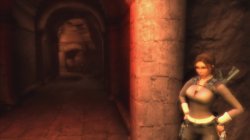
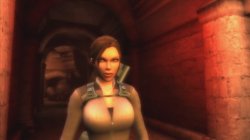
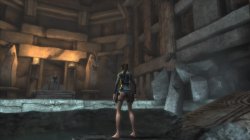
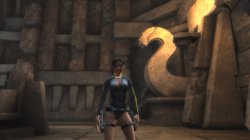
Tomb Raider Underworld (SLUS21858)

TXT.
Code:
--gs-uprender=2x2
--gs-upscale=gpu

--host-vsync=1
--framelimit-mode=normal
--cdvd-sector-read-cycles=2000
--ps2-lang=system

--gs-progressive=1
--gs-motion-factor=50

--gs-ignore-rect-correction=1

--ee-cycle-scalar=1.68

LUA.
Code:
-- Tomb Raider: Underworld (NTSC-U)
-- emu used=aofa

local gpr = require("ee-gpr-alias")

apiRequest(0.1)

local eeObj = getEEObject()
local emuObj = getEmuObject()

emuObj.SetDisplayAspectWide()

local patcher = function()

eeObj.SchedulerDelayEvent("vif1.dma", 0x6000)

eeObj.Vu1MpgCycles(1)

emuObj.ThrottleMax()
end

emuObj.AddVsyncHook(patcher)

emuObj.SetGsTitleFix( "forceSimpleFetch", "reserved", {texMode=1} )

emuObj.SetGsTitleFix( "forceSimpleFetch",  "reserved", {psm=0} )
emuObj.SetGsTitleFix( "fetchFromCurrBuff", "reserved", {psm=0} )

Lara Croft|Tomb Raider Underworld|1 Hour of Classic|PS2toPS4 LONGPLAY

Much Graphical bugs - FiXed! Performance fix - applied!

This is how game was looks at first boot -
https://i.ibb.co/VWhtJYK/Blur-Bug.png
 

Attachments

  • 01.jpg
    01.jpg
    382.7 KB · Views: 55
  • 02.jpg
    02.jpg
    385.7 KB · Views: 50
  • 03.jpg
    03.jpg
    511.7 KB · Views: 50
  • 04.jpg
    04.jpg
    531 KB · Views: 54
Last edited:
Black (SLPM-66354)

CONFIG TXT

--gs-uprender=2x2
--gs-upscale=edgesmooth

#graphical glitches fixes
--gs-kernel-cl-up="up2x2simple"
--gs-use-mipmap=1
--vu1-no-clamping=1

#Performance boost
--ee-cycle-scalar=1.3
--vu1-di-bits=0
--vu1-mpg-cycles=750

LUA

--Black NTSC (SLPM-66354)
--emu used=psychonauts v2

apiRequest(0.1)

local gpr = require("ee-gpr-alias")
local eeObj = getEEObject()
local emuObj = getEmuObject()

local patcher = function()

--fixes broken collisions
eeObj.WriteMem32(0x0037ECD4,0x4b000460)
eeObj.WriteMem32(0x0037ECD8,0x4af103bc)
eeObj.WriteMem32(0x0037ECF0,0x4a800460)
eeObj.WriteMem32(0x0037ECF4,0x4b7103bc)

end

emuObj.AddVsyncHook(patcher)
 
The Great Escape (SLUS20670)

TXT
Code:
--host-display-mode=16:9
--gs-progressive=1

LUA.
Code:
-- The Great Escape [SLUS-20670] (U)
-- emu used=KOF 2000

apiRequest(1.0)   

local gpr = require("ee-gpr-alias")

local eeObj  = getEEObject()
local emuObj = getEmuObject()

local CheckInputs = function()

local pad_bits = emuObj.GetPad()

local UP    = pad_bits &  0x0010
local DOWN    = pad_bits &  0x0040
local LEFT    = pad_bits &  0x0080
local RIGHT    = pad_bits &  0x0020
local Triangle  = pad_bits &  0x1000
local Cross    = pad_bits &  0x4000
local Square    = pad_bits &  0x8000
local Circle  = pad_bits &  0x2000
local L1    = pad_bits &  0x0400
local L2    = pad_bits &  0x0100
local L3    = pad_bits &  0x0002
local R1    = pad_bits &  0x0800
local R2    = pad_bits &  0x0200
local R3    = pad_bits &  0x0004
local Select  = pad_bits &  0x0001
local Start    = pad_bits &  0x0008

if (Select ~= 0 and R1 ~= 0) then
-- Have Level Select
eeObj.WriteMem32(0x204EE0A0,0x00000001)
end
if (Select ~= 0 and UP ~= 0) then
-- Widescreen hack 16:9
eeObj.WriteMem32(0x002b89cc,0x3c013b01) --3c013acc
eeObj.WriteMem32(0x002b89d0,0x34210000) --3421cccd
eeObj.WriteMem32(0x002b8a54,0x3c013b35) --3c013b08
eeObj.WriteMem32(0x002b8a58,0x3421fe54) --34218889
eeObj.WriteMem32(0x002ca178,0x3c013d00) --3c013c8e
eeObj.WriteMem32(0x002ca17c,0x34210000) --3421fa36
end

end

emuObj.AddVsyncHook(CheckInputs)

local patcher = function()


emuObj.ThrottleMax()
end

emuObj.AddVsyncHook(patcher)

The Great Escape PS2toPS4 Test


The Great Escape. Short GamePlay!
VIDEO


I noticed that, Widescreen cheat cause some bugs with textures! So better play without it!
 
WIP fix for Stolen NTSC test 2
CLI
Code:
--gs-uprender=2x2
--gs-upscale=edgesmooth
--gs-use-mipmap=1                     #helped with speed? it did
--gs-kernel-cl="mipmap"               #helped with speed? it did
--gs-kernel-cl-up="mipmap2x2"         #helped with speed? it did
--gs-ignore-rect-correction=1
--gs-dirty-page-policy=1
--vif-ignore-invalid-cmd=1            #helped with speed

--host-display-mode=16:9
--host-vsync=1

#emu used=kof98um
LUA
Code:
-- Stolen SLUS-21099
-- Widescreen hack
-- emu used=kof98um

local gpr = require("ee-gpr-alias")

apiRequest(2.0)

local eeObj = getEEObject()
local emuObj = getEmuObject()

local patcher = function()
--16:9
eeObj.WriteMem32(0x20ab44b0,0x3f400000)
--main fix for game speed
eeObj.Vu1MpgCycles(4560) -- speed up, but at expense of framerate
emuObj.ThrottleMax() -- loading screens speedup
end

emuObj.AddVsyncHook(patcher)

emuObj.SetGsTitleFix( "forceSimpleFetch", "reserved", { texMode=1  } ) -- totally fixes broken graphics


No more audio stutter. I have no clue why mipmap settings would cause a speed up, but it did in this case. @mrjaredbeta could you look into disabling anything(bloom, shadows, etc) on this one? Also, this game seems to have the same type of uprender issue, similar to Need for Speed Carbon. Any help by anyone would be much appreciated.
I have those codes:
SLUS:
Code:
--disable bloom
eeObj.WriteMem32(0x0042EFAC,0x0) --00000001
--disable shadows
eeObj.WriteMem32(0x0042F03C,0x0) --00000001
SLES:
Code:
--disable bloom
eeObj.WriteMem32(0x00437AAC,0x0) --00000001
--disable shadows
eeObj.WriteMem32(0x00437B3C,0x0) --00000001
 
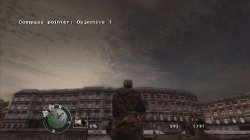
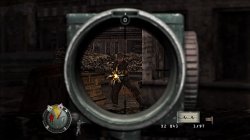
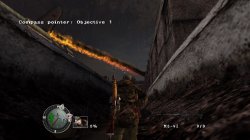
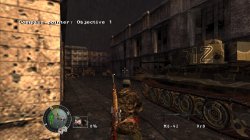
Sniper Elite [SLES-51820]
emu=Jakxv2

Txt:
Code:
--path-patches="/app0/patches"
--trophy-support=0
--ps2-lang=system
--gs-uprender=2x2
--gs-upscale=edgesmooth
--host-display-mode=full
--safe-area-min=0.9
--host-vsync=1
--gs-kernel-cl-up="up2x2skipinterp"
--vu1-mpg-cycles=900
--vu1-di-bits=0
--vu0-di-bits=0
--vu1-const-prop=1
--gs-progressive=1
--host-audio-latency=1.7
--gs-optimize=60fps
--gs-aspect-ratio=0.7
--gs-force-bilinear=1
Lua:
Code:
apiRequest(2.0)

local eeObj   = getEEObject()
local emuObj  = getEmuObject()

local patcher = function()
--widescreen
eeObj.WriteMem32(0x005015d0,0x3f9faaab)
eeObj.WriteMem32(0x00502848,0x3fe38e2a)
--"60fps"
eeObj.WriteMem32(0x00198FCC,0x0)
eeObj.WriteMem32(0x00475ED4,0x0)
--disable bloom by Jvn9207
eeObj.WriteMem32(0x005031E0,0x0) --00010000
--disable rain
--eeObj.WriteMem32(0x005031BC,0x0) --00000101
emuObj.ThrottleMax()
end
emuObj.AddVsyncHook(patcher)
emuObj.SetGsTitleFix( "forceSimpleFetch",  "reserved", {texMode=1} )
 
Last edited:
I have those codes:
SLUS:
Code:
--disable bloom
eeObj.WriteMem32(0x0042EFAC,0x0) --00000001
--disable shadows
eeObj.WriteMem32(0x0042F03C,0x0) --00000001
SLES:
Code:
--disable bloom
eeObj.WriteMem32(0x00437AAC,0x0) --00000001
--disable shadows
eeObj.WriteMem32(0x00437B3C,0x0) --00000001
Any effect?
 
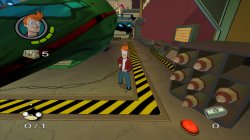
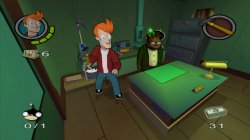
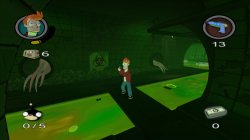
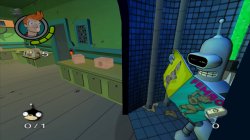
Futurama (SLES51507)

TXT.
Code:
--host-display-mode=16:9
--cdvd-sector-read-cycles=2000
--force-pal-60hz=1
--ee-cycle-scalar=2.1
--vif1-instant-xfer=0

LUA.
Code:
-- Futurama [SLES-51507] (E)
-- emu used=KOF 2000 v2

apiRequest(1.0)   

local gpr = require("ee-gpr-alias")

local eeObj  = getEEObject()
local emuObj = getEmuObject()

-- 16:9
eeInsnReplace(0x00101eac, 0xe60100b4, 0x0812aca8)
eeInsnReplace(0x00101eb0, 0xe60000b0, 0x00000000)
eeInsnReplace(0x004ab2a0, 0x00000000, 0x3c013f40)
eeInsnReplace(0x004ab2a4, 0x00000000, 0x4481f000)
eeInsnReplace(0x004ab2a8, 0x00000000, 0x461e0003)
eeInsnReplace(0x004ab2ac, 0x00000000, 0xe60100b4)
eeInsnReplace(0x004ab2b0, 0x00000000, 0xe60000b0)
eeInsnReplace(0x004ab2b4, 0x00000000, 0x080407ac)

local patcher = function()

-- Forces progressive scan at startup by PeterDelta
eeObj.WriteMem32(0x003EA94C,0x24110000)
eeObj.WriteMem32(0x003EA950,0x24120050)
eeObj.WriteMem32(0x003EA95C,0x24130001)

end

emuObj.AddVsyncHook(patcher)

Performance FiX! Passed 3 levels! Looks playble now!

Futurama|Widescreen|Progressive Scan PS2toPS4 Test
 

Attachments

  • 01.jpg
    01.jpg
    558.7 KB · Views: 28
  • 02.jpg
    02.jpg
    442.6 KB · Views: 30
  • 03.jpg
    03.jpg
    407.9 KB · Views: 29
  • 04.jpg
    04.jpg
    537.1 KB · Views: 28
Sniper Elite [SLES-51820]
emu=Jakxv2

Txt:
Code:
--path-patches="/app0/patches"
--trophy-support=0
--ps2-lang=system
--gs-uprender=2x2
--gs-upscale=edgesmooth
--host-display-mode=full
--safe-area-min=0.9
--host-vsync=1
--gs-kernel-cl-up="up2x2skipinterp"
--vu1-mpg-cycles=900
--vu1-di-bits=0
--vu0-di-bits=0
--vu1-const-prop=1
--gs-progressive=1
--host-audio-latency=1.7
--gs-optimize=60fps
--gs-aspect-ratio=0.7
--gs-force-bilinear=1
Lua:
Code:
apiRequest(2.0)

local eeObj   = getEEObject()
local emuObj  = getEmuObject()

local patcher = function()
--widescreen
eeObj.WriteMem32(0x005015d0,0x3f9faaab)
eeObj.WriteMem32(0x00502848,0x3fe38e2a)
--"60fps"
eeObj.WriteMem32(0x00198FCC,0x0)
eeObj.WriteMem32(0x00475ED4,0x0)
--disable bloom by Jvn9207
eeObj.WriteMem32(0x005031E0,0x0) --00010000
--disable rain
--eeObj.WriteMem32(0x005031BC,0x0) --00000101
emuObj.ThrottleMax()
end
emuObj.AddVsyncHook(patcher)
emuObj.SetGsTitleFix( "forceSimpleFetch",  "reserved", {texMode=1} )

I was thinking about work for this game too...but you already post config and looks like it works very good! Thank you!

here LUA for NTSC version!
Code:
-- Sniper Elite (SLUS21231)
-- emu used=red faction 2

apiRequest(2.0)

local eeObj   = getEEObject()
local emuObj  = getEmuObject()

local patcher = function()
-- Widescreen hack

-- Force turn on Widescreen (Full boot bypassing)
eeObj.WriteMem32(0x004132d8,0x24020002) --30420003

-- Zoom fix (Internal Widescreen)
eeObj.WriteMem32(0x00500bf0,0x3f9faaab) --3eaaaaab

---------------------------------------------------
--Zoom
--eeObj.WriteMem32(0x0010d044,0x3c013f1c) --3c013f00
--eeObj.WriteMem32(0x0010d04c,0x3c013f40) --3c013f80
--eeObj.WriteMem32(0x001b930c,0x3c013ff0) --3c013fa7
--eeObj.WriteMem32(0x00500c44,0x3f6da000) --3f490fda
--Y-Fov
--eeObj.WriteMem32(0x00501e48,0x3FE38E2A) --3faaaaab
--"60fps"
eeObj.WriteMem32(0x0019903C,0x0)
eeObj.WriteMem32(0x004773D4,0x0)
--disable bloom by Jvn9207
eeObj.WriteMem32(0x005027D8,0x0) --00010000
emuObj.ThrottleMax()
end
emuObj.AddVsyncHook(patcher)
emuObj.SetGsTitleFix( "forceSimpleFetch",  "reserved", {texMode=1} )

Sniper Elite|Graphics FiX|Widescreen|60fps PS2toPS4 Test


Attachments

  • 01.jpg
    01.jpg
    659.9 KB · Views: 32
  • 02.jpg
    02.jpg
    536.2 KB · Views: 29
  • 03.jpg
    03.jpg
    663 KB · Views: 29
  • 04.jpg
    04.jpg
    891.7 KB · Views: 39
I was thinking about work for this game too...but you already post config and looks like it works very good! Thank you!

here LUA for NTSC version!
Code:
-- Sniper Elite (SLUS21231)
-- emu used=red faction 2

apiRequest(2.0)

local eeObj   = getEEObject()
local emuObj  = getEmuObject()

local patcher = function()
-- Widescreen hack

-- Force turn on Widescreen (Full boot bypassing)
eeObj.WriteMem32(0x004132d8,0x24020002) --30420003

-- Zoom fix (Internal Widescreen)
eeObj.WriteMem32(0x00500bf0,0x3f9faaab) --3eaaaaab

---------------------------------------------------
--Zoom
--eeObj.WriteMem32(0x0010d044,0x3c013f1c) --3c013f00
--eeObj.WriteMem32(0x0010d04c,0x3c013f40) --3c013f80
--eeObj.WriteMem32(0x001b930c,0x3c013ff0) --3c013fa7
--eeObj.WriteMem32(0x00500c44,0x3f6da000) --3f490fda
--Y-Fov
--eeObj.WriteMem32(0x00501e48,0x3FE38E2A) --3faaaaab
--"60fps"
eeObj.WriteMem32(0x0019903C,0x0)
eeObj.WriteMem32(0x004773D4,0x0)
--disable bloom by Jvn9207
eeObj.WriteMem32(0x005027D8,0x0) --00010000
emuObj.ThrottleMax()
end
emuObj.AddVsyncHook(patcher)
emuObj.SetGsTitleFix( "forceSimpleFetch",  "reserved", {texMode=1} )

Sniper Elite|Graphics FiX|Widescreen|60fps PS2toPS4 Test


Good :encouragement:, I recommend changing the emu to jakxv2, because red faction 2 crashes when saving
 
God of War II: Shuuen No Jokyoku (SLPM-67013)

CONFIG TXT (UPDATED)

--cdvd-sector-read-cycles=4000
--gs-adaptive-frameskip=1
--gs-progressive=1
--ee-cycle-scalar=0.62
--iop-cycle-scalar=0.10
--vu1-mpg-cycles=2000
--vu1-di-bits=0
--vu1=trans
--vu1-jr-cache-policy=newprog
--vu1-jalr-cache-policy=newprog
--vu0-jr-cache-policy=newprog
--vu0-jalr-cache-policy=newprog

--gs-kernel-cl-up="up2x2simple" #fix horizontal white line

--gs-ignore-rect-correction=1

--host-audio-latency=1.6


LUA

-- God of War II: Shuuen No Jokyoku NTSC-J (SLPM-67013)
-- emu used=JakX v2

apiRequest(2.0)

local eeObj = getEEObject()
local emuObj = getEmuObject()
local gpr = require("ee-gpr-alias")

local patcher = function()

----------------Graphics---------------
eeObj.WriteMem32(0x0016E5A0,0x03E00008) --Skip PrimMaster
eeObj.WriteMem32(0x0016E5A4,0x00000000)
eeObj.WriteMem32(0x00126EB0,0x03E00008) --Fix Bloom
eeObj.WriteMem32(0x00126EB4,0x00000000)
eeObj.WriteMem32(0x0025A3D0,0xA04986DC) --Progressive at first run
eeObj.WriteMem32(0x001E4454,0x24020001)
----------------Features---------------
eeObj.WriteMem32(0x001DD748,0x00000000) --mpeg skip by pressing x
eeObj.WriteMem32(0x201AA2F0,0x03E00008) --Kratos Does Most Context Sensitive Button Moves Automatically
eeObj.WriteMem32(0x201AA2F4,0x00000000) --(After You Enter Into One In Battle By Pressing Circle)
eeObj.WriteMem32(0x201A9D80,0x03E00008)
eeObj.WriteMem32(0x201A9D84,0x00000000)

end

emuObj.SetGsTitleFix( "forceSimpleFetch", "reserved", { texMode=1 } )

emuObj.SetGsTitleFix( "SetSelfRender", "reserved", { fbmask= 0x00FFFFFF , renderSelf=1 , zmsk=1 , alpha=0 , texMode=1 } )

emuObj.AddVsyncHook(patcher)
 
Last edited:
God of War (SLPM-67010)

CONFIG TXT (UPDATED)

--cdvd-sector-read-cycles=40000
--gs-adaptive-frameskip=1
--gs-progressive=1
--ee-cycle-scalar=2.0
--iop-cycle-scalar=0.10
--vu1-mpg-cycles=2000
--vu1-di-bits=0
--vu1=trans
--vu1-jr-cache-policy=newprog
--vu1-jalr-cache-policy=newprog
--vu0-jr-cache-policy=newprog
--vu0-jalr-cache-policy=newprog

--gs-kernel-cl-up="up2x2simple" #fix horizontal white line

--gs-ignore-rect-correction=1

--host-audio-latency=1.6

LUA

-- God of War NTSC-J (SLPM-67010)

-- emu used=JakX v2

apiRequest(2.2)

local gpr = require("ee-gpr-alias")
local cpr = require("ee-cpr0-alias")
local hwaddr = require("ee-hwaddr")

local emuObj = getEmuObject()
local eeObj = getEEObject()
local gsObj = getGsObject()
local eeOverlay = eeObj.getOverlayObject()
local iopObj = getIOPObject()

local thresholdArea = 600

emuObj.SetDisplayAspectWide()
gsObj.SetDeinterlaceShift(1)

local patcher = function()

-- 480p
eeObj.WriteMem32(0x2027A974,0x3C050000) --00052C00
eeObj.WriteMem32(0x2027A97C,0x3C060050) --00063400
eeObj.WriteMem32(0x2027A984,0x3C070001) --00073C00

-- Have Gold Athena's Blade
eeObj.WriteMem32(0x206B4524,0x00000005)

-- Unlock All Treasures
eeObj.WriteMem32(0x2029FA30,0xFFFFFFFF)

-- Unlock All Costumes
eeObj.WriteMem32(0x21F2B574,0x00000005)

-- Unlock Very Hard Mode
eeObj.WriteMem32(0x21F2B578,0x00000001)

end

emuObj.AddVsyncHook(patcher)

-- Fix shadow

emuObj.SetGsTitleFix( "forceSimpleFetch", "reserved", { texMode=1 } )
 
Last edited:

Similar threads

Back
Top