PS3 RetroArch 1.7.1 Extended Version

No, it doesn't freeze the ps3. At least for me.

Nah, it doesn't freeze the ps3 after pressing okay. You can use the d-pad of the ps3 gamepad just going on quick menu->options->use analog and controls->retropad w/analog
Warning: don't play too around puae core, it could corrupt the retroarch.cfg file and then you need to delete it via ftp.

Ahh i need to update this..
Added
 
Ahh i need to update this..
Added
As @DEX357 said, puae core does not corrupt itself retroarch.cfg, only vice64 corrupts retroarch.cfg. Puae core doesn't freeze the ps3. I wrote it in a previous post because I loaded before puae then vice64. Great to see commodore 64 core running a rom though it's unstable, great video @DEX357 ! :)

@DEX357 why don't you fill a pull request for the translation file? Should i do it for you? o_O

PUAE doesn't freeze the ps3 both running the core than running a rom, also when pressing okay from main menu of the puae core I don't get any freeze, at the maximum a black screen. It seems start button enable a some sort of keyboar on screen. O_o
 
Last edited:
@DEX357 why don't you fill a pull request for the translation file? Should i do it for you? o_O
And I thought you were doing this project on ps3, sorry, I was thinking you had executable files and you can give me one and my corrected add to RA. But I have already reported a file for replacement
 
And I thought you were doing this project on ps3, sorry, I was thinking you had executable files and you can give me one and my corrected add to RA. But I have already reported a file for replacement
Yes, sure, i can do it locally. Also only for ps3. But if you updated the polish translation i guess it's good to merge your work at the main repo so all platforms and all other users (polish users) can take advantage about it.

About exe file you want, I can tell you it's not enough to replace the recompiled eboot.bin which includes the translated file. It needs to recompile also all the cores since they're linked with the frontend (exe file). Otherwise the updated translation could not be displayed on the screen correctly.
 
Last edited:
Yes, sure, i can do it locally. Also only for ps3. But if you updated the polish translation i guess it's good to merge your work at the main repo so all platforms and all other users (polish users) can take advantage about it.

About exe file you want, I can tell you it's not enough to replace the recompiled eboot.bin which includes the translated file. It needs to recompile also all the cores since they're linked with the frontend (exe file). Otherwise the updated translation could not be displayed on the screen correctly.
But let me tell you something weird Ezio, on other platforms PL translation was ok, only from where I remember until my patch on PS3 translation was leaky. Also, it did not support UTF-8/16. When I was doing a total translation from the beginning, I asked to add polish character support. So this file does not change the translation of other versions of RA just the ps3 version. And some entries from RA are not in this file.
 
But let me tell you something weird Ezio, on other platforms PL translation was ok, only from where I remember until my patch on PS3 translation was leaky. Also, it did not support UTF-8/16. When I was doing a total translation from the beginning, I asked to add polish character support. So this file does not change the translation of other versions of RA just the ps3 version. And some entries from RA are not in this file.
Then, let me explain. The translation files are used by every platforms, it doesn't exist a translation that works only on ps3.
Instead which are the differences compared to other platforms? Another platform, such as android, uses other parts of the same file (in addition what ps3 uses) because it needs some extra menu translated.
If some strings are missing from polish header file and then they're not translated, what you need to do is adding them manually, comparing your polish header file with the english header file which is the one more complete.
 
Last edited:
maybe u should post this issue list, in the topic where u did the list of working cores ? to have every 'bug' to fix inside one topic.
 
@STLcardsWS The monochrome inverted black icon issue is only on my build i guess. I noticed that for some unknown reason, though i cloned all the assets, monochrome inverted folder isn't on my hdd, so it creates that issue. It will be fixed in the next release with all good stuff coming from this thread, thanks for pointing out the issue, I just missed it.
 
Anyone get atari800 working (only tried 5200 games .a52)

BIOS in game folder does not work must be in RetroArch system folder .
the bios did boot, as it was not a black screen freeze as when i had it in the folder with my roms.

(Frogger 2 even gave me an option screen of picking catrirdge type and i was clueless.)
A Atari800.cfg does get created in the "system" folder of RetroArch (SSNES1000) (FYI)

Only tried 3 roms (so far), and none of the Computer systems
 
@STLcardsWS The monochrome inverted black icon issue is only on my build i guess. I noticed that for some unknown reason, though i cloned all the assets, monochrome inverted folder isn't on my hdd, so it creates that issue. It will be fixed in the next release with all good stuff coming from this thread, thanks for pointing out the issue, I just missed it.

That what its all about. so much in the project for one person to handle. Just trying to do what i can.. Hopefully its helpful :)
 
Please can anybody test bluemsx and fmsx? Thanks

BlueMSX
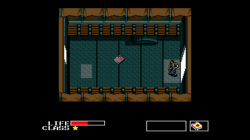
(MSx2 - metal Gear test
Full Speed)
RetroArch PS3.png

Have to follow these setup instructions: (via)

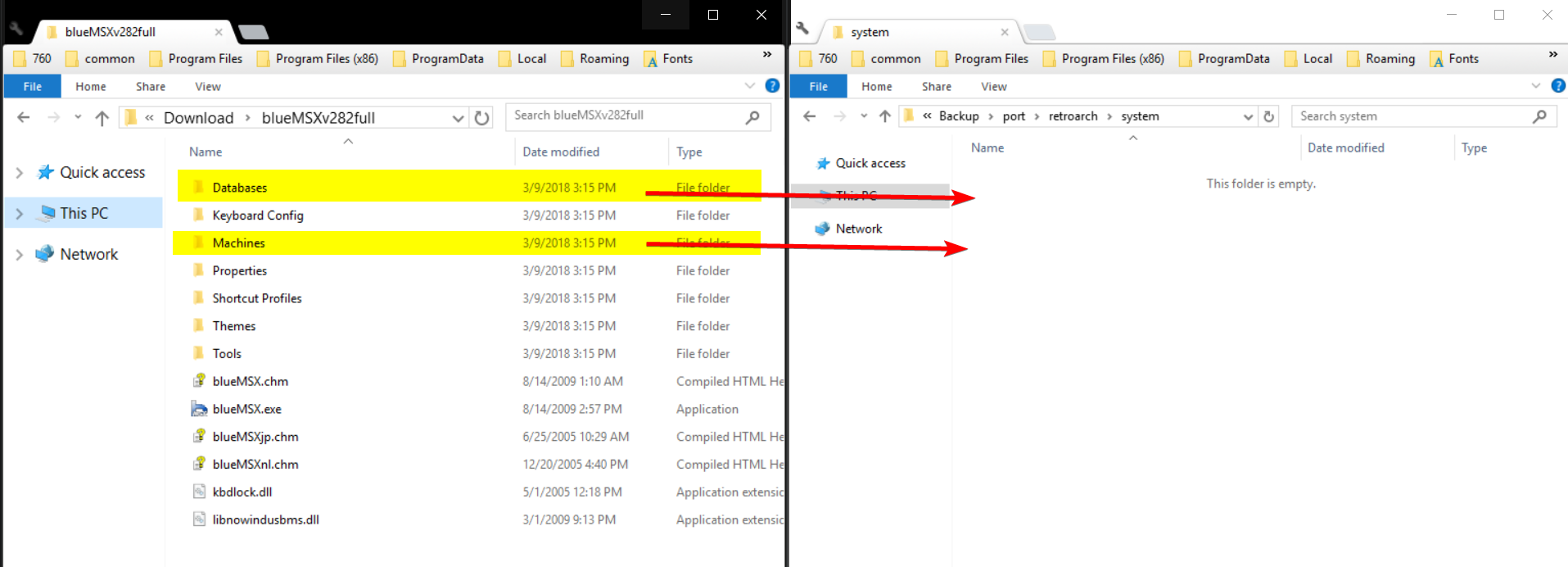
The blueMSX core requires the 'Databases' and 'Machines' folders from a full installation of blueMSX.
You can download the 'Databases' and 'Machines' folders from an official full standalone blueMSX emulator installation. Get blueMSXv282full.zip near the bottom of the page.
Move/Copy the 'Databases' and 'Machines' Folders to RetroArch's System directory.
bios.png
 
Last edited:
SEGA SG-1000 games are also suppose to be supported in this emulator.
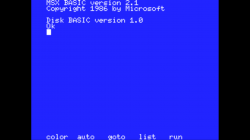
I did not have success the MSX boot logo appears and then image:
RetroArch PS3_1.png

EDIT:
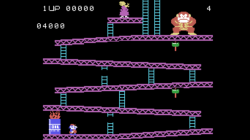
Same thing with ColecoVision games (Donkey Kong and DK jr were only two roms tried)
Seems stuck in MSX mode. (Then now just got the idea as i was writing that., i need to goto the CORE options (yes that was the issues :) ) and and switch mode to desired emulated system for this core.
Reload the core (I started a new core and then bluemsx to be sure) and reload blueMSX and Coleco was there instead of MSX boot logo.

RetroArch PS3_3.png

Yep just have to switch to sg-1000 mode.
RetroArch PS3_4.png

The bluMSN Core options where you switch systems
RetroArch PS3_5.png
 
Last edited:
No automatic detection..
You know how SuperGrafx is seperate from mendafen_PCe_fast core.

In the future (if an automatic detection can not be done easier) might be worth exploring in making those individual emu's..
(something to note for the future) as it would save having to do some of those steps
 
Back
Top