PS3 sMAN v1.10n (by deank): New features & improved performance & stability

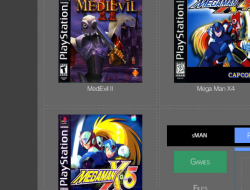
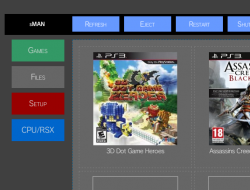
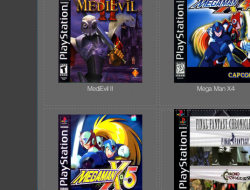
A couple of new updates aiding in the evolution of the sMAN plugin has been seen in recent days as developer @deank continues to add functionality and as you see in the screenshot additional eye-candy as well. Following up on v0.08n, deank officially labled v1.09 as a Beta Release as several new things were implemented and went through some testing phases. Deank has stated he has almost re-written sMAN so much that it now almost differs from webMAN v1.47n by nearly 50% according to the guy who know (the developer of both plugin) deank. Also thanks to freddy38510 NTFS drives will show the actual time & date stamps in both FTP & the file explore in web-browsers. v0.10n was recently released as well and officially moved from Beta to the next Stable update , that did just that improve the stability & performance of things like the www client . This plugin keeps improving and new features continue to impress as deank's continues to put his magically touches on this ps3 plugin.​


sman_setup.jpg

  • sMAN v0.10n
    In the latest sman.sprx update the internal web server will use threads to serve files/images content. It will no longer hold the whole www client thread and will release the resources immediatelly greatly improving performance and stability. Until now if you download something big via the web interface and then try to browse games or refresh sman would lock, but not anymore..

    There were some issues with displaying images/files from network locations (ps3netsrv) using the webbrowser but it is now ok. There are also some other minor fixes.

    Update to sMAN 1.10n: http://deanbg.com/sman.sprx | http://deanbg.com/sMAN_1.10.zip

    Network/ps3netsrv locations should now support about 3200 files (1600 ISO games + 1600 images for example).

    p.s. sprx is updated again. If someone with a lot of network games can test it - let me know. I tested it with a folder with 9000 files and it handles 3200 to 3300, so it works. :)

    http://www.psx-place.com/threads/sm...on-sfo-scanning-more.12984/page-10#post-75905


  • I updated sman.sprx - it now has a separate option for dev_blind. sman_res.exe is changed to support .htm resource files. The source is also updated. Web content is now in external .htm files in wmtmp/res folder. It is still work in progress, but at least you can see how it is progressing.

    The web-pages are still ugly, but now someone can help with improving them. The external files are:
    • www_head.htm - this is present in each generated page and can be edited by a web-designer
    • www_setup.htm - the setup page (only the form)
    • www_foot.htm - the footer
    • www_file.htm - some javascript needed for table sorting (doesn't work on the ps3 browser)

    The dynamic content is generated after www_head and before www_foot.

    I made some changes to the layout... should be something like this at the moment:


    It should look much better now. You have a very early build. It now doesn't use tables, but I rewrote everything with css. Not really gorgeous, but still simple and lite. Shows 99% the same on the PC and on the PS3 now. Also it fits perfectly even in SD resolution (720x576). :)


    Without Javascript the Setup page cannot be used (because js is used to set current options/values), but all other functions are ok.

    This option was never clickable. The checkbox was always disabled and its "ticked" state just indicates whether the lowest speed will be applied (which happens only in "auto" mode). I added back the "tick" when in auto-mode - it is purely cosmetic checkbox just to make the options look more ordered on screen. :)

    I updated sman.sprx. Also game listing in the web-browser on the PS3 now looks properly (game names are centered as they should be - same as on the PC).

    http://deanbg.com/sman.sprx (now up to 1.09n - resource files will be updated and you'll also get a new background for sMAN GUI).
    sMAN updated (http://deanbg.com/sman.sprx)

    I hope this 1.09n version is the last "beta"/"unstable" before the official 1.10. It seems very stable at the moment. I optimized a lot of functions and rewrote a lot of the code - probably over 50% is now completely different compared to webMAN 1.47n.

    In this update the optimizations lead to another memory usage decrease - you should now have 2324KB free memory.

    FTP browsing is faster - both for hdd/usb and ntfs drives, which means copying a lot of folders will be much faster compared to any wM/sM version.

    Along with all the other changes since 1.08 (external web content/additional xmb info tags/code optimizations) 1.09n should be the version to update to without worries.

    Dean

    Post Source: psx-place.com/

    -------------------------------------------------------------------------​
    Thanks to @freddy38510 the ntfs library now supports proper date/time stamps for files/folders. sMAN is updated to show actual date/times in FTP and web-browser for NTFS drives.
    http://www.psx-place.com/threads/li...ilation-with-cellsdk.11906/page-11#post-75770

    Thanks @freddy38510

    p.s. libntfs_prx.a is also updated in sman_1.09.zip

    Post Source: psx-place.com
    -------------------------------------------------------------------------​

Download:

Source: psx-place.com
 
Last edited:
Pretty sure that option stops it trying to automatically move around the xmb to select the disc icon when it's ready.
yep, i have not tested it, but i think could be problematic if you are moving the cursor yourself, probably it ends in other position
But is nice anyway, is just a matter of getting used :)

Imo could be perfect if after moving the cursor it could automatically do the "X button press" too, that way it could be completly freehands... just click in the backup and wait, no need to touch anything and the game boots

It could be actually a great replacement for the vintage "direct boot" mount mode of other backup managers, that has always been very problematic and with a very low compatibility
The problem for using this idea in other backup managers is the actions that drives the cursor are needed to be triggered after exiting the backup manager, so not sure if is so easy/worthy
 
Well, fresh downgrade didn't magically solve ALL my issues, just some. :)

Haven't tried the test version again yet, but latest standard release still gets glitchy on the ps3 browser.

PS3 sMAN.png PS3 sMAN_1.png PS3 sMAN_2.png

Sorry for the horribly low res screenshots from the TV. :)

got it..thanxi think this is for ps2 covershow to add ps3 covers ?

That method works for all games.It's how I set up all my covers for ps1/ps2 and ps3 games.

Imo could be perfect if after moving the cursor it could automatically do the "X button press" too, that way it could be completly freehands... just click in the backup and wait, no need to touch anything and the game boots

It could be actually a great replacement for the vintage "direct boot" mount mode of other backup managers, that has always been very problematic and with a very low compatibility

Pretty sure just turning "disc autoboot" on in the main ps3 options would achieve this if I'm understanding you correctly?
 
Last edited:
Pretty sure just turning "disc autoboot" on in the main ps3 options would achieve this if I'm understanding you correctly?
I know a bit how it works because i was talking with mysis about it and following his experiments when he was looking at this, but im not sure how is used in sman, and never tryed it myself

Just a last thought related wth this... the problem is the dualshock outputs could interfere with the cursor automatization... so im thinking it could be posible to "lock" dualshock outputs ? (i have no idea if there is some function for it, but maybe there is, to use it in this scenario)
Inmediatlly after mounting the game...
-hook dualshock outputs and send them to NULL... for a 5 seconds gap (so dualshock is zombie for the next 5 seconds)
-automatize cursor actions---> move cursor to bluray icon---> press X
-if game boots plugin is unloaded so the control returns to dualshock
-else if the 5 seconds passed, then flush all dualshock output, and return control to it

This is the only safe way i see to avoid interferences from the dualshcok... by "nuking" it, not sure if is a good idea to nuke it though
 
Last edited:
Sounds pretty extreme, lol. I don't think it's really needed given the way sman mounts games while already in the xmb.

Just turning Settings > System Settings > Disc Auto Start > ON seems to work well for sman to automate launching.

As far as the ps3 knows, you just inserted a disc while sitting on the xmb menu.
 
yes, what i said is a bit extreme because if a crash/bug/problem happens while the dualshock is in zombie mode then you dont have controller anymore until reboot
But i bet sony does it like this somewhere, so maybe there is an "official" way to ignore the dualshock outputs temporally

Edit:
What im suggesting should work too with the Disc Auto Start > OFF
 
Last edited:
@self_slaughter If you still have your PS3 running you can check the latest sman_test.sprx. I'm trying to implement persistent connections so the PS3 won't open a new one for each image, but reuse the socket and tcp connection. This may help with the problem. I managed to crash the www+ftp this morning with NOBUF error, :) but may be with http "keep-alive" we'll get around it. Different browsers behave differently (using 4 to 8 persistent connections) so results may differ among IE/Chrome/Firefox/PS3-browser.
 
@self_slaughter If you still have your PS3 running you can check the latest sman_test.sprx. I'm trying to implement persistent connections so the PS3 won't open a new one for each image, but reuse the socket and tcp connection. This may help with the problem. I managed to crash the www+ftp this morning with NOBUF error, :) but may be with http "keep-alive" we'll get around it. Different browsers behave differently (using 4 to 8 persistent connections) so results may differ among IE/Chrome/Firefox/PS3-browser.

No worries. Using my external HDD on the PC to shuffle some files around at the moment. But I'll give it a crack shortly. Don't have too much left to copy back on. :)

Copied the PS2 games back onto the ps3s internal drive as well last night so should work it a touch harder. :bitsbubba:
 
I came back from work and tested it (you can redownload the test sprx - or better the regular sman.sprx). It works really well (serving 48 images took only 4 connections, each serving 12 requests). Tested with Firefox and Chrome and the PS3 browser - all three work fine.
 
Last edited:
I came back from work and tested it (you can redownload the test sprx). It works really well (serving 48 images took only 4 connections, each serving 12 requests). Tested with Firefox and Chrome and the PS3 browser - all three work fine. No crashes yet! :-p

Yeah I just got around to start testing now. Can thrash the hell out of it over the network without issue. Even change to the settings page or something mid way through a load and it happily goes straight to the page.

Any images it misses first time round, it comes back a few seconds after its finished the rest of its queue and grabs em. Looking bloody good so far!

Only caught it out once so far... on the first run surprisingly. Missed one cover and threw an error. But no crashes or loss of connectivity etc. Hit the games tab and everything showed up fine straight after that :D

Capture.PNG


I'll keep poking at it a bit and see if it throws any more errors. Looking pretty solid so far though. :)

Just downloading the sprx again now that I've seen that message... Still had the one from a while ago.

Edit: Just noticed the couple it misses near the top on the first run doesn't seem to show in the log as being missed or anything weird. But if you hit another tab to stop it loading, it will load those two then. Or if you wait until it's done, it will catch them up at the end.

Log here - http://pastebin.com/raw/ght8D5fX

In this case Blood Omen - Legacy of Kain.jpg and BloodRayne.jpg were missed on the first run, but it grabbed them as soon as I hit another page to stop it loading.

Hard to catch much of the log, using windows 7 at the moment and it doesn't keep much history in a command prompt. lol

Always seems to be those two for some reason... 5th and 6th on my list if it helps.
 
Last edited:
Update your _test.sprx - the debug printf is a bit easier to read. But if you have time later test the standard (non-debug) version, because the debug one may crash from time to time because of the stack-usage by "debug printf".
 
It seems you didn't get an error (although it shows accept() error 000000) - I fixed it now, because socket#0 is a valid one :)
 
Y
Edit: Just noticed the couple it misses near the top on the first run doesn't seem to show in the log as being missed or anything weird. But if you hit another tab to stop it loading, it will load those two then. Or if you wait until it's done, it will catch them up at the end.

Log here - http://pastebin.com/raw/ght8D5fX

In this case Blood Omen - Legacy of Kain.jpg and BloodRayne.jpg were missed on the first run, but it grabbed them as soon as I hit another page to stop it loading.

Hard to catch much of the log, using windows 7 at the moment and it doesn't keep much history in a command prompt. lol

Always seems to be those two for some reason... 5th and 6th on my list if it helps.

This is normal and it is the browser and not sman. It does it here, too with two images - randomly. But if you wait 2-3 seconds the images show. This is caused by the persistent connections the browser keeps open and for some reason it doesn't complete the last two properly.

Code:
--- SMAN: reuse_socket:046 c:08 th:1
--- SMAN: reuse_socket:048 c:12 th:3
--- SMAN: reuse_socket:047 c:14 th:2
--- SMAN: keep_alive s:047 c:15 th:2
--- SMAN: getRequest s:047 c:15 th:2 [/dev_hdd0/game/BLES80608/USRDIR/covers/BLES01854.JPG]
open_path /dev_hdd0/game/BLES80608/USRDIR/covers/BLES01854.JPG
--- SMAN: reuse_socket:049 c:07 th:4
open_path /dev_hdd0/game/BLES80608/USRDIR/covers/BLES01854.JPG
--- SMAN: reuse_socket:047 c:15 th:2
--- SMAN: keep_alive s:047 c:16 th:2
--- SMAN: getRequest s:047 c:16 th:2 [/dev_hdd0/game/BLES80608/USRDIR/covers/BLES00150.JPG]
open_path /dev_hdd0/game/BLES80608/USRDIR/covers/BLES00150.JPG
--- SMAN: reuse_socket:047 c:16 th:2
--- SMAN: timeout -- s:046 c:08 th:1
--- SMAN: timeout -- s:048 c:12 th:3
--- SMAN: keep_alive s:050 c:01 th:1
--- SMAN: getRequest s:050 c:01 th:1 [/dev_hdd0/DVDISO/Bon Jovi - Slippery When Wet.jpg]
open_path /dev_hdd0/DVDISO/Bon Jovi - Slippery When Wet.jpg
--- SMAN: keep_alive s:051 c:01 th:3
--- SMAN: getRequest s:051 c:01 th:3 [/dev_hdd0/tmp/wmtmp/Bon Jovi - Madison Square Garden (2009).jpg]
open_path /dev_hdd0/tmp/wmtmp/Bon Jovi - Madison Square Garden (2009).jpg
--- SMAN: timeout -- s:049 c:07 th:4
open_path /dev_hdd0/DVDISO/Bon Jovi - Slippery When Wet.jpg
open_path /dev_hdd0/tmp/wmtmp/Bon Jovi - Madison Square Garden (2009).jpg
--- SMAN: reuse_socket:051 c:01 th:3
--- SMAN: reuse_socket:050 c:01 th:1
--- SMAN: timeout -- s:047 c:16 th:2
--- SMAN: timeout -- s:051 c:01 th:3
--- SMAN: timeout -- s:050 c:01 th:1
You can click the top-left-hand corner of the command-prompt window - properties - and there you can set your horizontal size and buffer size so you can capture more output.
 
Last edited:
It seems that the minimum number of threads for persistent connections is 6. When I upped sMAN's thread pool to 6 worker-threads all images are loaded without issues (no delay for the last 1-2 images).

Also I tested the PS3 browser - sadly it doesn't support persistent connections and opens a new one for each request/image. Not only this, but it uses 2 sockets for one request which exhausts the number of sockets really quick. Anyway, it works fine now. I updated both the "test" and the normal sman.sprx versions.

The major change for the last couple of days is completely reworked sMAN Web Server:
1) Uses HTTP/1.0 with persistent connections for files/images
2) Web server now uses a thread pool of 6 worker threads

For all these functions it uses only 32KB more compared to older versions, so 2288KB free in vsh (was 2320KB). I'll try to optimize it a bit and see if I can get it back to 2300+.

sMAN's runs on the following configuration (if it were in Apache2 config format):

Timeout 8
KeepAlive On
MaxKeepAliveRequests 256
KeepAliveTimeout 3
StartServers 6

Dean
 
Last edited:
In regards to the mmCM sMAN incompatibility...

After using mmCM the GUI verson of sMAN (L2+R2) works perfectly fine, but if I attempt to use any of the XMB integrated options my system freezes.

Does anyone have a compiled version of 1.06n I can try since someone claimed that is when the issue started.
 
I don't know about any mmCM/sMAN incompatibility. I'm using mmCM 4.81.02 with sMAN 1.11n and never had an issue. I just tested to be sure: Opened mmCM, mounted a game, back to XMB, tested sMAN - all ok. Tried to start mmCM again and quit back to XMB without loading a game, sMAN worked too. If someone told you that the problem appeared in sman 1.06 he doesn't know what he's talking about.
 

Featured content

Trending content

Back
Top