runeblades
Member
Let me start off by saying, yes I know, it was inherently stupid of me to click OK on the initialize screen in the windows disk manager.
What I wanted to do was clone the 500GB HD that I already had in the PS3 to a 500GB SSD. Not knowing that probably wouldn't work anyways after reading a bunch of similar posts. (should have just used the backup utility)
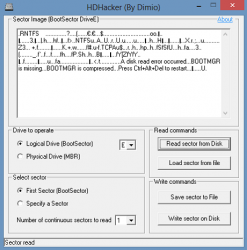
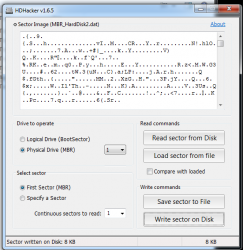
In one of those posts, someone mentioned you could probably do a sector by sector restore of the first couple of sectors to try and restore the disk in an effort to fix the disk.
Things that I've done so far:
Next steps:
Other useful info:
Not all is lost:
What makes this mistake even more painful is that I'm actually pretty tech savvy, I know my way around Linux and am comfortable running command line code if needed. Note to self, don't try to clone a HDD at 3 am after being frustrated with annoying load times
So any tips, tricks, and feedback are welcome.
Thanks in advance guys.
What I wanted to do was clone the 500GB HD that I already had in the PS3 to a 500GB SSD. Not knowing that probably wouldn't work anyways after reading a bunch of similar posts. (should have just used the backup utility)
In one of those posts, someone mentioned you could probably do a sector by sector restore of the first couple of sectors to try and restore the disk in an effort to fix the disk.
Things that I've done so far:
- Creating a RAW disk image file with HDD Raw Copy Tools https://hddguru.com/software/HDD-Raw-Copy-Tool (@ 70% now at time of posting)
- Installed the SSD and reinstalled the REBUG CFW 4.82 on it
- Extracted the eid_root_key file with the REBUG Toolbox tool
- Downloaded additional PS3 HDD tools:
- PS3 HDD Toolbox by @ifcaro - PS3 HDD Toolbox 0.95.rar
- PS3 HDD Studio v2.08 by @NDT - PS3HDDS208.rar
- PS3 HDD Utility v1.00 by nullptr - PS3 HDD Utility v1.00.rar
- PS3 HDD Reader v1 by @3141card - ps3_hdd_reader_windows.rar
- PS3Xport PS3 Backup Manipulation Tool by @kakarotoks - Ps3Xport GUI by homeedog.zip
- And of course last but not least the PS3Tools from @aldostools - Research other posts for solutions
Next steps:
- Figure out if this is at all even feasible to fix or just abandon now and not waste any more time.
- See if any of the above tools can read the disk as is (I'm not betting on it) before I move on to other next steps
- Create RAW disk image of the new SSD so that I have sectors to write to the old HDD (I don't know which tool to use for this yet).
- Figure out how many sectors need to be restored (in AOMEI Partition Assistant I can see that there are now 2 partitions on the old 500GB HDD, the 1st partition is 15.98MB and the 2nd 465.74GB)
- Restore sectors and test with above tools
- Get disk working again, do a proper backup/restore
Other useful info:
- It's a fat PS3 model CECHL04
- It's fully operational again
- Old 500GB other than creating an image has further been untouched
Not all is lost:
- Losing the disk isn't the end of the world, it's more of a nuisance.
I was lucky to have made a backup of all my saves on 1 profile earlier that day. - Unfortunately, the trophies of the last game played did not sync and I can't get that save to work under my new profile. (42 hr gameplay and 65% trophies lost, ME2)
- All the games I had installed or copied to the PS3 I have backups of externally.
- I had another profile that I didn't copy the saves from, but also haven't used in over 5 years.
What makes this mistake even more painful is that I'm actually pretty tech savvy, I know my way around Linux and am comfortable running command line code if needed. Note to self, don't try to clone a HDD at 3 am after being frustrated with annoying load times
So any tips, tricks, and feedback are welcome.
Thanks in advance guys.