PS2 [Testers Needed] Open PS2 Loader with exFAT support (files above 4GB on USB)

Unfortunately it does happen with Auto, I managed to save options 'after I wiped out all config' with 'Manual' for BDM devices MX4SIO on and everything works.

@jolek Maybe try to format your USB with Panasonic SD Formatter and then Windows' formatting to exFAT with cluster size 64/128kb?

And saving games when loaded from MX4SIO still don't work as it looks like MC is not plugged in while it is. XD
 
I said I managed to save settings with BDM on Manual and there MX4SIO on once when there is no config on MC or USB and internal USB or external? If internal what's the point for using exFAT formatted USBs? I guess for testing purpose. :D
 
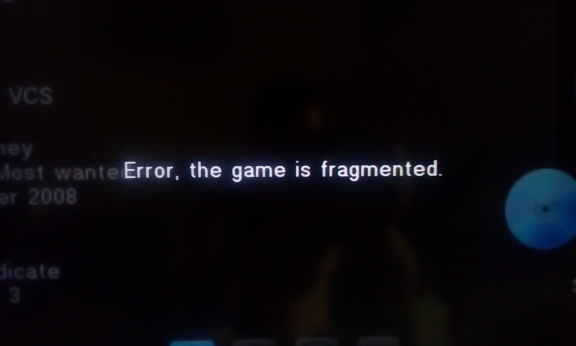
Another (#2) issue I have is with fragmentation...

The way to reproduce the issue:
  1. Insert a USB with FAT32 file system
  2. Boot up a console
  3. Launch OPL
  4. BDM Start Modr has to be set to Auto
  5. Try to launch any game
  6. You will get a message:
    Error, the game is fragmented.
    fragmented.png
A workaround for this issue is to unplug a USB device and plug it once again.
 
Last edited:
  • Like
Reactions: TnA
I tried many games, of course, I do not expect speed as high as SMB, but I did not encounter any incompatibility in terms of game compatibility.
Also, I was able to run games on exFAT without any errors, where I was getting some errors in SMB.

I also tested with VMC and DS3/4 Bluetouth Gamepad for many games, no issues.
 
Hi,
Having issues selecting vmcs for games-when an existing vmc is named in the configure VMC tab it does not allow you to scroll down to save that selection. Only generic_ 0 or 1 and leaving it blank are supported
 
Bug: The file size appears incorrect in the information section of the games.
There is this error in exFAT partition.
 
  • Like
Reactions: TnA
Any chance for the "Stuck at the saving settings if HDD is set to auto" fix when loading games from USB? Because my games was primarily on the HDD and it's bit annoying for enabling the HDD manually everytime I start OPL.
 
  • Like
Reactions: TnA
Bug: The file size appears incorrect in the information section of the games.
There is this error in exFAT partition.
I'll check it out.

Any chance for the "Stuck at the saving settings if HDD is set to auto" fix when loading games from USB? Because my games was primarily on the HDD and it's bit annoying for enabling the HDD manually everytime I start OPL.
This is a totally different bug not related to these new features. We're looking into it.
 
Support for exFAT is now part of the official repo, where you can find a download for the latest release.
Where? I downloaded from here and it doesn't load exFAT formatted USB device. ;)

BTW, I noticed saving settings always hangs whenever I'll set Auto for anything, if Manual it creates new settings files and hangs when saving settings again, I mean when I don't have any setting files on MC or USB. I know unrelated for exFAT support but I noticed that and report. :D

EDIT: My bad, I forgot I used this USB for something else, recopy game fixed problem but now running game causes infinite 'saving settings'.
 
Last edited:
Where? I downloaded from here and it doesn't load exFAT formatted USB device. ;)

BTW, I noticed saving settings always hangs whenever I'll set Auto for anything, if Manual it creates new settings files and hangs when saving settings again, I mean when I don't have any setting files on MC or USB. I know unrelated for exFAT support but I noticed that and report. :D

EDIT: My bad, I forgot I used this USB for something else, recopy game fixed problem but now running game causes infinite 'saving settings'.
yeah the settings bug is well known, not related to exFAT support.
 
Ok, infinite saving when loads game happens when OPL folder is present on MC, when removed or renamed all settings are saved correctly on MASS also no matter saving when anything is set to Auto it saves on MASS without problems. Seems problems are only to save to MC.
 

Similar threads

Back
Top