PS2 [Testers Needed] OPL internal exfat 2TB+ HDD and multi-BDM devices

I'm using OPL_v1.2.0.6-1996 with a 4TB SATA drive. According to your hdd test app, everything passes. sector size is 512 and drive supports UDMA 6. I'm using Free MCBoot 1.966 with OPNPS2LD_UDMA_PLUS elf. Game list will show intermittently. When I first launch into opl, I see a loading symbol on the bottom right for about 10 seconds and then it goes away. No games will show on the HDD list. Only way I've found to get it to show the game list is to toggle "HDD Device start mode" from "Auto" to "Manual". Games will show after that. Once I reboot the console or go back to OPL, games are gone again. I have to keep toggling that setting in OPL to get games to show.
 
I'm using OPL_v1.2.0.6-1996 with a 4TB SATA drive. According to your hdd test app, everything passes. sector size is 512 and drive supports UDMA 6. I'm using Free MCBoot 1.966 with OPNPS2LD_UDMA_PLUS elf. Game list will show intermittently. When I first launch into opl, I see a loading symbol on the bottom right for about 10 seconds and then it goes away. No games will show on the HDD list. Only way I've found to get it to show the game list is to toggle "HDD Device start mode" from "Auto" to "Manual". Games will show after that. Once I reboot the console or go back to OPL, games are gone again. I have to keep toggling that setting in OPL to get games to show.
HDD Device Start Mode is for APA formatted drives. If you're using exFAT turn BDM Device Start Mode to Auto, and under the Block Devices menu turn HDD on.
 
Awesome. Thanks grimdoomer. That seems to have fixed it. The only other issue I seem to have is when I enable artwork. There's about a 2-3 second delay when scrolling through titles. I'm using jpeg instead of png files for the artwork.
 
Hi, I'm new to OPL and ps2 modding. I'm useing 1.206 beta with 80gb hdd (testing exfat before my 4tb upgrade) and everything looks fine, exept i cant use game options by pressing triangle button on game title ( screen changes to a blank screen and returns to games list). Is it a bug or this version is missing that functionality?
 
Hi, I'm new to OPL and ps2 modding. I'm useing 1.206 beta with 80gb hdd (testing exfat before my 4tb upgrade) and everything looks fine, exept i cant use game options by pressing triangle button on game title ( screen changes to a blank screen and returns to games list). Is it a bug or this version is missing that functionality?
Game options like VMC should work, I use VMC fine
 
OF3NN.png


Hai , I use OPL 1.2.0.6 , i have a problem with the OPL , when i turn on the sound in the OPL settings, the game has black screen after this startup boot screen (Logo Playstation) and when i turn off the sound setting, its keep black screen after startup logo, i must delete the opl.conf to fix the black screen , and i try to OPL 1.2.0.5 and have a same thing about this. its that a bug ?
 
Last edited:
Hello.
I am unable to see the games on my SSD.

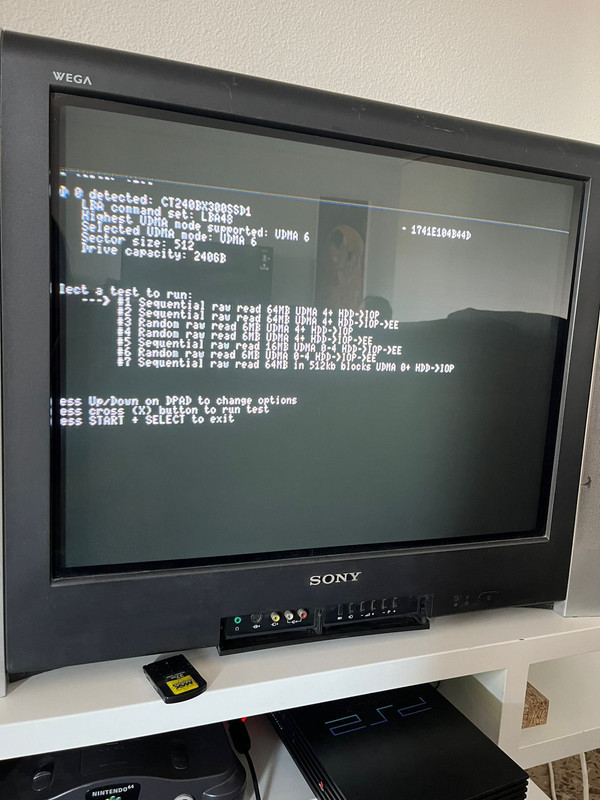
My curret setup is PS2 FAT PAL with an official adapter and bitfunx sata adapter mod. I am using lastest OPL beta (1966) and FreeMCBoot 1.953. My ssd is a Crucial BX300 240gb exFat formatted and 512KB cluster size (with some random aliexpress USB to SATA cable).

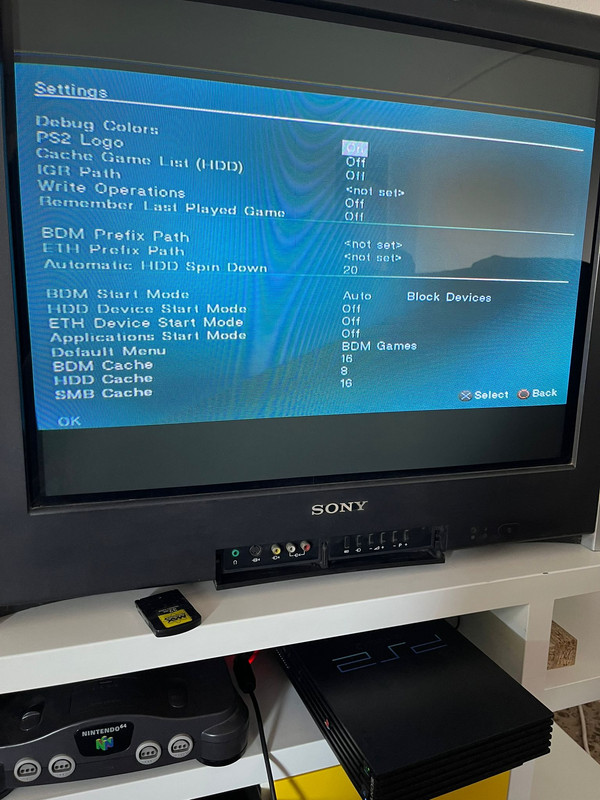
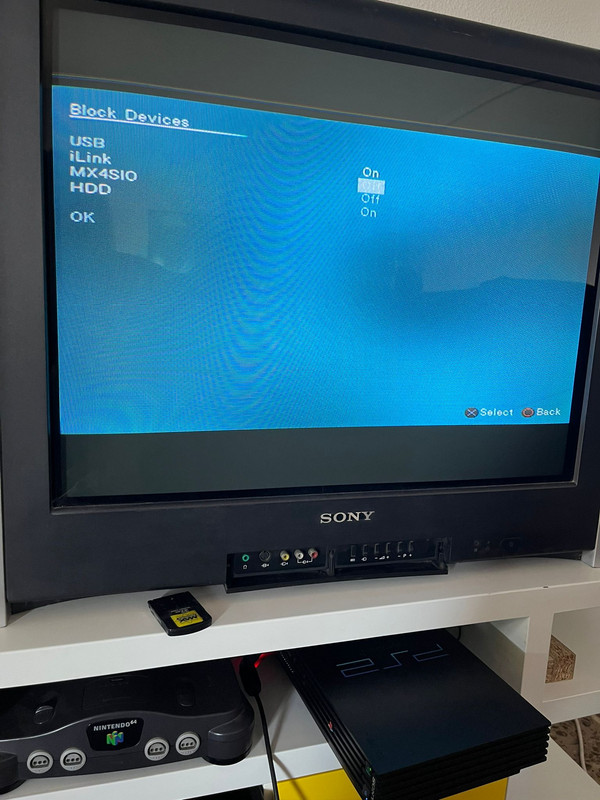
I have run HDD TEST app with options 5 and 7 with no errors. Here are the images of my current configuration and settings in OPL.

01.jpg

02.jpg

03.jpg

04.jpg

05.jpg

06.jpg

What am I doing wrong?

Thanks.
 
Hi all,
Running into an issue on OPL_v1.2.0.6-1996.
I am currently using a 250GB IDE HDD (formatted to exFAT and GPT thru Win10 - clusters/sectors are correct) and the official Sony Network Adapter. Additionally, I have an ART folder which houses all the cover art. I have copied OPL_1996 off the USB device on to my FMCB memory card (official Sony 8mb) and into the BOOT folder (deleting the old OPL.ELF in the process). I've changed my FMCB OSD settings to point towards the OPNPS2LD.ELF on mc0. OPL settings save to mc0 fine and they survive a hard reset.

My problem is, I can only load OPL AND play games from the USB thru uLaunchELF - every game can IGR with no problems. If I load OPL from mc0 thru uLaunchELF, or load OPL from the main menu, OPL will launch perfectly fine - all my games and cover art load with no issues what so ever, but every single game will hang on the pink debug screen forever - CD & DVD, IGR enabled and disabled, HDD Caching on/off (which doesn't really matter as the HDD is loading over BMD).
I have noticed that OPL will create all the relevant directories it needs (ART, CFG, etc) on the USB, but not populate them - everything will instead populate on mc0 as expected.

I've checked all my FMCB settings - there were a number of options that were first pointing towards .ELF files on my HDD (which do not exist) before then checking options 2 & 3 for .ELF files. I've changed these to point towards the relevant .ELF files on the mc0. Still no success (but FMCB does boot faster, so thats a plus).
I have tried changing FMCB Config OSD to point towards the USB OPNPS2LD.ELF instead of mc0. This results in a very brief black screen, before being dumped to the mc browser. Without fail.
Other than the pink debug screens, I have no debug errors or logs to attach or take photos of.

Happy to try things if people have suggestions.
Cheers!
 
I'm using 1TB SSD exfat.
BDM Start Mode Block Devices
USB On
iLink off
MX4SIO off
HDD On
Seems to Duplicate HDD menu, loading icon appear indefinitely or crash.
HPqX5RtknZc1KnCE6
 
Awesome. Thanks grimdoomer. That seems to have fixed it. The only other issue I seem to have is when I enable artwork. There's about a 2-3 second delay when scrolling through titles. I'm using jpeg instead of png files for the artwork.

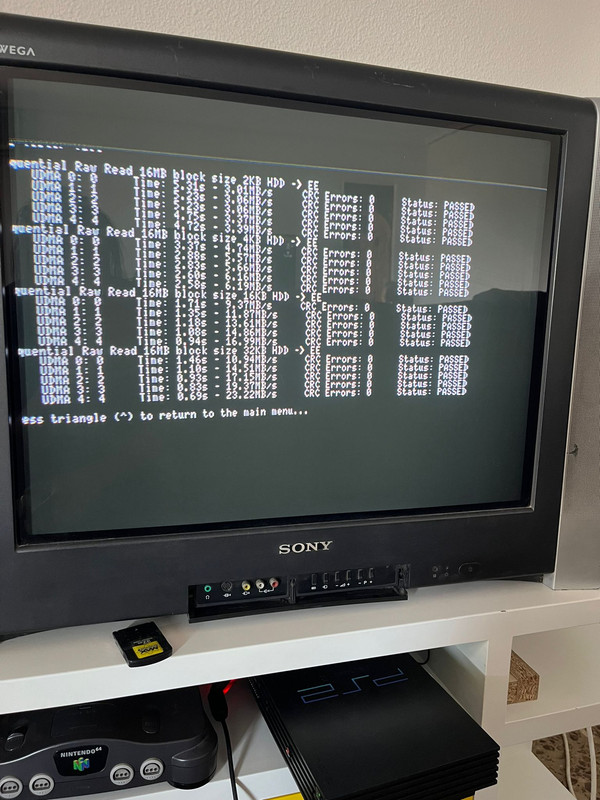
I have the same issue with the slow loading artwork. Only jpeg files as well. I ran the tests which all passed. I attached the test results below and a video if that helps determine if i'm just an idiot and this is expected behavior.


TW3v2pw.png


imXXh8z.png


qLYK0kp.png
 
Hello! First of all an huge thanks to @grimdoomer for this version of OPL, I've always hoped to have a plug and play version of this program.
Sadly I'm having issues getting OPL reading games on my 400GB HDD, the list is blank no matter what.
I've tried both on v1.2.0.5-1991 Beta and v1.2.0.6-1996 Beta and I get the same results.
I've put both "BDM Start Mode" and "HDD Device Start Mode" on "Auto" like suggested but no luck.

At first I thought it was something related to the sectors since I've formatted it via the HDD to USB adapter but now I've formatted it again by putting it directly into the PC and it's the same (I've followed the OP guide so "exFAT" and Default "Allocation unit size").

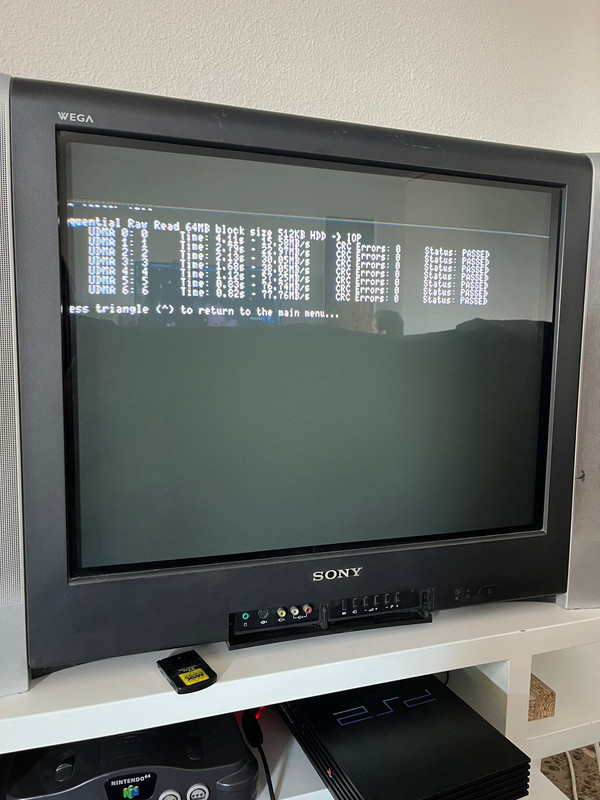
I've used the "HDD tester" as well and the results seems to be fine:
20230614_231059.jpg


Test #5:
20230614_230824.jpg


Test #7:
20230614_231033.jpg


Any idea on how to fix this?
Thank you very much!
 
Thanks for all the work on this!

I already have a working Fat PS2 McBoot/OPL setup on a 1TB SATA HDD via a knockoff SATA "PS2 network adapter" (with no networking capabilities) but wanted to try this "just copy over the ISOs" feature.

Notes on experimenting today:
  1. Using a Xigmateck USB3 HDD dock, I reset (PowerShell), cleaned (Diskpart), & exFAT-formatted (Disk Management, default AU size) an old 3TB SATA3 7200rpm 3.5" HGST Ultrastar HDD, then tossed an ISO in the root.
  2. Extracted the latest beta (OPL_v1.2.0.6-1996) to a USB stick.
  3. Booted the PS2 with a USB stick and 3TB HDD installed internally.
  4. Loaded the OPNPS2LD_UDMA_PLUS.ELF.
Even after setting BDM=Auto and selecting the HDD in there, and later moving the ISO to a "DVD" subdir, it still won't work with the 3TB. Like it just doesn't see it.

Then I tried the same way using an old 1TB Barracuda (identical to the one I use for Ye Olde APA method), and it just works.

Some info on my hardware:
  • The Xigmatek dock shows up as "ASMT 2105 USB Device" in Windows.
  • Non-working 3TB HGST:
> fsutil fsinfo sectorInfo e:
LogicalBytesPerSector : 4096
PhysicalBytesPerSectorForAtomicity : 4096
PhysicalBytesPerSectorForPerformance : 4096
FileSystemEffectivePhysicalBytesPerSectorForAtomicity : 4096
Device Alignment : Aligned (0x000)
Partition alignment on device : Aligned (0x000)
...​
  • Working 1TB Barracuda:
> fsutil fsinfo sectorInfo e:
LogicalBytesPerSector : 512
PhysicalBytesPerSectorForAtomicity : 4096
PhysicalBytesPerSectorForPerformance : 4096
FileSystemEffectivePhysicalBytesPerSectorForAtomicity : 512
Device Alignment : Aligned (0x000)
Partition alignment on device : Aligned (0x000)
...​

I assume the differences have to do with the 512 vs 4096 sectors limitation.
I'm not sure if attaching the 3TB HDD directly to a SATA port or using a different adapter would help.
 
Non-working 3TB HGST:
> fsutil fsinfo sectorInfo e:
LogicalBytesPerSector : 4096
FileSystemEffectivePhysicalBytesPerSectorForAtomicity : 4096
This is the issue right here, the 3TB drive is set to use 4k sectors and not 512 byte sectors. You will need to set it back to 512 in order to use it with OPL.
 
Any way to launch PS1 games from USB or HDD with this version of OPL?

Figured it out. First my USB SSD wasn't visible to the PS2 because it was formatted as a FAT32 logical volume and not primary. With that converted, the VCD files in the POPS folder on their own weren't visible in OPL. I'm a noob to this but I guess that's the expectation. Then somewhere I learned about POPS2APPS, ran a batch file and created a bunch of APPS folders for each VCD. No where could I verify if this was a requirement for the latest OPL, but they seem to do the job. All the PS1 games are executable from the APPS menu in OPL. The only thing I don't have going is artwork displaying for the PS1 titles. Let me know if anyone knows that's possible with the APPS.

PS1 games will not launch from an exFAT formatted device, as tested with my 1TB SATA internal. Have that dedicated to PS2 library. Hopefully one day there will be exFAT support for POPStarter and I can consolidate everything to the internal
 
This is the issue right here, the 3TB drive is set to use 4k sectors and not 512 byte sectors. You will need to set it back to 512 in order to use it with OPL.

That's what I assumed, but couldn't figure out a way to do so.

And since the 1TB was prepared the same way using the same USB SATA dock, I'm not sure whether or not another dock/adapter or direct SATA port on the motherboard would behave differently.
 
Hello.
I am unable to see the games on my SSD.

My curret setup is PS2 FAT PAL with an official adapter and bitfunx sata adapter mod. I am using lastest OPL beta (1966) and FreeMCBoot 1.953. My ssd is a Crucial BX300 240gb exFat formatted and 512KB cluster size (with some random aliexpress USB to SATA cable).

I have run HDD TEST app with options 5 and 7 with no errors. Here are the images of my current configuration and settings in OPL.

01.jpg

02.jpg

03.jpg

04.jpg

05.jpg

06.jpg

What am I doing wrong?

Thanks.

If anyone experiences something similar, make sure your console does not have a modchip. I didn't knew mine had one (it was a gift from a friend), and now that I have managed to grab another one that has no mods, it works wonderfully.
 

Similar threads

Back
Top