


SteveGW
Member
So, after latest update install of HeN 2.3.1, my PS3 was black screening everything and a lot of xmb function stopped working or froze PS3 when activated. After much discussion I decided that I needed to check my PS3 hard disc drive (and replace if found faulty) and reinstall HEN.
To check the PS3 HD I had to remove it from PS3 and install it in my PC.
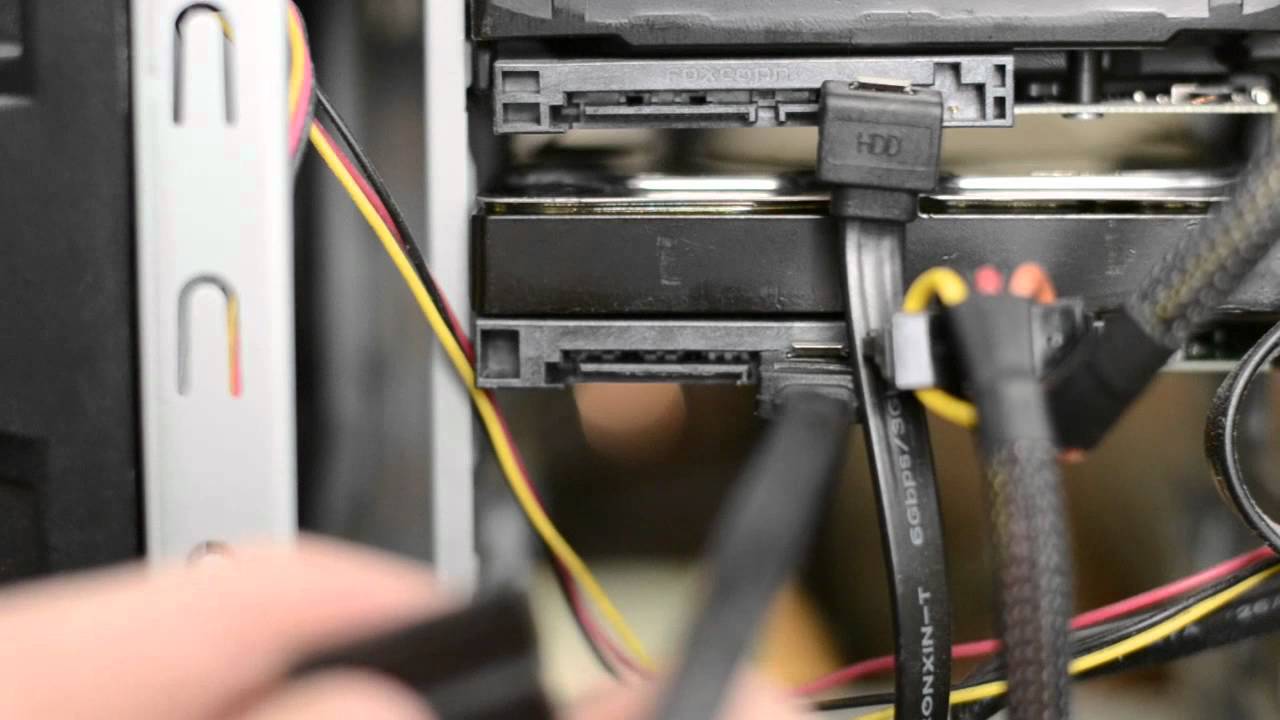
Once installed in PC I downloaded and installed http://hddscan.com/
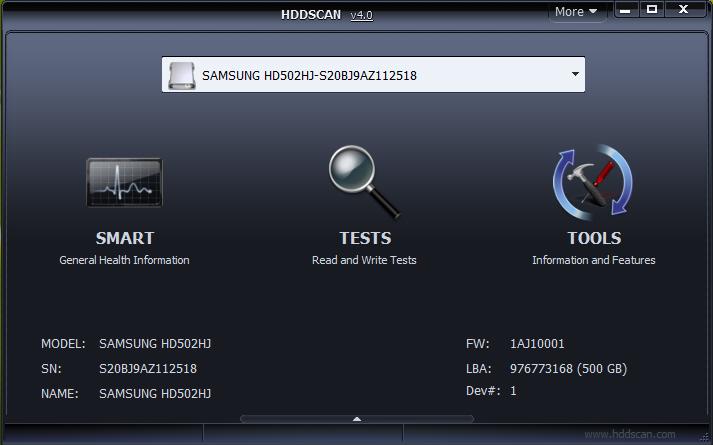
(example picture of user interface)
I wanted to run:
Storage device tests:
from this I deduced that the HD needed more cooling, Sony designed the HD in a metal cage to try and absorb some of the heat generated from the rsx & cpu mounted just below the HD, which run in the 60+ oC range on my super slim 4003. Infact the PS3 was designed to run hot, but alas, Sony didnt get the HD's designed to run hot.
So what I did, I removed HD cover

and drilled some small holes in it just at HD bracket area, because I noticed the internal cooling fan blow air around this area.
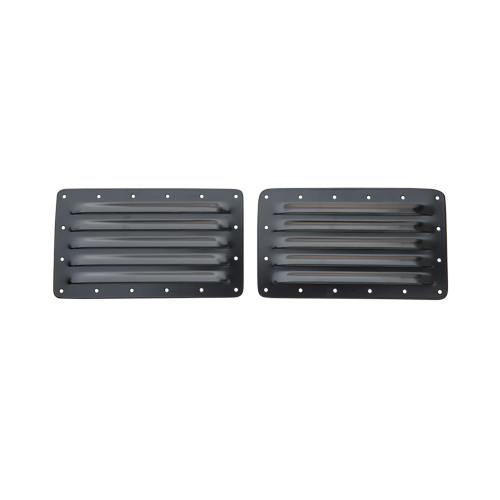
Now I'm currently looking for a small air vent grille to fit in this area like below picture, if anyone knows where I can get one, that will fit on the HD case cover?
I then ordered from ebay this cooling fan and have my PS3 sitting on it: https://bit.ly/2Lt3OJx
The idea behind all this is that i will get better cooling into and around my PS3, that can also be expelled out through HD cover and through internal PSU giving better air through put.
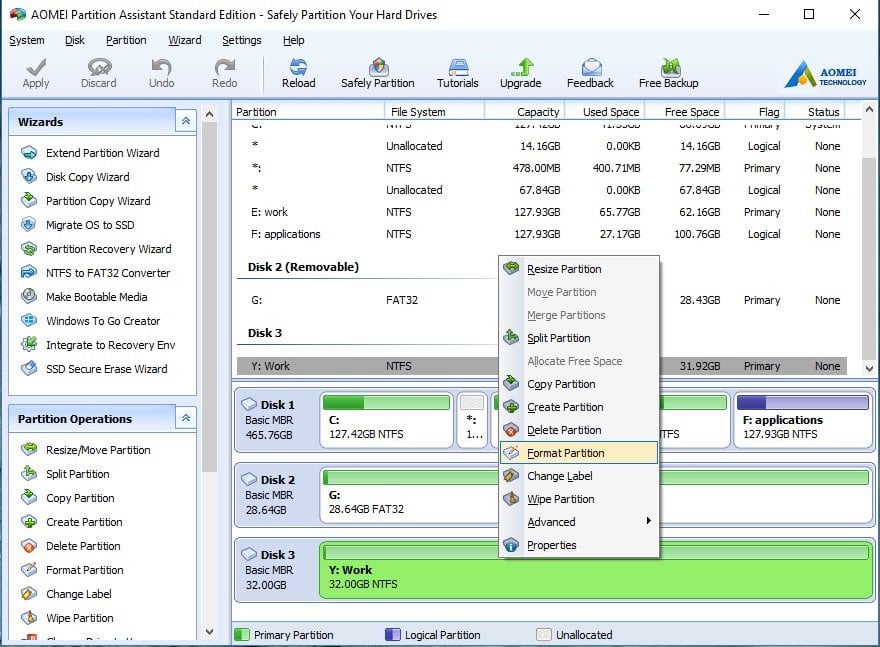
Next i installed AOMEI Partition Assistant om my PC
https://www.disk-partition.com/
I installed this because, from years of experience I have found that hard discs often need to be fully formatted, after so many quick formats and errors.
Once I'd completed all this, I reinserted HD into PS3, installed OFW 4.84 and then HFW twice and then HEN 2.31 http://**ps3xploit.com >Domain no L... (ps3xploit.me =new)/hen/installer/index.html
I now have a PS3 xmb which is free of errors, and a HD and system that is running more efficiently and cooler. But one of the other reason I tackled this was because it was recommend that my HD might be faulty, causing all the errors, alas, my HD is fine, but maybe the higher temperature running was causing problems causing data not to written or read correctly.
I'm gonna run the system for another 5 days, and remove the HD and check again via HDscan what operating temperature it has reached, I also want to mount an air grille as per above picture, I'll make one if I have to, reason behind it being the air blown up from the new cooling fan system can enter into the HD via the grille giving my ps3 better cooling.
Another reason Im doing this, is because webMAN mod that has these wonderful cooling fan systems in place causes my PS3 to black screen.
So now with latest HEN 2.3.1, I just have multiMAN/HEN tool box and ps2 launcher rubug and dont have any black screen problems, or crazy errors.
For now it could be the increased cooling capacity and full format of and check of hard disc that is keeping my system stable.
Regards
Steve
To check the PS3 HD I had to remove it from PS3 and install it in my PC.
Once installed in PC I downloaded and installed http://hddscan.com/
(example picture of user interface)
I wanted to run:
Storage device tests:
- Verification in linear mode – helps to determine if your drive needs data rescue, has recoverable errors or in its perfect shape.
- Reading in linear mode – simpler, but faster disk check.
- Erasing in linear mode.
- Reading in Butterfly mode (synthetic random read).
- Reading and analyzing SMART parameters from ATA/SATA/USB/FireWire HDD.
- SMART tests running on ATA/SATA/USB/FireWire HDD.
- Temperature monitor for ATA/SATA/USB/FireWire/SCSI HDD.
| Hard Disk Temperature | |
| Less than 25°C: | Too cold |
| 25°C to 40°C: | Ideal |
| 41°C to 50°C: | Acceptable |
| More than 50°C: | Too hot |
So what I did, I removed HD cover
and drilled some small holes in it just at HD bracket area, because I noticed the internal cooling fan blow air around this area.
Now I'm currently looking for a small air vent grille to fit in this area like below picture, if anyone knows where I can get one, that will fit on the HD case cover?
I then ordered from ebay this cooling fan and have my PS3 sitting on it: https://bit.ly/2Lt3OJx
The idea behind all this is that i will get better cooling into and around my PS3, that can also be expelled out through HD cover and through internal PSU giving better air through put.
Next i installed AOMEI Partition Assistant om my PC
https://www.disk-partition.com/
I installed this because, from years of experience I have found that hard discs often need to be fully formatted, after so many quick formats and errors.
Once I'd completed all this, I reinserted HD into PS3, installed OFW 4.84 and then HFW twice and then HEN 2.31 http://**ps3xploit.com >Domain no L... (ps3xploit.me =new)/hen/installer/index.html
I now have a PS3 xmb which is free of errors, and a HD and system that is running more efficiently and cooler. But one of the other reason I tackled this was because it was recommend that my HD might be faulty, causing all the errors, alas, my HD is fine, but maybe the higher temperature running was causing problems causing data not to written or read correctly.
I'm gonna run the system for another 5 days, and remove the HD and check again via HDscan what operating temperature it has reached, I also want to mount an air grille as per above picture, I'll make one if I have to, reason behind it being the air blown up from the new cooling fan system can enter into the HD via the grille giving my ps3 better cooling.
Another reason Im doing this, is because webMAN mod that has these wonderful cooling fan systems in place causes my PS3 to black screen.
So now with latest HEN 2.3.1, I just have multiMAN/HEN tool box and ps2 launcher rubug and dont have any black screen problems, or crazy errors.
For now it could be the increased cooling capacity and full format of and check of hard disc that is keeping my system stable.
Regards
Steve
Last edited:


 ). But I can explain to You how it works and how it is possible to do. In service area, inaccessible in any kind of software except firmware of this HDD, there are data with i.e disk geometry and disabled, broken sectors which are already exist on the medium (it is impossible to produce perfect disk so every defect must be disabled from use). This is testing and done in the factory of course. Modern firmwares using S.M.A.R.T system which constantly testing and monitoring various of parrams. One of them are unstable sectors which are monitoring since first detection. When the be problematic to much times, they are flagged as bad sectors, and firmware remapping them automatically from 64 or more backup unused but good sectors. You cannot interfere with that by ordinary ATA commands (at least I don't know any which can, including i.e Victoria HDD) and You can do nothing if You exceed limit of backup sectors. It is often when disk start remapping, it is good sign for the user to prepare migration as corruption could started growing fast (but it is not a rule).