

junaid
Member
1. Download this proxy server.
2. Download and install .net Framework 1.1 from here
3. Type ipconfig in cmd and get your computer's local ip address . example

4. Run PS3.ProxyServer.GUI as admin and paste the ip address there
5. Setup manual connection on your ps3 and use the same address and the port in the proxy settings.
6. In PS3.ProxyServer.GUI select ps3 mode and start and allow through firewall

7. Check for update on ps3 and it should say that you are on the latest one.
8. Create a user and then use a throwaway account to sign in and activate system in account management.
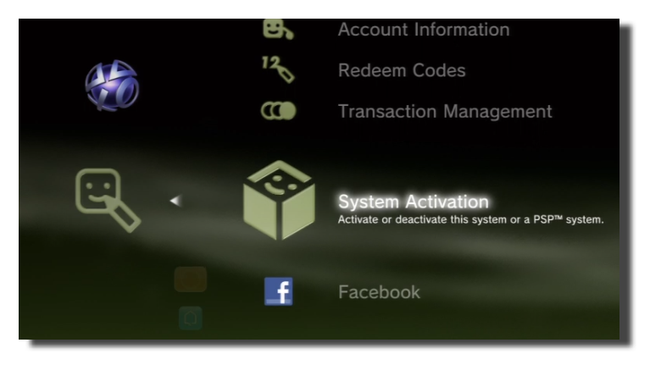
Note: This is only for 4.81 users only and if it doesn't work pm me. Try disabling your firewall as well. If you want to use on other versions, pm me as well.
EDIT:
you can now go to https://web.archive.org/ to get the updatelist.txt for older versions. Get the links from 'config.xml'.
2. Download and install .net Framework 1.1 from here
3. Type ipconfig in cmd and get your computer's local ip address . example
4. Run PS3.ProxyServer.GUI as admin and paste the ip address there
5. Setup manual connection on your ps3 and use the same address and the port in the proxy settings.
6. In PS3.ProxyServer.GUI select ps3 mode and start and allow through firewall
7. Check for update on ps3 and it should say that you are on the latest one.
8. Create a user and then use a throwaway account to sign in and activate system in account management.
Note: This is only for 4.81 users only and if it doesn't work pm me. Try disabling your firewall as well. If you want to use on other versions, pm me as well.
EDIT:
you can now go to https://web.archive.org/ to get the updatelist.txt for older versions. Get the links from 'config.xml'.
Last edited by a moderator:


