
Update v1.8.4 Released
. Original Introduction: PS3 development has been seeing an upkick lately and developer @bucanero has been one of the developers playing a part. The developer has recently updated Artemis with new support and also released PKGi (PS3) but now the developer shares a great utility that involves PS3 Game Saves called Apollo, built utilizing the Artemis GUI this homebrew capable of running on CFW and PS3HEN will allow you to Patch & Resign your Game Saves / Download Game Saves / Unlock Game Saves all from the convenience of your PS3 console and not PC tools are required. Below you can see the release thread from the developer himself: So i'll let @bucanero take it from here with another great release:
. Original Introduction: PS3 development has been seeing an upkick lately and developer @bucanero has been one of the developers playing a part. The developer has recently updated Artemis with new support and also released PKGi (PS3) but now the developer shares a great utility that involves PS3 Game Saves called Apollo, built utilizing the Artemis GUI this homebrew capable of running on CFW and PS3HEN will allow you to Patch & Resign your Game Saves / Download Game Saves / Unlock Game Saves all from the convenience of your PS3 console and not PC tools are required. Below you can see the release thread from the developer himself: So i'll let @bucanero take it from here with another great release:
-STLcardsWS
It's summer and you're bored; what do you do with that amount of free time? You create "Apollo", a new homebrew app for the PS3!

-
you might wonder... why is it called Apollo?
Apollo was the twin brother of Artemis, goddess of the hunt. Since this project was born using the Artemis-GUI codebase, I decided to respect that heritage by calling it Apollo.
So, without further ado, let's present Apollo:
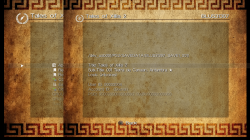
Apollo Save Tool is an application to manage save-game files on the PlayStation 3.
The apollo-ps3 homebrew app allows to download, unlock, patch and resign save-game files directly on your PS3.
Features:
- Easy to use: no crypto-key configuration or advanced setup needed.
- Standalone: no computer required, everything happens on the PS3.
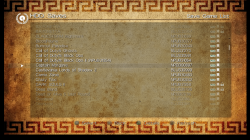
- Save files listing: quick access to all the save files on USB and the internal PS3 HDD (+ file details)
- Save SFO unlocking: allows the user to remove the copy-lock flag, enabling transfer of Copying Prohibited save files.
-
Save files patching: supports Bruteforce Save Data and Game Genie cheat patches to enhance your save-games.
- Save PFD resigning: allows the user to resign save files made by other users and consoles.
- Save downloading: access to an Online Database of save-game files to download straight to your PlayStation.
- Automatic settings: auto-detection of PSID and Account-ID settings.
-
v1.8.4
Added
- Hex Editor for save-data files
- Improved internal Web Server (Online DB support)
- Custom offline Account-ID activation (On-screen Keyboard)
- User-defined Online DB URL (Settings)
- Fix Final Fantasy XIII save-game decryption bug
-
Updated Apollo patch engine v0.4.1
- Skip search if the pattern was not found
- Improve code types 9, B, D
- Fixed Final Fantasy XIII encryption bug on PS3
- Add value subtraction support (BSD)
- Custom checksum: Dai-3-Ji Super Robot Taisen Z
.v1.8.0
Added
- Import Trophies from USB
- Improve Trophy bulk export
- Download Online DB saves to HDD
- Extract archive tool (.zip, .7z, .rar)
-
Network Tools
- URL downloader tool (download http/https/ftp/ftps links)
- Simple local Web Server (full access to console drives)
-
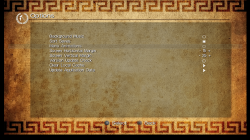
New save-game sorting options (Settings)
- by Name, by Title ID
- Show PS3 IP address when running Apollo's Web Server
- Improve USB support (scan USB0 to USB6)
- On-screen Keyboard (for text input)
- Fix screen aspect ratio (Tiny3D viewport issue)
- Fix list refresh bug with .PSV saves
- Fix .VM2 to .VMC export bug
- Fix bug when saving settings
- Download application data updates from apollo-patches repository
- Use .savepatch extension for save-game patches
-
Updated Apollo patch engine v0.3.0
- BSD scripting changes
- New custom hash: mgspw_checksum
- Fix sha1_xor64 custom hashing
- Fix little-endian support for decrypters/hashes (PS4/Vita)
.v1.7.0
- Added local Web Server (download saves as .Zip)
- Save-game selection (press SELECT to tag items)
- Copy/Resign selected saves (Bulk Management)
- Improved listings (items count)
- New custom checksum support
- LEGO Marvel Avengers
- LEGO Star Wars: The Force Awakens
.v1.6.5
Added
- New save-game cheats
- Final Fantasy XIII
- Ratchet & Clank Future: A Crack in Time
- Resident Evil 4 HD
- Resident Evil 6
- Resident Evil Revelations 2
- Ryu ga Gotoku Kiwami
- Tales of Zestiria
- Fixed Online DB URL
- Use Apollo-lib (shared with Apollo PS4)
.v1.6.4
Added
- Added setting to redetect user/console IDs
- Added custom decryption support
- Dynasty Warriors 8: Xtreme Legends
- Added custom checksum support
- LEGO Pirates of the Caribbean: The Video Game
- LEGO Star Wars III: The Clone Wars
- Tales of Zestiria
- New save-game cheats
- Atelier Rorona Plus
- Atelier Shallie
- Battle of Tiles EX
- Call of Duty: World at War
- Class of Heroes 2G
- Death Spank
- Deathmatch Village
- DuckTales Remastered
- Everybody's Golf
- Iron Man 2
- J-STARS Victory VS+
- Kick Beat
- Monster High - New Ghoul in School
- Mortal Kombat Arcade Kollection
- Narco Terror
- Sacred Citadel
- Shrek Forever After
- Silent Hill: Downpour
- Super Motherload
- Tales of Zestiria
- The Awakened Fate Ultimatum
- The Expendables 2
- Vandal Hearts: Flames of Judgment
- Wizardry The Labyrinth Of Lost Souls
- Fixed freeze issue when DB rebuild was scheduled
- Fixed comments in .ps3savepatch files
.v1.6.3
Added
- Added offline PS3 account activation
- Creates a fake account ID
- Generates an offline activation file act.dat
- View raw .ps3savepatch patch files
- Added BSD mid, endian_swap commands support
- Added fnv1, checksum32, wadd_le, sha1_xor64 hash methods
- Added custom decryption support
- Metal Gear Solid 2
- Metal Gear Solid 3
- Metal Gear Solid Peace Walker
- Added custom checksum support
- Alien: Isolation
- Digimon All-Star Rumble
- Dragon Ball Z: Ultimate Tenkaichi
- DuckTales: Remastered
- LEGO Batman 2: DC Super Heroes
- LEGO Harry Potter: Years 1-4
- LEGO Harry Potter: Years 5-7
- LEGO Lord Of The Rings
- LEGO The Hobbit
- Samurai Warriors 4
- Sengoku Musou 4
- Tears to Tiara 2
- New save-game cheats
- Dragon Ball Z: Xenoverse
- Odin Sphere Leifthrasir
- One Piece Pirate Warriors 3
- Sengoku Basara 4 Sumeragi
- Transformers: Devastation
.v1.6.0
Added
- Display save-games and trophy-set icons
- Added Database rebuild dialog (trophies)
- Added PS2 Classics CONFIG encryption support
- Improved USB scanning for Saves and User Backup tools
- Fixed .ps3savepatch file parsing
.v1.5.8
Added
- Added Trophy edit support
- Unlock trophies
- Lock trophies (if not synced)
- Added bulk trophy export to .Zip
- Added custom checksum support
- Kingdom Hearts Chain of Memories
- Improved file copy to USB
- Fixed account_id update (special case)
.v1.5.5
Added
- Added BSD qwadd, right, left commands support
- Added adler16, sdbm, dwadd_le hash methods
- Added dev_usb006 scan for USB saves
- Added custom decryption support
- Final Fantasy XIII
- Final Fantasy XIII-2
- Lightning Returns: Final Fantasy XIII
- Resident Evil 0 (Zero) (Blowfish)
- Resident Evil HD Remaster (Blowfish)
- Resident Evil Revelations 2 (Blowfish)
- Need for Speed: Undercover
- Call of Duty: Black Ops (3-DES CBC)
- Call of Duty: Black Ops II (3-DES CBC)
- Silent Hill 3 HD
- New save-game cheats
- Persona 5
- Resident Evil: Revelations 2
- Yakuza 0
- 99 Vidas
- Lost Dimension
- RAGE
- The Last of Us
- BlazBlue
- BlazBlue: Chronophantasma EXTEND
- BlazBlue: Central Fiction
- Resident Evil 0 (Zero)
- Resident Evil 4 HD
- Resident Evil 5
- Resident Evil 6
- The Elder Scrolls V: Skyrim
- The Legend of Heroes: Sen no Kiseki
- Devil May Cry 3 HD
- Guilty Gear Xrd - Rev. 2 -
- Dynasty Warriors 8: Empires
- Saint Seiya Soldiers' Soul
- Star Ocean 5: Integrity and Faithlessness
- Kamen Rider Battride War Sousei/Genesis
- Rainbow Skies
- Added custom checksum support
- Dead Space 2
- Dead Space 3
- Final Fantasy X HD
- Final Fantasy X-2 HD
- Final Fantasy XIII
- Final Fantasy XIII-2
- Lightning Returns: Final Fantasy XIII
- Kingdom Hearts 2.5 HD
- Kingdom Hearts Birth by Sleep
- Prototype
- Prototype 2
- Added simple icons for trophies
- Improved custom CRC32 method
- Fixed bulk resign and bulk copy
- Fixed Fake owner account (ffffffffffffffff)
.v1.5.0
Added
- Added Trophy Set management
- List trophies
- Resign trophy sets
- Backup trophies to Zip
- Added custom encryption support (DmC, GTA5, Diablo 3, NFS Rivals)
- Algorithms: Blowfish, AES, DES
- Added "Import decrypted save file" option
- Added PS2/PS1 .PSV saves to the Online Database
- Improved user messages
- Added BSD global variable support
- Added BSD search next command support
- Added GameGenie code type 88 relative search
- Fixed .RAP uppercase issue
.v1.4.6
Added
- Added BSD crc64_ecma and crc64_iso hash commands
- Added custom CRC-64 hash support
- Added deflate support to BSD decompression command
- Fixed save-game patches
- Darksiders
- Call of Juarez Bound in Blood
- Fuse
.v1.4.5
Added
- Added Change Account ID option (Remove ID, Fake Owner/Rebug)
- Added background to PS3 system Dialogs
- Added Enable Debug Log setting
- Game Genie Type 6 code support
- New cheats
- Guilty Gear Xrd -SIGN-
- Guilty Gear Xrd Rev 2
- BlazBlue: Centralfiction
- Updated secure_file_id database with new Title IDs and keys
- Updated Online Database with new save-games
- Fixed Online Database save-game download bug
.v1.4.2
Added
- Export PS1 .PSV saves to .mcs
- Export PS2 .PSV saves to .psu
- Import raw PS2 memcards to .VM2 (ECC / non-ECC)
- Export PS2 .VM2 memcards to raw image
- Added APOLLO-99PS1.PSV dummy save (to refresh XMB virtual memcards)
.v1.4.0
Added
- PS2 Classics: export/decrypt .VME memcards to .VM2
- PS2 Classics: import/encrypt .VM2 memcards to .VME
- PS2 Classics: export/decrypt BIN.ENC images to .ISO
- PS2 Classics: import/encrypt .ISO images to BIN.ENC
- Added .PSV resigning (PS1/PS2)
- Added PS1 .mcs/.psx save conversion to .PSV
- Added PS2 .max/.cbs/.xps/.psu save conversion to .PSV
- Added APOLLO-99PS2.PSV dummy save (to refresh XMB virtual memcards)
.v1.2.5
Added
- Updated games.conf database with new IDs and keys
- Add Copy savegame to HDD option
- Add Zip savegame to HDD option
- Add bulk save-game copy to HDD support
- Add owners.xml support (select owners from the Settings menu)
.v1.2.0
Added
- Add save-game region change support
- Add custom decryption for Naughty Dog savegames (TLoU, Uncharted 2, Uncharted 3)
- Add bulk save-game resign support
- Add View Save details option
- Add Export licenses to HDD (/dev_hdd0/exdata/)
- Add proper detection of unprotected games
- Add analog stick control support
- Removed unsupported cheat code files
- Fix BSD cheat code applying process
- No cheat codes selected by default
.v1.1.2
Added
- Export single .rif license to .rap file (User Backup menu)
- Import single .rap file to user's .rif license (User Backup menu)
- Bulk import .rap files to user's content .rif licenses (User Backup menu)
.v1.1.0
Added
- Export the user's content licenses to .RAP files (User Backup menu)
.v1.0.9
Added
- Support for compressed save-game file patching
- Added insert, delete, compress, and decompress BSD patch commands
- Improved save list browsing
- Improved BSD patch code parsing
- Reduced package installer size
.v1.0.2
Added
- Re-added resign/cheat options to HDD/USB
- Added decrypt file option
- Updated UI with custom font
- Fixed game listing issue (when name has a \n)
- Fixed custom CRC calculation bug (BSD patches)
.v1.0.0
Added
- Bruteforce Save Data cheat patch support
- Changed save-game encryption/decryption method
- Splash screen logo
.v0.9.0
Added
- Game Genie cheat patch support
- Updated UI
- Added Remove Console ID patch
- Added Licenses backup to .Zip (/dev_hdd0/home/000000XX/exdata/)
- Added bulk save-game copy to USB
- Added Trophies backup to USB
- Added owner.txt support to override auto-detected settings
- Improved auto-update check/download
- Solved issue when copying save-games from HDD to USB
- Solved freeze bug when using Clear local cache
- UI: Fixed improper titles and messages
.v0.6.5
Added
- Export save-game to .Zip file
- Copy save-game to USB
- New Settings option to clear local cache
- New Settings option to update application data
- Fixed patch when removing Account ID
- Use internal PS3 fonts to fix issues with extended characters
.v0.5.1
Hot fix release.
Fixed
- Fix unzip issue when unpacking online save files
.
v0.5.0
First public release.
Added
- Save file listing (+ details)
- Save file SFO unlocking (remove lock flag)
- Save file PFD resigning
- Save file download from Online Database
- Automatic detection of PSID/Account-ID settings
-
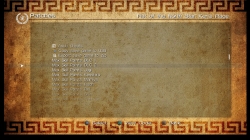
Using the application is simple and straight-forward:
- Move UP/DOWN to select the save-game file you want to patch, and press
 . The patch screen will show the available fixes for the file. Select the patches and click Apply.
 - To see the item's details, press
 . It will open the context menu on the screen. Press
  to return to the list.
 - To reload the list, press
 .
. - Press left (L1/L2) or right trigger buttons (R1/R2) to move pages up or down.
- Move UP/DOWN to select the save-game file you want to patch, and press
-
No special setup is needed. Just download the latest apollo-ps3.pkg package and install it on your PlayStation 3. On first run, the application will detect and setup the required user settings.
-

-
Credits
- Bucanero: Project developer
- Dnawrkshp: Artemis code
- @Berion : GUI design
- flatz: SFO/PFD tools
- @aldostools : Bruteforce Save Data
See the full project's README for more information: https://bucanero.github.io/apollo-ps3/
feel free to share you comments and ideas!
feel free to share you comments and ideas!
Download link: https://github.com/bucanero/apollo-ps3/releases/latest
As usual, full source code is available on GitHub
Note: A PS4 version has been released as well, see details > here <
A PSP version is also available, see details > here <
As usual, full source code is available on GitHub
Note: A PS4 version has been released as well, see details > here <
A PSP version is also available, see details > here <
Last edited by a moderator:

 I totally forgot to check there!







