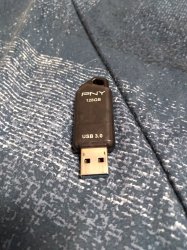
In my experience, cIOS-using homebrews will simply fail to detect some flash drives outright. Interestingly, newer (USB 3.0) are less likely to be detected than older ones. I have tried at least a dozen different flash drives so it seems to be a trend. Hard drives have always worked, however, and even an SSD was successfully detected by the Wii.
@metroid_maniac I have external hard drives that I use with PS3 but I have never bought one to use with my Wii. Also, I'm not sure how you are going about it but a USB device will not be recognized so easily unless you have formatted it to "wbfs" using Wii Backup Manager... and that's not to be guaranteed that it will fix recognition issues but the 128GB thumb drive that I use is a 3.0 by PNY. (and it works perfect.)
@laukinming the actual gameplay compatibility for SD CARD vs. USB DRIVE is 99% the same. Any game will run fine whether it is on a card, stick, or harddrive... But like pinky is trying to say, not all backup loaders are programmed to work with all types of storage.
It is
IDEAL to use a USB with "USB Loader GX", which I'm pretty sure is why this backup loader was given that name... and even though I don't think Wii can completely use a USB 3.0 to it's maximum, it would be best to use a 3.0 for Wii Games.
I use an SD card for everything else (GameCube, SNES, NES, GBA, etc.) and I'm not saying that WiiFlow couldn't read 8GB-20GB Wii games from SD, but there is probably less compatibility. So again, your best bet is to use USB Loader GX with a USB thumb drive for Wii games and use an SD card for GameCube, GBA, SNES and any other older/retro games from before the Wii came out.
Also, many of the backup loaders (Nintendont, Snes9xGx, VBAGX, etc.) can read from both USB and SD but it would still be good idea to keep games from consoles "older than Wii" on your SD because you can just dump the games into your SD and leave it in the Wii until you want to add something more
There is also the fact that you might find yourself removing the USB stick much less than you remove the SD card, plus the USB is more convenient to remove and most of your homebrew/loaders is going to be on the SD card which will need to be in the Wii at all times for them to work...
and yes, you CAN use GX to rip Wii games to USB & also for ripping GC games to SD. (GX will ask where to install)
Literally, have not had to remove this USB from my Wii for several years, all I do is dump games to it & play them. As for my SD, well I have to remove it and plug it into PC every time I want to add more homebrew / games older than Wii.
The only times I remove the USB from my Wii is to backup my disc-rips to PC.
SD should be your main repository for all homebrew and old games (GameCube at most.) AND IT ALREADY IS BY DEFAULT.
and USB should be where all your Wii games are copied to from disc, as well as a backup of EVERYTHING on your SD card.
I really don't think I could be any more informative than that. It's been 10+ years since I did the letterbomb, you're a decade behind.