PS3 VSH Menu (REBUG) v0.2 + Custom Backgrounds

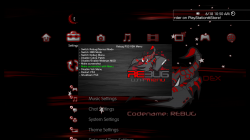
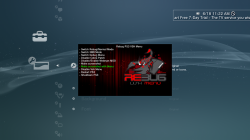
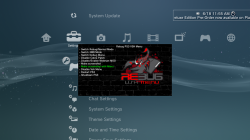
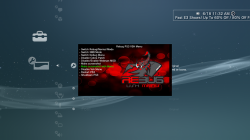
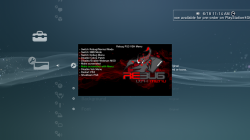
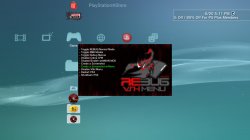
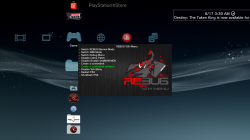
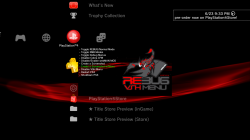
Orion is back with an update to the VSH Menu for REBUG with the release of v0.2. This VSH Menu is really handy for REBUG user's as you can easily perform various REBUG functions with ease from the XMB. No button combinations or going into REBUG Toolbox to perform these simple task. Now simply hit SELECT and this menu as you see pictured will appear on your XMB. The VSH Menu's have been progressing nicely since[break]s[/break] the initial POC from developer 3141card, Since that POC we have seen the SEN Enabler plugin (by Evilnat) adopt the a new VSH Menu and also Orion has started this VSH Menu for REBUG. . See all the details of the latest developments of this plugin below
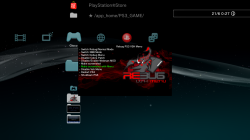

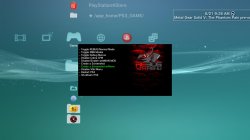
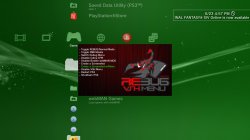
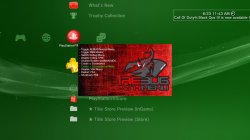
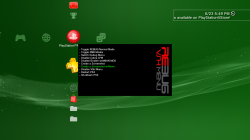
Also, bitsbubba and myself have created a number of Custom Backgrounds for Orion's VSH Menu that are super easy to install. See the small collection below with instructions on how to swap out these different looks for your XMB.


1434904007.png


Orion said:
Rebug PS3 Vsh menu v0.2 by Orion

Thanks to @3141card @Evilnat @STLcardsWS @bitsbubba and Team Rebug for this relase

Changelog Plugin

  • Code to remove patches cobra rewritten and is now fully functional (thanks to @bitsbubba for the tip).
  • Added code to detect patches Cobra (Coming from Gamesonic Manager)
  • Fixed code draw_png () (Thanks to developer @3141card for this fix)
  • New background for Vsh Menu (Thank @STLcardsWS to have made it)

Changelog Installer

  • Added code that goes to write to the file boot_plugins.txt, if there is, the string to start the Vsh menu.
  • Fixed code for Restart (thank @bitsbubba for the tip)
  • New icon for the installer (Thanks to @STLcardsWS to have made it)
Functions the VSH Menu (REBUG) can perform:

  • Switch Rebug/Normal Mode
  • Switch XMB Mode
  • Switch Debug Menu
  • Disable Cobra Patch
  • Disable/Enable webMAN MOD
  • Make Screenshot
  • Make Screenshot with Menu
  • Disable VSH Menu
  • Restart PS3
  • Shutdown PS3
Checkout these Other Custom Background Menus by @bitsbubba & @STLcardsWS
STLcardsWS said:
How to install these custom backgrounds:
  1. After Installing the REBUG VHS Menu
  2. By FTP or File Manager go to this location: /dev_hdd0/vsh_menu/
  3. Replace the current "background.png" with one of the ones from the included pack. (/dev_hdd0/vsh_menu/background.png)
  4. Enjoy!

Custom BackgroundXMB Preview
background2.png
Horizontal Black Wood (by STLcardsWS)
screenshot_2015_06_18_10_51_06.PNG
bg.png
Vertical Red Lines (by STLcardsWS)
screenshot_2015_06_18_11_22_20.PNG
backgr.png
Black Brick (by STLcardsWS)
screenshot.PNG
BG2.png
Red Bubbles (by STLcardsWS)
screenshot_2015_06_18_11_32_57.PNG
Background3.png
Red Fire (by STLcardsWS) (default bg in v0.2)
screenshot_2015_06_18_11_15_36.PNG
background2.png
Vertical Lines v2 (by bitsbubba)
screenshot_2015_06_20_17_11_43.jpg
Background3.png
Red/Black (by bitsbubba)
screenshot_2015_06_20_18_20_22.jpg
background.png
Vertical Black Wood (by bitsbubba)
screenshot_2015_06_17_03_30_59.png
Old Fashioned Rebug (normal).jpg
Old Fashion Rebug (by Berion)
background4.png
Rebug Stone (by bitsbubba)
screenshot_2015_06_21_09_26_32.jpg
background6.png
Another Vertical Red Lines (by bitsbubba)
screenshot_2015_06_23_16_57_41.jpg
background5.png
Red Chalk (by bitsbubba)
screenshot_2015_06_23_11_43_11.jpg
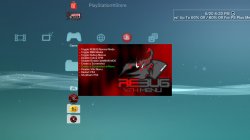
background7.png
Rebug Side (by bitsbubba)
screenshot_2015_06_23_17_50_16.png


UPDATE SEE NEW BACKGROUNDS ->->-> HERE

Downloads:

Source:
GameSonic.it / PSX-Place.com


View our newly created VSH Menu forum here at PSX-Place.com via this link
 
Last edited by a moderator:
if you have any recommendations let me know

Edit: also if you like the wording in my menu above I can pass that along to you :p


Custom Coldboot and waves for REBUG/Cobra - PSX-Scene

If you could try to do a mini XMB wave like this one I use I think it would be neat!! Also if you got that phatboy slim ttf font already to go would be sweet. Now if I can figure out how to make a font.png with that font I would be all set. I got the idea as I saw a VSH MOD on playststionhax.it with this font.png. would be nice to have a universal custom font all the way around.


Eidt

Ok kinda like this custom font on VSH menu

8e850774-1556-11e5-8697-38fa9bd1943c.png
 
Last edited:
Custom Coldboot and waves for REBUG/Cobra - PSX-Scene

If you could try to do a mini XMB wave like this one I use I think it would be neat!! Also if you got that phatboy slim ttf font already to go would be sweet. Now if I can figure out how to make a font.png with that font I would be all set. I got the idea as I saw a VSH MOD on playststionhax.it with this font.png. would be nice to have a universal custom font all the way around.


Eidt

Ok kinda like this custom font on VSH menu

8e850774-1556-11e5-8697-38fa9bd1943c.png


Some letters just makes phat boy slim impossible to read sometimes. Like [MENTION=6]bitsbubba[/MENTION] has said i think The Rave in my pants and phatboy slim (hybrid mod) is best way to go when wanting to use that font.

FYI [MENTION=6]bitsbubba[/MENTION] updated the download pack v2 and news post.
 
Some letters just makes phat boy slim impossible to read sometimes. Like [MENTION=6]bitsbubba[/MENTION] has said i think The Rave in my pants and phatboy slim (hybrid mod) is best way to go when wanting to use that font.

FYI [MENTION=6]bitsbubba[/MENTION] updated the download pack v2 and news post.

[MENTION=6]bitsbubba[/MENTION] do you have the hybrid font of these two? Or how would I go about making this? Never tinkered with anything like this.
 
You should post the font.png you used (edit forget you have data restrictions)

That's not my font.png but a member of playststionhax forums. If I had it I would share as a few mb don't hurt that madly as I have three gigs but went through 1.5gb in a week. If I can obtain it I will share but not a member there and no real time to sign up tonight but....

PS3 Vsh Menu v0.3 - PS3 Homebrew & Software - PlayStationHaX

Was posted by masterzorag


nope but as soon as I figure out this font editing program I'll let you know

And I was meaning a hybrid font that could be used on the actual XMB not the VSH menu but both would be nice.
 
Last edited:
And I was meaning a hybrid font that could be used on the actual XMB not the VSH menu but both would be nice.

Yes I figured that, I gotten a ttf editor to where I'm going to try and merge the best of the 2 fonts together while editing certain letters to make my ultimate custom PS3 font
 
Yes I figured that, I gotten a ttf editor to where I'm going to try and merge the best of the 2 fonts together while editing certain letters to make my ultimate custom PS3 font

Ok cool just wanted to clarify as we have been bouncing comments between this and the font.png thread.
 
If you could try to do a mini XMB wave like this one I use I think it would be neat!! Also if you got that phatboy slim ttf font already to go would be sweet. Now if I can figure out how to make a font.png with that font I would be all set. I got the idea as I saw a VSH MOD on playststionhax.it with this font.png. would be nice to have a universal custom font all the way around.
I shall name it Shaitan Wave :p

background9.png screenshot_2015_06_23_21_33_56.png
 
I would like to make a request. I live in Canada and change my DNS quite often (Netflix/PSN) think you could put in a quick way of doing this with this menu? like have selectable DNS presets or somthing.
 
[MENTION=17]Orion[/MENTION] i cant get the shutdown option to work it restarts every time and so does restart option wich it should
 
Hi everyone!
How can i uninstall this? I have accidentally installed it 2 times... The "VSH menu started" message shows up 2 times on boot.

---UPDATE---
Soory for the noob question. I just deleted the sprx from the hdd root, and the vsh_menu folder.

AND

The menu dont works for me with RCA output. Its flickering...
 
Last edited:
Hi everyone!
How can i uninstall this? I have accidentally installed it 2 times... The "VSH menu started" message shows up 2 times on boot.

---UPDATE---
Soory for the noob question. I just deleted the sprx from the hdd root, and the vsh_menu folder.

AND

The menu dont works for me with RCA output. Its flickering...

Mine is also flickering, any solutions for this?
 
Choose the wave as background, start the menu.
If the wave is moving, than the frame is not paused(flickering).
In this case its the already mentioned syscall bug (rebug lv1 call / sys_rsx_context_attribute()).

I have no flickering in ANY configuration of ANY video out.
 
Choose the wave as background, start the menu.
If the wave is moving, than the frame is not paused(flickering).
In this case its the already mentioned syscall bug (rebug lv1 call / sys_rsx_context_attribute()).

I have no flickering in ANY configuration of ANY video out.

I find that it only flickers when i input the combo to unlock psn access vis psnpatch plugin, note, im not using the psnpatch vsh menu as this causes major issues for me
 
Last edited:

Trending content

Back
Top