PS3 webMAN MOD - Web Commands

@aldostools is there any command to protect a file?

Just like remapping do? the file cannot be replaced while the remap is active?I am interested in that, because people always breaks my mod using custom stores that replaces many categories.xml, so it would have a protection agains those files.
 
@aldostools is there any command to protect a file?

Just like remapping do? the file cannot be replaced while the remap is active?I am interested in that, because people always breaks my mod using custom stores that replaces many categories.xml, so it would have a protection agains those files.

There is a way to change a file permissions using CHMOD command via FTP.
The web commands only enable the permissions.

If the application that is replacing your files change the permissions before overwrite the file, then the CHMOD is useless too.
 
There is a way to change a file permissions using CHMOD command via FTP.
The web commands only enable the permissions.

If the application that is replacing your files change the permissions before overwrite the file, then the CHMOD is useless too.

Can webman change chmod permissions? i think i saw something about this ( maybe not?) but i can't find in the web command list.
 
Can webman change chmod permissions? i think i saw something about this ( maybe not?) but i can't find in the web command list.

/chmod.ps3<path> - sets the file permissions to 0777 (all rights granted)
But that is not what you're looking for... In a future release I will add a &mode= parameter set other file permissions.

In FTP you can change the files to read-only using:
SITE CHMOD 444 /dev_blind/vsh/explore/xmb/category_game.xml
 
/chmod.ps3<path> - sets the file permissions to 0777 (all rights granted)
But that is not what you're looking for... In a future release I will add a &mode= parameter set other file permissions.

In FTP you can change the files to read-only using:
SITE CHMOD 444 /dev_blind/vsh/explore/xmb/category_game.xml


Thanks, i'll wait for it on webman, i intend to use it via boot_init.txt inside my XMB mod to block it for the users.

Users tend to install everything they see on internet and always messes with the XMB removing install packages and etc, i always get a lot of DMs of users unable to install packages or uninstall my XMB mod to fix it because of that kind of stuff. That's why i'm planning to do the chmod.
 
Last edited:
Thanks, i'll wait for it on webman, i intend to use it via boot_init.txt inside my XMB mod to block it for the users.

Users tend to install everything they see on internet and always messes with the XMB removing install packages and etc, i always get a lot of DMs of users unable to install packages or uninstall my XMB mod to fix it because of that kind of stuff. That's why i'm planning to do the chmod.

The latest build includes support for the parameter &mode=<mode> in the /chmod.ps3 command.

Example: /chmod.ps3/dev_blind/vsh/explore/xmb/category_game.xml&mode=0444

Another way to solve this issue is copying your file on every boot using /copy.ps3 command in /boot_init.txt

NOTE: /copy.ps3 does not overwrite existing files with the same file size. /copy_ps3 always overwrites.

This feature of /copy.ps3 is convenient, because the file will be actually replaced only if the file size changed.
 
The latest build includes support for the parameter &mode=<mode> in the /chmod.ps3 command.

Example: /chmod.ps3/dev_blind/vsh/explore/xmb/category_game.xml&mode=0444

Another way to solve this issue is copying your file on every boot using /copy.ps3 command in /boot_init.txt

NOTE: /copy.ps3 does not overwrite existing files with the same file size. /copy_ps3 always overwrites.

This feature of /copy.ps3 is convenient, because the file will be actually replaced only if the file size changed.

Thanks Aldo :tranquillity:

i'll rely on chmod since my XMB Mod have some options of game_category.xml ( Pro layout and default layout), so i just need to add a chmod 0777 before the copy operation and then chmod it 0444 again.
 
Thanks Aldo :tranquillity:

i'll rely on chmod since my XMB Mod have some options of game_category.xml ( Pro layout and default layout), so i just need to add a chmod 0777 before the copy operation and then chmod it 0444 again.


Aldo did i miss something?

- I added the commands via boot_init.txt and tried to add a new game_category.xml using a pkg, it got replaced successfully.
- I used it via web command and tried the pkg again, same thing got replaced.
- I used the web command again and tried with a ftp explorer, same thing the file got replaced.

I'm using the latest webman by the time of this post.

Command used: /chmod.ps3/dev_blind/vsh/resource/explore/xmb/category_game.xml&mode=0444

w6LyTvH.png
 
@lunateles Making the category_game.xml file read only will have its own issues too. Apps like SEN enabler or webMAN installer that try to change it or swap it will probably crash. So you will still get complaints whatever you do.

@aldstools :

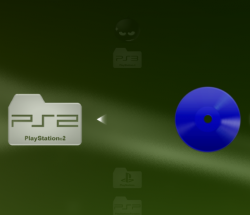
I notice a small thing with the consistency of the icon use for PS2 games.

In the wMM menu it uses this icon
upload_2021-3-1_17-47-42.png

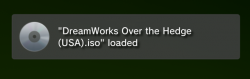
But the notification uses this icon:
upload_2021-3-1_17-48-19.png


Also then the disc uses the dvd icon, But I guess this last one is an issue with Cobra? Really it would be nice if they all showed the blue icon if possible. This last one should be fixable with a patch to call the correct icon.
upload_2021-3-1_17-48-41.png
 
@lunateles Making the category_game.xml file read only will have its own issues too. Apps like SEN enabler or webMAN installer that try to change it or swap it will probably crash. So you will still get complaints whatever you do.

@aldstools :

I notice a small thing with the consistency of the icon use for PS2 games.

In the wMM menu it uses this icon
View attachment 31811

But the notification uses this icon:
View attachment 31812


Also then the disc uses the dvd icon, But I guess this last one is an issue with Cobra? Really it would be nice if they all showed the blue icon if possible. This last one should be fixable with a patch to call the correct icon.
View attachment 31813

webMAN only replaces the game_category.xml when it doesn't find webman entry, Aldo told me once how to bypass it leaving the entry in the exactly same position and just add <!--- comment tags in the upper and low lines.

I have the same issue with PS2 Disc icons, but Aldo said it is caused by an improper game dump.
 
webMAN only replaces the game_category.xml when it doesn't find webman entry, Aldo told me once how to bypass it leaving the entry in the exactly same position and just add <!--- comment tags in the upper and low lines.

I have the same issue with PS2 Disc icons, but Aldo said it is caused by an improper game dump.
Well alot of people use SEN enabler too. Anyway just warning you that making a commonly modded file like category_game.xml read only will probably cause more issues for you than the few people who complain now about losing their dodgy stores. ;)
 
Well alot of people use SEN enabler too. Anyway just warning you that making a commonly modded file like category_game.xml read only will probably cause more issues for you than the few people who complain now about losing their dodgy stores. ;)

So it's better use the copy.ps3 command, thanks for the warning
 
So it's better use the copy.ps3 command, thanks for the warning
It's up to you, but if the reason you are doing it is due to people complaining about losing stuff you just need to be careful the fix is not worse than the issue.

TBH i can not see many people losing install pkg files, I can not think of anything that could would do that. Except for SEN enabler when you choose OFW mode, but then it is working correctly so it's user error. So really not sure what the issue could be in the first place for you to even want to protect this file.
 
@lunateles Making the category_game.xml file read only will have its own issues too. Apps like SEN enabler or webMAN installer that try to change it or swap it will probably crash. So you will still get complaints whatever you do.

@aldstools :

I notice a small thing with the consistency of the icon use for PS2 games.

In the wMM menu it uses this icon
View attachment 31811

But the notification uses this icon:
View attachment 31812

Also then the disc uses the dvd icon, But I guess this last one is an issue with Cobra? Really it would be nice if they all showed the blue icon if possible. This last one should be fixable with a patch to call the correct icon.
View attachment 31813

Thank you for the bug report... it has been fixed in the today's build.

The yellow dvd icon happens when Cobra that doesn't detect the ISO as a proper PS2 game.
 
Cool.

IMO Cobra should know we are not using proper PS2 games on non BC consoles and still show the correct icon. :)
 
@aldostools i have some commands in my boot_init.sprx

and some of them are the following

/delete.ps3/dev_hdd0/tmp/explore/nsx
/delete.ps3/dev_hdd0/tmp/explore/xil2
/delete_ps3/dev_blind/rebug/packages

The first two works just fine but the content inside the package folder are not being deleted, i know that we can't delete a folder in flash after it being created thats why i'm using /delete_ps3 instead of /delete.ps3

i tried changing it to

/delete.ps3/dev_blind/rebug/packages
/delete.ps3/dev_blind/rebug/packages/
/delete_ps3/dev_blind/rebug/packages/
/delete_ps3/dev_blind/rebug/packages

all of them together :P and the content is still there.

it deletes just fine specifying the file name, but i want it to be universal and delete it in all rebug fws.

Any hint?
 
A workaround would be to just put the names of the 3 or 4 most recent pkg files. Seems a bit mad to me to be checking this on every start up though or do you have it just run like this one time and then replace itself with a different script?
 
I haven't understand what mem setup is... Min max ecc... I see ftp 256kb instead 128kb.. Ftp more fast? What change with different mem setup?
 
I haven't understand what mem setup is... Min max ecc... I see ftp 256kb instead 128kb.. Ftp more fast? What change with different mem setup?

The memory allocation for the different options are explained in the original post of this thread.

256KB not necessarily makes FTP faster. As the buffer is larger, thus it takes longer to fill but the read/write to disk are the half.

The overall performance depends of many variables. You have the option to choose MAX or the other settings.
 
@aldostools I was trying to realize why when a RETRO game is selected an extra Click is made and i noticed it is because the RETRO games ignores the option AUTOPLAY, so even with it unchecked for the other games (ps3, ps2....) it will be launched automatically if the app_home is present otherwise it will click on the xmb ( assuming its app_home and launching it).

I think retro games needs to also checks if the autoplay option is enabled or not..
 
Back
Top