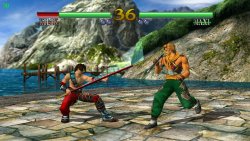
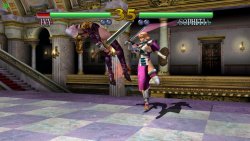
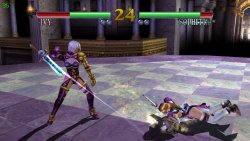
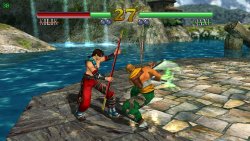
This is a wrapper/port of SoulCalibur for the PS Vita.
The port works by loading the official Android ARMv7 executables in memory, resolving its imports with native functions and patching it in order to properly run. By doing so, it's basically as if we emulate a minimalist Android environment in which we run natively the executable as is.
Notes and Tips
The port has been tested with v.1.0.15 of the game.
Some stages (eg. Water Labyrinth and the final Arcade fight with Inferno) might cause framedrops. Please report any of these problematics so that a fix can be find for specific stages.
When first launching the game, it is recommended to go into Options and lower BGM and SE volumes to 8 or lower. Not doing so will cause SFX glitching out due to too high volume playback.
Some stages (Takamatsu Castle and Money Pit) got simplified in background elements to reduce framerate tanking.
Stages that aren't unlockable in Android version due to lack of Mission Battle mode got restored and will be available to play from the beginning, including alternate stages.
Setup Instructions (For End Users)
In order to properly install the game, you'll have to follow these steps precisely:
Install kubridge and FdFix by copying kubridge.skprx and fd_fix.skprx to your taiHEN plugins folder (usually ux0:tai) and adding two entries to your config.txt under *KERNEL:
Select all the files and right-click them, then click on Extract and extract all the files in ux0:data/soulcalibur.
Download xdelta UI and extract the zip content in ux0:data/soulcalibur.
Download the shader.xdelta patch from Release page and apply it, using xdelta UI to ux0:data/soulcalibur/shader.dat and replace original file with the patched one.
Optional: For trophies to be unlockable, install NoTrpDrm.
Credits
TheFloW for the original .so loader.
gl33ntwine for the awesome Android subsystem reimplementation FalsoNDK and FalsoJNI.
BrandonHeat8 for the Livearea assets and for testing the homebrew.