esc0rtd3w
Developer
PM sentUnderstood, will do. As of this moment, I haven't received a message from him but I'm sure he will message me soon.
Thank you.

PM sentUnderstood, will do. As of this moment, I haven't received a message from him but I'm sure he will message me soon.
Thank you.
You need to follow the instructions on the main page of toolset . It specified to make a new user. The new user will have the flash prompt. There are other ways to fix if on HEN or already CFW by deleting the setting.xmlHaving issues on jailbreaking my ps3 console it keeps initializing ps3 toolset in the new BG toolset for hours and sometimes if i refresh a pop up appears saying, I should enable flash player plugin. But after the refresh I don't see any pop up for me to click enable flash player. And I played some video clips online it worked but still up to no avail to bypass the initialization toolset.
Ps3 FAT
Model:CECHM03
OFW:4.85 (INSTALLED V4.86.1 HFW)

Why are you installing ofw? You should be installing Rebug 4.86So it seems like I can't paste links to outside images in a private message to someone so I'll paste it here.
After I got his PM I proceeded to apply the patch only once.
I then went to recovery and proceeded to step 6: http://www.mediafire.com/file/kxcgi9kfs0jurfb/20200409_111941.jpg/file
Finally showing the correct firmware.
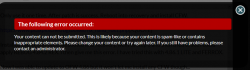
In installing REBUG 4.84.2 and got this error message:
http://www.mediafire.com/file/lnmucaenzb13yu5/20200409_114138.jpg/file
I was able to install the 4.86 OFW firmware but can't seem to be able to install any CFW such as REBUG 4.84.2 as above or 4.86.1 LITE or FERROX.
It just gives those error messages when I click step 6 on recovery.
Why are you installing ofw? You should be installing Rebug 4.86
Then qa, then can install 4.84
At this point you should be able to use normal patcher again, then install CFW lol
DO NOT RUN THE NAND FIX AGAIN!!
it says you tried installing Rebug 4.84, not 4.86, which would require QA flag being set.esc0rtd3w like I mentioned in the previous reply I tried to install CFW, but couldn't because it kept giving that error. I tried Rebug 4.86 but it still gave the error. The ONLY file I was able to run was the OFW 4.86 and HFW 4.86
it says you tried installing Rebug 4.84, not 4.86, which would require QA flag being set.
Either way, you are on 4.86 OFW, then run normal toolset link and should be all good
EDIT: i just noticed you tried 4.86 rebug. Well, now that you are on OFW, try normal patch and install CFW after success
awesome to hearThank you this was a success! Currently on 4.84.2 REBUG REX.
To bguerville, esc0rtd3w,
It really was not allowing me to install any custom firmware the MOMENT after you run the fix that esc0rtd3w sent to my inbox. The ONLY firmware I could run was the OFW 4.86 firmware on my USB drive from recovery. After that was done then It restarted into 4.86 OFW and then re-run the tool on the normal ** www.** ** www.ps3xploit.net > D...* (NEW URL = http://ps3toolset.com/bgtools/ ONLY ONCE. Then I restarted and was able to install the 4.86.1 REBUG LITE and then from REBUG LITE -> I installed REBUG TOOLBOX and went to the Utilities tab and changed "Toggle QA Flag" -> ENABLED. Then I was able (meaning didn't have to go back to recovery) to go to the XMB install update from storage and installed REBUG 4.84.2 REX.
This is what I have now.
Again thank you all for your help. I'm pretty freak en happy right now.
Now onto installing homebrews and installing LINUX so I can run as a server.


That mentions about installing firmwares twice are because inside the flash chip there are 2 areas (named ros0 and ros1) that are intended to store data from the "actual" and the "previous" firmwareEDIT1: Also glad you guys took off the nand_fix for people because, people can easily make the mistake of running it more than once just to make sure it worked (such as when you mention in different threads to do things twice. Can't remember which ones exactly though but I believe I saw for other threads to do certain things twice.


But this involves generating the patch dinamically for each "target" firmware version ? (by adding the surrounding bytes we was talking before, that are specific for each firmware version)the 7Mb patch always ensures that both ROS regions are valid after patching, no matter what they contained before patching.
Yes indeed.Ohh, ok, im going to strike my previous post to dont confuse anyone, there is still something i dont understand
But this involves generating the patch dinamically for each "target" firmware version ? (by adding the surrounding bytes we was talking before, that are specific for each firmware version)
Got it
The center area of the noFSM patch is common, but the surrounding bytes (to increase the patch size up to 0x700000) are 4 posible scenarios, for: NANDros0, NANDros1, NORros0, NORros1
And the patch applyed by the toolset is composed by: center area (common) + surroundings (specific)
So are like 4 patches to support all the CFW compatible PS3 models

you need to submit a full bug report...see the first post in this thread to see what information to include.Hello my friends I have tried but the same problem
http://www.mediafire.com/file/feeqhjuudawkj8d/dump_after_patch.hex.checklog.txt/file
dude, this txt files are not the dumps.Problem : Ps3 do not accept any firmware after use dump
images :
https://uploadfiles.io/e41p8ov1
https://uploadfiles.io/cu3av0sv
https://uploadfiles.io/46rtyvd7
informations:
PS3 Model: CECH-C04 60 gb
Firmware Version: 4.86
Firmware Type:
IDPS Is Masked: Yes
Have Original Dump: Yes
Dump 1 URL: http://www.mediafire.com/file/p5fi314p9pe43j1/Original_dump.hex.checklog.txt/file
Have Patched Dump: Yes
Dump 2 URL: http://www.mediafire.com/file/feeqhjuudawkj8d/dump_after_patch.hex.checklog.txt/file
System Boots To XMB: Yes
System Boots To Recovery: Yes
Firmware Version Displayed In Recovery: 2.50
Minimum Firmware Version Displayed In Toolset: 1.0
Mounted Devices: None
Disc In Drive: No