PS3 Fault finding YLOD with the SYSCON - First steps and Error reporting

===================================
ERR 00: 00000000 A0022110 FFFFFFFF
ERR 01: 00000000 A0022110 FFFFFFFF
ERR 02: 00000000 A0022110 FFFFFFFF
ERR 03: 00000000 A0022110 FFFFFFFF
ERR 04: 00000000 A0022110 FFFFFFFF
ERR 05: 00000000 A0022110 FFFFFFFF
ERR 06: 00000000 A0022110 FFFFFFFF
ERR 07: 00000000 A0022110 FFFFFFFF
ERR 08: 00000000 A0022110 FFFFFFFF
ERR 09: 00000000 A0022110 FFFFFFFF
ERR 10: 00000000 A0022110 FFFFFFFF
ERR 11: 00000000 A0022110 FFFFFFFF
ERR 12: 00000000 A0022110 FFFFFFFF
ERR 13: 00000000 A0022110 FFFFFFFF
ERR 14: 00000000 A0022110 FFFFFFFF
ERR 15: 00000000 A0022110 FFFFFFFF
ERR 16: 00000000 A0022110 FFFFFFFF
ERR 17: 00000000 A0022110 FFFFFFFF
ERR 18: 00000000 A0022110 FFFFFFFF
ERR 19: 00000000 A0022110 FFFFFFFF
===================================

seems to be a clock error. running the syscon script on a COK-001 built nov. 2006. is it toast?

edit: tested another COK-001 board (refer to this as COK-001 #2):
===================================
ERR 00: 00000000 A0093004 FFFFFFFF
ERR 01: 00000000 A0093004 FFFFFFFF
ERR 02: 00000000 A0093004 FFFFFFFF
ERR 03: 00000000 A0093004 FFFFFFFF
ERR 04: 00000000 A0093004 FFFFFFFF
ERR 05: 00000000 A0093004 FFFFFFFF
ERR 06: 00000000 A0093004 FFFFFFFF
ERR 07: 00000000 A0093004 FFFFFFFF
ERR 08: 00000000 A0093004 FFFFFFFF
ERR 09: 00000000 A0093004 FFFFFFFF
ERR 10: 00000000 A0202120 FFFFFFFF
ERR 11: 00000000 A0202120 FFFFFFFF
ERR 12: 00000000 A0202120 FFFFFFFF
ERR 13: 00000000 A0202120 FFFFFFFF
ERR 14: 00000000 A0202120 FFFFFFFF
ERR 15: 00000000 A0202120 FFFFFFFF
ERR 16: 00000000 A0202120 FFFFFFFF
ERR 17: 00000000 A0202120 FFFFFFFF
ERR 18: 00000000 A0213013 FFFFFFFF
ERR 19: 00000000 A0202120 FFFFFFFF
===================================
 
Last edited:
Been lurking around this thread for a while.

Recently bought YLOD PS3 CECHC just for fun.

This are errors I'm getting:

[SSM]Shutdown mode : syspm_stat=00000000/00000000
[ERROR]: 0xa0404422
[ERROR]: 0xa0403034
[POWSEQ] PowerSeq_Letup called.


What should I do now? Or it's reball and pray it works case.
both errors seem to indicate bad solder joints. you will need a reball, or your RSX is toast. you COULD try a reflow but i guarantee you it won't be a permanent fix and might f*ck up your RSX even more. 4422 seems to indicate a CELL or an RSX issue (IC1001/IC2001). most likely RSX is dead since I see 3034. your CELL could be just fine. just don't use a razor blade to delid it like i did :rolleyes:
 
both errors seem to indicate bad solder joints. you will need a reball, or your RSX is toast. you COULD try a reflow but i guarantee you it won't be a permanent fix and might f*ck up your RSX even more. 4422 seems to indicate a CELL or an RSX issue (IC1001/IC2001). most likely RSX is dead since I see 3034. your CELL could be just fine. just don't use a razor blade to delid it like i did :rolleyes:

Isn't IC1001 a CELL? I mean I have two errors: data error between BE and RSX [4422] (solder joints or something with the board) and CELL error [3034] god (SONY) knows what's that about. I assume it's more likely about CELL not about RSX? Anyway I think it will worth a try to reball both and see how it goes.

Is there any way to check RSX/CELL if it's dead or not while it's on motherboard? Since I have no idea how to reball and had to use service which does that.

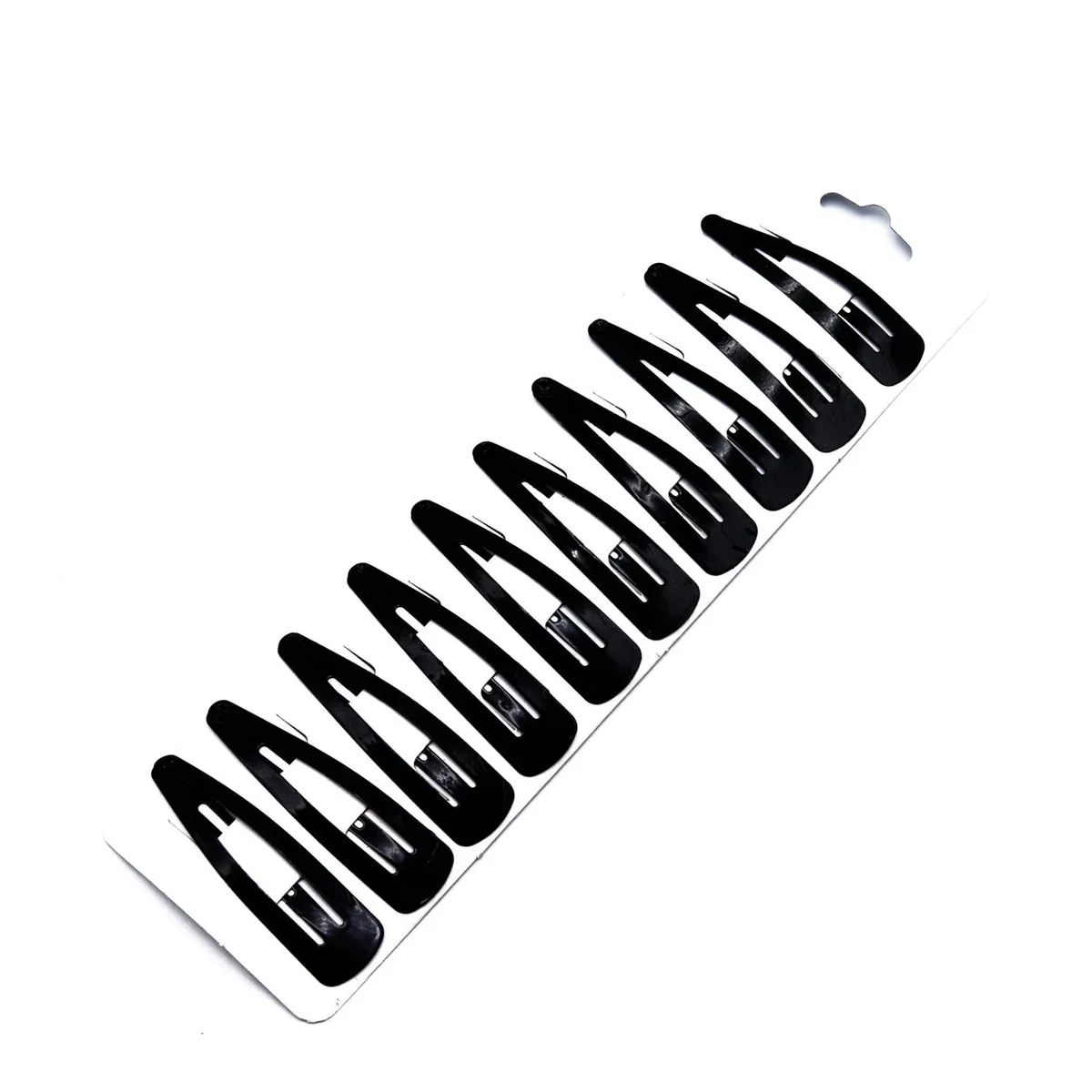
Nah I'm using my girlfriends hair thing, did the trick with 4 PS3's:
6034914023.jpg
 
Isn't IC1001 a CELL? I mean I have two errors: data error between BE and RSX [4422] (solder joints or something with the board) and CELL error [3034] god (SONY) knows what's that about. I assume it's more likely about CELL not about RSX? Anyway I think it will worth a try to reball both and see how it goes.

Is there any way to check RSX/CELL if it's dead or not while it's on motherboard? Since I have no idea how to reball and had to use service which does that.

Nah I'm using my girlfriends hair thing, did the trick with 4 PS3's:
6034914023.jpg
should probably go for the reball on both chips. also i haven't heard of the "hair clip method" for delidding... wonder if anyone else has tried that. i know most would use a #2 painting knife..? i think some of those knives seem to be a little thick.

Sent from my SM-G965F using Tapatalk
 
Isn't IC1001 a CELL? I mean I have two errors: data error between BE and RSX [4422] (solder joints or something with the board) and CELL error [3034] god (SONY) knows what's that about. I assume it's more likely about CELL not about RSX? Anyway I think it will worth a try to reball both and see how it goes...Is there any way to check RSX/CELL if it's dead or not while it's on motherboard? Since I have no idea how to reball and had to use service which does that.

A 3034 error is pretty much the "smoking gun" for an RSX BGA defect. The SYSCON codes will commonly indicate the CPU when it's actually an RSX defect. I doubt your CPU needs a reball. It's almost always the GPU.

You can confirm a GPU BGA with the pressure test. Remove the bluray drive, then press down firmly on the leaf spring to add pressure over the RSX. Then try to pwr on while holding your thumb/pressure on the RSX. If the RSX has a BGA defect, this "may" allow your console to boot. If it does boot, it confirms a BGA defect. If it doesn't boot, that doesn't necessarily rule out a BGA defect. This is not a black/white test! If it boots = BGA defect. Not booting is meaningless. It could still have a BGA defect, but the pressure wasn't right to get it to reconnect mechanically. But if it does work, then it's 100% a BGA defect. Of course, that 3034 tells me all I need to know already. With just that, I'm more confident than not you have a BGA defect on the GPU.
 
I agree with rip Felix. I have an untouchdd dia-001 and the error came back as 3034 and 4322. Similar to yours. It's first time ylod. 3034 most def rsx solder related.
 
anyone here who managed to fix 2110? if so how did you fix it? i believe ic5001 could be broken.

as for COK-001 #2... 3004 occurs several times. i removed all the tokins on the RSX VRM and i get 0.1ohms. something must be wrong. double checked my pads and there doesn't seem to be a short. also the HDMI IC could be defective.

Sent from my SM-G965F using Tapatalk
 
My dia-001 has the 2110 error. I have removed the ic5001 and got another one off a broken board. The challenge is to solder it correctly since it's such a small chip. Hopefully this makes 2110 go away. Has anyone had success with 2110 and replacing the chip?

anyone here who managed to fix 2110? if so how did you fix it? i believe ic5001 could be broken.

as for COK-001 #2... 3004 occurs several times. i removed all the tokins on the RSX VRM and i get 0.1ohms. something must be wrong. double checked my pads and there doesn't seem to be a short. also the HDMI IC could be defective.

Sent from my SM-G965F using Tapatalk
 
replacing it didn't seem to do anything, and apparently the rx pad came off while i was desoldering the wires. at least i got the codes from it.... maybe it's something to do with voltage?
 
you replaced the ic5001 chip?


General question. Would the ic5001
replacing it didn't seem to do anything, and apparently the rx pad came off while i was desoldering the wires. at least i got the codes from it.... maybe it's something to do with voltage?
 
Hello. You guys are doing fantastic job here ! ;) I had an error 2110 and in my case PS6001 was bad. So check all fuses on the motherboard. When I replaced it I got error 3004. In error 3004 i had bad nec/tokin on the RSX side, and if someone gets the 3003 error I think there are bad nec's on the cell side. After that errors, I have errors 3034 and 4401 which means CELL or RSX, but I will reball them and I think this will work ;)
I have CECHG04 with GLOD, syscon shows error 3040, which is Starship 2. Can I replace starship 2 from another board, or is this connected with cell, flash memory and syscon ?
 
Rules of troubleshooting are:
  1. Inspect board for damage! Look for corroded parts, scortch marks, physical damage, missing parts, delamination, etc.
  2. Multi-meter everything! Check every fuse for continuity. Replace with exact part if open. Check every cap for shorts. Replace with exact part if closed (verify resistance with known good board. Sometimes they read short when they are supposed to have low resistance).
  3. SYSCON (if 3034 reball and ignore other errors until then, BGA causes all kind of errors on other devices and you can't know they're bad until you know the BGA is fine).
  4. Verify voltages from MOSFETS, regulators and etc. Ofter requires power test as the voltages are switched on after PWR on. Trace PWR from the PSU to components on the board.
  5. Verify clock signals, oscillators, crystals (Oscilloscope).
  6. Verify CPU/GPU filter noise/ripple is acceptable (Oscilloscope).
  7. Touch up solder joints suspected of colds joints.
  8. Replace suspect ICs.
I think you guys are skipping to that last step WAY too soon,.
 
I still haven't messed with syscon diagnosis (will follow soon), but talking about GLOD and those drastical measures by replacing components, you should also make sure system doesn't respond anymore beforehand. no pad sync when connected, no hdd activity are best visual indicators

I also have a GLOD system, but I can say it was more or less some of my fault as I was too rude when removing this (in my thoughts crappy and huge) "bc model" cooler. I have done some pressure tests and then magically got a picture again

story to my endless hardware diagnosis tale:
it all started by bricking my system with bad coreos, so I had to open this system and use a flasher. by now I know, I am not very crafted, and I won't mess with consumer electronics in future anymore

anyways, now that I have messed with the mainboard several times by soldering and desoldering the flasher and also by inspecting components I even have broken 2 small ceramique mlcc capacitors on backside only by laying it on backshield without securing it. culprits are these crappy backplates for rsx and cell, so be careful with those

to make a possible reflow and also to make pressure tests a bit easier, I even have delidded both chips successfully, but to the cost that I have broken again a small ceramique capacitor near cell. damn clumsiness on my side :(
but well, I have soldered the caps back and my system is still running, of course in GLOD mode, even though it now responds at least when connected to tv

btw, I have used factory service mode to flash firmwares and to make firmware testings even with a GLOD DECR system and also found the problem, why it has bricked
 
@RIP-Felix Good advice!, As rip-felix has suggested its best to check on a component level first, basics first!

Check capacitors, resistors, voltages - on models that have the service manual. Then approach the main components later, as good tools are required to A. Remove them reliably and B. have the ability to repair properly.

So from my experience and I said this many times, the fat PS3 models are usually 90% faulty RSX chips or poor BGA connections.

GLOD is a variety of unknowns and requires measuring voltages and resistances and looking at the southbridge boot log (not always a guarantee to find the fault).

CELL and RSX are interlinked, if one goes bad the other records a fault for both.

Remember to read https://github.com/db260179/ps3syscon/blob/master/syscon error log codes.pdf

Look at each error code, for example:

3004 =

3: Fatal booting error - usual means the power sequence gets power but not enough or correctly to boot further!
004: The PS3 motherboard is sectioned off into power groups - CELL, RSX, Southbridge etc - not sure whats what, but in that one sequence the power lines have failed and preventing the board to boot.

I suspect 004 is RSX, but could be wrong. So this is where the multimeter is required and check each power lines first - 12v, 3.3v, 5v
Use the service manual to check expected voltages etc. Look available test points diagrams.

Then once isolated, replace the faulty component.
 
Hi everyone, I followed this procedure and now I've obtained 3 error codes: A0403034, A0404401, A0003001.
Before doing this, I found 2 blown fuses and 2 shorted capacitors (I've replaced them and now no more fuses are blown); since ylod wasn't solved yet I've decided to read syscon errors.

What do you suggest me to do? I know that these errors are BE, RSX and power fail related...
Thank you for any response.
 
Hi everyone, I followed this procedure and now I've obtained 3 error codes: A0403034, A0404401, A0003001.
Before doing this, I found 2 blown fuses and 2 shorted capacitors (I've replaced them and now no more fuses are blown); since ylod wasn't solved yet I've decided to read syscon errors.

What do you suggest me to do? I know that these errors are BE, RSX and power fail related...
Thank you for any response.

PS
My board is a cok-002.
 
Upon further inspection I found out that seems like my board was used as daughter board, no wonder it's not working.
At least I have a fine looking case, and bunch of spare parts.

Or should I try to find a broken daughter board for mine and try to swap them. I'm missing tiny IC's and some really tiny resistors.
 
Hi everyone, I followed this procedure and now I've obtained 3 error codes: A0403034, A0404401, A0003001.
Before doing this, I found 2 blown fuses and 2 shorted capacitors (I've replaced them and now no more fuses are blown); since ylod wasn't solved yet I've decided to read syscon errors.

What do you suggest me to do? I know that these errors are BE, RSX and power fail related...
Thank you for any response.

What you need to do now, is save the output to a text file of the errlog.

Then do a 'clearerrlog'

Turn the ps3 off, then back on again, press pwr button, and type 'errlog' again and see what errors still show.

If A0003001 shows still, you have a power issue somewhere in the RSX area. Could be further cap issues, fuses etc or nec tokin.

Also press hard on the RSX when turning on, as you have a data error, meaning bad BGA connection.
 

Similar threads

Back
Top