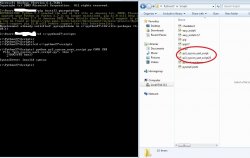
Here is what I did to get a clean install to the "auth" part. I have windows 7 and hopefully this will help clear it up a bit if you are using windows. I downloaded python from its website. I installed it and in the second window i scrolled down and ticked on the python.exe to be installed (the only one with the red X). I installed python to C:\ directory so it became c:\python27.
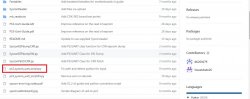
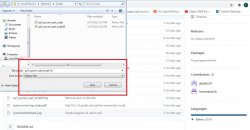
Inside the python27 folder is a scripts folder. I went to the github website provided by the man himself DB (shout out bro for the work you done). There i left clicked the ps3_syscon_uart_script.py. It took me to a page with a bunch of script. I selected it all and copied. I opened notepad and paste all of that code. I went to file>save as and the name I put ps3_syscon_uart_script.py
I saved the filed to c:\python27\scripts
Then I opened CMD and did the following:
1. first checked to see if python installed correctly by typing python --version
2. installed pyserial by typing "pip install pyserial "
pyserial installed by said i need to upgrade my pip so i next upgraded my pip (Refer to the line below).
3. I next typed line "pip install pycryptodome"
4. I screwed up by not navigating over to the right directory so i typed "cd c:\python27\scripts"
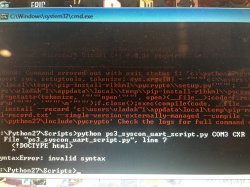
5. the last step i typed "python ps3_syscon_uart_script.py COM3 CXR"
double check your COM. Mine was COM 3.
Refer to my log below. Let me know if you have success following this.
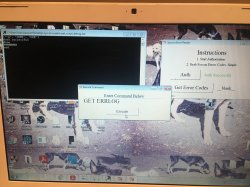
My only issue is when i type errlog, nothing happens after "Auth".
Microsoft Windows [Version 6.1.7601]
Copyright (c) 2009 Microsoft Corporation. All rights reserved.
C:\Users\Kleon1876>python --version
Python 2.7.18
C:\Users\Kleon1876>pip install pyserial
DEPRECATION: Python 2.7 will reach the end of its life on January 1st, 2020. Ple
ase upgrade your Python as Python 2.7 won't be maintained after that date. A fut
ure version of pip will drop support for Python 2.7. More details about Python 2
support in pip, can be found at
https://pip.pypa.io/en/latest/development/relea
se-process/#python-2-support
Collecting pyserial
Using cached
https://files.pythonhosted.org/packages/07/bc/587a445451b253b2856
29263eb51c2d8e9bcea4fc97826266d186f96f558/pyserial-3.5-py2.py3-none-any.whl
Installing collected packages: pyserial
Successfully installed pyserial-3.5
WARNING: You are using pip version 19.2.3, however version 20.3.4 is available.
You should consider upgrading via the 'python -m pip install --upgrade pip' comm
and.
C:\Users\Kleon1876>python -m pip install --upgrade pip
DEPRECATION: Python 2.7 will reach the end of its life on January 1st, 2020. Ple
ase upgrade your Python as Python 2.7 won't be maintained after that date. A fut
ure version of pip will drop support for Python 2.7. More details about Python 2
support in pip, can be found at
https://pip.pypa.io/en/latest/development/relea
se-process/#python-2-support
Collecting pip
Using cached
https://files.pythonhosted.org/packages/27/79/8a850fe3496446ff0d5
84327ae44e7500daf6764ca1a382d2d02789accf7/pip-20.3.4-py2.py3-none-any.whl
Installing collected packages: pip
Found existing installation: pip 19.2.3
Uninstalling pip-19.2.3:
Successfully uninstalled pip-19.2.3
Successfully installed pip-20.3.4
C:\Users\Kleon1876>pip install pyserial
DEPRECATION: Python 2.7 reached the end of its life on January 1st, 2020. Please
upgrade your Python as Python 2.7 is no longer maintained. pip 21.0 will drop s
upport for Python 2.7 in January 2021. More details about Python 2 support in pi
p can be found at
https://pip.pypa.io/en/latest/development/release-process/#pyt
hon-2-support pip 21.0 will remove support for this functionality.
Requirement already satisfied: pyserial in c:\python27\lib\site-packages (3.5)
C:\Users\Kleon1876>pip install pycryptodome
DEPRECATION: Python 2.7 reached the end of its life on January 1st, 2020. Please
upgrade your Python as Python 2.7 is no longer maintained. pip 21.0 will drop s
upport for Python 2.7 in January 2021. More details about Python 2 support in pi
p can be found at
https://pip.pypa.io/en/latest/development/release-process/#pyt
hon-2-support pip 21.0 will remove support for this functionality.
Collecting pycryptodome
Using cached pycryptodome-3.10.1-cp27-cp27m-win_amd64.whl (1.5 MB)
Installing collected packages: pycryptodome
Successfully installed pycryptodome-3.10.1
C:\Users\Kleon1876>python ps3_syscon_uart_script.py COM3 CXR
python: can't open file 'ps3_syscon_uart_script.py': [Errno 2] No such file or d
irectory
C:\Users\Kleon1876>python ps3_syscon_uart_script.py COM3 CXR
python: can't open file 'ps3_syscon_uart_script.py': [Errno 2] No such file or d
irectory
C:\Users\Kleon1876>cd c:\python27\scripts
c:\Python27\Scripts>python ps3_syscon_uart_script.py COM3 CXR
>$ auth
Auth successful